Pro features
AI Connector Pro ($149, one-time) installs on top of the free app; your connections stay. Get it on the Apps Store.
Approvals
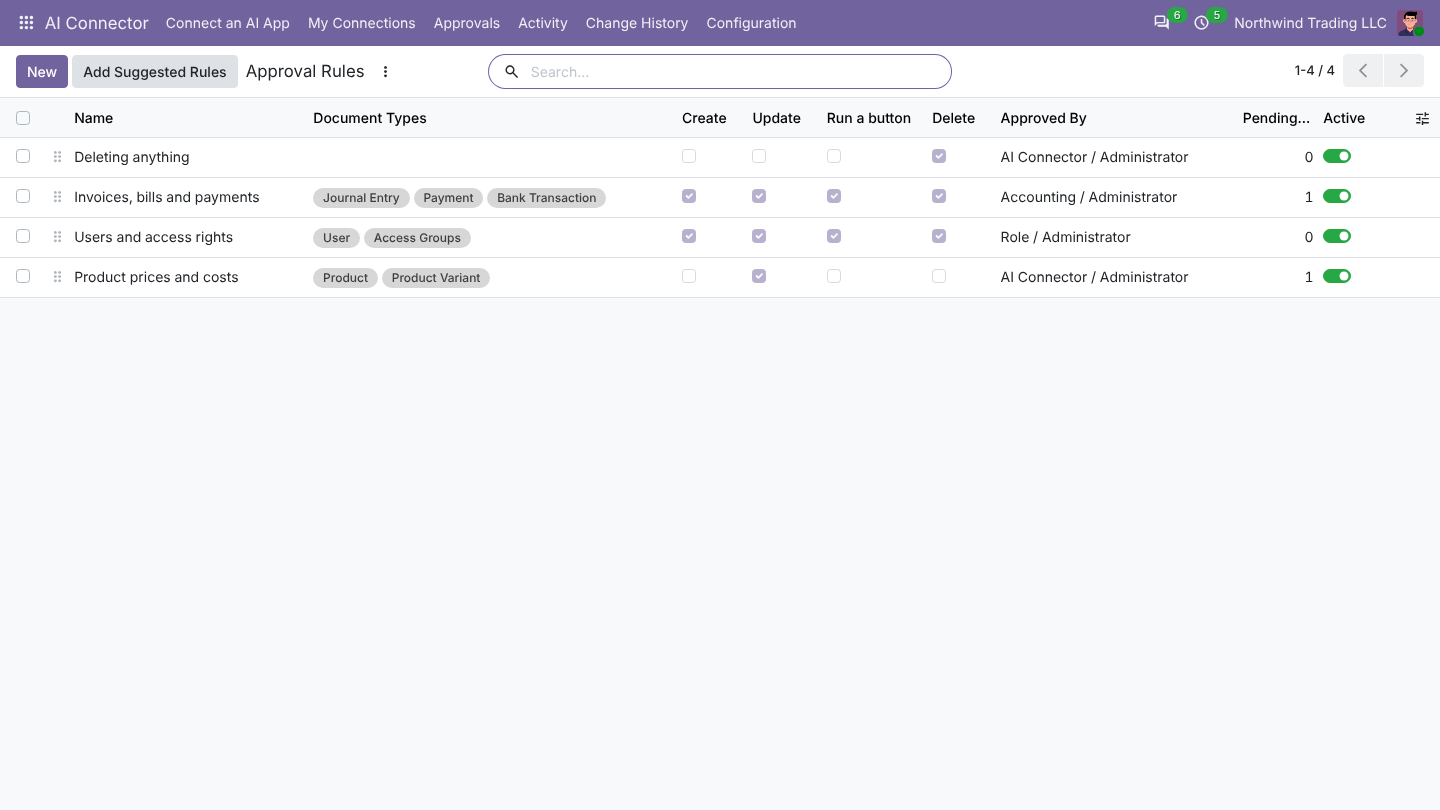
AI Connector > Approval Rules decides which AI changes wait for a person: for example confirming orders, posting invoices, changing prices or deleting records. Add Suggested Rules creates sensible ones for the apps you have.
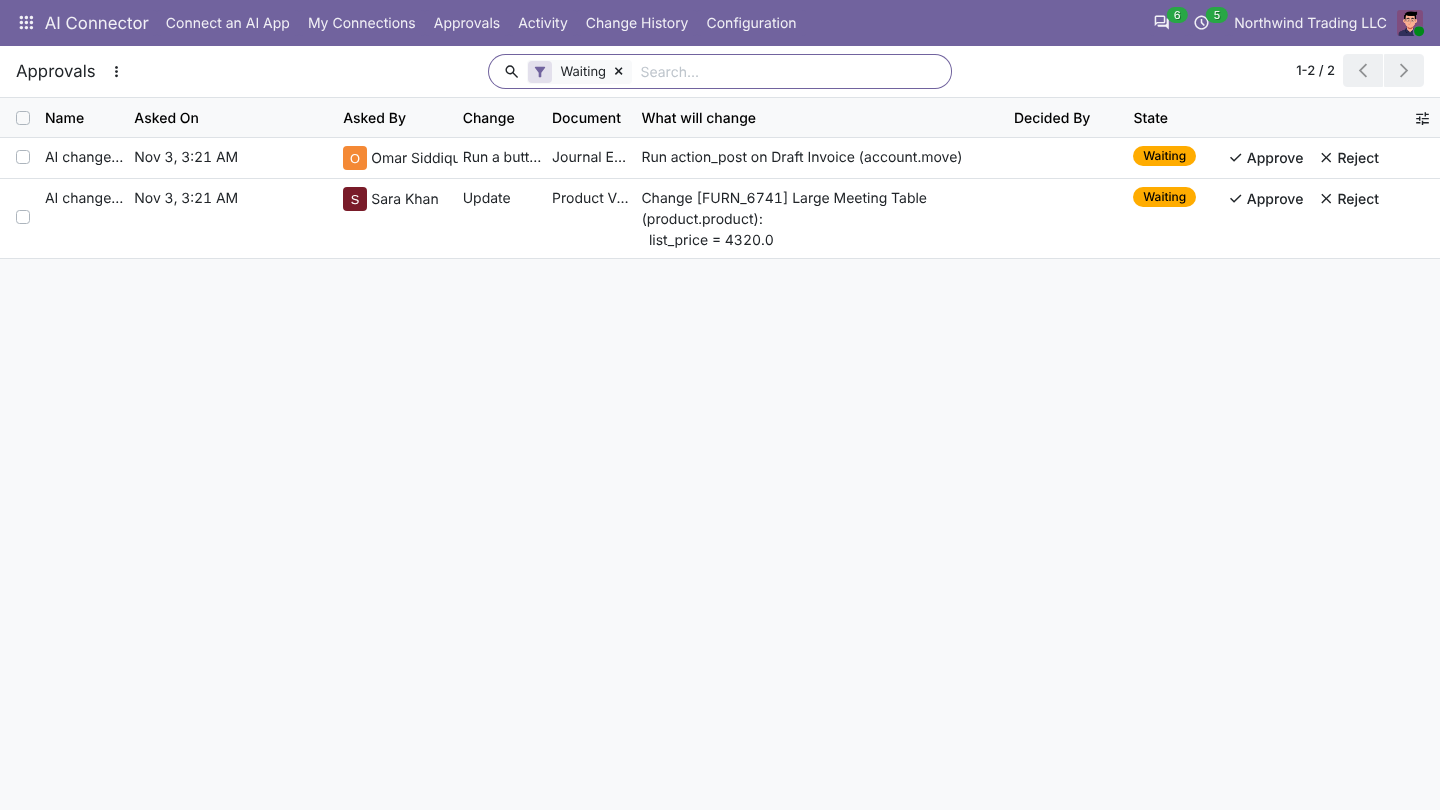
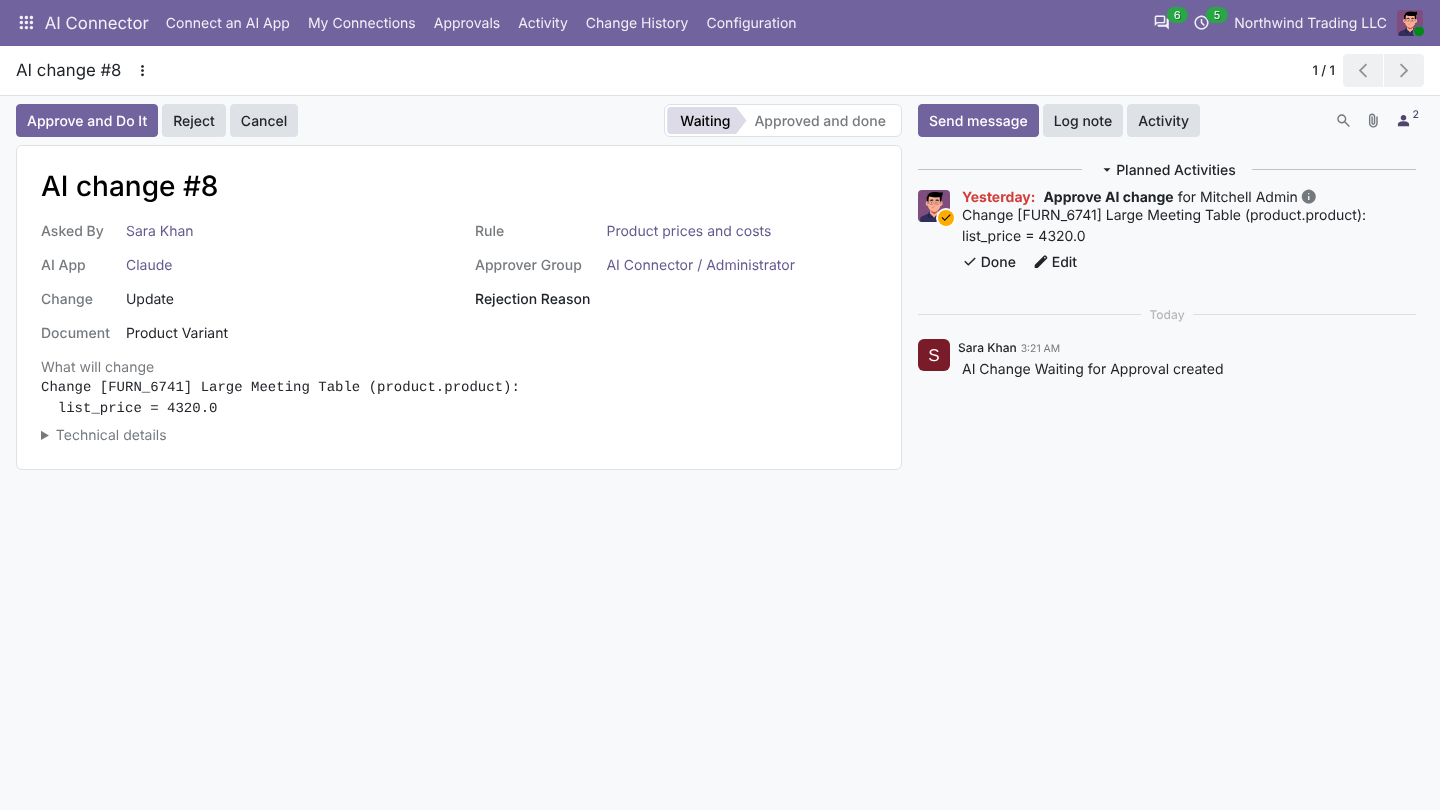
When the AI wants to do something that needs approval, it is queued under Approvals and the approver gets an activity. Open it and click Approve and Do It or Reject. The change runs as the person who asked, with their access rights.
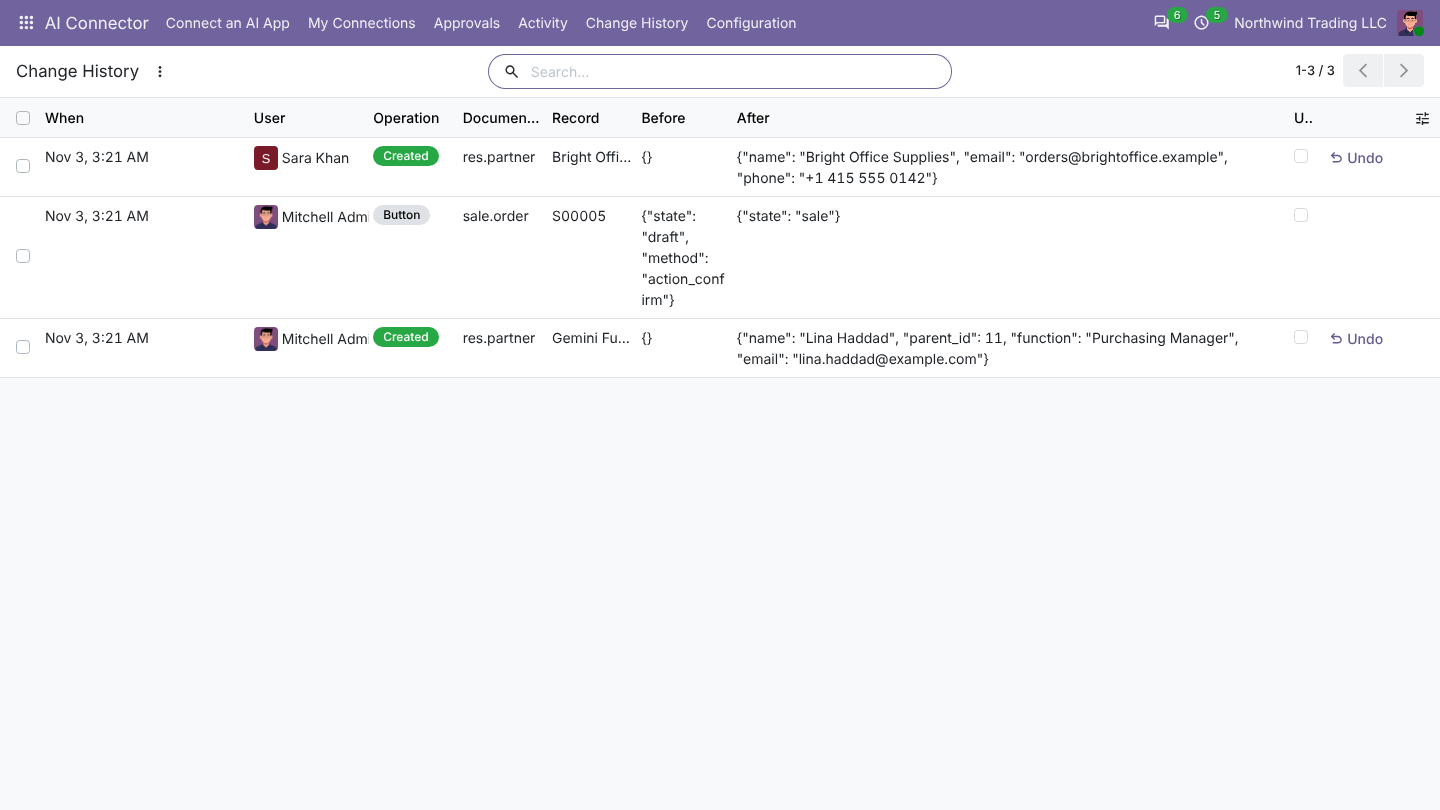
Change history and undo
Change History records every change the AI made, with the old and new values. Click Undo to put a record back as it was.
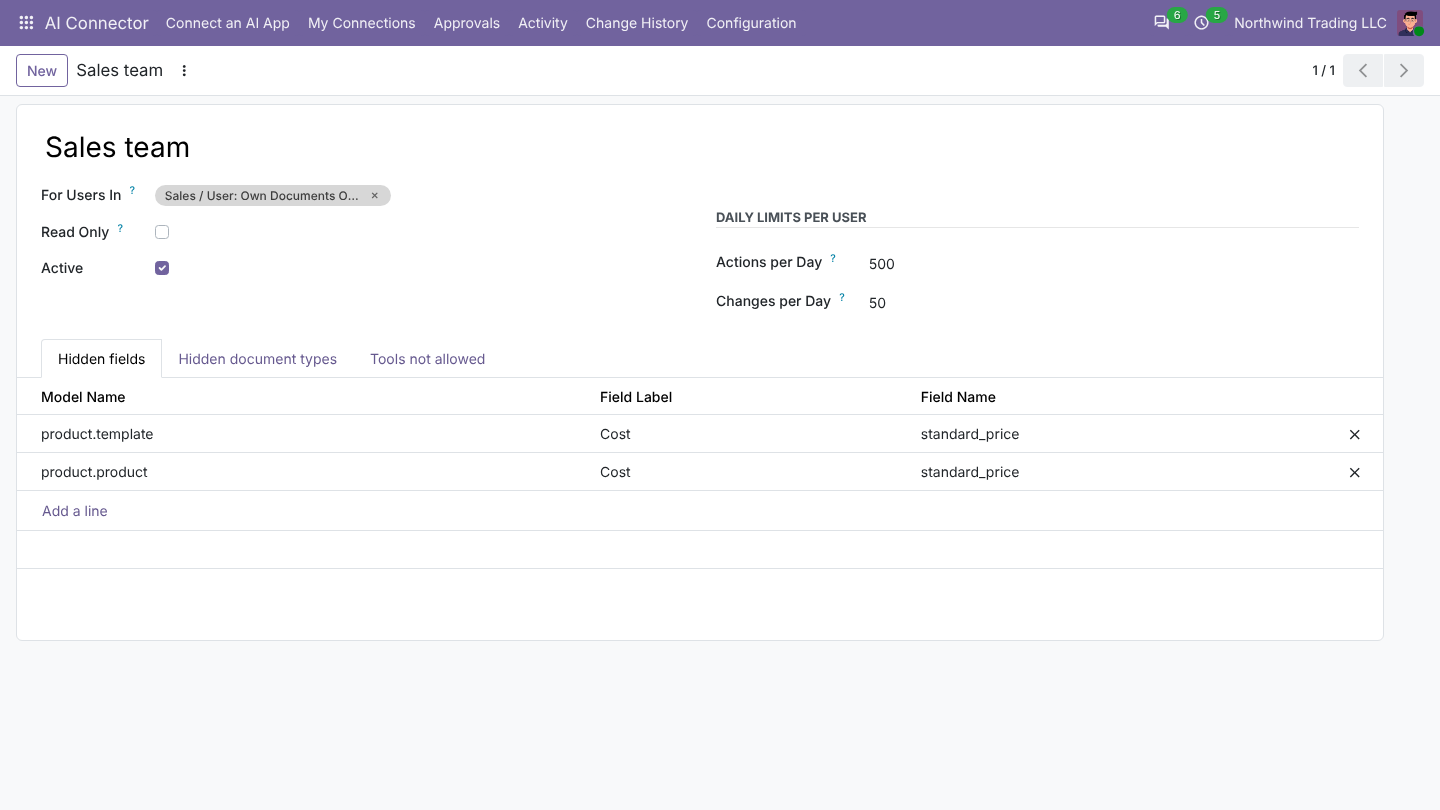
Access rules per team
Access Rules limit the AI further for chosen users or teams: hidden document types, hidden fields, tools not allowed and daily limits per user.
Workflows
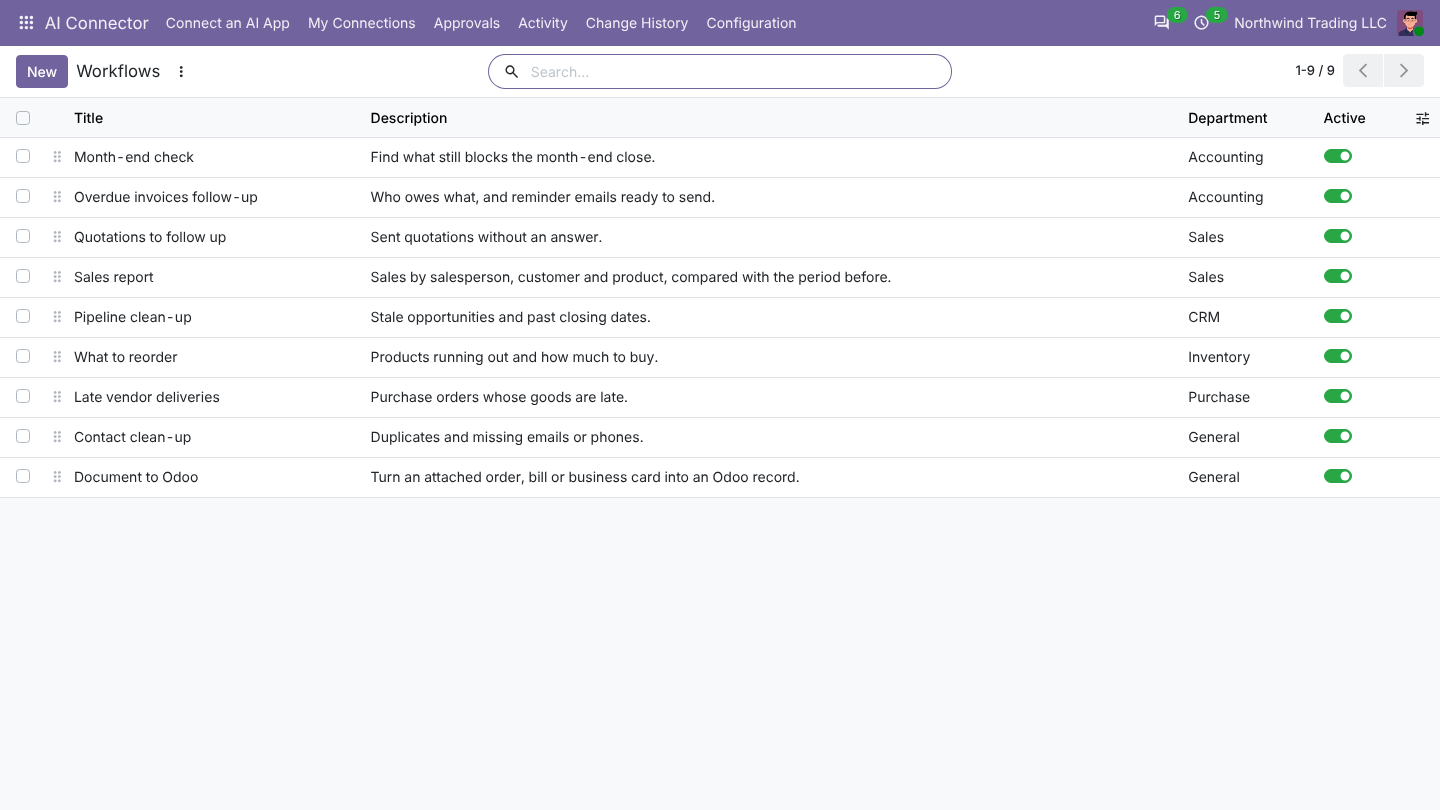
Workflows are ready-made instructions the AI app offers as shortcuts: Sales report, Quotations to follow up, Overdue invoices follow-up, Pipeline clean-up, What to reorder, Late vendor deliveries, Month-end check, Contact clean-up and Document to Odoo. Edit them or add your own.