Set up and use
What you need
- A scale that sends its weight as text over USB-serial or RS-232 (with a USB adapter). Most retail and counter scales do.
- Chrome, Edge or Opera on a desktop computer. Safari and Firefox do not support Web Serial.
- Odoo opened over HTTPS (browsers only allow serial ports on secure pages, or on localhost).
Set up in four steps
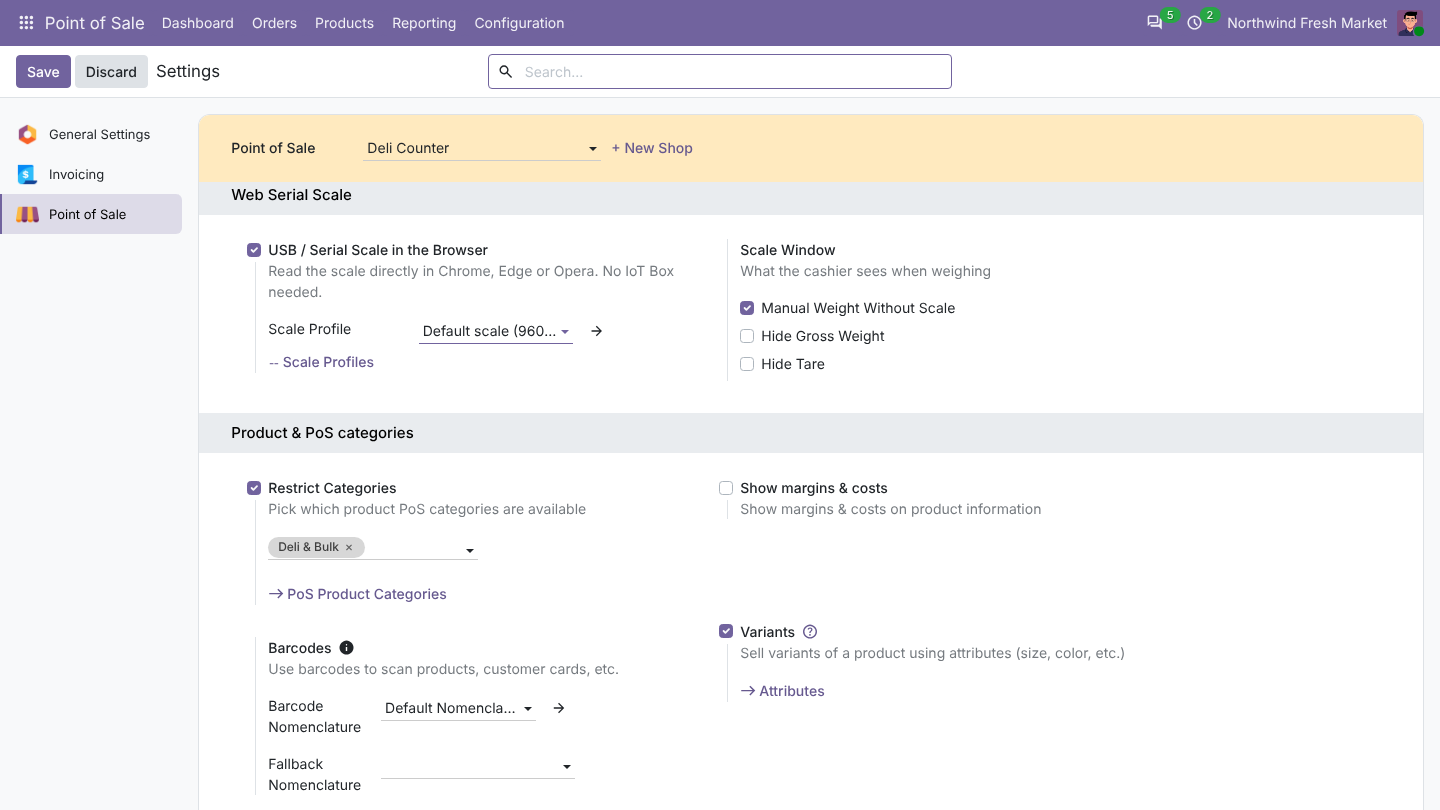
- Open Point of Sale > Configuration > Settings, choose the point of sale, enable USB / Serial Scale in the Browser and pick a scale profile.
- Mark products To Weigh With Scale and sell them by kg (or g, lb, oz).
- Open the register, click Connect scale in the header and choose the scale in the browser's list.
- Later sessions connect on their own.
Weigh and sell
Tap a weighable product: the scale window opens with the live weight. Tap Order. The scale button in the header shows the current weight and reconnects with one click.
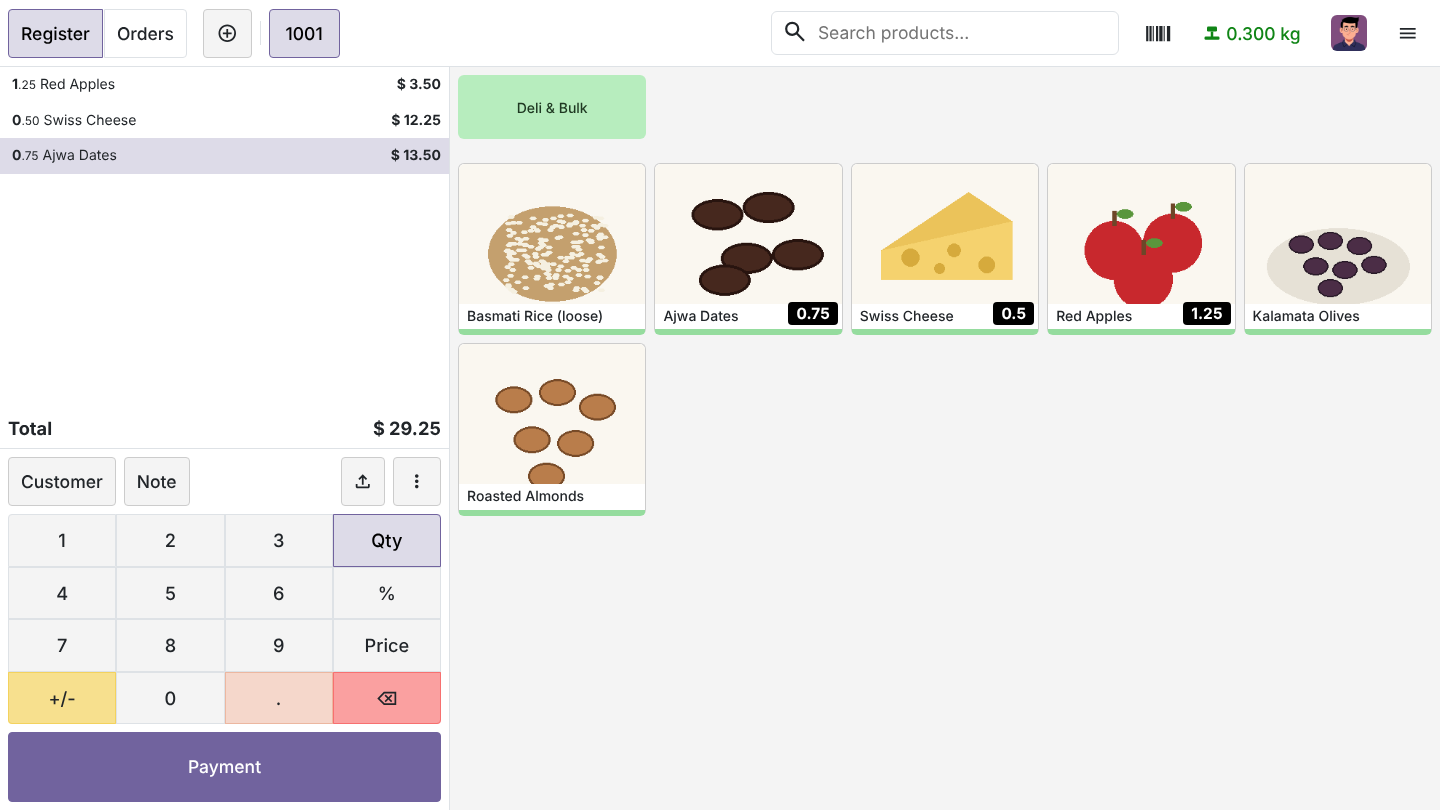
- Readings in kg, g, lb or oz are converted to the product's unit, and the price follows the weight.
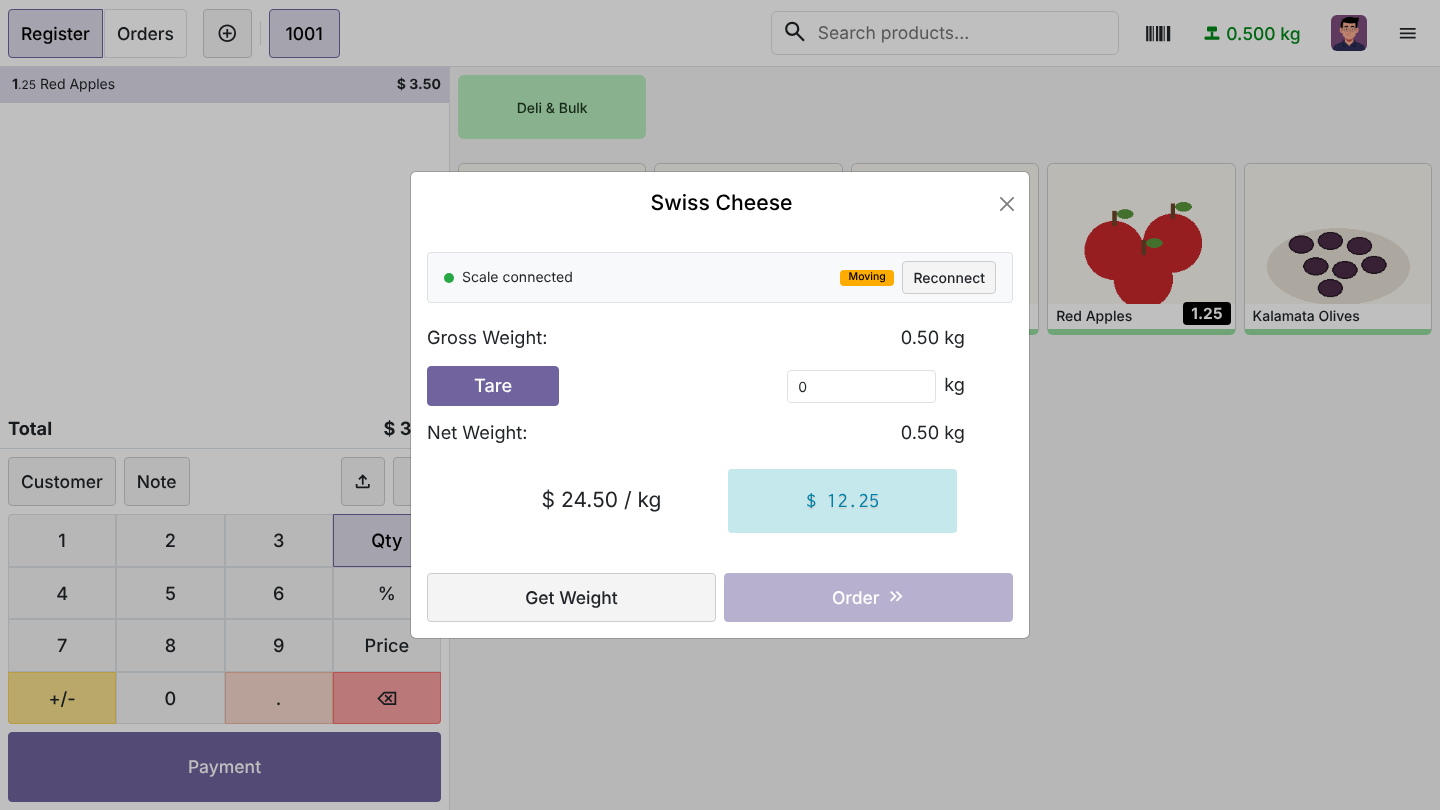
- When the scale reports an unstable weight, the window shows Moving and Order stays disabled until it settles. With Add When Stable the product is added on its own once the weight stays the same.
- A zero weight cannot be ordered.
No scale connected
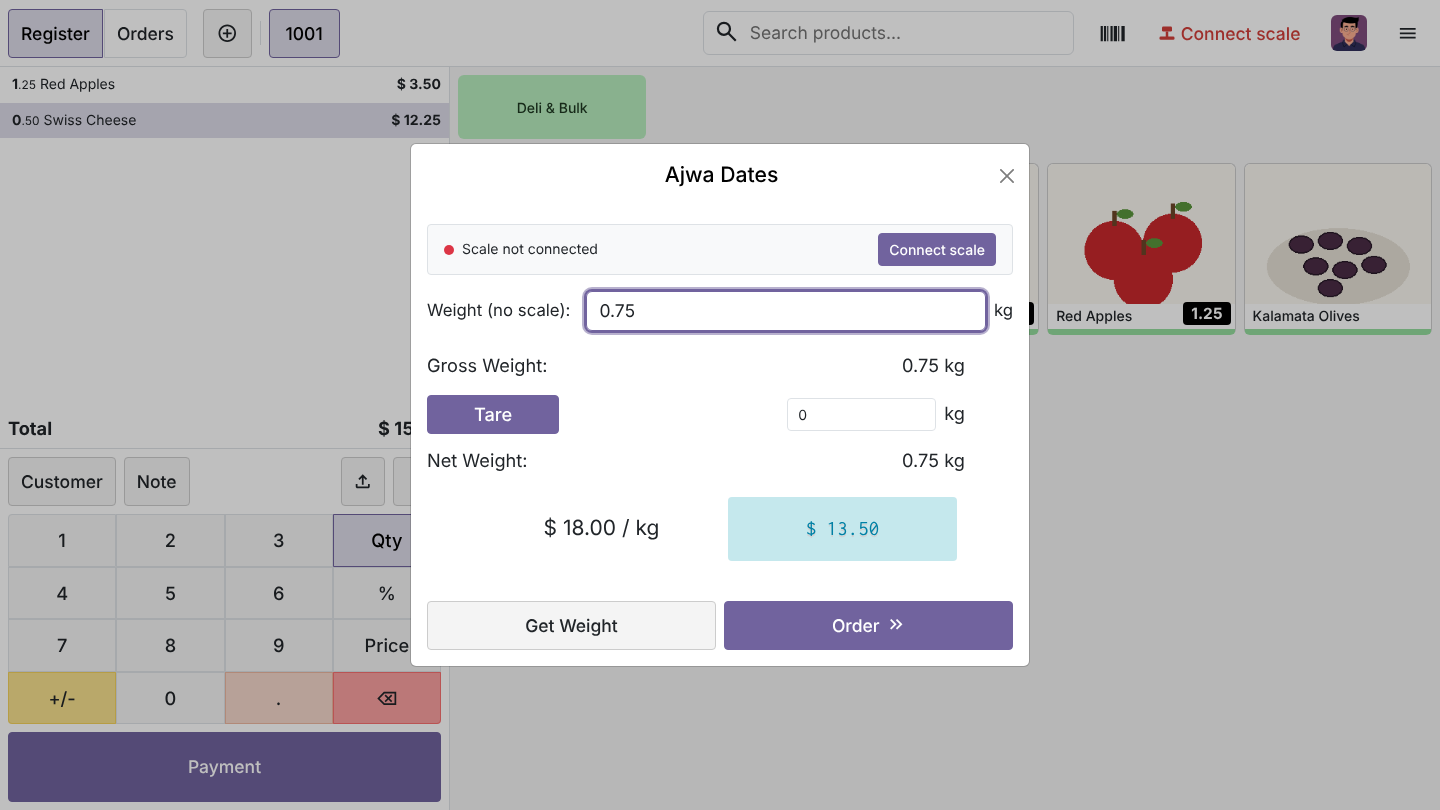
When the scale is unplugged or off, the scale window offers a weight field so the queue keeps moving. A live reading always wins over a typed one. You can switch this off per point of sale.
Scale profiles
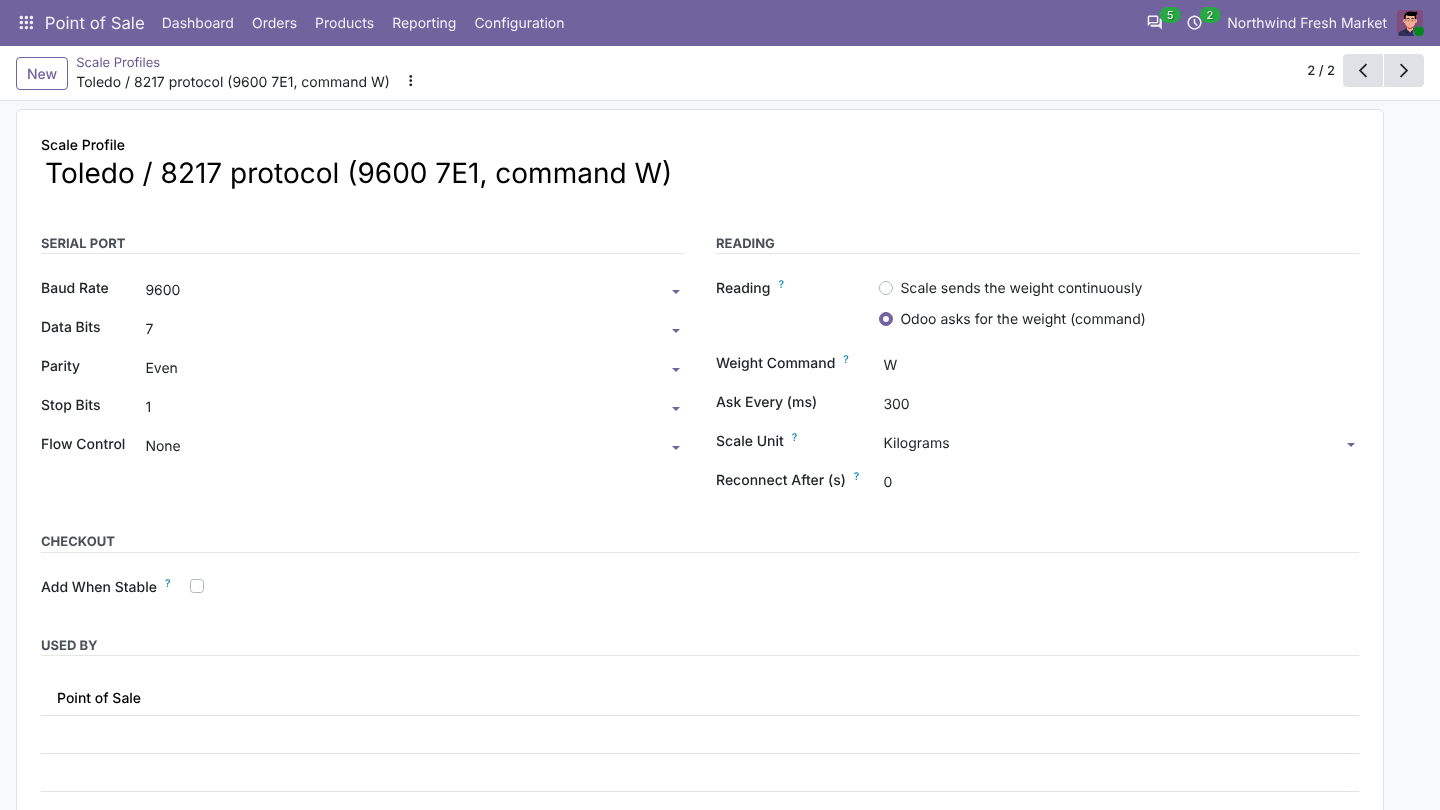
Point of Sale > Configuration > Scale Profiles: one profile per scale model, shared by as many registers as you like. Two profiles are included. Take the settings from the scale manual:
- Baud rate (1200 to 115200), data bits, parity, stop bits, RTS/CTS.
- Scales that send continuously, or that answer a command (Toledo / 8217
W). - The unit the scale uses when its reading has none, reconnect delay and stable-weight delay.
Was this page helpful?