Analyze your storage
Open Storage Analyzer > Storage Analysis (in Storage Manager: Storage > Analysis > Storage Analysis) and click Analyze Now. On very large filestores click Analyze in Background instead, then refresh the list after a few minutes.
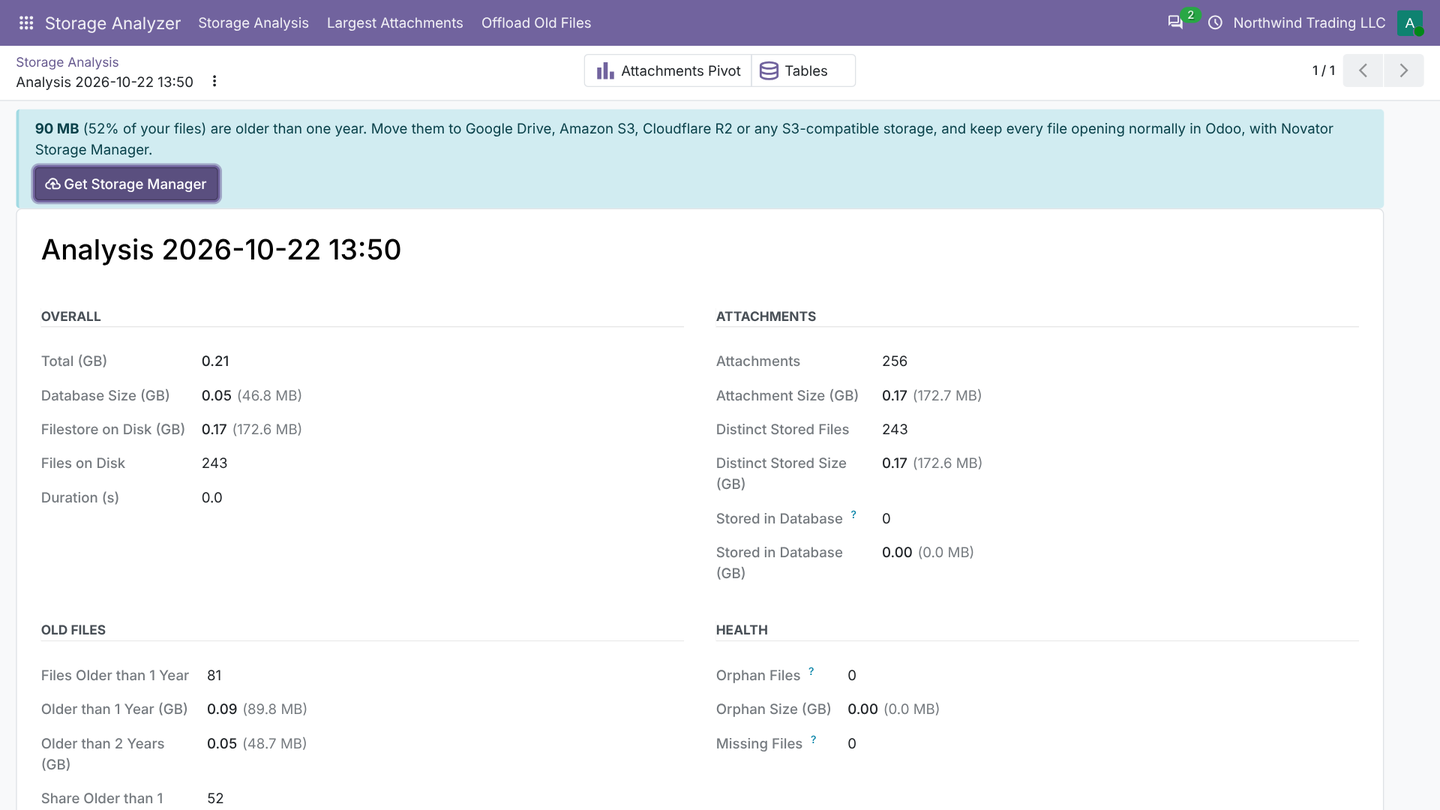
The analysis shows:
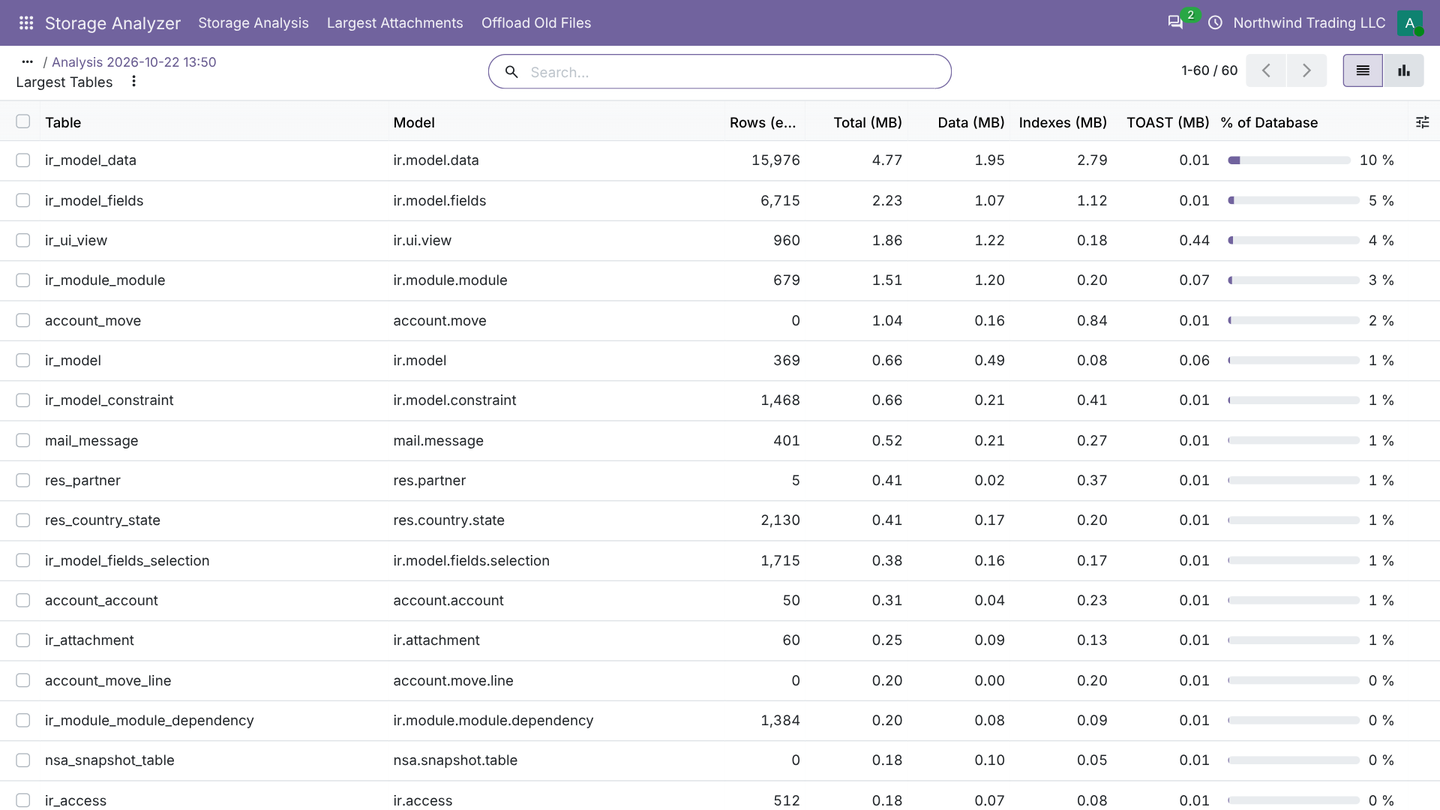
- Database: the total size and the 60 largest tables, each split into data, indexes and TOAST, with its Odoo model.
- Filestore: the real size on disk (files shared by several attachments are counted once) and how much is stored inside PostgreSQL instead.
- Age: how much is under 90 days, up to 1 year, 1 to 2 years and over 2 years old. Files older than a year are the ones nobody opens anymore and the best candidates to move.
- Health: orphan files (on disk but no longer used), missing files (attachments whose file is gone) and stored in database (attachments that bloat your backups).
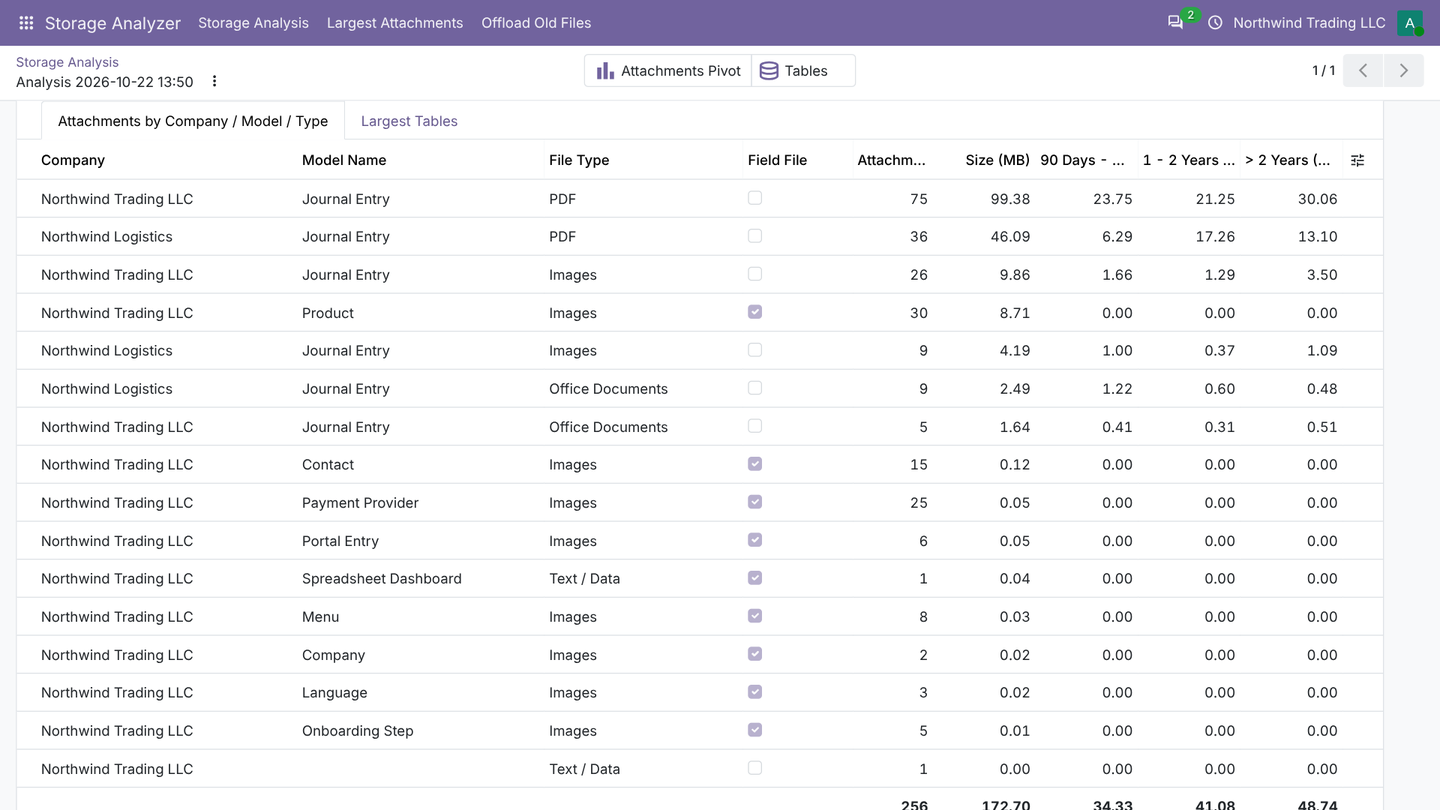
Attachments by company, type and age
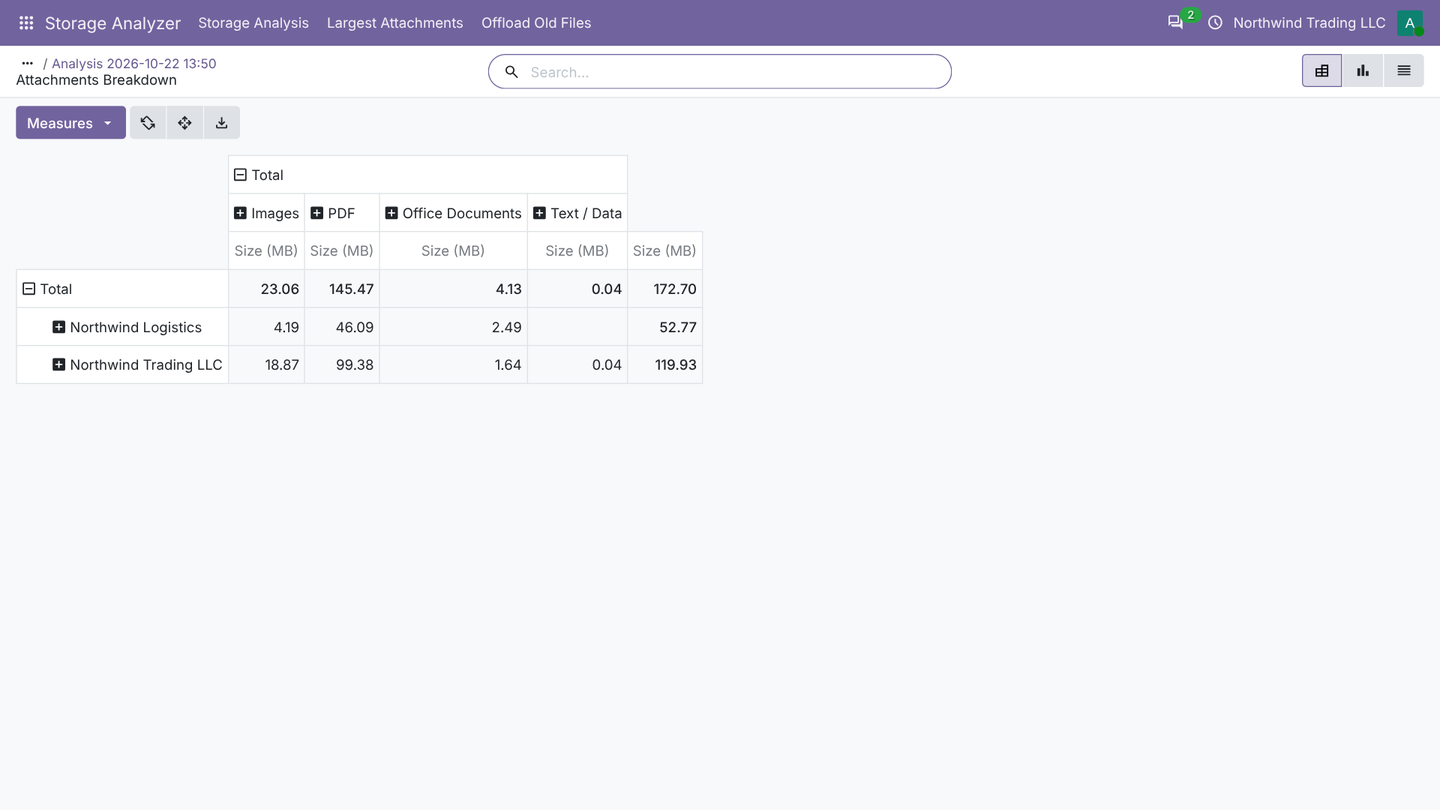
The analysis groups every attachment by company, document type (vendor bills, delivery photos, emails...), file type (images, PDF, Office, video, audio, archives, data) and age. Switch to the pivot or graph view, or export to Excel.
Largest tables
Mail messages, logs, tracking values and old queue jobs often outgrow the business data. Each table shows its estimated rows, data, indexes, TOAST and its share of the database.
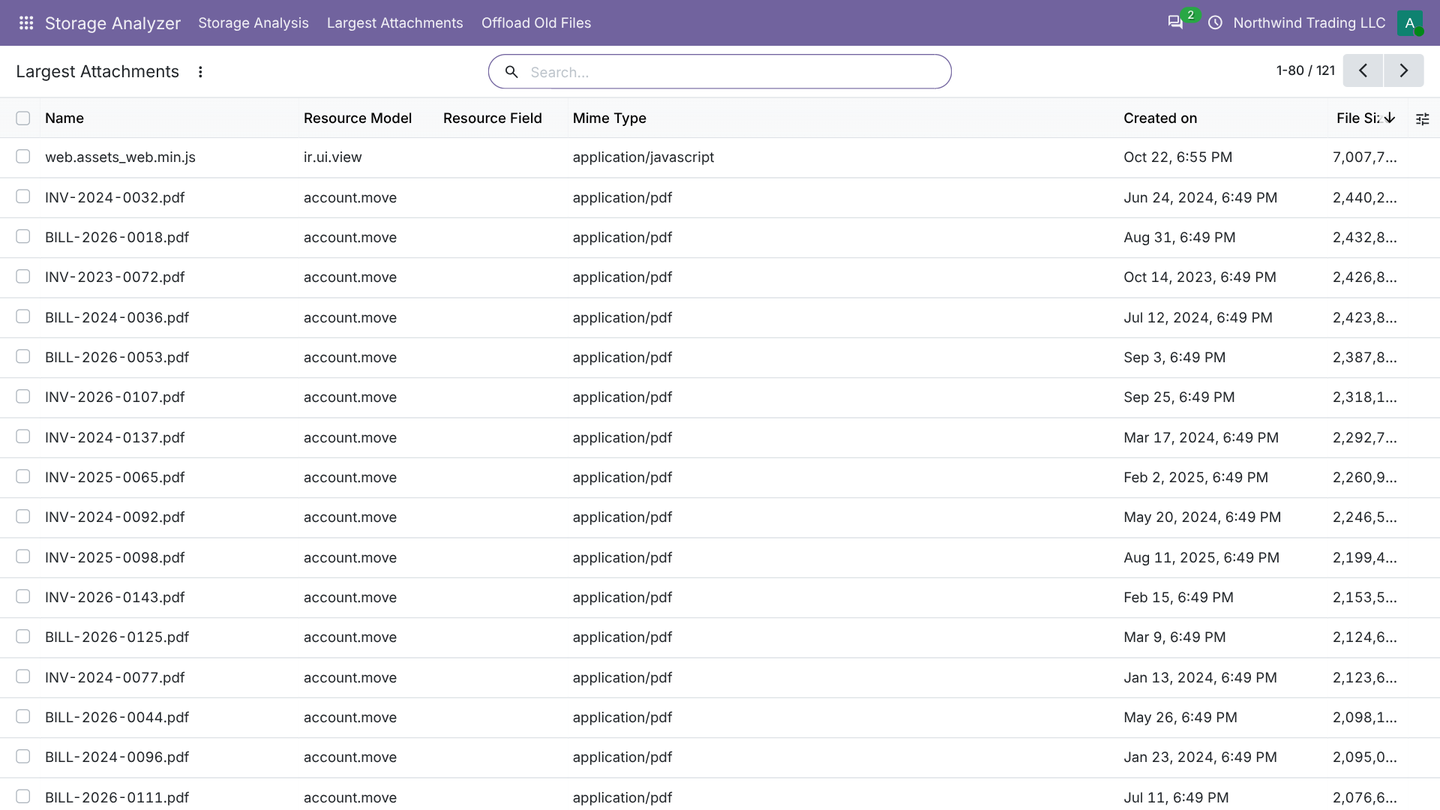
Largest attachments
Largest Attachments lists the heaviest files, with filters for files older than 1 or 2 years and larger than 5 MB. It includes files stored in binary fields, such as product images and avatars, which the standard Attachments menu hides.
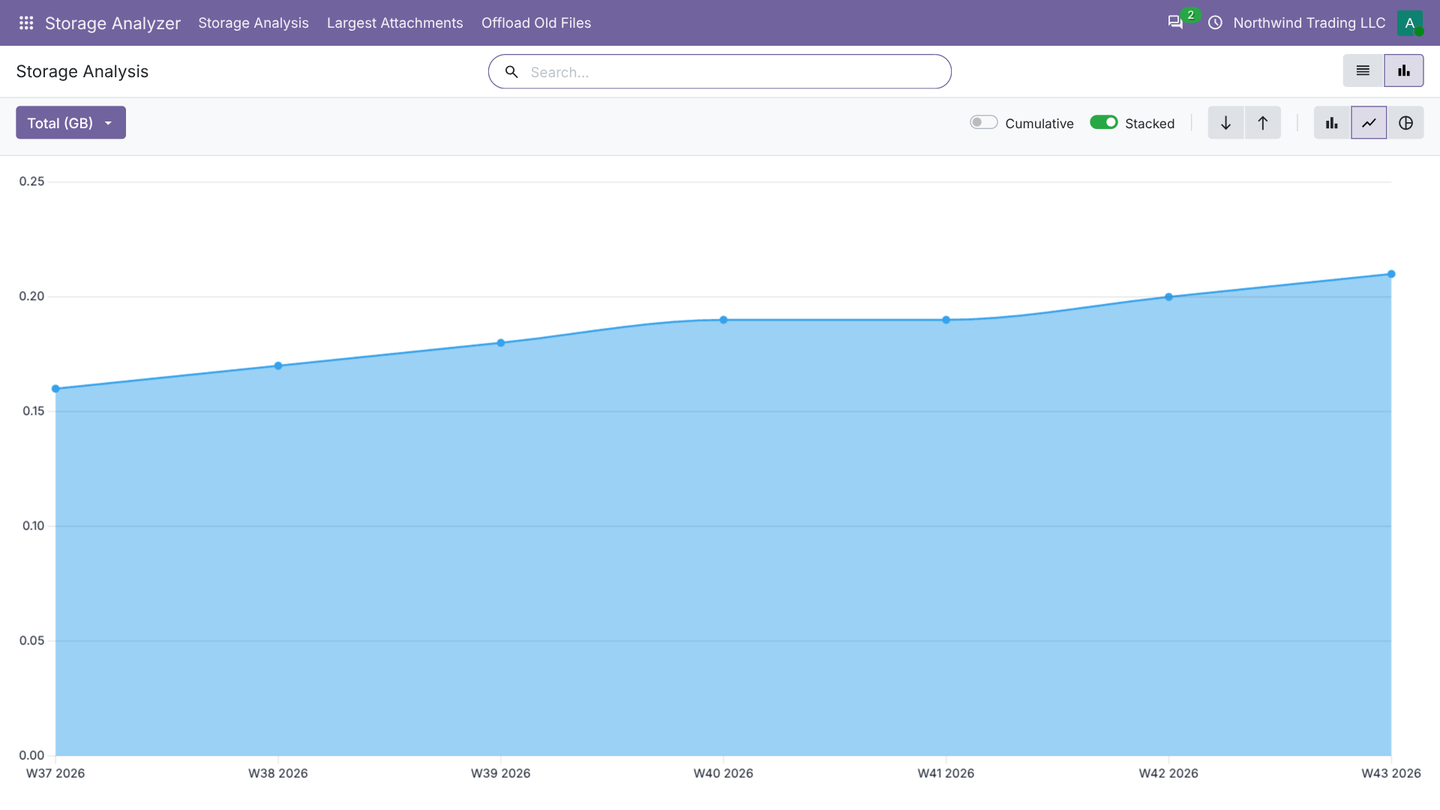
Growth over time
A scheduled analysis runs every week, so the trend builds by itself.
Ready to free the space? Offload Old Files in the Analyzer opens the Offload Rules of Storage Manager, or its Apps Store page when Storage Manager is not installed. See Move old files to the cloud.