Orders, invoices and payments
What an imported order looks like
Each WooCommerce order becomes a sales order named with the store prefix and the order number (for example WC-146).
- Customer: found by the store customer account, then by email. A billing company becomes the parent company of the contact. A different delivery address becomes a delivery address of the customer.
- Lines: products at their store price, one line per shipping method (Shipping (online store) product), one per fee, and one Discount line with the coupon codes.
- Taxes: the taxes the store charged, mapped to Odoo taxes in Configuration > Taxes (created automatically when missing). Choose Use the Odoo product taxes on the store if you prefer Odoo's own taxes.
- Total check: when the Odoo total differs from the store total, the order shows a warning and the filter Total Differs From Store finds it.
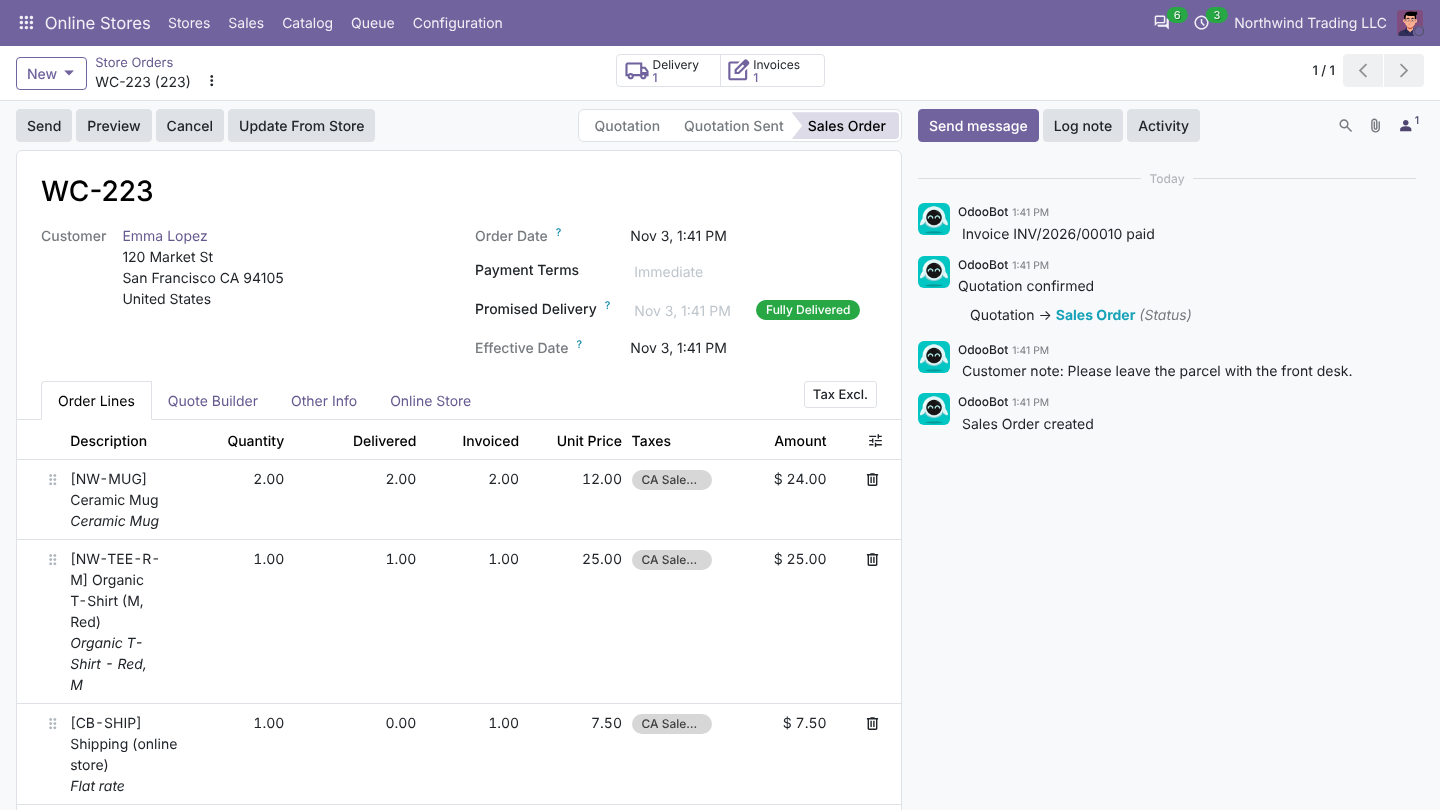
The Online Store tab shows the store number, status, payment method, coupons, the customer's note and refunds.
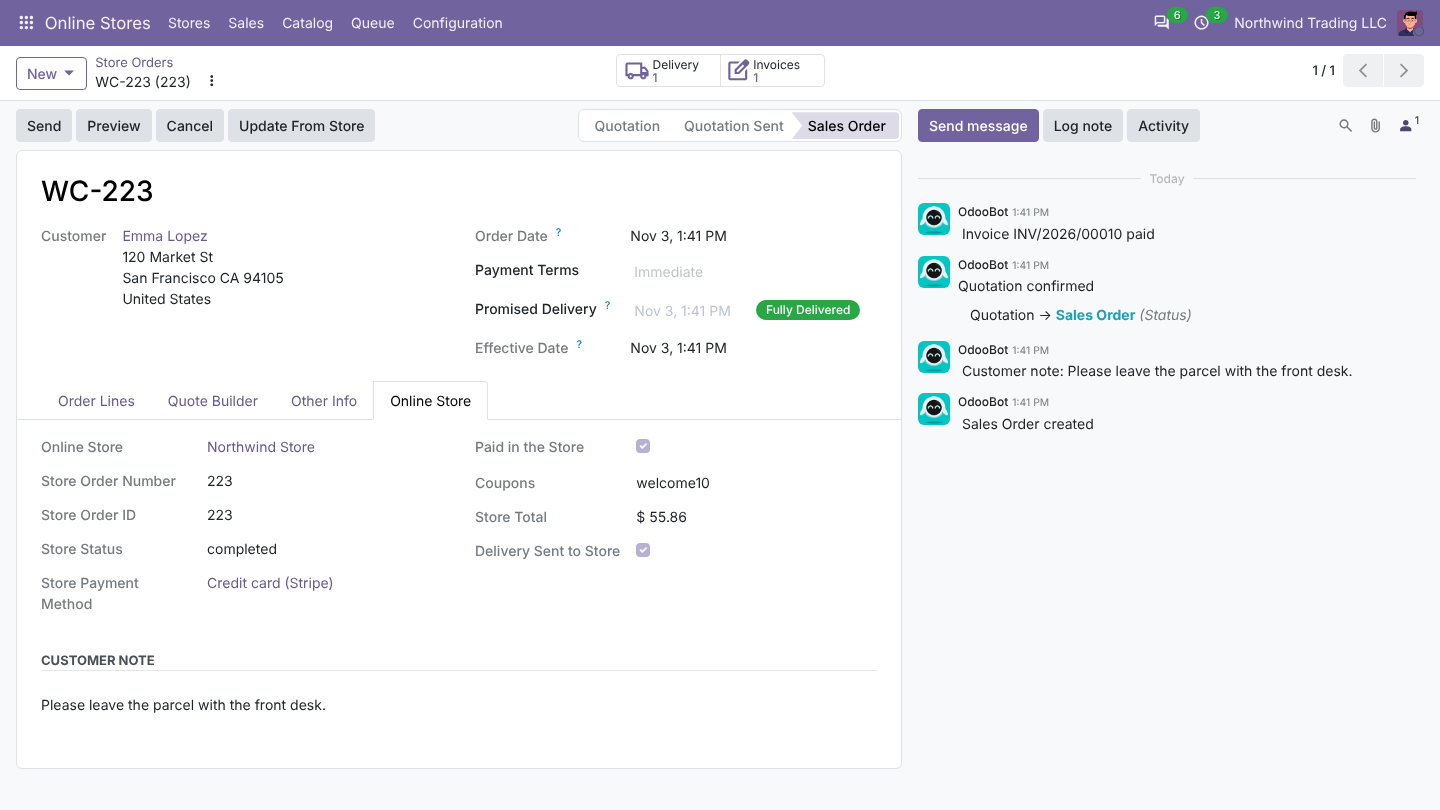
Statuses imported: Processing, On hold and Completed. Pending payment orders (often abandoned checkouts) are skipped unless you tick Import Unpaid (Pending Payment) Orders.
What Odoo does next: per payment method
Each payment method of the store appears in Online Stores > Configuration > Payment Methods with its first order. For each one choose:
| Setting | What it does |
|---|---|
| Confirm Order | Confirms the sales order. |
| Validate Delivery | Validates the delivery when all products are in stock. |
| Create and Post Invoice | Creates and posts the invoice once the order is paid (or completed). |
| Register Payment When Paid | Registers the payment in the Payment Journal when the store marks the order paid. |
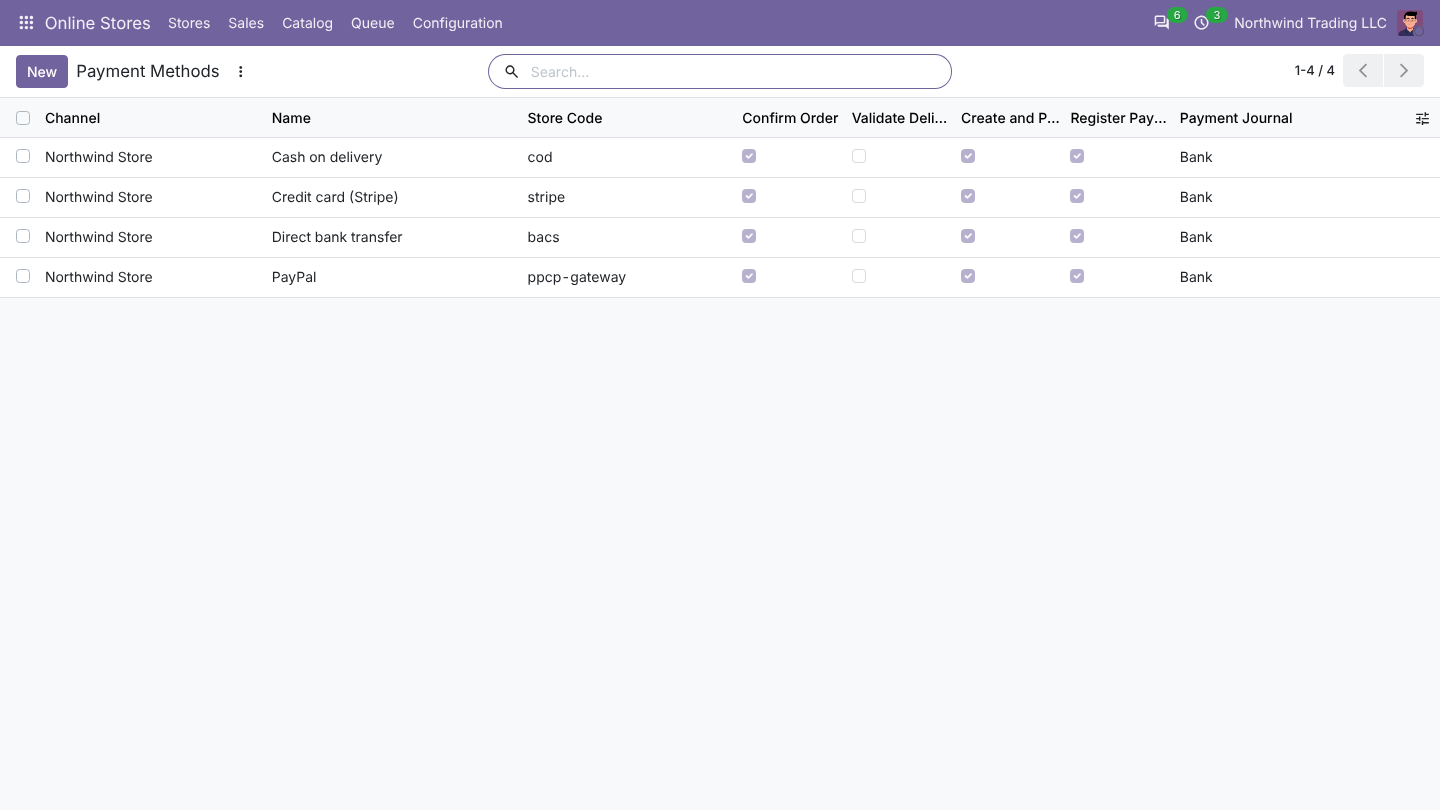
Bank transfers and cash on delivery usually wait: the invoice and payment follow when the store marks the order paid. Each step runs on its own; if one fails (for example a missing account), the order is still imported and the log says why.
Changes after import
When an order changes in WooCommerce, Odoo updates it:
- Status and payment: a paid order gets its invoice and payment.
- Lines: changed quantities and new or removed products, as long as the order is not delivered or invoiced.
- Delivery address, as long as the order is not delivered.
- Cancelled in the store: the Odoo order is cancelled. If it was already delivered or invoiced, Odoo leaves it and creates a to-do for the salesperson.
Use Update From Store on an order to fetch it again.
From Odoo to the store
- Delivery: when the delivery is validated, the store order is set to Completed and the customer gets a note with the carrier and tracking number. Choose Send Tracking As an order note, the WooCommerce Shipment Tracking extension, or an order meta field.
- Cancellation: cancelling the Odoo order cancels the store order (Cancel in the Store When Cancelled in Odoo).
- Credit notes: a posted credit note for a store order is sent as a refund. Refund Through the Payment Gateway also asks WooCommerce to return the money through the gateway, when the gateway supports it.
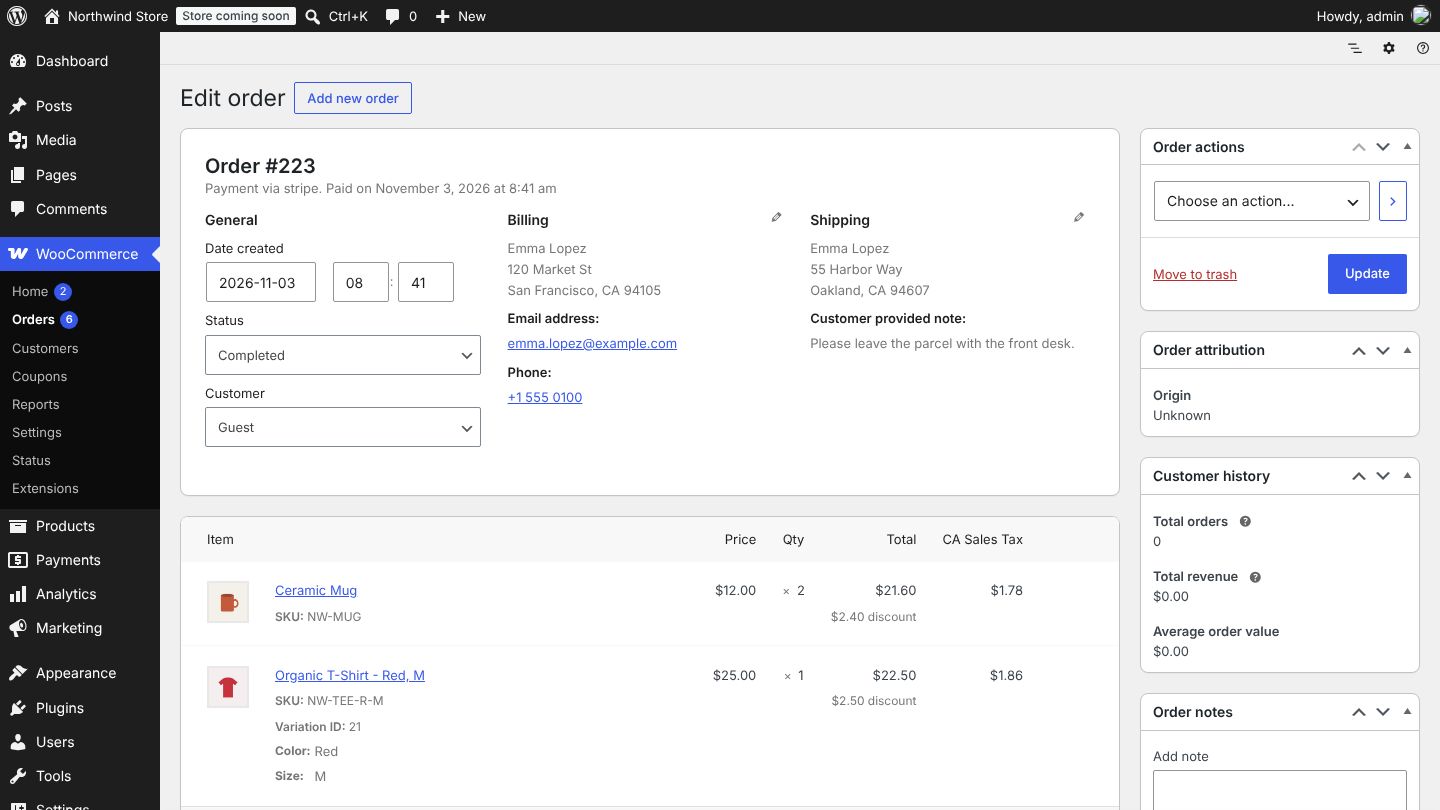
Refunds from the store
A refund made in WooCommerce becomes a posted credit note on the order's invoice, with the refunded products and quantities. Refunds of an amount only become a single line. Refunds you sent from Odoo are not imported back.