Products, stock and prices
Import from the store
Sync... > Import products from the store imports simple and variable products with their variations, attributes, categories and main images.
- Existing Odoo products are linked by Internal Reference = SKU, then by barcode (Match Products By).
- Variations are linked by SKU, otherwise by their attribute values.
- New products get the price of the store. When variations have different prices, the lowest goes to the product and the others to the store pricelist.
- Import Unknown Products With Orders: an order with a product that is not linked yet imports that product first. Switch it off to keep the order waiting until you link the product.
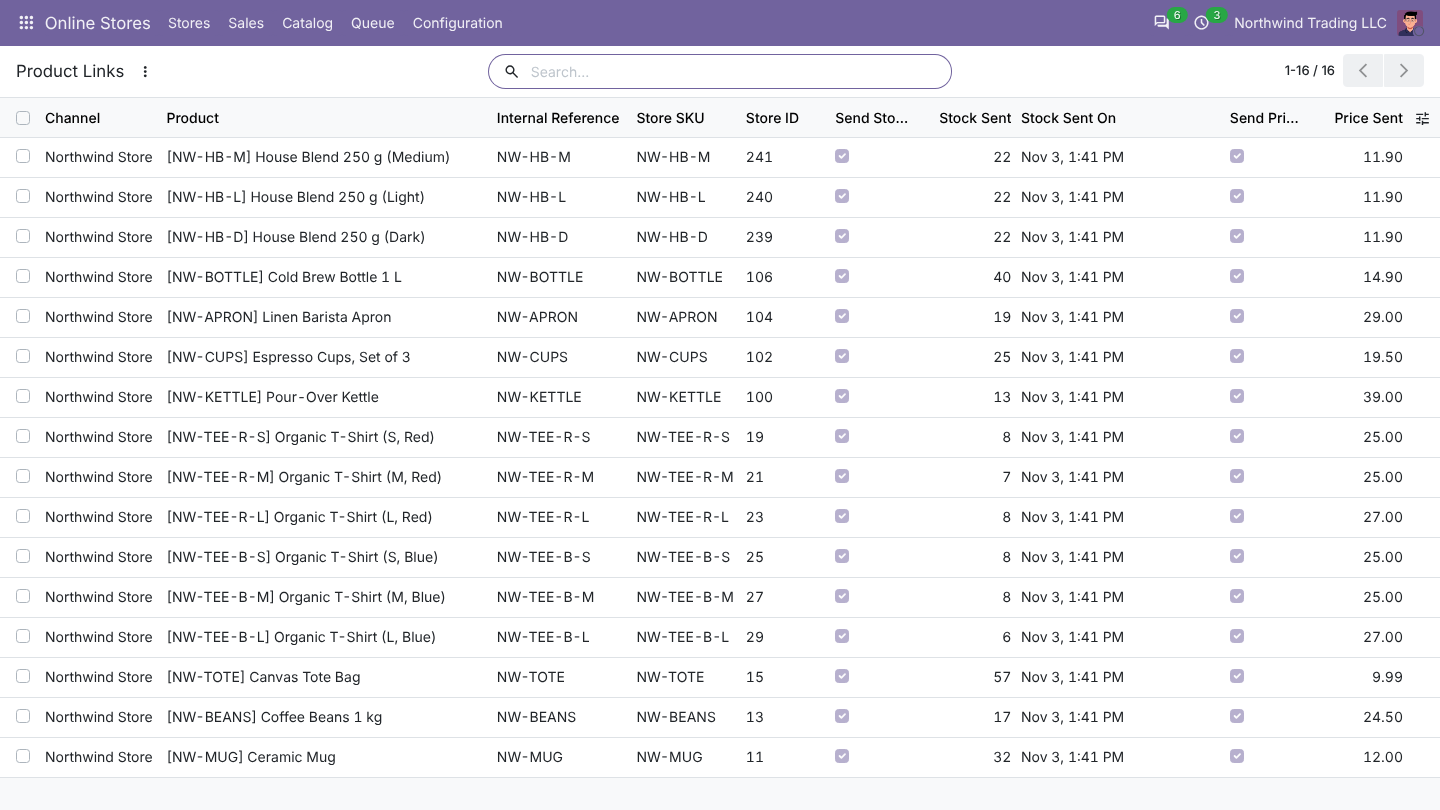
Catalog > Store Products and Catalog > Product Links show what is linked, the store IDs and what was last sent.
Send products from Odoo
- In Sales > Products, select products in the list view.
- Actions > Send to Online Store.
- Choose the store, Published or Draft, and whether to update products already in the store and send images.
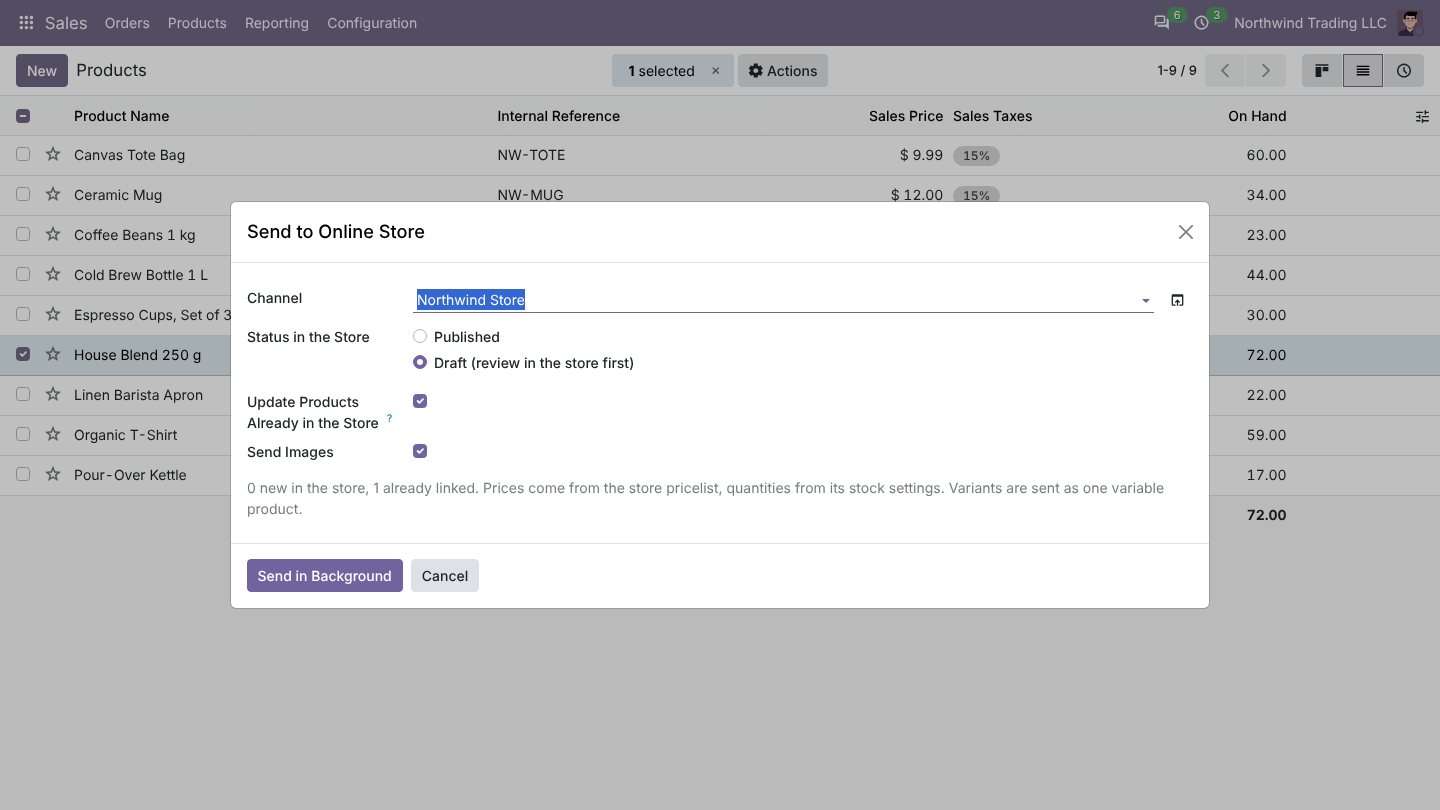
Products with variants are sent as one variable product. Price comes from the store pricelist and quantity from the stock settings. Sending again updates the product instead of creating a copy. An unchanged image is not sent twice.
Product Images on the store:
- Store downloads them from Odoo: the store fetches each image from a signed Odoo link. Odoo must be reachable from the store.
- Odoo uploads them to the WordPress media library: enter a WordPress User and an Application Password (WordPress, Users > Profile > Application Passwords). Use this when the store cannot reach Odoo.
Stock
Odoo sends quantities when stock moves (deliveries, receipts, reservations, inventory) and checks all linked products every hour. Only changed quantities are sent.
| Setting | Choices |
|---|---|
| Stock Source | Free to use (on hand minus reserved), On hand, Forecasted |
| Stock From Warehouses | One or several warehouses; empty uses the order warehouse |
| Stock Buffer | Send the full quantity, keep back a fixed quantity, or send a percentage |
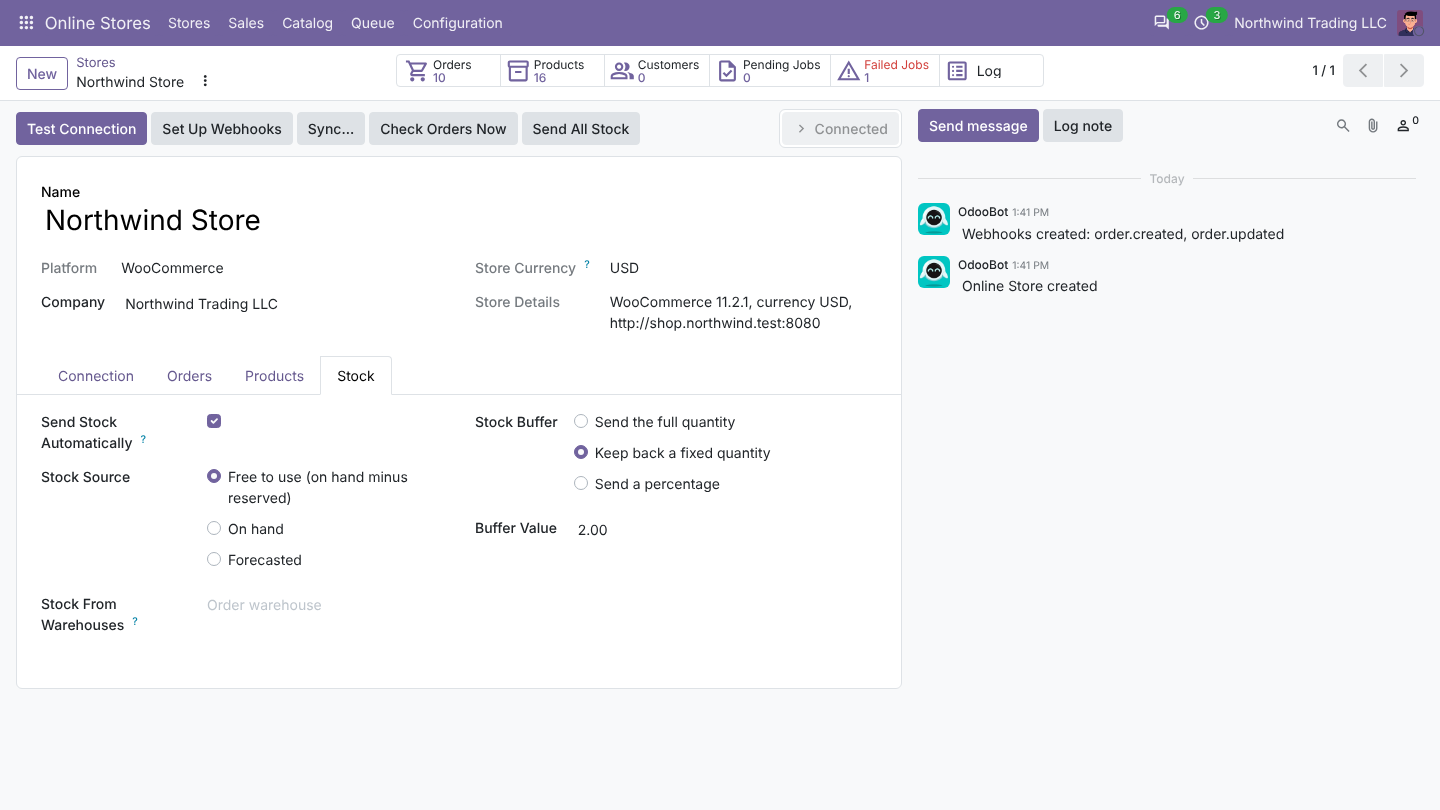
Untick Send Stock on a product link to leave its store quantity alone. Send All Stock sends every quantity again.
Prices
Regular prices come from the store Pricelist. When the Sale Price Pricelist gives a lower price, it is sent as the sale price. Tick Send Prices Automatically to send changed prices every hour, or use Sync... > Send prices to the store.