Jobs, log and safety
Jobs
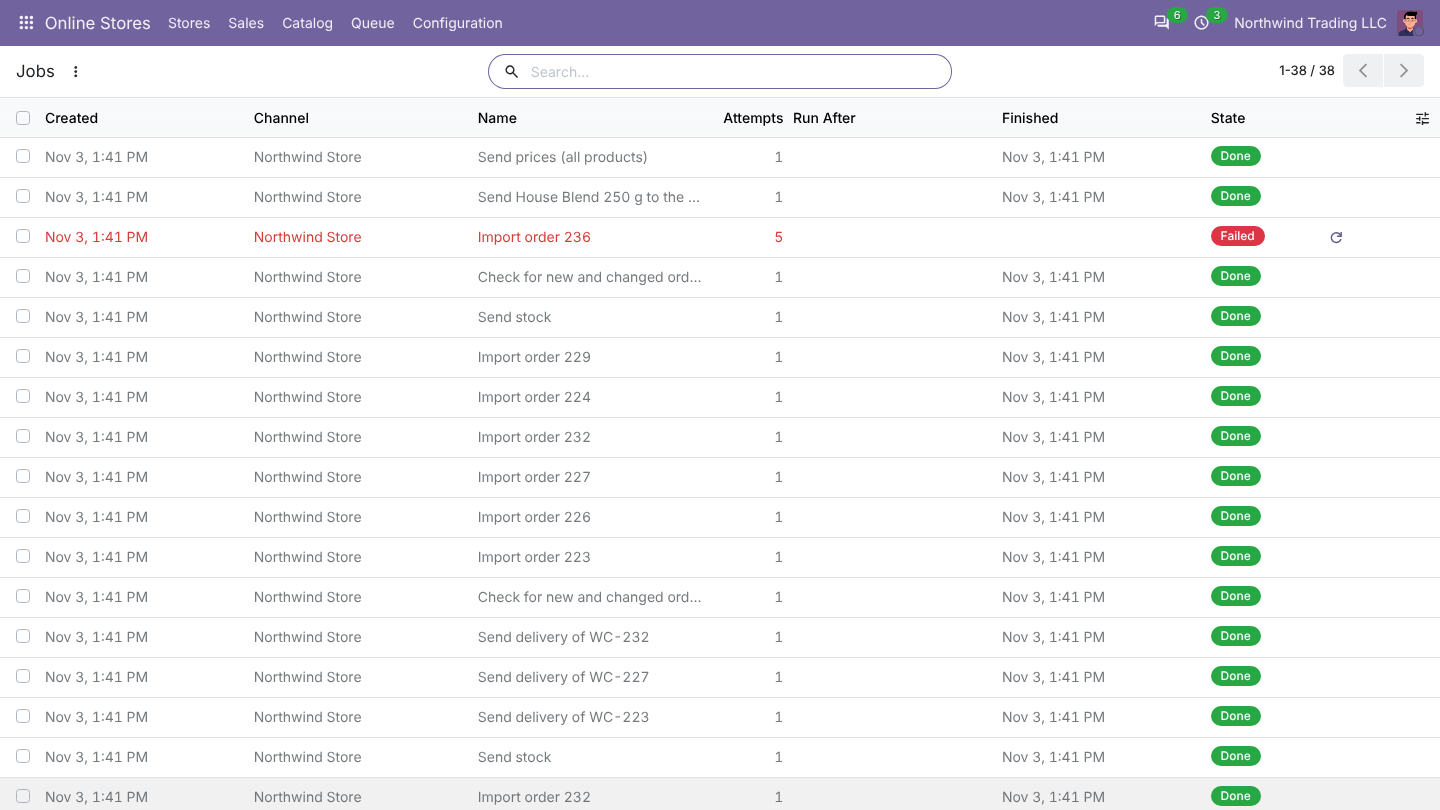
Every sync is a job: each webhook, each scheduled check and each action you start. Online Stores > Queue > Jobs lists them.
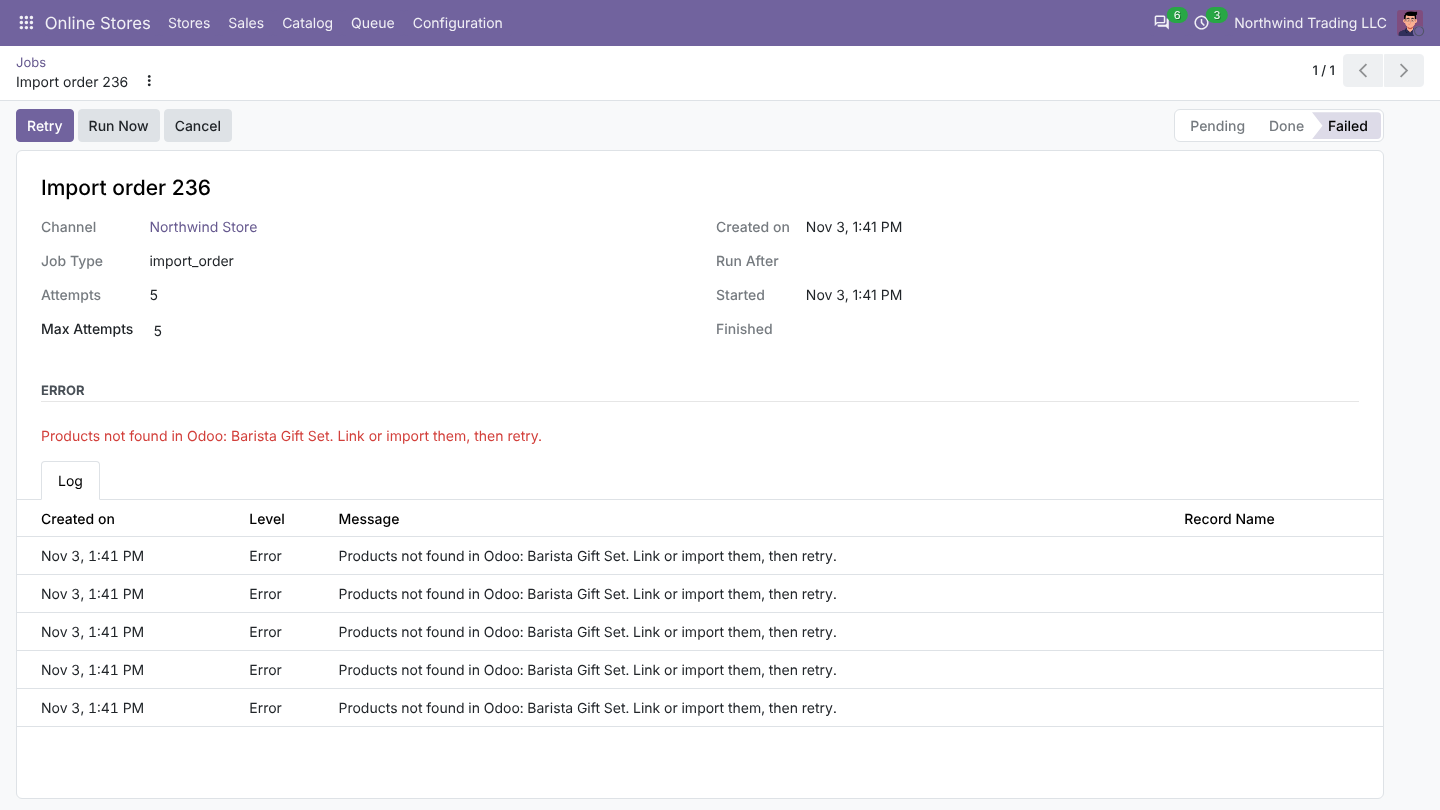
- A failed job is tried again after 2, 4, 8 and 16 minutes, then marked Failed with the reason.
- Retry runs it again, for example after you linked a missing product. Run Now runs a pending job at once.
- Webhooks for the same order are merged into one job.
- Finished jobs and log lines are removed after 30 days.
Log
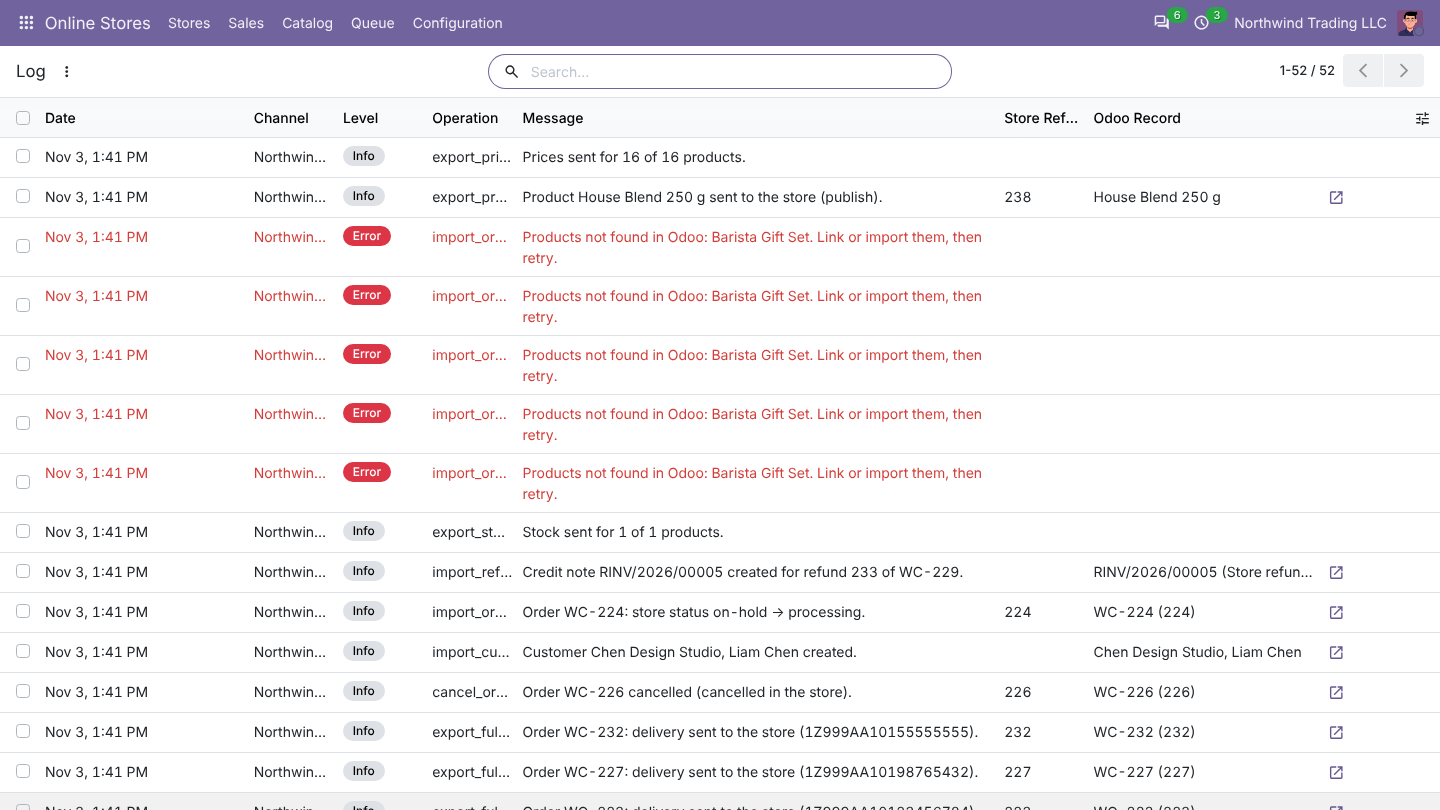
Queue > Log has one line per operation: orders imported or updated, stock and prices sent, refunds, deliveries, warnings. Click the arrow to open the Odoo document.
The dashboard
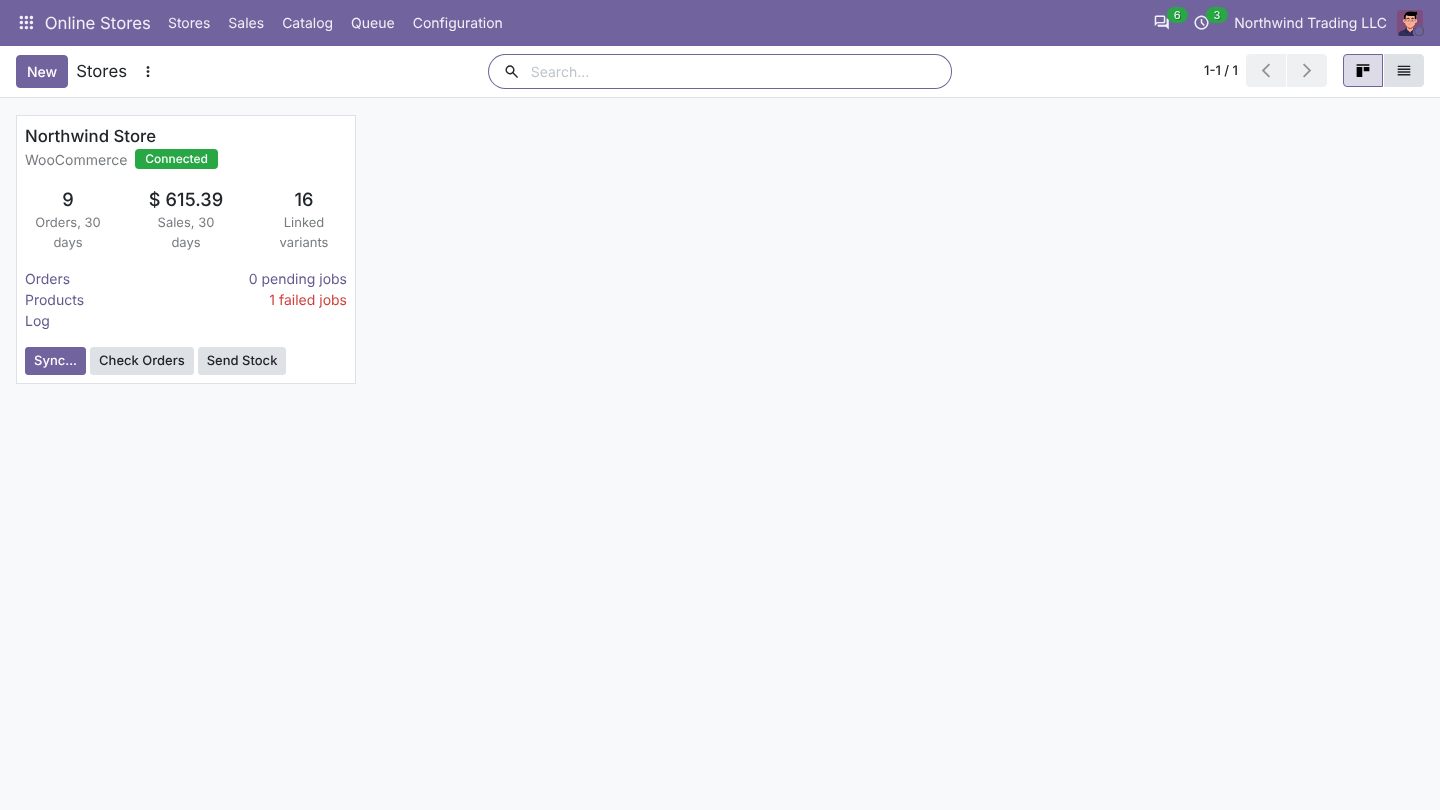
Stores shows each store with its orders and sales of the last 30 days, linked variants, pending and failed jobs, and orders whose total differs from the store.
Test copies of your database
Each store remembers the database that connected it. In a duplicated or neutralized copy (for example an Odoo.sh staging build), the store reads from WooCommerce but never sends stock, prices, product or order changes, so tests cannot disturb the live store. After moving the live database to a new server, open the store and click Use in This Database.
Access rights
In Settings > Users, section Online Stores:
- User: sees the stores, orders, links, jobs and log, runs imports and sends stock.
- Administrator: connects stores, changes settings and sees the keys. Odoo administrators have it automatically.
Webhooks are checked with the secret of each store (HMAC-SHA256); calls with a wrong signature are refused.