Import customers
Customers reach Odoo in two ways:
| Way | When | What is created |
|---|---|---|
| With each order (automatic) | Every imported order | The customer, and separate invoice and delivery addresses when they differ from the customer. |
| Bulk import (manual) | When you run it | One contact per Shopify customer, with the customer's default address. |
You do not need the bulk import to start: orders bring their customers. Use it to have every customer in Odoo before the first order, for example for marketing or to check duplicates.
- The store is connected and the app has the scope
read_customerswith Custom distribution (protected customer data). Without it Shopify answers This app is not approved to access the Customer object. - Look at how customers are matched first, so existing Odoo contacts are reused instead of duplicated.
Method 1: bulk import (Sync)
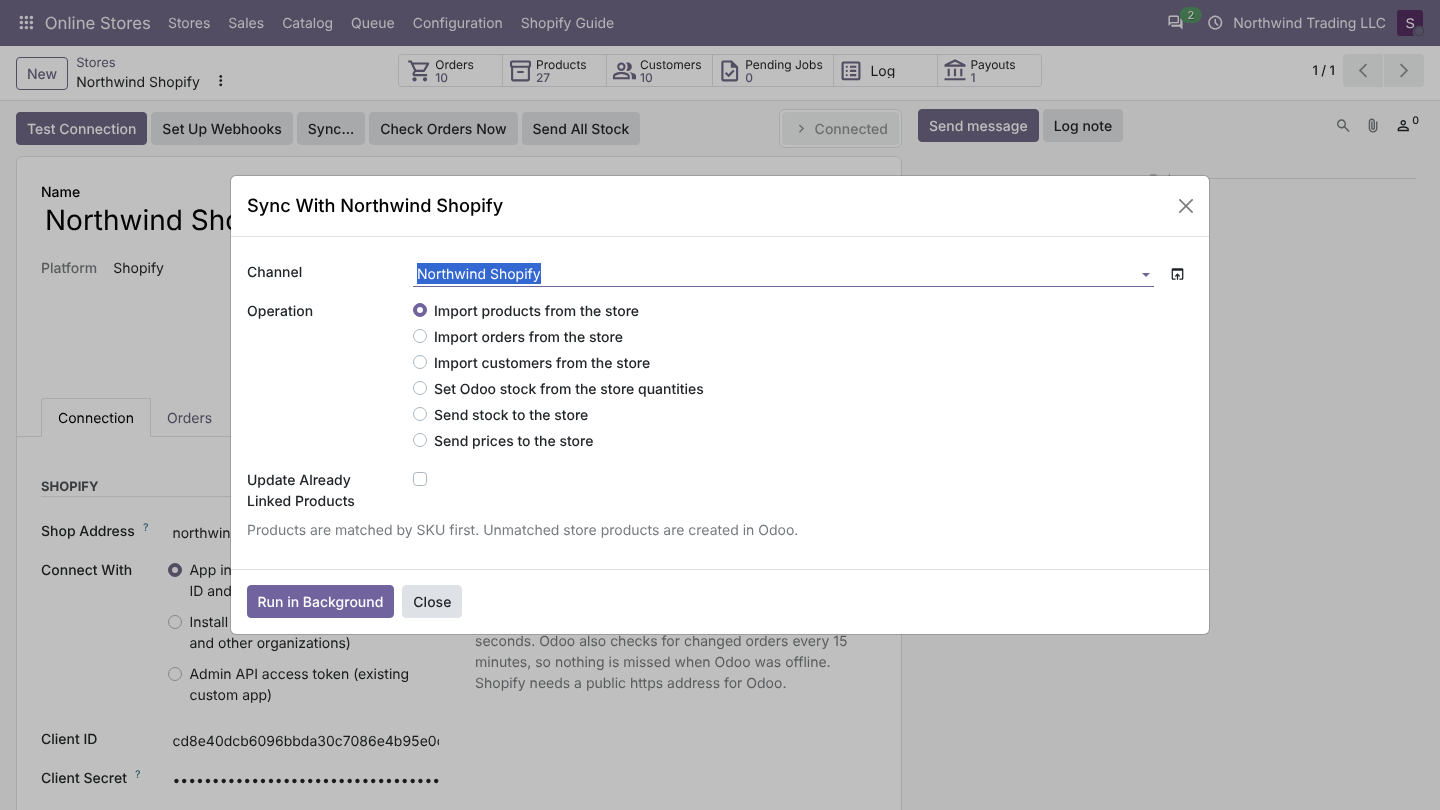
- Open the store and click Sync....
- Choose Import customers from the store and click Run in Background.
- Odoo queues one job per page of 50 customers. Follow them in Online Stores > Queue > Jobs; each job says Page N: M customers added.
What is read from Shopify
| Shopify | Odoo contact |
|---|---|
| First and last name | Name (from the default address, or the customer's own name when the address has none) |
| Phone | Phone (address phone first, then the customer's phone) |
| Default address: company, address lines, city, ZIP, province code, country code | Company handling, Street, Street2, City, ZIP, State, Country |
| Customer ID | A customer link in Online Stores > Catalog > Customer Links, so later orders find the contact at once |
Customers already linked to the store are skipped, so running the import again only adds new customers.
Method 2: with each order
Nothing to do. When an order is imported, Odoo looks for the customer (link, then email), creates it if needed, and adds invoice and delivery addresses as child contacts when they differ. Guest checkouts (no Shopify customer account) are matched by email only. The rules are on How customers are matched.
What changes in Shopify
Nothing. Odoo never creates or changes customers in Shopify. The app asks for write_customers, but version 1.0 does not use it.
Good to know
- Customer tags, marketing consent, notes and metafields are not imported in version 1.0.
- Contacts created by the connector belong to no company, like Odoo's default for contacts, so every company of the database sees them.
- After the bulk import, Online Stores > Catalog > Customer Links shows each link with its Shopify ID. Deleting a link makes Odoo match that customer by email again on the next order.
FAQ
A customer changed their address in Shopify. The contact is not updated. The next order brings the new address as a new invoice or delivery address when it differs.
Can I import only customers with orders? Yes: skip the bulk import. Orders bring their customers.