Import orders
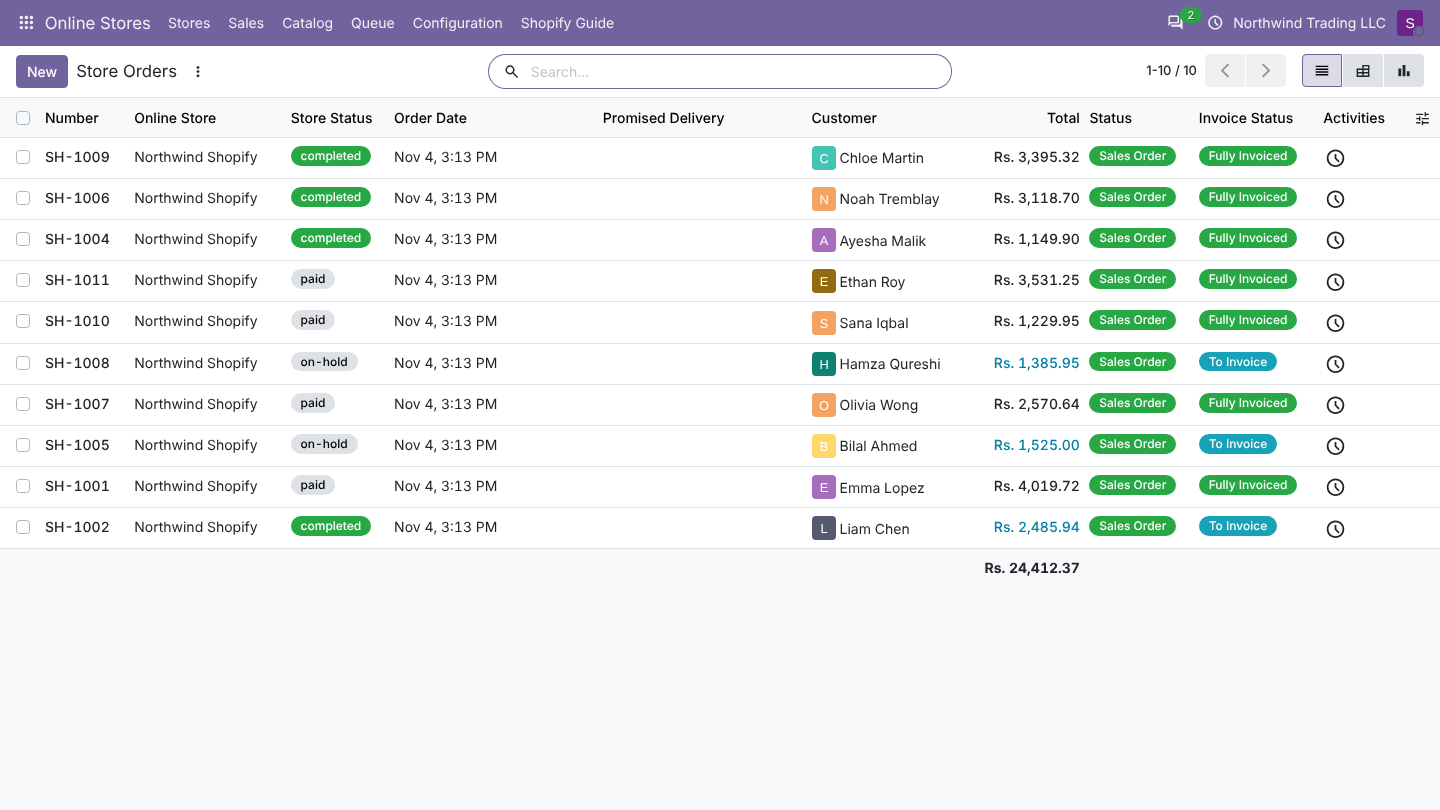
Every Shopify order you want in Odoo becomes a sales order, named with the store prefix and the Shopify number (SH-1001).
Before you start
- The store is connected, the app has Custom distribution (protected customer data) and the order scopes.
- Products are imported or can be found by SKU (How products are matched).
- On the Orders tab, check Import Orders From, Order Prefix, Order Warehouse, Pricelist and the extra products for shipping and discounts (Store settings).
Method 1: automatic
| Way | When | Notes |
|---|---|---|
| Webhooks | Within seconds of a new or changed order | Needs Set Up Webhooks and a public https address. See Webhooks. |
| Scheduled check | Every 15 minutes, with Import Orders Automatically on | Imports every order changed since Last Order Check (the first time: since Import Orders From). Catches anything a webhook missed. |
Method 2: by hand
| Button | What it imports |
|---|---|
| Check Orders Now (store header) | Orders changed since Last Order Check, at once. |
| Sync... > Import orders from the store, with Orders Changed Since | Orders changed since the date you choose, for example to bring in older orders. Does not move Last Order Check. |
| Update From Store (on an imported order) | That one order again, even if nothing changed. |
Which orders are imported
| Shopify order | Imported? |
|---|---|
| Paid, partially paid, authorized, refunded | Yes |
| Payment pending (cash on delivery, bank deposit, manual) | Yes: confirmed, or a quotation when Confirm Unpaid Orders is off |
| Cancelled before the first import | No |
| Voided or expired payment | No |
| Draft orders (not completed) | No: Shopify only lists real orders |
| Archived (closed) orders | Yes, when they changed in the period |
| Test orders | Yes, like any other order |
The full mapping is on Order status.
What happens during an import
- Odoo asks Shopify for orders changed since the date, 25 per call, oldest change first.
- Orders already in Odoo whose content did not change are skipped. New orders with a status that is not imported are skipped.
- Each remaining order is queued as a job Import order #1001, merged with any webhook job for the same order.
- The job reads the order, finds or creates the customer, the products, taxes and payment method, creates the sales order and compares totals (What an order contains).
- The payment method's workflow runs: confirm, deliver, invoice, register payment (Payment methods).
- Refunds that moved money become credit notes (Refunds).
- The job ends with the order name; the log says Order SH-1001 imported.
Last Order Check is set to the start of the check minus two minutes, so an order saved in Shopify during the check is read again next time.
Good to know
- An order whose product cannot be found waits in the queue with Products not found in Odoo: .... Link or import the product, then click Retry on the job.
- Orders are created in the shop currency, with the shop amounts, even when the customer paid in another currency through Markets.
- Orders keep the Shopify date (processed date) as Order Date.
- A test copy of the database imports orders too, but never writes back to Shopify.
FAQ
I set Import Orders From to today, but I need last week's orders. Use Sync... > Import orders from the store with Orders Changed Since last week.
An order appears twice in the queue. Webhooks and the check for the same order are merged into one pending job; a second job only appears when the first already ran. The second finds nothing changed and stops.
Was this page helpful?