Sync With Store
Click Sync... on a connected store (or Online Stores > Queue > Sync With Store) to run a bulk operation in the background.
Sync... on a store (or Online Stores > Queue > Sync With Store) starts a bulk operation in the background. Choose the store and the operation, then click Run in Background. Follow the progress in Queue > Jobs.
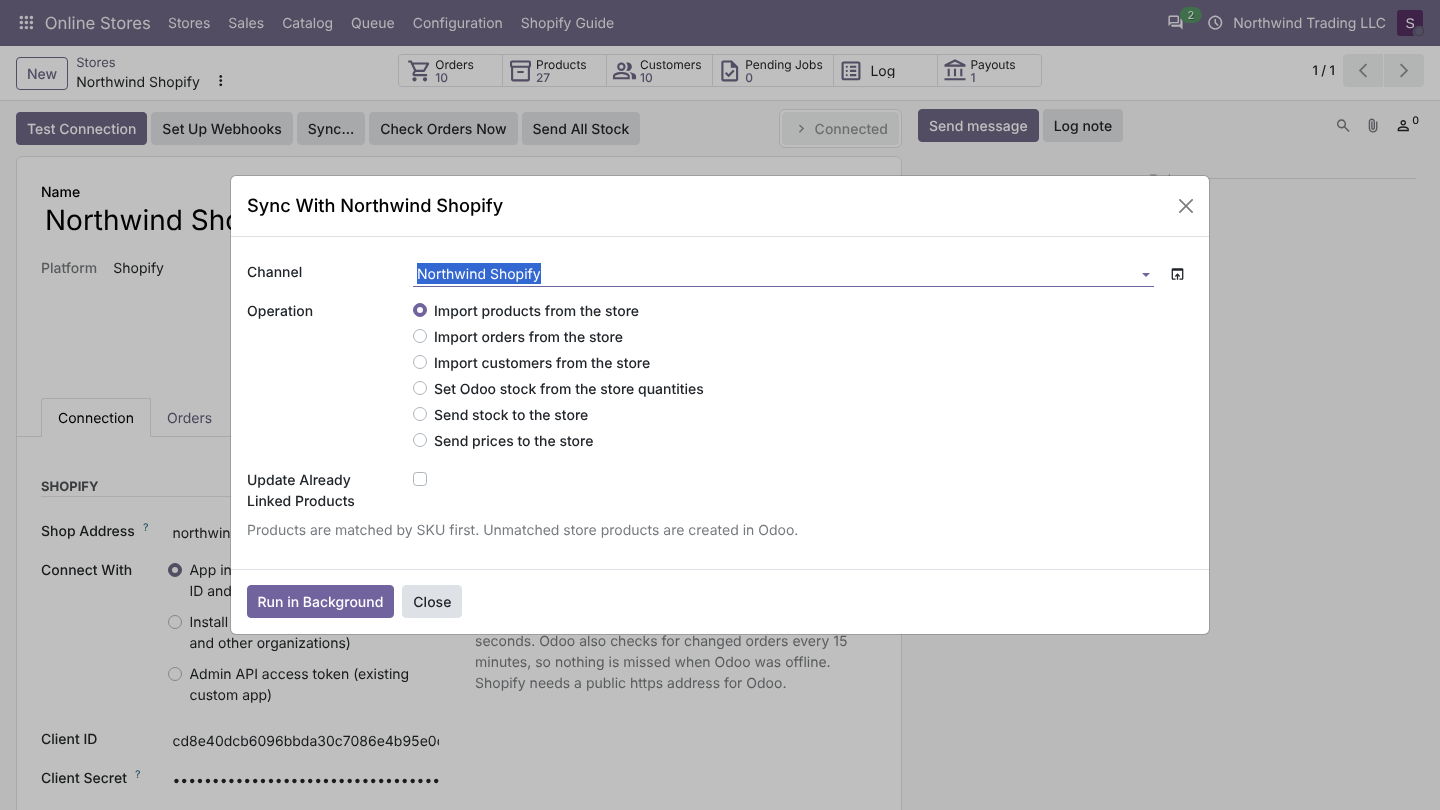
| Operation | What it does | Options |
|---|---|---|
| Import products from the store | Reads the catalog page by page and imports each product: linked, matched by SKU, or created. | Update Already Linked Products: also read products that are already linked (off: only new ones). |
| Import orders from the store | Imports orders created or changed since the date. Orders already in Odoo are updated. | Orders Changed Since (default: today 00:00). Use it to catch up after a pause, or to import older orders once. |
| Import customers from the store | Imports all store customers that are not linked yet. | |
| Set Odoo stock from the store quantities | Sets the on-hand quantity of linked products in the chosen location to the store quantity (inventory adjustment). Use it once, when you start. | Stock Location (default: the stock location of the Order Warehouse) |
| Send stock to the store | Sends the quantity of every linked product, also when it did not change. | |
| Send prices to the store | Sends the price of every linked product, also when it did not change. |
The store must be Connected (test the connection first). In a test copy of the database the two Send operations are refused.
Was this page helpful?