Jobs
Every sync with Shopify runs as a job: webhooks, scheduled checks, and the actions you start.
Every sync with Shopify runs as a job: each webhook, each scheduled check, each button and each bulk operation. Jobs run in the background, one after the other, so a slow store never blocks Odoo, and nothing is lost when a call fails. Online Stores > Queue > Jobs lists them (pending and failed jobs first).
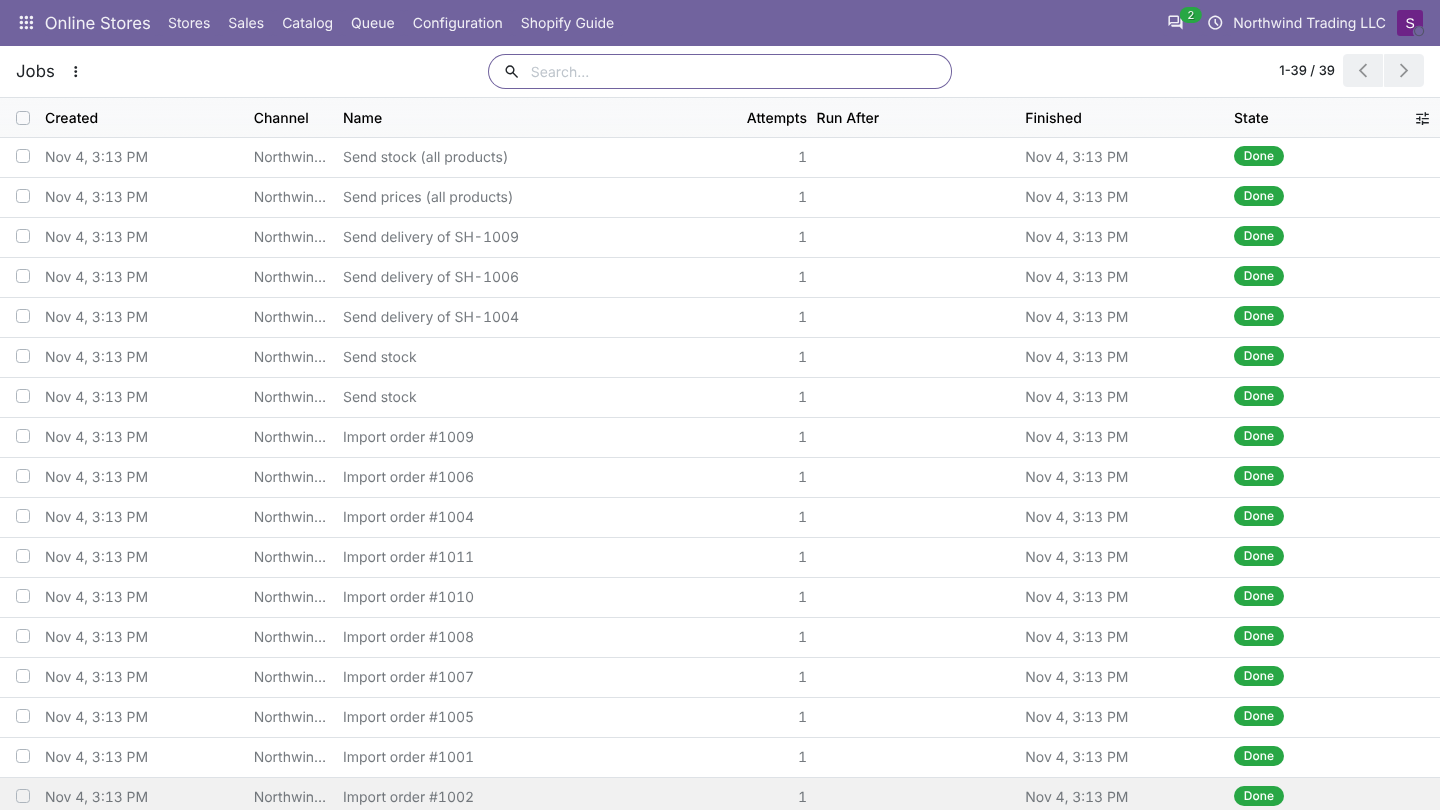
Job fields
| Field | Meaning |
|---|---|
| Name | What the job does, for example Import order 1001 or Send stock |
| Store | The store |
| Status | Pending (waiting), Running, Done, Failed (gave up after the last attempt), Cancelled |
| Attempts / Max Attempts | Tries so far, and the limit (5). You can raise Max Attempts on a job. |
| Run After | A pending job does not start before this time (retries and short delays) |
| Started, Finished | Times of the last run |
| Result | What the job did, for example SH-1001 or Stock sent for 12 of 12 products. |
| Error | Why the last attempt failed |
| Log tab | The log lines of this job |
Retries
A job that fails is tried again after 2, 4, 8 and 16 minutes. After the fifth failed attempt it is marked Failed and stays in the list with its error. Each failed attempt is also written in the log.
| Button | Does |
|---|---|
| Retry (failed or cancelled jobs, also in Action for several) | Back to pending with the attempts reset; runs within seconds |
| Run Now (pending or failed jobs) | Runs the job right away while you wait, and shows the result |
| Cancel (pending or failed jobs) | Stops it from running |
Good to know
note
- Jobs for the same thing are merged while they wait: ten webhooks for one order make one Import order job, many stock moves make one Send stock job.
- Orders go first: order imports run before product and page imports.
- A background worker checks the queue at least every 5 minutes, and immediately when a job is added.
- A job left Running for more than 30 minutes (for example after a server restart) goes back to pending.
- Done and cancelled jobs, and log lines, are deleted after 30 days. Failed jobs stay until you retry or cancel them. The number of days is the system parameter
commerce_bridge.keep_days.
Common errors
| Error | What to do |
|---|---|
| Products not found in Odoo: ... | Import or link the product, then Retry |
| Store tax "X" (r%) has no Odoo tax | Map it in Configuration > Taxes, then Retry |
| Set a shipping product on the store. | Set Shipping Product on the Orders tab, then Retry |
| Currency XXX does not exist in Odoo. | Activate or create the currency, then Retry |
| Store "X" was connected from another database | This is a test copy: see test databases |
| Connection or authentication errors | Check the connection, click Test Connection, then Retry |
Shopify errors you may see
| Message in the job | Meaning and fix |
|---|---|
| This app is not approved to access the Order object (or Customer) | The app has no distribution method. Choose Custom distribution in the Dev Dashboard. |
| Access denied for ... Required access: ... | A scope is missing. Add it to a new app version, release it and approve the update in the store. |
| Token request refused | Wrong client ID or secret, or the app is not installed on the store. |
| Shopify: ... [HTTP 401] | The access token is no longer valid (app removed or token revoked). Reconnect. |
| Throttled | Shopify's rate limit. Odoo waits and retries by itself; only shows when it keeps failing. |
| Products not found in Odoo: ... | Link or import the product, then Retry. |
| No Shopify location to send stock to | Click Test Connection to read the locations, and map them. |
| Shopify stock update: ... | Shopify refused a quantity, for example for a location that no longer exists. Read the locations again. |
Was this page helpful?