Payment methods and workflows
Each imported order carries the Shopify payment gateway that was used. In Odoo every gateway is a payment method of the store, and the payment method decides what happens next: confirm, deliver, invoice, register the payment.
Which gateway an order gets
Odoo takes the first successful (or pending) sale, capture or authorization transaction of the order and uses its gateway. Without such a transaction it uses the first name in the order's payment gateway list, and otherwise manual.
| Customer paid with | Payment method code in Odoo (examples) |
|---|---|
| Shopify Payments (cards, Shop Pay, Apple Pay) | shopify_payments |
| PayPal | paypal |
| Manual methods you created in Shopify | the method name, for example Cash on Delivery (COD) or Bank Deposit |
| Orders created by staff and marked paid | manual |
| Gift card | gift_card |
| Test orders on a development store | bogus |
A new code creates a payment method automatically, using the store's Default Payment Journal, and the log says New payment method "..." added. Check its settings. Open Online Stores > Configuration > Payment Methods after the first orders.
Payment method settings and workflow
What Odoo does with an imported order depends on how it was paid. Each payment method Shopify reports (for example a card gateway, bank transfer or cash on delivery) gets a line in Online Stores > Configuration > Payment Methods, created automatically the first time an order uses it.
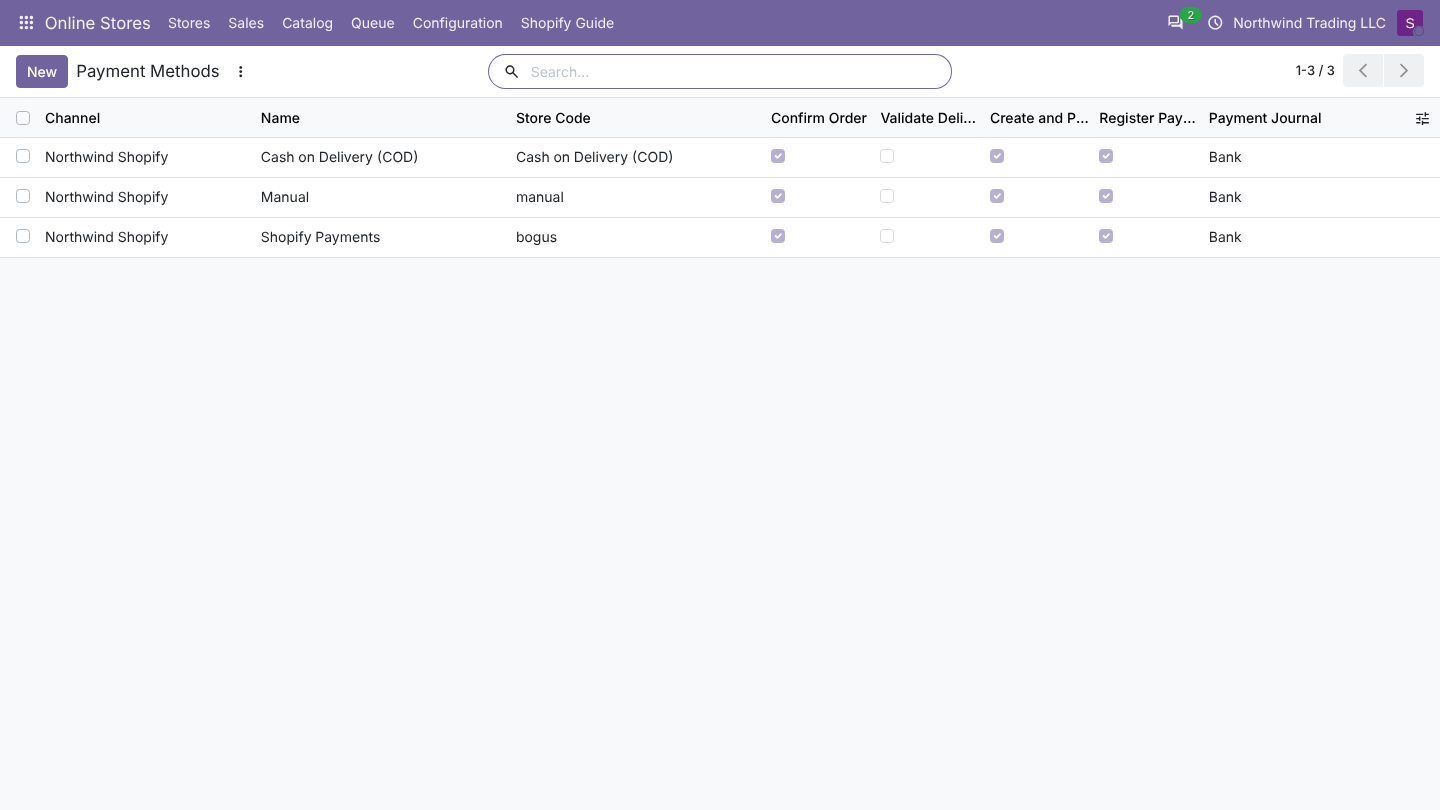
Fields
| Field | Default | What it does |
|---|---|---|
| Store | The store the method belongs to. Each store has its own methods. | |
| Name | The name Shopify sends | Shown in the order's Online Store tab. |
| Store Code | The code Shopify sends | How Odoo recognises the method. Do not change it. |
| Confirm Order | On | Confirm the quotation into a sales order. |
| Validate Delivery | Off | Validate the delivery right away when every product is in stock. For digital goods, services or stock shipped by a third party. |
| Create and Post Invoice | On | Create the invoice and post it. |
| Register Payment When Paid | On when the store has a Default Payment Journal | Register the payment on the invoice in the journal below. |
| Payment Journal | The store's Default Payment Journal | Bank or cash journal of the payment. Required when Register Payment When Paid is on. |
| Payment Term | Empty | Payment term of orders paid this way. Wins over the store's Payment Term. |
What happens, in this order
Each time an order is imported or updated, Odoo runs these steps. A step that is already done is skipped.
- Confirm, when Confirm Order is on and the store status is one the connector treats as confirmed (paid, processing, on hold or completed). Unpaid orders the connector imports as pending stay quotations.
- Validate the delivery, when Validate Delivery is on and every product can be reserved. If something is missing, the delivery stays open and Odoo tries again at the next update of the order. A delivery that needs a decision (for example lots or serial numbers) is left for you, with a warning in the log.
- Invoice, when Create and Post Invoice is on and the order is paid in the store or completed. An order is invoiced once: credit notes of later refunds never lead to a second invoice.
- Register the payment, when Register Payment When Paid is on, a journal is set and the order is paid in the store.
Without a payment method (some orders have none, for example a free order), Odoo confirms the order and invoices it once it is paid or completed, but registers no payment.
A step that fails (for example an invoice that cannot be posted because of a missing account) does not stop the import. The order is kept, the failed step is listed in the log as a warning, and it is tried again with the next update of the order. Click Update From Store on the order to try right away.
Recommended setups
| Payment method | Confirm | Validate Delivery | Invoice | Register Payment | Journal |
|---|---|---|---|---|---|
| Card gateway (paid at checkout) | On | Off | On | On | A bank or clearing journal for that gateway |
| Bank transfer | On | Off | On | On | Your bank journal (the payment is registered when the store marks the order paid) |
| Cash on delivery | On | Off | On | On | A cash or courier journal. The invoice is created once the store marks the order paid or completed. |
| Marketplace or gift card paid elsewhere | On | Off | On | Off | Reconcile the payout yourself |
FAQ
Why is my order not invoiced? The order is not paid or completed in Shopify yet, or Create and Post Invoice is off for its payment method, or the order is already invoiced. Check the order's Online Store tab (Paid in the Store, Store Status) and the log.
Can I change the settings later? Yes. New settings apply to the next import or update of each order. Orders already invoiced are not touched.
A method appears twice. Shopify sends a different code (for example after you renamed or reinstalled a payment app). Set both lines the same way.
Recommended setups for Shopify
| Gateway | Confirm Order | Validate Delivery | Create and Post Invoice | Register Payment When Paid, Payment Journal |
|---|---|---|---|---|
shopify_payments | On | Off | On | On, a Shopify Payments bank journal. Payouts then clear it. |
paypal | On | Off | On | On, a PayPal bank journal. |
Cash on Delivery (COD) | On | Off | On | Off. Register the payment when the courier pays you. |
Bank Deposit | On | Off | On | Off, or on once your bank shows the money. |
manual | On | Off | On | Your choice. |
Unpaid orders (cash on delivery, bank deposit) are confirmed only when Confirm Unpaid Orders is on. Their invoice is created when Shopify marks them paid, on the next update of the order. See Order status.