Taxes
Shopify calculates the tax of every order line and shipping line. Odoo can use exactly those taxes (recommended), or ignore them and apply the taxes of the Odoo products.
How Shopify taxes are recognised
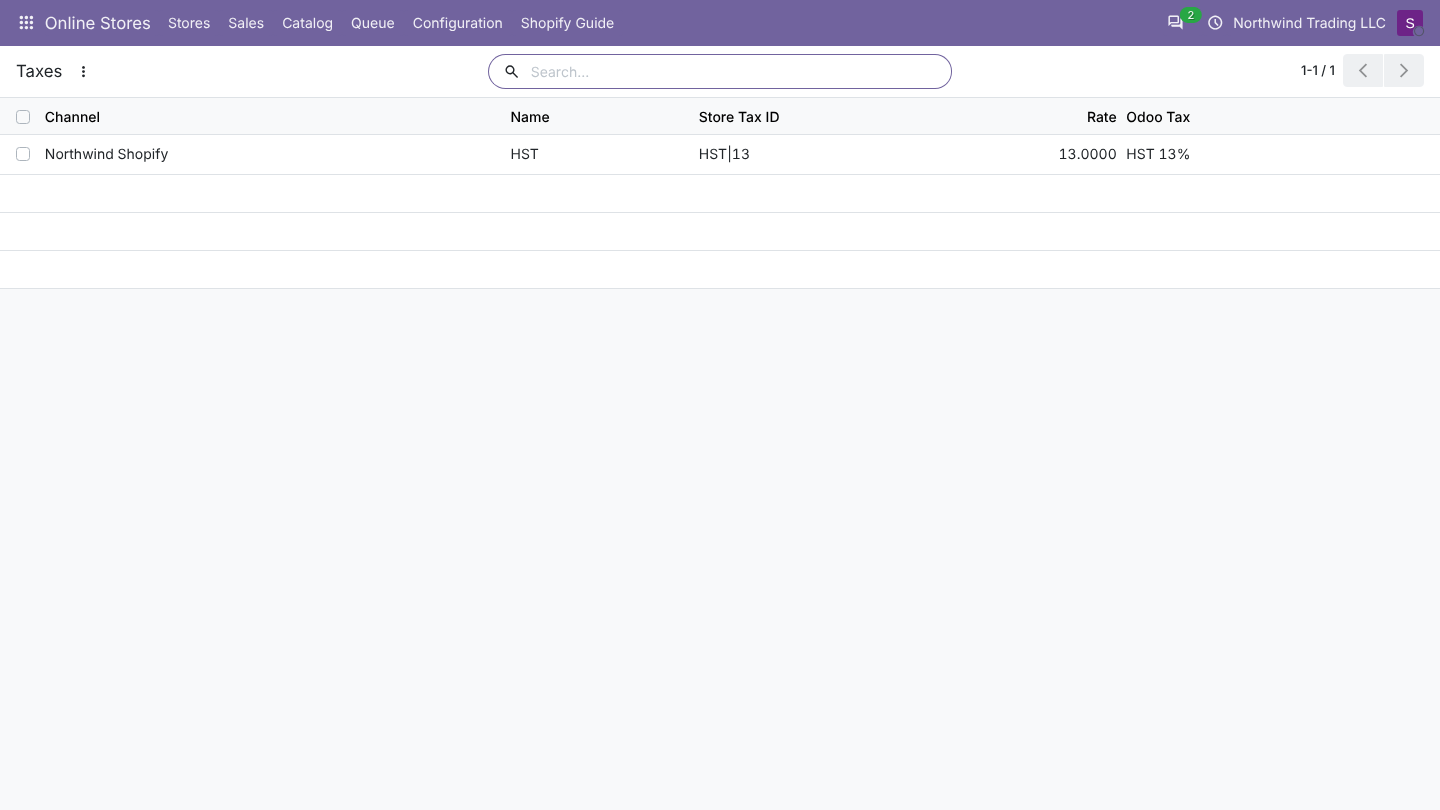
Shopify has no tax IDs on order lines: each tax line has a title and a rate, for example HST at 13%. Odoo identifies a store tax by both, written title|rate:
| Shopify tax line | Store tax in Odoo | Mapped to (example) |
|---|---|---|
| HST 13% | `HST | 13` |
| GST 5% | `GST | 5` |
| PST 7% | `PST | 7` |
| Sales Tax 8.875% | `Sales Tax | 8.875` |
A line with several taxes (GST and PST) gets both Odoo taxes. The same title with another rate is another store tax, so a rate change in Shopify shows up as a new line in Configuration > Taxes.
Prices that include tax
If your shop shows prices with tax included (Shopify Settings > Taxes and duties, Include sales tax in product price and shipping rate), each order says so. Odoo then removes the tax from every line and shipping amount before creating the order, because the mapped Odoo taxes are tax excluded. The discount of a line is reduced in the same proportion. The order total stays the same as in Shopify.
Tax settings and mapping
Odoo can take the taxes from Shopify or from the Odoo products. Choose with Tax Mode on the store's Orders tab.
| Tax Mode | Lines get | Use it when |
|---|---|---|
| Use the taxes charged by the store (default) | The Odoo tax mapped to each tax Shopify charged on that line. A line without store tax gets no tax. | Shopify calculates your taxes (the usual case). Odoo then matches the store total. |
| Use the Odoo product taxes | The taxes of the Odoo product, adjusted by the fiscal position | Odoo is the reference for taxes and the store only shows prices. The Odoo total can then differ from the store total. |
Tax mapping
With store taxes, each tax Shopify uses gets a line in Online Stores > Configuration > Taxes the first time it appears in an order.
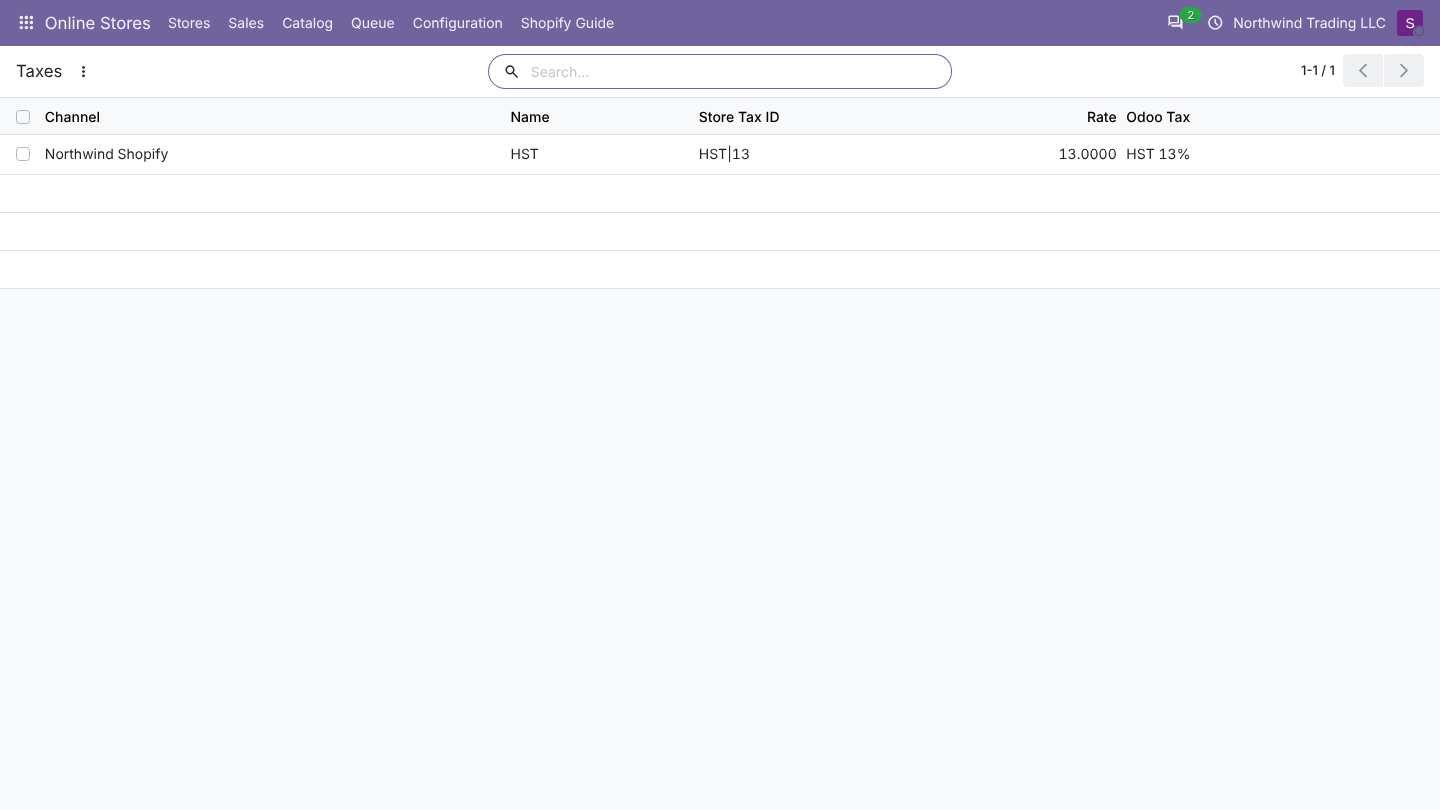
| Column | Meaning |
|---|---|
| Store | The store |
| Name | The tax name in Shopify |
| Store Tax ID | How Odoo recognises the tax |
| Rate | The rate in percent |
| Odoo Tax | The Odoo sales tax used on order lines. You can change it. |
When a new store tax appears, Odoo fills Odoo Tax with the first sales tax of the store's company that is a percentage, has the same rate and is not included in the price. If there is none:
- with Create Missing Taxes on, Odoo creates one, named after the store tax and its rate (for example HST 13%), tax excluded, and notes it in the log;
- with it off, the order waits in the queue with Store tax "X" (r%) has no Odoo tax. Map it in Configuration > Taxes. Map it, then click Retry on the job.
Check every created tax once, before the first invoices are posted. Odoo creates it without a tax account and without tax grids, so its amount would be booked on the income account and missing from tax reports. Set the accounts and grids on the tax, or map the store tax to an existing Odoo tax instead.
Totals that differ
After each import Odoo compares its order total with the Shopify total. When they differ by more than one cent:
- the order shows a yellow banner The total of this order differs from the store total,
- the log gets a warning,
- the store card on Stores shows total differences, and the filter Total Differs From Store on Orders lists them.
The usual causes are a store tax mapped to an Odoo tax with another rate or set as included in price, a fiscal position replacing taxes, or Tax Mode set to Odoo taxes. Fix the mapping, then click Update From Store on the order while it is not invoiced yet.
FAQ
Can one store tax use two Odoo taxes? No, one Odoo tax per store tax. Store orders with two taxes on a line (for example federal and provincial) get both mapped taxes.
I changed a mapping. Are old orders updated? No. The mapping is used for orders imported or updated afterwards, as long as they are not delivered or invoiced.
What about prices shown with tax included in the store? The connector converts the store amounts to amounts without tax before creating the lines, so Odoo taxes stay tax excluded.
Good to know for Shopify
- Totals can differ by one cent because Shopify rounds tax per line and Odoo, depending on the company setting, per line or globally. A difference of one cent is accepted; larger differences flag the order.
- Duties and tips are not imported as order lines in version 1.0. An order with one of them shows a total difference; adjust it by hand.
- Shipping tax follows the tax lines Shopify put on the shipping line, the same way as for products.