Refunds
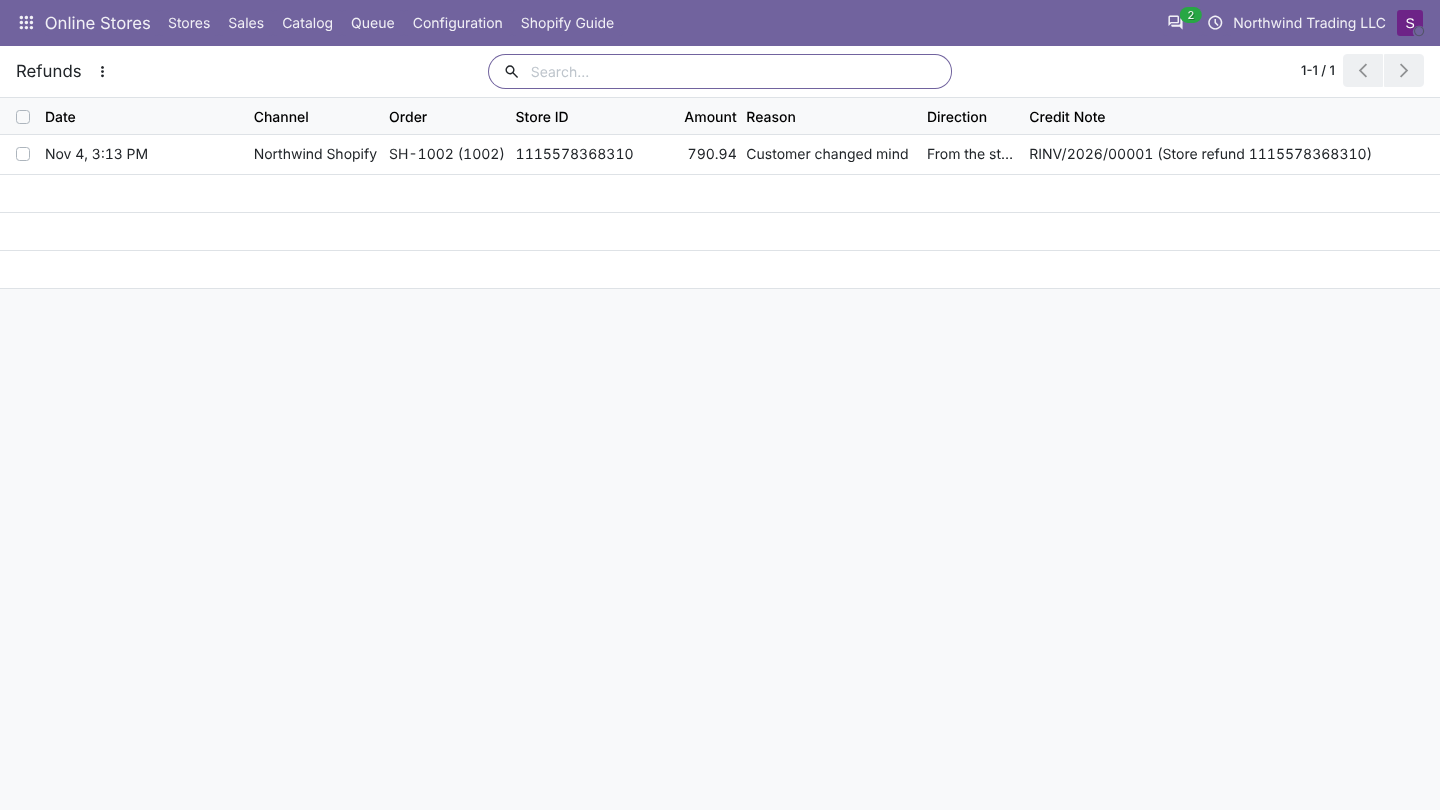
All refunds, in both directions, are listed in Online Stores > Sales > Refunds, and per order on the Online Store tab.
From Shopify to Odoo
With Import Refunds as Credit Notes on, every refund made in Shopify that returned money becomes a credit note when the order is next updated (webhook or 15-minute check).
What Odoo reads from the Shopify refund:
| Shopify refund | Credit note |
|---|---|
| Refunded line items: quantity and amount before tax | One line per item, on the original product, with the taxes of the original order line |
| Tax of each refunded item | Included in the credit note through those taxes |
| Refunded shipping, adjustments, amounts not tied to items | One extra line for the rest of the refunded amount, without tax |
| Note | Line label of the extra line |
| A successful refund transaction | The refund is registered as paid when the payment method registers payments |
With Import Refunds as Credit Notes on, each refund made in Shopify becomes a credit note in Odoo, linked to the order. Refunds are read when the order is imported or updated.
How the credit note is built
- Odoo records the refund (amount, reason, From the store) on the order's Online Store tab and in Online Stores > Sales > Refunds. Each refund is recorded once.
- No posted invoice yet: nothing else happens. The log notes that there is no invoice to credit; handle it when you invoice.
- Posted invoice: Odoo creates a credit note for the customer of the invoice, in the same journal and currency, reversing that invoice:
- one line per refunded order line, with the refunded quantity and amount and the line's taxes (the mapped store taxes, or the order line's taxes);
- when the refund is more than those lines (for example refunded shipping or an amount-only refund), one more line with the rest, without tax, on the account of the invoice's first line, labelled with the refund reason.
- The credit note is posted. It is not sent back to Shopify.
- When the money went back to the customer in Shopify and the payment method registers payments, Odoo also registers the refund payment in the payment method's journal.
Good to know
- The credit note is not reconciled with the invoice automatically. When the refund payment is registered (step 5), the credit note is paid. Otherwise reconcile it as you would any credit note (on an unpaid invoice Odoo shows it as an outstanding credit you can add).
- To refund in Odoo first and send it to Shopify, post a credit note yourself (see sending refunds).
Refunds of zero (items marked refunded or restocked without returning money) are skipped: they do not create a credit note.
From Odoo to Shopify
With Send Credit Notes to the Store as Refunds on, posting a credit note for an imported order creates a refund in Shopify.
- Create the credit note as usual: open the invoice, click Credit Note, adjust the lines (keep only the refunded products and quantities), and post it.
- When it is posted, Odoo queues a job Send refund ... (one per credit note). The credit note is found from its lines' sales order, or from the invoice it reverses.
- When the job is done, the refund appears on the order's Online Store tab with the direction Sent to the store.
A credit note is sent once. Credit notes that came from Shopify refunds are never sent back. In a test copy of the database, nothing is sent.
What Shopify receives
- Items: every product line of the credit note that belongs to a Shopify order line, with its quantity (rounded to whole units). Shipping and discount lines are not sent as items.
- Restock: with Restock Refunded Items in Shopify on, the items go back to Shopify stock (Return); otherwise No restock.
- Money: with Refund the Money Through Shopify on, Odoo refunds the credit note total through the order's captured payment (the capture, else the sale transaction), with the same gateway. Off: Shopify only records which items were refunded, and you refund the money yourself.
- Notify customer: Send Tracking Note to the Customer.
- Note: the credit note reference.
Each credit note has its own idempotency key, so if a job is retried after a network error Shopify does not refund twice.
Cases
| Credit note | Refund the Money Through Shopify | Result |
|---|---|---|
| Product lines | On, order has a captured payment | Items and money refunded. |
| Product lines | On, order has no captured payment (for example cash on delivery not yet paid) | Items recorded, no money; warning only the refunded items are recorded. |
| Product lines | Off | Items recorded, no money. |
| Only shipping or other lines | On | Money refunded, no items. |
| Only shipping or other lines | Off | Not sent: Credit note ... has no order products and no Shopify payment to refund. Refund it in Shopify instead. |
Good to know
- Partial quantities (0.5 of a unit) are rounded for Shopify.
- A credit note is sent once. Credit notes made from Shopify refunds are never sent back.
- Returns in Shopify (the returns feature) are not read in version 1.0; their refunds are.