Webhooks
Without webhooks Odoo still finds every new and changed order: it asks the store every 15 minutes. Webhooks make it near instant: WooCommerce calls Odoo as soon as an order is created or changes.
Before you start
- The store is Connected.
- Your Odoo address (system parameter web.base.url) is the public address of Odoo, reachable from the store.
localhostand127.xaddresses are refused. - If one Odoo server hosts several databases, set a database filter (
dbfilter) so the webhook address opens the right database. Otherwise WooCommerce may get 404 or reach the wrong database. - Prefer https. WooCommerce sends the order data in the webhook body.
Set up the webhooks
- Open the store and click Set Up Webhooks (administrators only).
- Odoo first removes webhooks it created before for this store, then creates:
- order.created
- order.updated
- product.created, when Import New Products Instantly is on.
- A notification Webhooks ready appears. Status on the Connection tab shows 3 active (or 2 active), and the chatter lists the topics.
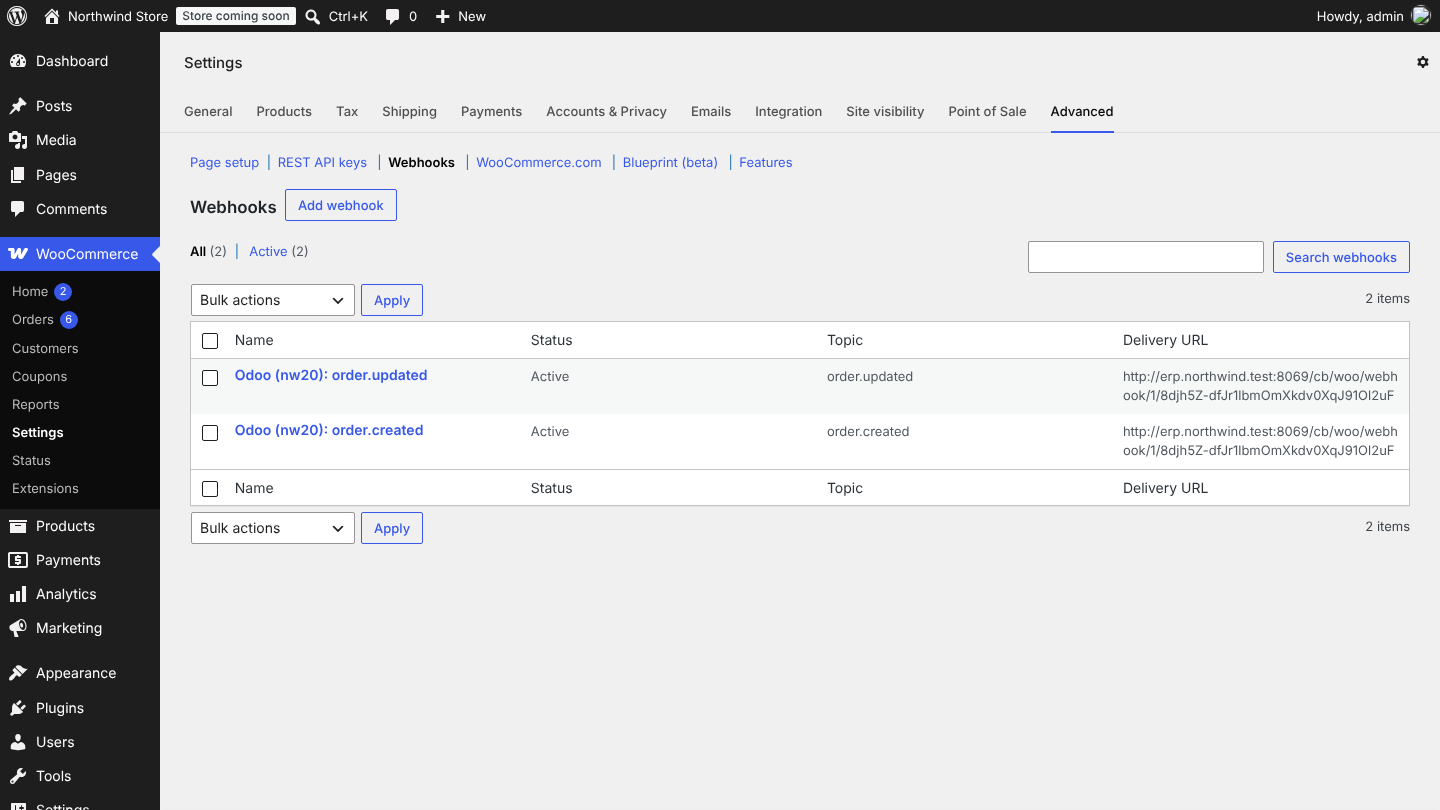
In WordPress you see them under WooCommerce > Settings > Advanced > Webhooks, named Odoo (database): topic, status Active.
How a webhook is handled
- WooCommerce posts to
https://<your-odoo>/cb/woo/webhook/<store id>/<token>. The token is random and unique per store. - Odoo checks the token, then the signature: WooCommerce signs the body with the store's webhook secret (HMAC-SHA256, header
X-WC-Webhook-Signature). A wrong token gives 404, a wrong signature 401, and nothing is imported. - For an order, Odoo queues a job Import order ... with the order data. Several webhooks for the same order merge into one job.
- For a new product (simple or variable), Odoo queues Import product ... 30 seconds later, so variations created right after the product are included.
- Odoo answers 200 ok at once. The import runs in the job queue within seconds.
When you create a webhook, WooCommerce sends a test call without a topic (webhook_id=...). Odoo answers it with 200 so WooCommerce keeps the webhook active.
The 15-minute safety net
Every 15 minutes (cron Online Stores: check for new and changed orders), Odoo asks the store for orders changed since the last check (minus 2 minutes of overlap) when Import Orders Automatically is on. Orders that did not change are skipped. This catches anything missed while Odoo or the store was offline, so you can leave it on next to webhooks.
Remove the webhooks
Click Remove Webhooks on the Connection tab. Odoo deletes the webhooks it created and any other webhook pointing to this store's Odoo address. Do this before you delete a store in Odoo or move Odoo to a new address (then set them up again from the new address).
Good to know
- WooCommerce disables a webhook after repeated delivery failures (for example when Odoo was down for a long time). Click Set Up Webhooks again; the 15-minute check meanwhile imports what was missed.
- Deleted orders (order.deleted) are ignored: Odoo never deletes sales orders.
- Webhooks are created per database. A copied test database never receives the live store's webhooks unless you set them up there.
FAQ
Webhooks show "Disabled" in WooCommerce. Odoo was not reachable or answered with an error several times. Check the address, the database filter and that Odoo is up, then click Set Up Webhooks.
Odoo logs "WooCommerce webhook refused: bad signature". The webhook was created by another database or with an old secret. Click Set Up Webhooks to recreate it.
Do I need webhooks at all? No. Orders still arrive with the 15-minute check. Webhooks only make it faster.