Rider app
Riders open /courier/app/ on their phone (menu Courier → Rider App) and sign in with their Odoo login. Add it to the home screen to open it like an app. The login must be set on the courier (Configuration → People and Vehicles → Couriers and Drivers → Login) and have the Courier / Rider group.
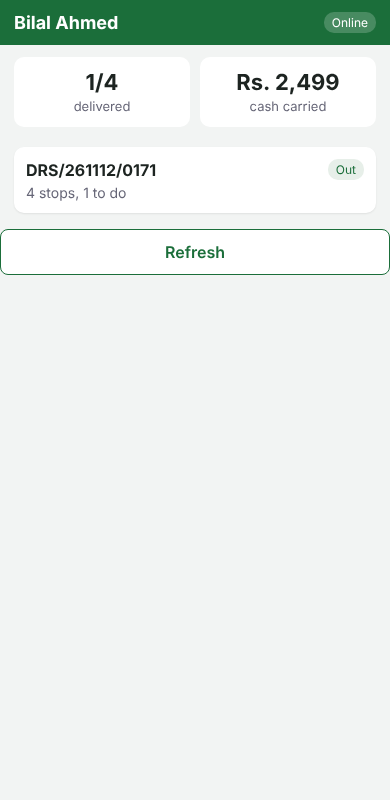
Works without signal
The day's sheets and pickups are kept on the phone. Every action (start, deliver, attempt, pickup, finish) is saved on the phone first and sent when there is a connection; the header shows Offline and how many actions are waiting. Each action has its own id, so a resend never records a delivery twice. Rider App Log (Control) lists what arrived and any action the server refused, with the reason.
A round
- Open the sheet, type the odometer and Start round.
- Tap a stop: Call, Map, the amount to collect.
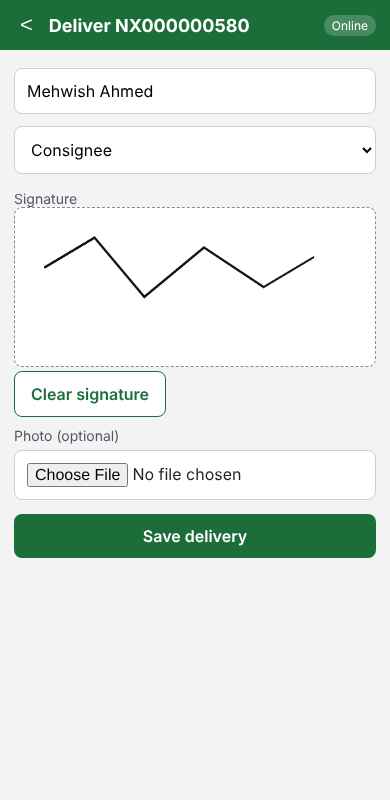
- Delivered: who received it and their relation, the delivery code when asked, a signature on the screen and an optional photo. The GPS position is added.
- Not delivered: the reason, a note, and a photo when the reason needs one.
- At the end, the odometer and Back at branch.
Pickups: on a pickup sheet, scan or type the CN of each parcel collected (the camera scans where the phone supports it), or record Nothing to collect.
Delivery code
In Settings → Last mile → Delivery code, set an amount: COD shipments from that amount need the code the consignee received (in the out-for-delivery SMS, {otp}). The full COD amount must always be collected.