
Conversations
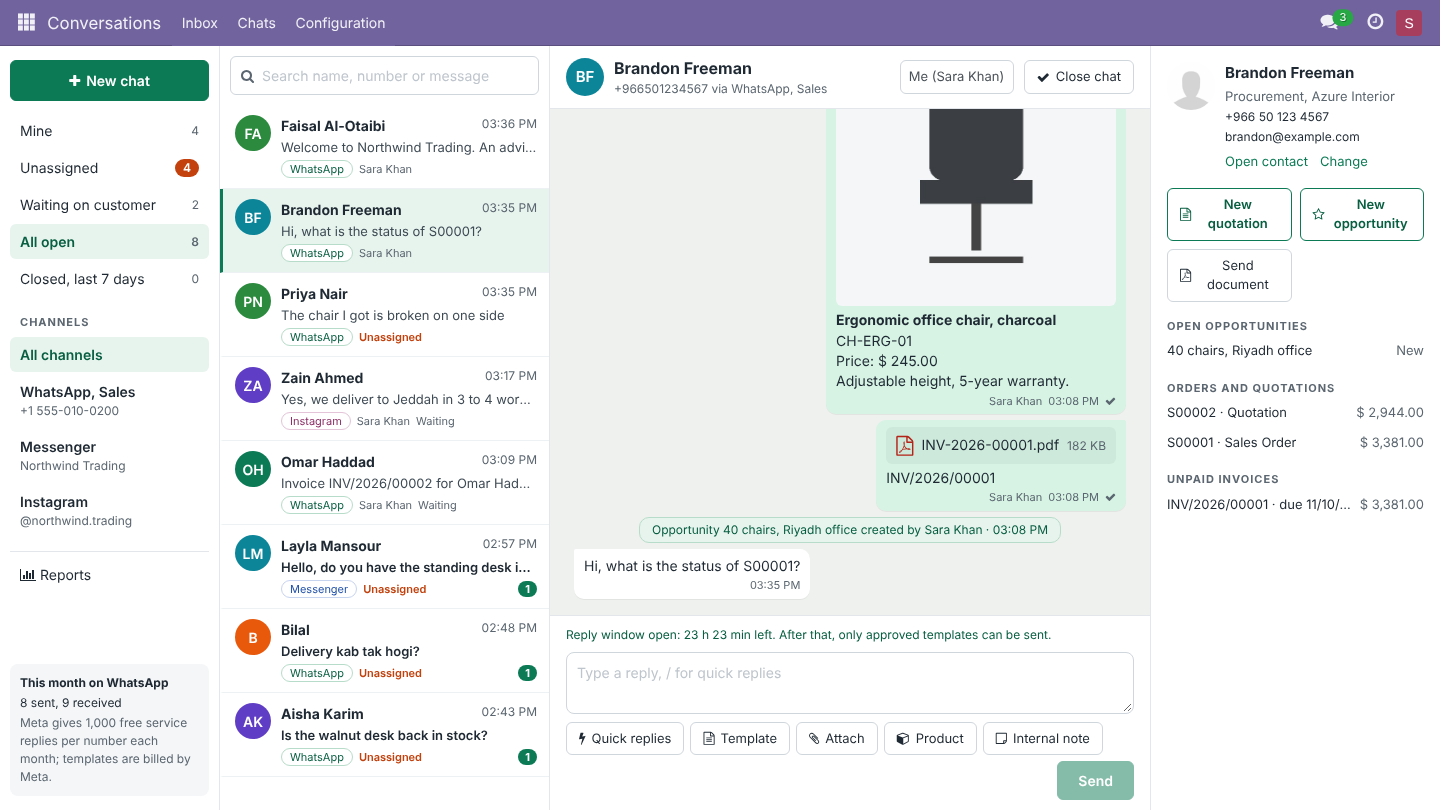
Answer WhatsApp, Facebook Messenger and Instagram from one team inbox inside Odoo. Every chat is matched to the Odoo contact, with their opportunities, orders and invoices beside it. Send quotations, invoices and product cards from the chat, create opportunities, quotations and tickets, and see how fast your team answers.
Conversations uses Meta's official APIs with your own Meta app: there is no gateway between you and Meta and no monthly fee to us. Meta bills its own message rates directly.
Odoo 17.0 - 20.0 Community & EnterpriseWatch the two-minute demo: Conversations for Odoo on YouTube.
Which app do I need?
| WhatsApp Inbox | Facebook & Instagram Inbox | Complete | |
|---|---|---|---|
| Team inbox: queues, assignment, live updates, "who is viewing", notes, quick replies | ✓ | ✓ | ✓ |
| WhatsApp Cloud API with approved templates and the 24-hour window shown | ✓ | ✓ | |
| Facebook Messenger and Instagram direct messages | ✓ | ✓ | |
| Contacts matched by phone, every message in the contact's history | ✓ | ✓ | ✓ |
| Opportunities, quotations and tickets from a chat | ✓ | ✓ | ✓ |
| Send quotations, invoices and delivery slips by WhatsApp from the document | ✓ | ✓ | |
| Product cards with picture, price and link | ✓ | ✓ | ✓ |
| Reports: chats, first reply, missed chats, agents, Meta usage | ✓ | ✓ | ✓ |
| Broadcasts with approved templates, opt-outs, speed and results | ✓ | ||
| Business hours, away message, greeting and keyword auto-replies | ✓ | ||
| Price, once | $99 | $99 | $199 |
All three include the Conversations engine (novator_conversations), which the Apps Store adds to your cart automatically. Upgrading later costs only the difference. The engine works with CRM, Sales, Invoicing and Inventory and installs them with it, so opportunities, quotations, invoices and delivery slips work from every chat.
In this guide
- Install: versions, modules and installation.
- Connect WhatsApp: your Meta app, number, token and webhook.
- Connect Facebook and Instagram: your Page, the Instagram account and app review.
- Use the inbox: queues, replies, templates, files, notes.
- Odoo in the chat: contacts, documents, products, opportunities, quotations and the Send by WhatsApp button.
- Broadcasts and auto-replies: Conversations Complete.
- Reports and FAQ.