Connect Facebook Messenger and Instagram
Both networks go through your Facebook Page. Instagram must be a professional account (business or creator) linked to that Page in Meta Business Suite → Settings → Instagram.
1. Meta app and token
- In your Meta app (the same one as for WhatsApp is fine) add the Messenger product, and Instagram if you use it.
- In Meta Business settings, give your system user the Page and generate a token that never expires with
pages_messaging,pages_manage_metadata,pages_show_list, and for Instagraminstagram_basicandinstagram_manage_messages. - Note your Page ID (Page → About → Page transparency).
2. Channels in Odoo
Conversations → Configuration → Facebook & Instagram → New, once per network:
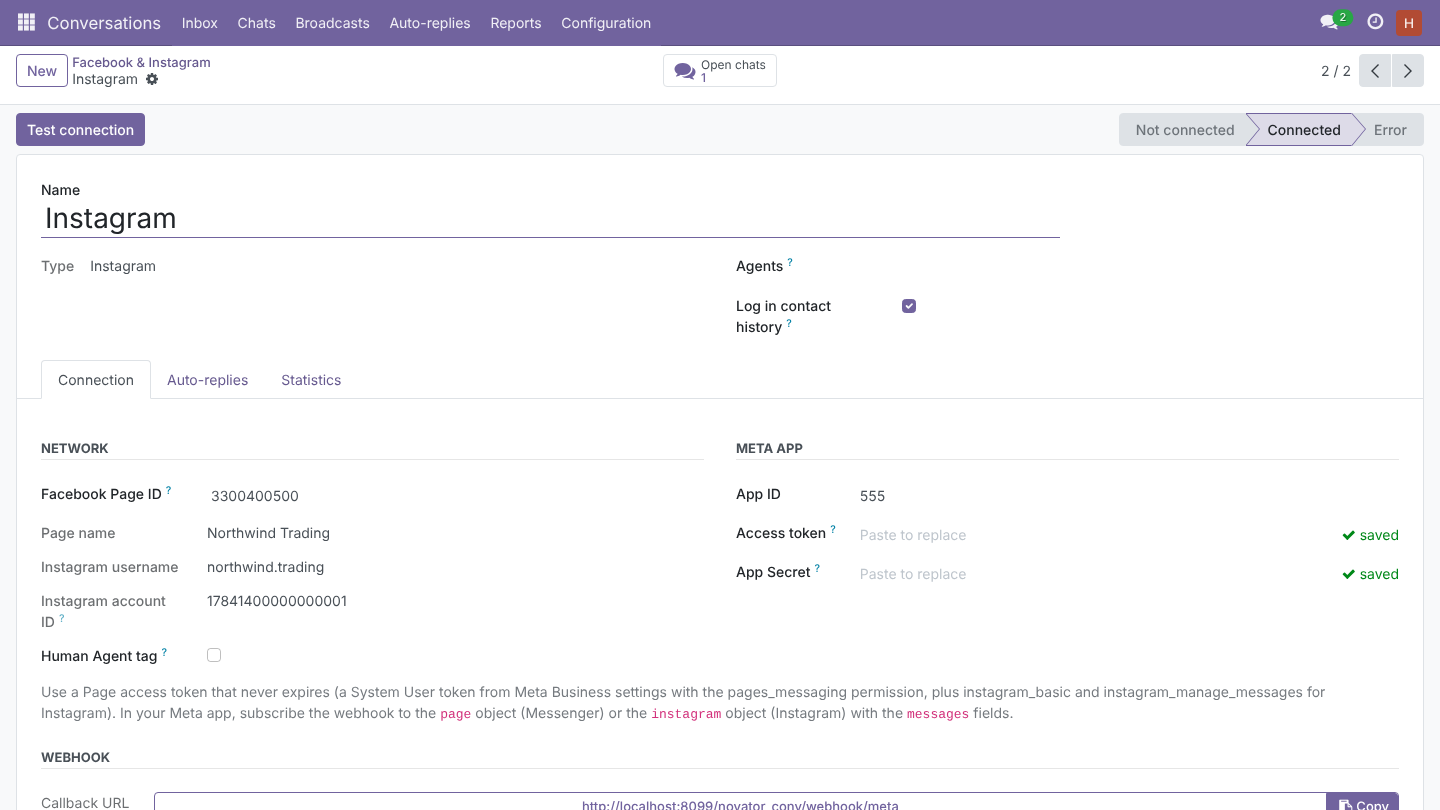
- Type: Messenger or Instagram.
- Facebook Page ID, App ID, Access token and App secret.
- Human Agent tag: tick only if Meta approved the Human Agent permission for your app; you can then answer for 7 days instead of 24 hours.
Test connection reads the Page name, finds the linked Instagram account and subscribes your app to the Page.
3. Webhook
In the Meta app, Webhooks: add the Page object and, for Instagram, the Instagram object, with the callback URL and verify token from the Odoo form. Subscribe to messages, message_echoes, message_deliveries, message_reads, message_reactions and messaging_postbacks.
4. App review
Until Meta reviews your app, only people with a role in the app can message you through it. Submit pages_messaging (and the Instagram permissions) for Advanced access in App Review, with a short screen recording of an agent answering in Odoo. Meta usually answers within a few days.
Good to know
- Customers start conversations on Messenger and Instagram; a business cannot write first.
- Replies typed in Meta Business Suite or the Instagram app show up in the Odoo chat too.
- Files are sent first and the text follows as its own message (these networks have no captions).