Mail Deliverability Check
Find out why your Odoo emails land in spam, and fix it. The app reads every domain Odoo sends from, checks SPF, DKIM, DMARC, MX and blacklists, tells you what is wrong in plain words and gives you the exact DNS record to add. It also groups failed emails by cause and tells you what to do.
Watch the demo: Mail Deliverability Check for Odoo on YouTube.
Free, LGPL-3. Powered by SpeedAudit.org, a Novator Technologies product.
Odoo 17.0 - 20.0 Community & Enterprise Free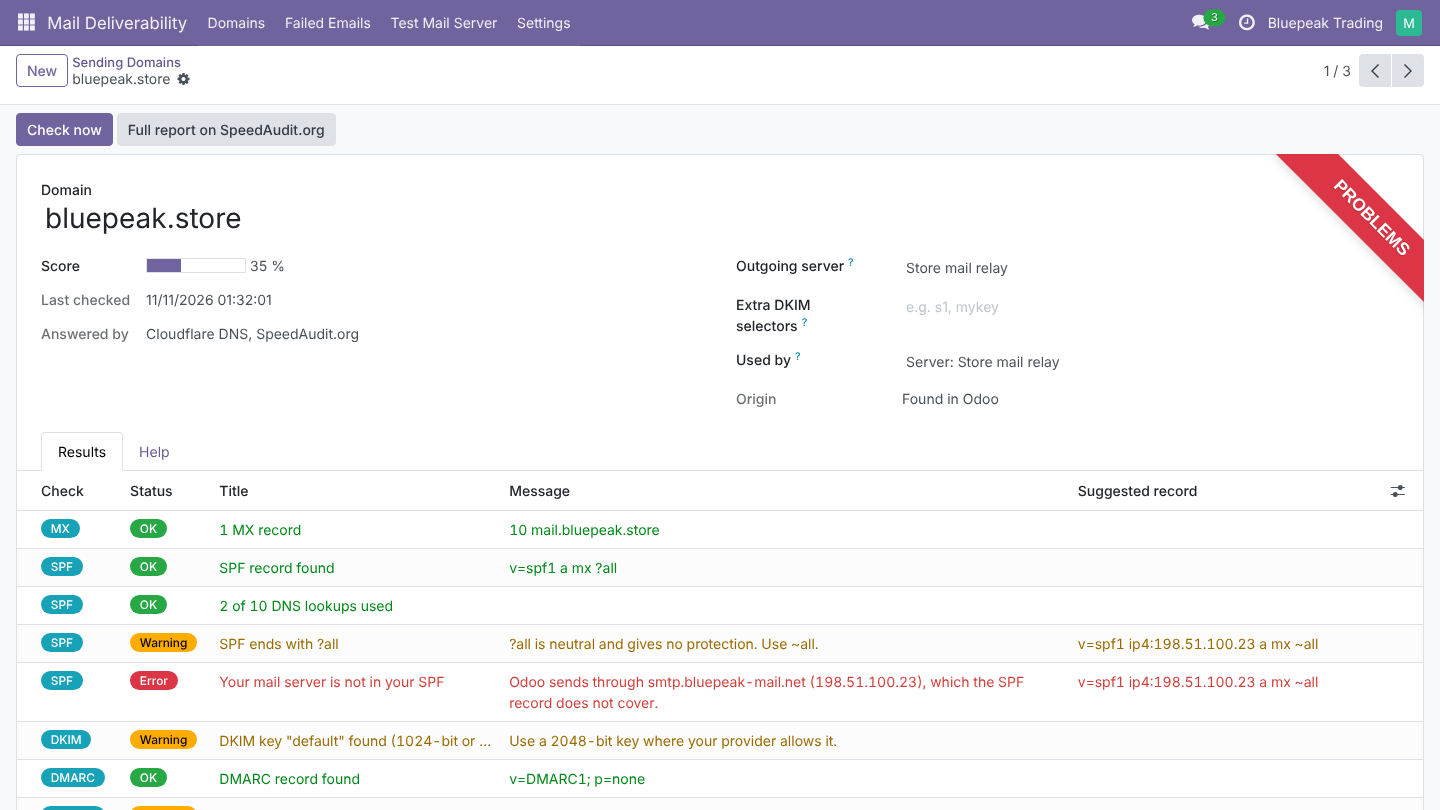
Why it matters
Gmail, Yahoo and Microsoft reject or junk mail from domains without SPF, DKIM and DMARC. Odoo sends quotations, invoices and portal invitations as you, so a missing record means customers never see them. Odoo itself does not check any of this.
Start here
- Install the app. Administrators get a Mail Deliverability menu.
- Domains → Find and check all domains.
- Open a domain with problems, copy the suggested record and add it at your DNS host: Domain checks.
- Look at Failed Emails for mail that did not leave or bounced: Failed emails.
In this guide
- Install: versions and installation.
- Domain checks: what each check means and how to fix it.
- Failed emails and server test: causes, retry, bounces, testing the outgoing server.
- Settings and privacy: DNS lookups, blacklist check, weekly email, what leaves your database.
- FAQ.
Was this page helpful?