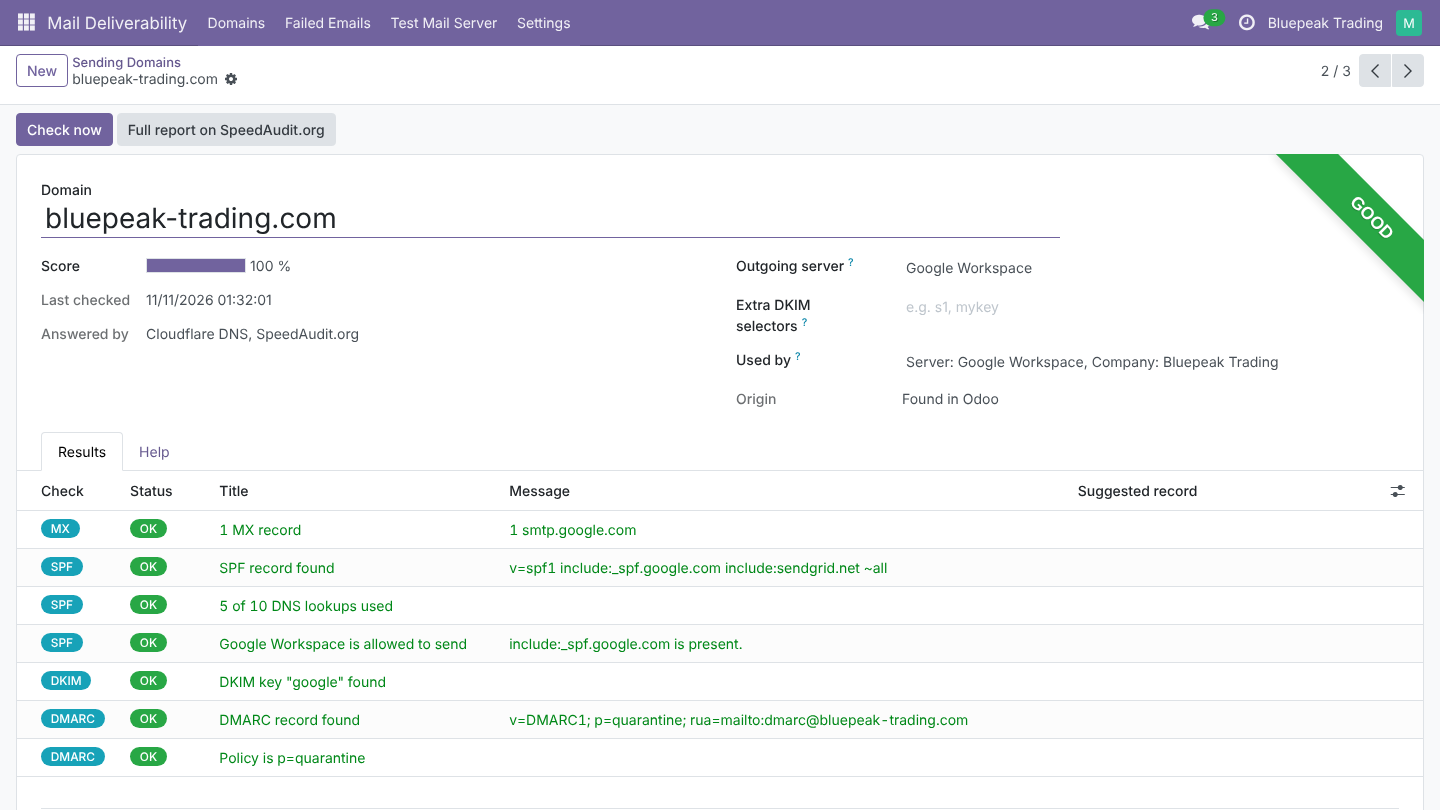
Domain checks
Mail Deliverability → Domains lists every domain Odoo sends from, with a score, the number of problems and warnings, and the date of the last check.
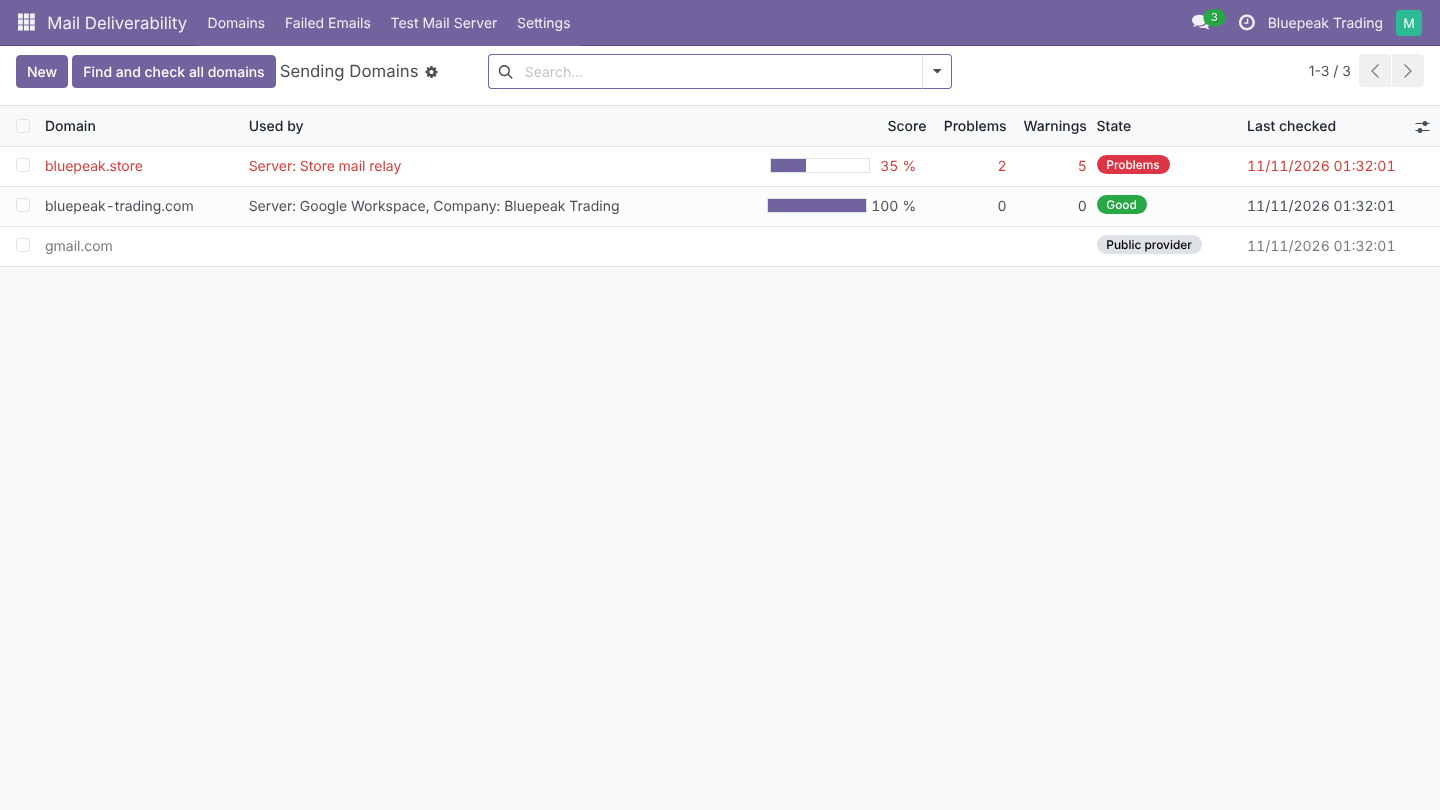
Which domains are listed
Find and check all domains reads them from Odoo:
- the From filter of each outgoing mail server (or the login, when the server has no From filter);
- the email of each company;
- the alias domains (Settings → Technical → Alias Domains).
You can also click New and type a domain, or an email address. Public providers such as gmail.com and outlook.com are marked Public provider: you cannot change their DNS, and most receivers reject mail that claims to be from them but comes from Odoo. Send from an address on your own domain instead.
The Outgoing server of a domain is the server its mail leaves through. The checks use it to see whether SPF allows that server.
The score
Each domain starts at 100. Every problem takes off 20 points and every warning 5. Good means no problems and no warnings.
SPF
SPF is a TXT record at the domain that lists the servers allowed to send for it. The app checks that:
- there is exactly one SPF record (two records break SPF everywhere);
- it uses at most 10 DNS lookups (include, a, mx, exists, redirect), counted through every include;
- it ends with
~allor-all, not+allor?all; - your outgoing server is allowed: Google Workspace, Microsoft 365, SendGrid, Mailgun, Amazon SES, Brevo, Zoho Mail, Postmark and Mailjet are recognised by their server name and their include is looked for. Any other server is checked by its IP address.
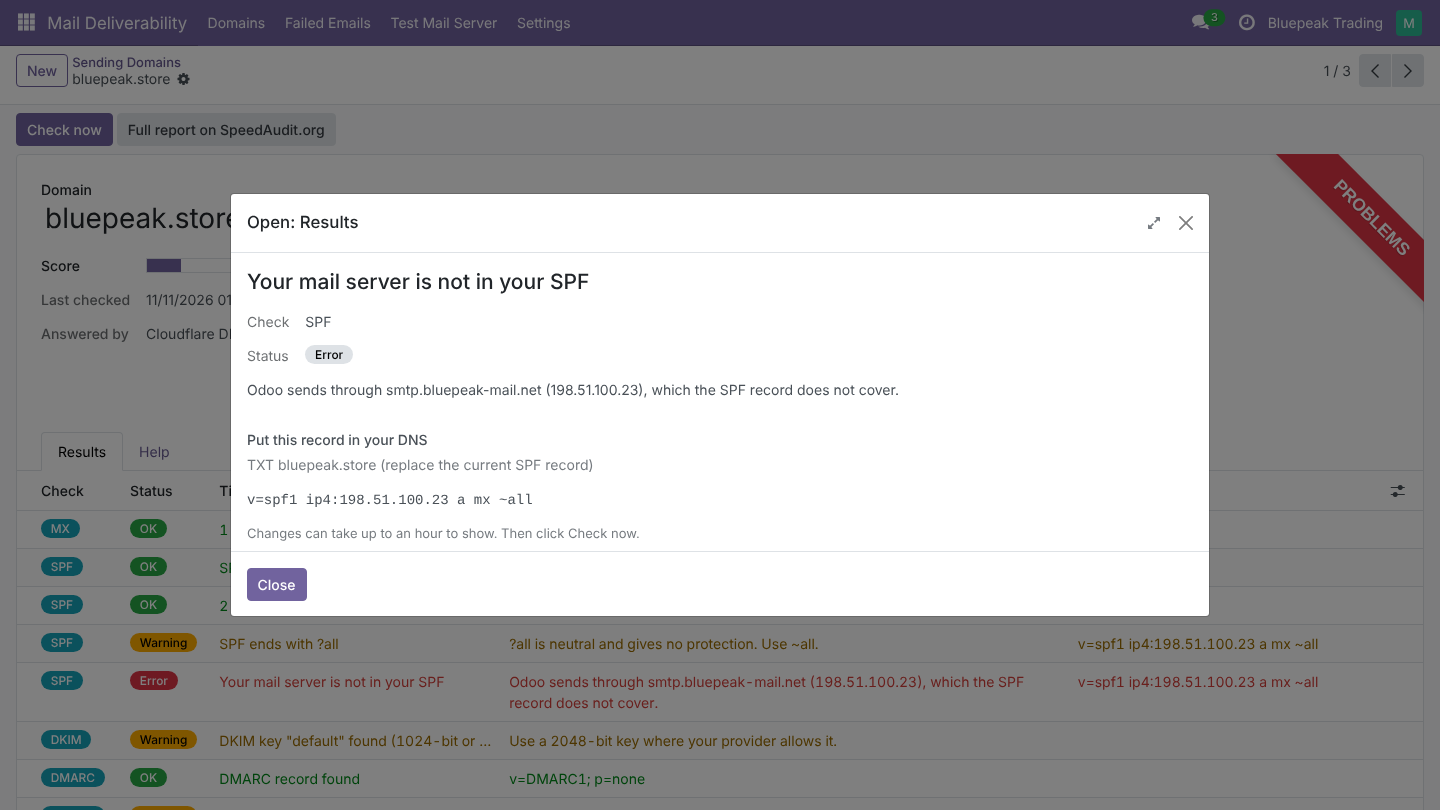
When something is wrong, the suggested record has all fixes applied to your current record, so you replace your SPF record with it rather than adding a second one.
DKIM
DKIM signs each email with a key published at selector._domainkey.yourdomain. The app looks for keys under the selectors of your provider first, then common ones (google, selector1, selector2, default, odoo, k1, s1, s2, mail, dkim and more). If your provider uses another selector, type it in Extra DKIM selectors and click Check now.
- No DKIM key found: turn on DKIM signing at your mail provider and publish the record it gives you.
- 1024-bit or weaker: works, but use a 2048-bit key where your provider allows it.
- Test mode: remove
t=ywhen you are done testing.
DMARC
DMARC is a TXT record at _dmarc.yourdomain that tells receivers what to do when SPF and DKIM fail.
- No DMARC record: add the suggested record. It starts with
p=none, which only collects reports. - p=none: fine to start. Once the reports show your mail passes, move to
p=quarantine. - No report address (rua): without it you never see who sends as your domain.
MX
A domain without MX records cannot receive replies or bounces, and some receivers distrust senders without one.
Sender setup
A warning appears when the outgoing server logs in with an address on another domain than the one it sends for. Many providers rewrite or reject the From address in that case.
Blacklists
The IP address of your own SMTP server is checked against SpamCop, SORBS, CBL, Mailspike, PSBL and s5h.net through SpeedAudit.org. Google and Microsoft servers are skipped. Spamhaus is not included because it blocks public DNS resolvers. If your server is listed, ask your mail provider or the list for delisting.
Fix a problem
- Click a result to open it.
- Copy the record under Put this record in your DNS. The line above it says the record type and name.
- Add or replace it at your DNS host (Cloudflare, GoDaddy, Namecheap, ...).
- DNS changes can take up to an hour. Then click Check now.
Full report on SpeedAudit.org opens the same domain on SpeedAudit.org for more DNS, SSL and security header checks.