
Odoo Jazi Connector
Sell on Jazi and run it from Odoo. You list your products on Jazi from Odoo, in English and Arabic, with the category details, colours and sizes Jazi asks for. Stock and prices follow Odoo. Jazi orders arrive as sales orders, and validating the delivery sends the fulfilment to Jazi and gets the airway bill (AWB).
Odoo 17.0 - 20.0 Community & Enterprise $399 one-time ($350 + $49 engine)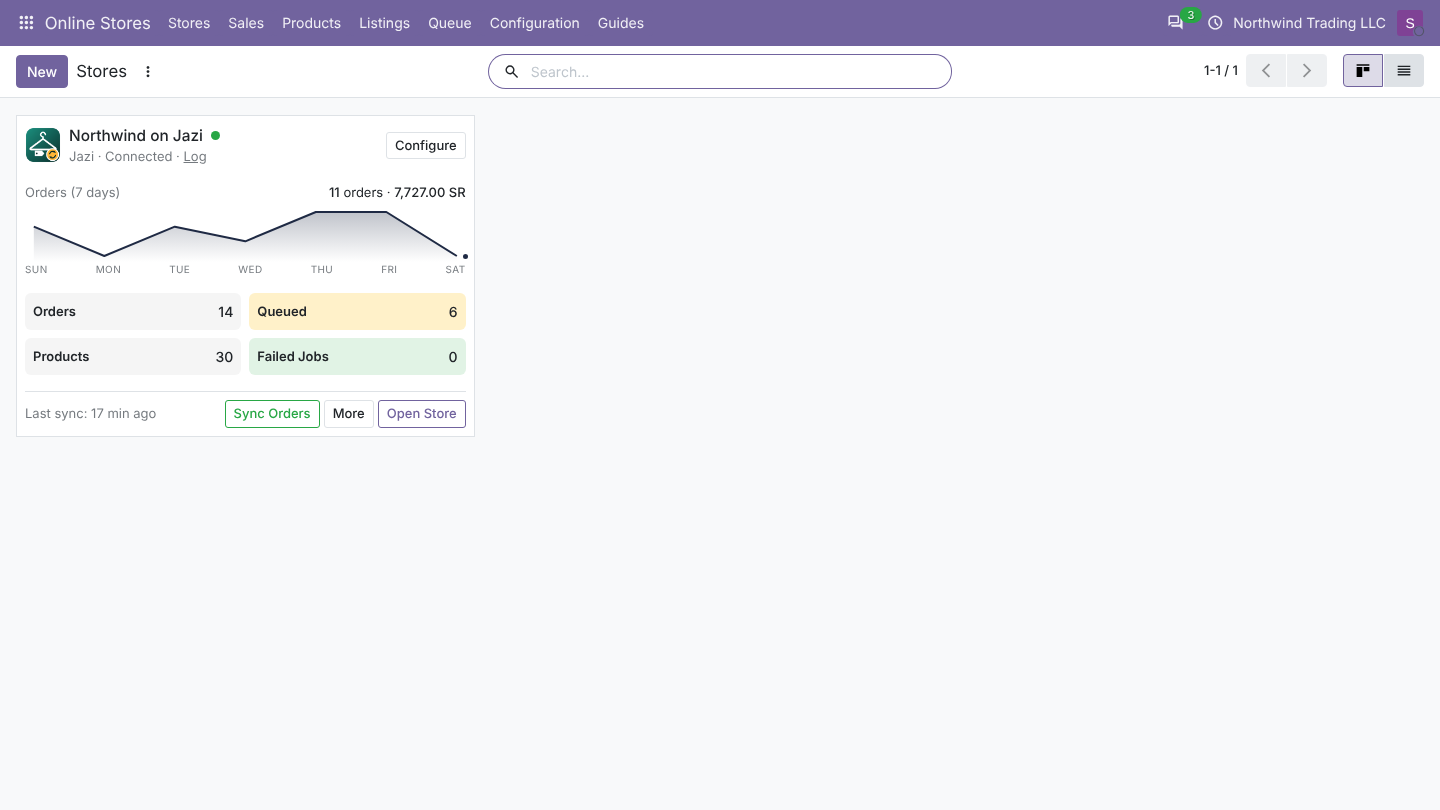
Odoo Jazi Connector on the Apps Store
Supported features
| Area | What you get |
|---|---|
| Connection | Jazi Seller API v2 with your own API token, live or sandbox. Several Jazi accounts per company; the same account cannot be connected twice. |
| Link products | Products already on Jazi are linked to Odoo products by SKU or barcode. Odoo never creates products from Jazi. |
| Categories | Every Jazi category in English and Arabic, matched to your Odoo categories, with counts of products ready to list and already on Jazi. |
| List on Jazi | New Jazi products from Odoo: category, required category details, colours and sizes, brand, weight, size and photos, checked before sending, then submitted for review. |
| Jazi products | The content sent is kept in Odoo: names and descriptions in English and Arabic, brand, category details, review status. Update on Jazi sends changes; Translate to Arabic fills empty Arabic fields with Google Translate. |
| Stock and prices | Stock from the warehouses you choose, sent when it moves, with a buffer. Prices from the store pricelist on a schedule. Jazi's batch results are checked. |
| Orders | Jazi purchase orders become sales orders for your Jazi customer, priced from the store pricelist. Signed order notifications from Jazi, plus a scheduled check. |
| Fulfilment and AWB | Validating the delivery sends the packed quantities to Jazi and generates the AWB; its number is saved on the delivery. |
| Operations | Job queue with retries, a schedule per store, alerts when a job fails, a readable log, a dashboard card, protection of test copies, two access levels. |
How it works
- Connect: paste your Jazi API token, click Test Connection and Refresh Jazi Lists (categories, colours).
- Link: Sync... > Import products from the store links the products already on Jazi.
- Match categories: give your Odoo categories a Jazi category once.
- List: List Products on a Jazi category opens the products ready to list. Fix what each line asks, then Create on Jazi.
- Sell: stock and prices follow Odoo; orders arrive within seconds with notifications set up; validate the delivery to ship.
Not included
- Returns and refunds from Jazi (handle them in the seller portal).
- Jazi's own invoice upload (Odoo invoices your Jazi customer as usual).
- Products created in Odoo from Jazi: Odoo is the master of your catalogue.
Next steps
Was this page helpful?