Barcode Label Designer
Draw your own labels inside Odoo: product, lot, package, location and shipping labels, or labels for any other model. Add fields, Python formulas, barcodes, QR codes, images and line tables on a real-size canvas, then print the same design as ZPL on Zebra printers or as PDF on any printer.
Odoo 17.0 - 20.0 Community & Enterprise $99 Community edition $149 Enterprise edition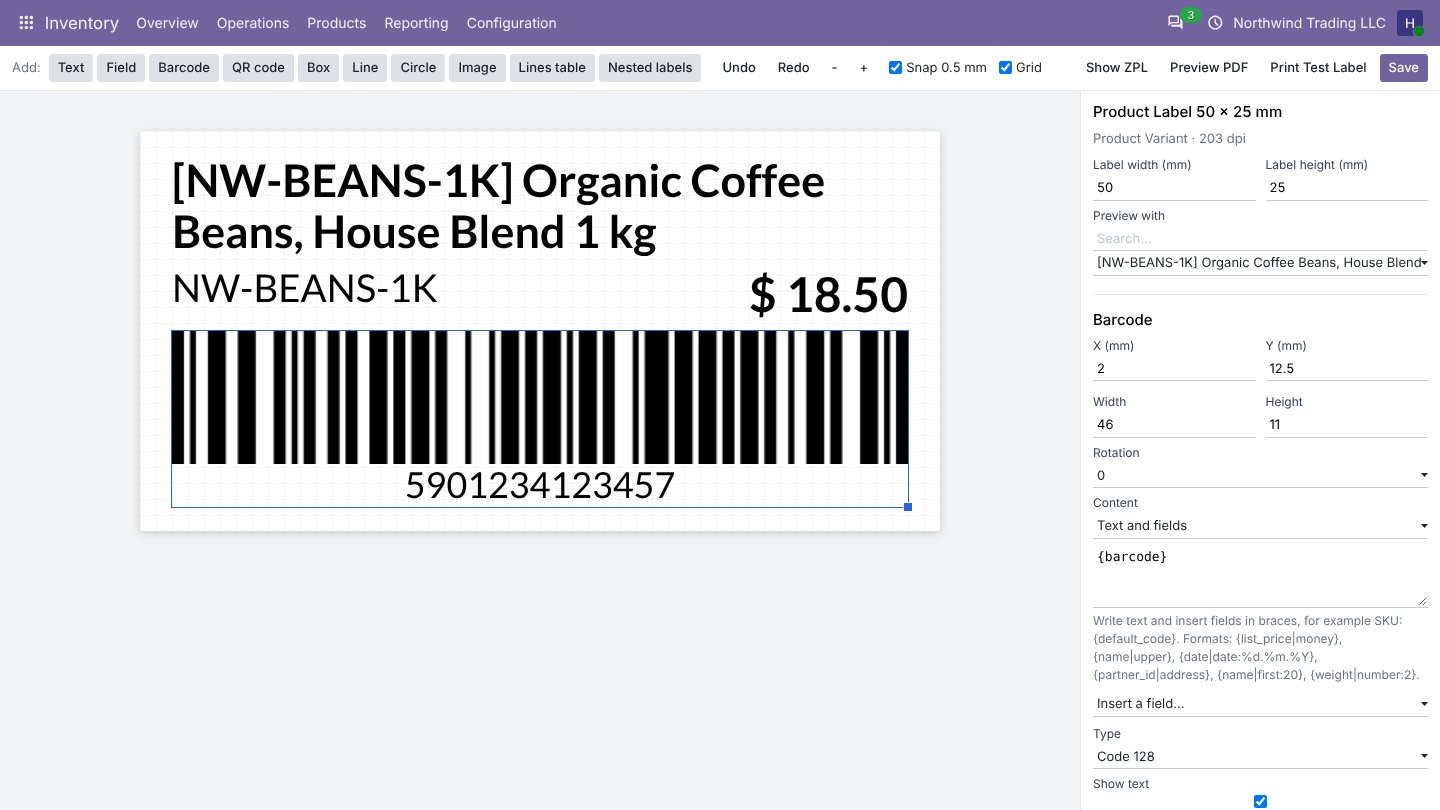
- No ZPL to write: you draw the label, the app writes clean ZPL II and a PDF of the same layout.
- Stays in your Odoo: no outside designer website, no API key, no change to
odoo.conf. It works behind a firewall and on Odoo.sh. - Real data while you design: pick a record and see its values, barcodes and tables on the canvas.
- Prints where you already print: each design adds its actions to the Print menu of its model, and product designs appear in Odoo's Print Labels window.
Two editions
| Community edition | Enterprise edition | |
|---|---|---|
| Module | novator_label_designer | novator_label_designer_mrp (installs the Community edition with it) |
| Runs on | Odoo Community and Enterprise | Odoo Enterprise with Manufacturing work orders |
| Everything on this page | Yes | Yes |
| Labels in work order Print Labels steps | No | Yes, see Work orders |
| Price | $99 one-time | $149 one-time ($50 if you own the Community edition) |
Community edition on the Apps Store · Enterprise edition on the Apps Store
What you can put on a label
| Element | What it prints |
|---|---|
| Text | Fixed text, fields in braces like {default_code}, or a Python formula |
| Barcode | Code 128, EAN-13, EAN-8, UPC-A, Code 39, with or without the readable value |
| QR code, Data Matrix | Lot numbers, serials, links, any text or field |
| Box, line, circle | Frames, separators, filled blocks |
| Image | A logo you upload, or an image field such as the product image |
| Lines table | One row per line of a list field: package contents, delivery lines, components |
Next steps
Was this page helpful?