Cloud Drive
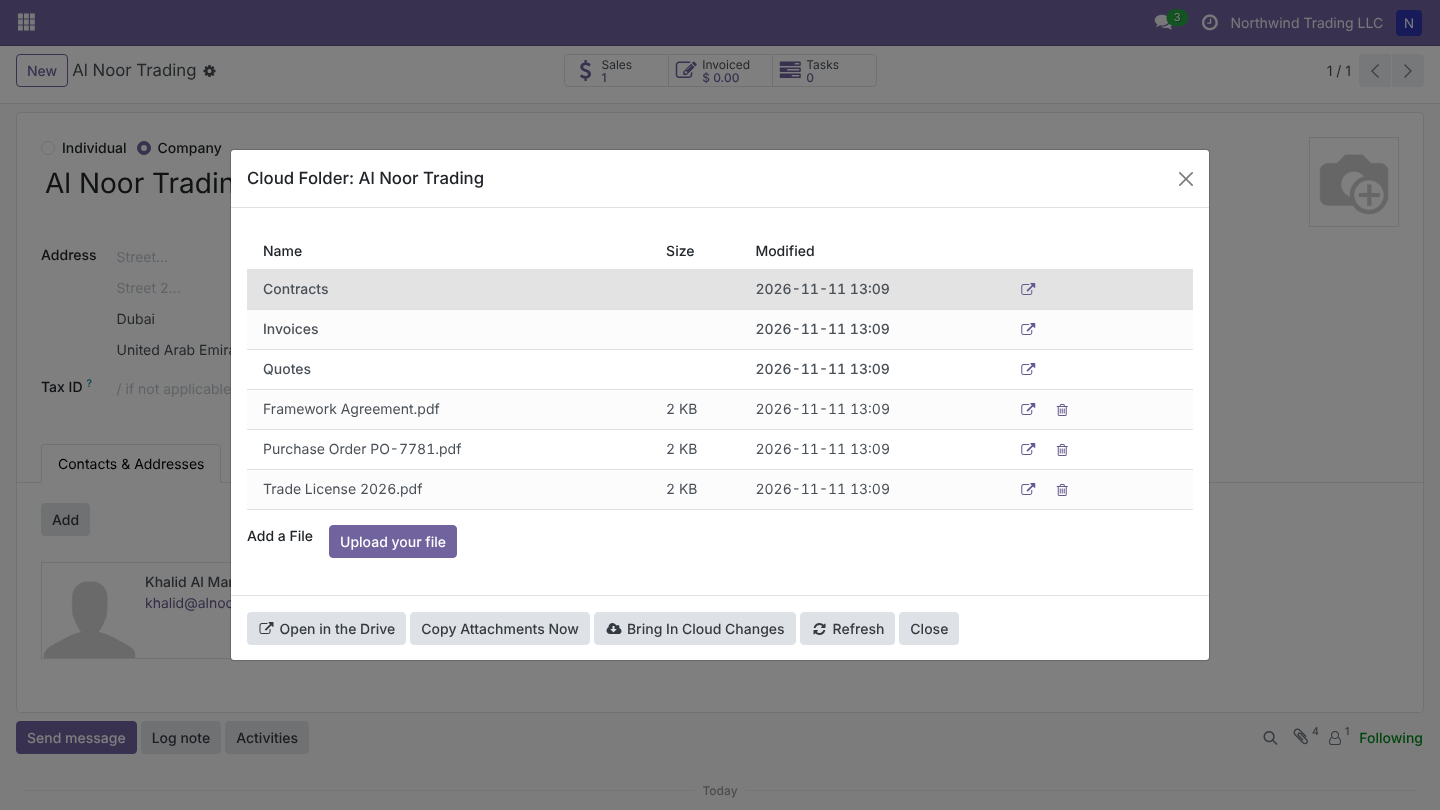
Give every customer, order, project or ticket its own folder in Google Drive, OneDrive or Dropbox. Files attached in Odoo are copied to the record's folder automatically, and Action → Cloud Folder opens the folder from the record. With Cloud Drive Pro it works both ways: a file dropped in the drive shows up on the record in Odoo.
It is for teams who already keep files in a cloud drive and want Odoo and the drive to agree, without anyone moving files by hand.
Odoo 17.0 - 20.0 Community & EnterpriseWatch the demo: Cloud Drive for Odoo on YouTube.
Free and Pro
| Free | Pro | |
|---|---|---|
| Google Drive, OneDrive and Dropbox | ✓ | ✓ |
| A folder per record, created on the first file | ✓ | ✓ |
| Attachments copied to the folder automatically | ✓ | ✓ |
| Cloud Folder on the record: browse, upload, open | ✓ | ✓ |
| Copy the attachments records already have | ✓ | ✓ |
| Cloud accounts | One | Unlimited |
| Kinds of records | Up to 5 | Unlimited |
| Two-way sync: files added, renamed or deleted in the drive | ✓ | |
| Google Shared Drives and SharePoint document libraries | ✓ | |
| Folder paths with fields, default subfolders, filters | ✓ | |
| Folders inside the parent record's folder | ✓ | |
| Keep old files only in the cloud to free disk space | ✓ | |
| Customer portal folders with upload | ✓ |
- Free app: novator_cloud_drive on the Apps Store
- Pro: novator_cloud_drive_pro on the Apps Store ($199, one-time, every provider included)
Next steps
Was this page helpful?