Folder rules and record folders
Folder rules
Cloud Drive → Folder Rules → New decides which records get a folder.
| Field | What it does |
|---|---|
| Records | The kind of record: Contact, Sales Order, Project, Task, Ticket, Employee or any other. |
| Cloud Account | The drive the folders go to. |
| Folder | Folder for these records inside the top folder. Default: the name of the records, for example Contact. |
| Record Folder Name | Record name, or Record name and ID when several records can share a name. |
| Copy Attachments | Files attached to these records in Odoo are copied to their folder. |
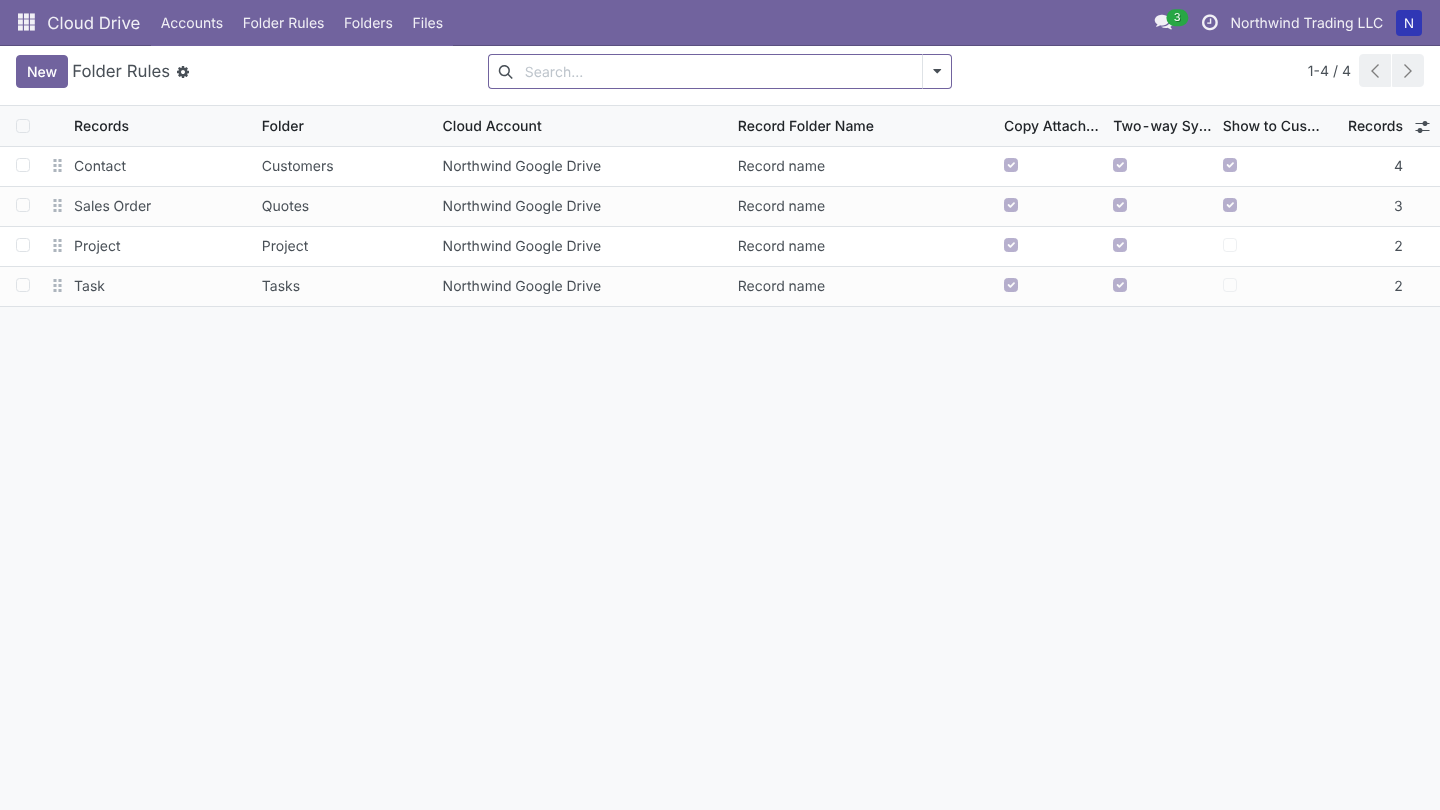
Saving a rule adds Cloud Folder to the Action menu (the gear) of those records. Archiving or deleting the rule removes it. The free app keeps up to five kinds of records in the cloud.
The resulting tree in the drive is Top Folder / Folder / Record, for example Odoo - Northwind Trading / Contact / Al Noor Trading.
How attachments are copied
- A file attached to a record with a rule is queued: from the chatter, by email, from a form field that stores files as attachments, or by import.
- Every 5 minutes the queue is sent to the drive. The record's folder is created the first time a file goes in.
- Files that fail are tried again up to five times. The reason is kept on the file.
- Image fields of the record itself (photos, logos) are not copied.
Copy Existing Attachments on a rule queues the files the records already had before the rule existed. Files already copied are not copied twice.
Cloud Folder on the record
Action → Cloud Folder on a record shows its folder in the drive: files and subfolders with size and date.
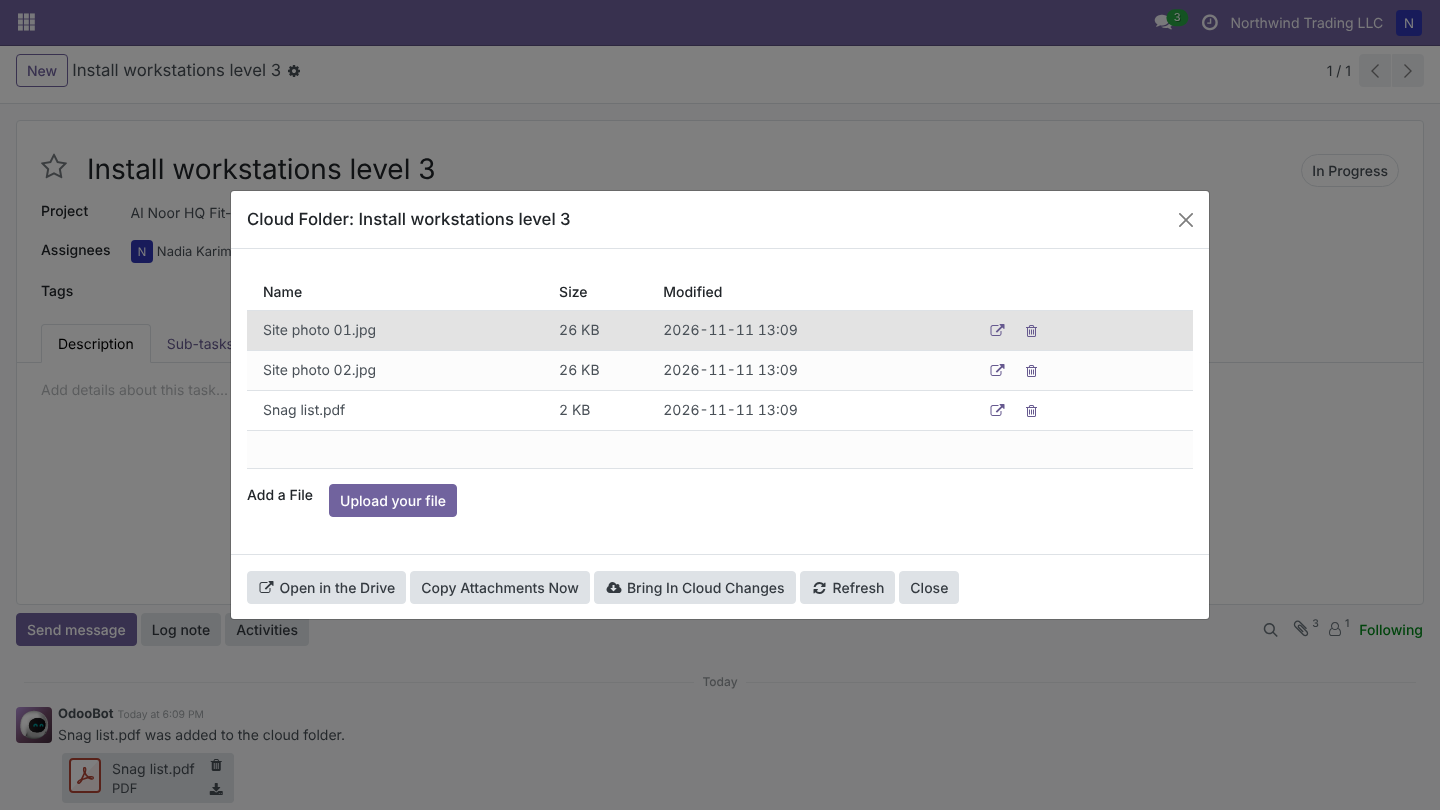
- Upload: choose a file and click Upload to put it in the folder.
- Open in the Drive: opens the folder in Google Drive, OneDrive or Dropbox.
- Copy Attachments Now: sends this record's waiting attachments straight away.
- The open icon on a line opens that file in the drive.
Folders and Files
- Cloud Drive → Folders lists every record folder with its record, the number of files, and buttons to open the record or the folder.
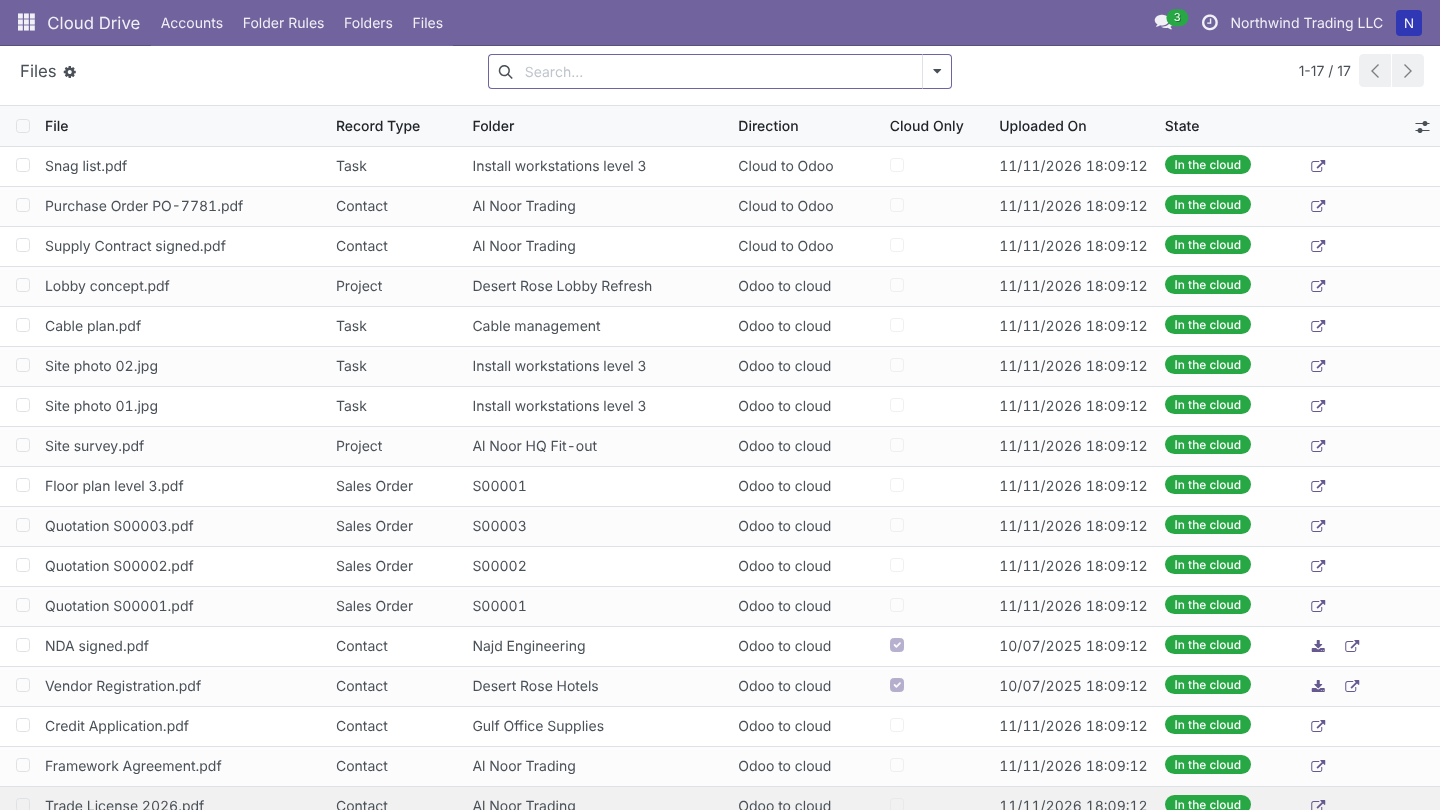
- Cloud Drive → Files lists every copied file with its status: Waiting, In the cloud or Failed. Filter on Failed and click the retry icon after fixing the cause.
Was this page helpful?