
Association Membership and Chamber of Commerce
Two apps that work together:
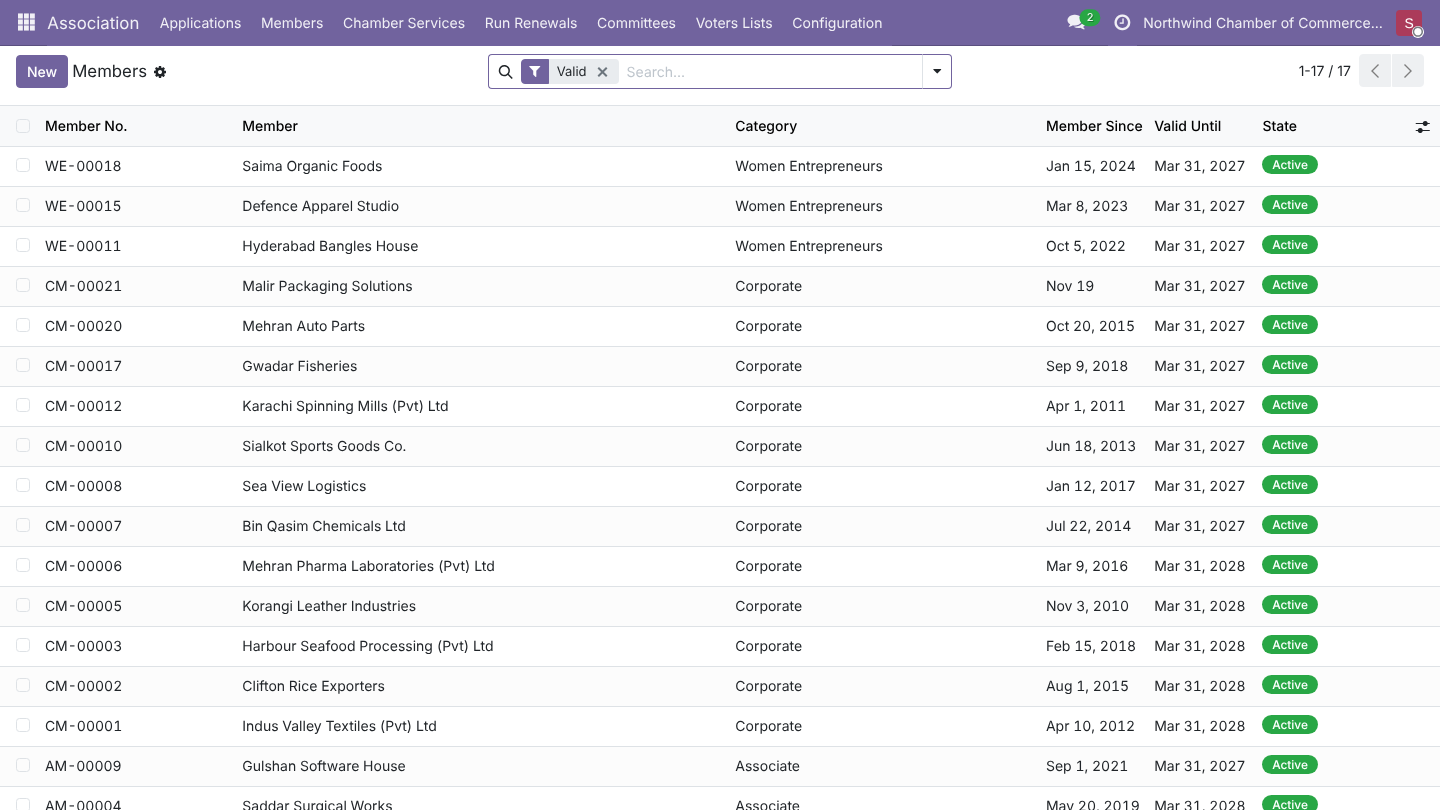
- Odoo Association Membership ($449 one-time, OPL-1): the whole member journey for a chamber, trade body, club or professional association. Online application with documents, review and approval, member numbers, yearly dues, renewals and reminders, member ID cards and certificates with QR verification, a member portal, a public directory, committees and voters lists.
- Odoo Chamber of Commerce ($350 one-time, OPL-1): chamber services on top of it. Certificates of origin, document attestation and visa recommendation letters. Members request them online, pay first, and receive a signed document that anyone can verify by QR code. Association Membership is added to your cart automatically.
See it in two minutes
Watch the demo on YouTube: an online application and its review, approval with the first invoice, the member card and certificate, the member portal and directory, a voters list, and a certificate of origin from request to QR verification.
Why it matters
Odoo 19 and 20 no longer include the classic Membership app. Their Partnership app only gives a contact a level and a pricelist, without dates, renewals, approval or member numbers. Most chambers and associations still run members in spreadsheets and paper files.
- From application to member in one place: documents, verification, approval, member number and first invoice.
- Dues that chase themselves: membership years, renewal runs, weekly reminders with a pay-online link, and a status that updates when an invoice is paid.
- Documents nobody can fake: cards, certificates, certificates of origin, attestations and visa letters carry a QR code to a public verification page.
- Members serve themselves: the portal shows their status, invoices and downloads, and takes chamber service requests.
Start here
- Install the apps: Installation.
- Set the year, fees, categories and documents: Setup.
- Take and approve applications: Applications.
- Run dues and renewals: Members and dues.
- Cards, portal and directory: Cards, portal and directory.
- Committees and elections: Committees and voters lists.
- With Chamber of Commerce, issue documents: Chamber services.
Was this page helpful?