Applications
Online
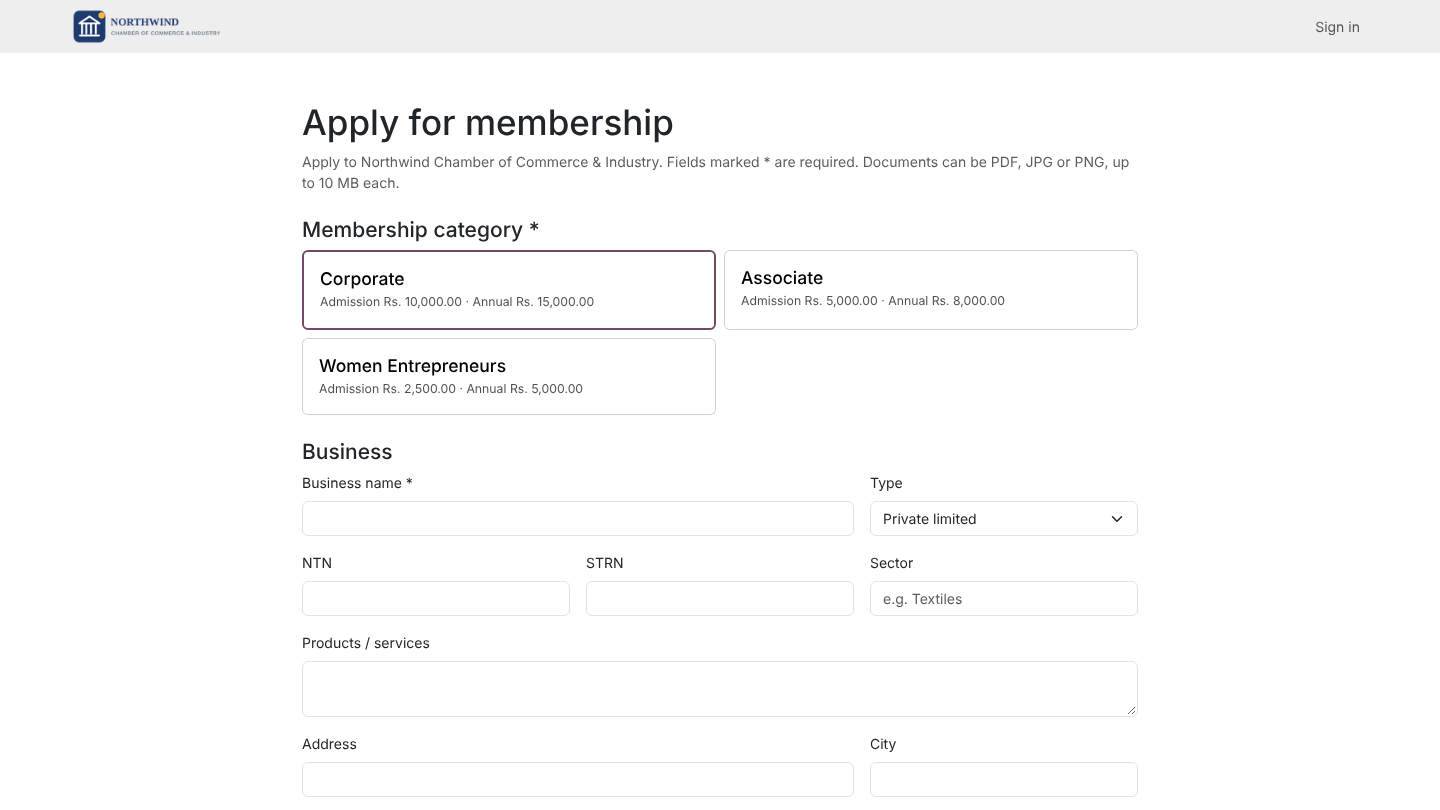
Share the link https://<your-odoo>/association/apply. Applicants:
- Pick a category. The admission and annual fees are shown.
- Enter the business and principal details.
- Upload one file per required document (PDF, JPG or PNG, up to 10 MB each).
They see a reference number and receive a confirmation email.
At the counter
Association → Applications → New. Enter the details, upload the documents in the Documents tab, then click Submit.
Review and approve
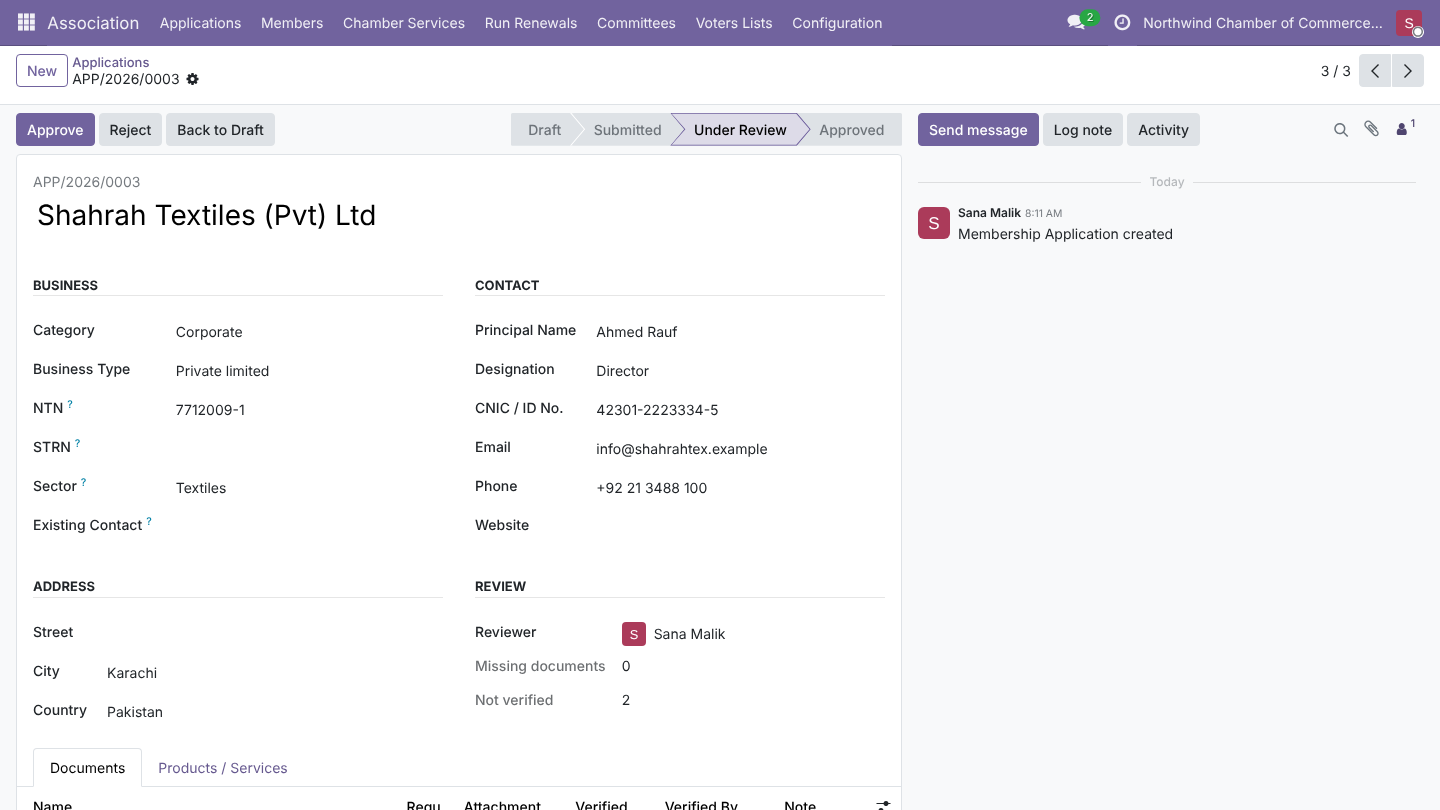
- Open the application and click Start Review.
- Check each document and switch on Verified. Odoo records who verified it and when.
- A Manager clicks Approve. Odoo creates the member's company contact (NTN as tax ID) with the principal as a contact, gives the member number, and posts the first invoice with the admission and annual fee. The applicant receives an approval email.
- Or click Reject and give a reason. The applicant receives it by email.
The member is Awaiting Payment until the first invoice is paid, then Active.
Was this page helpful?