Cards, portal and directory
ID cards and certificates
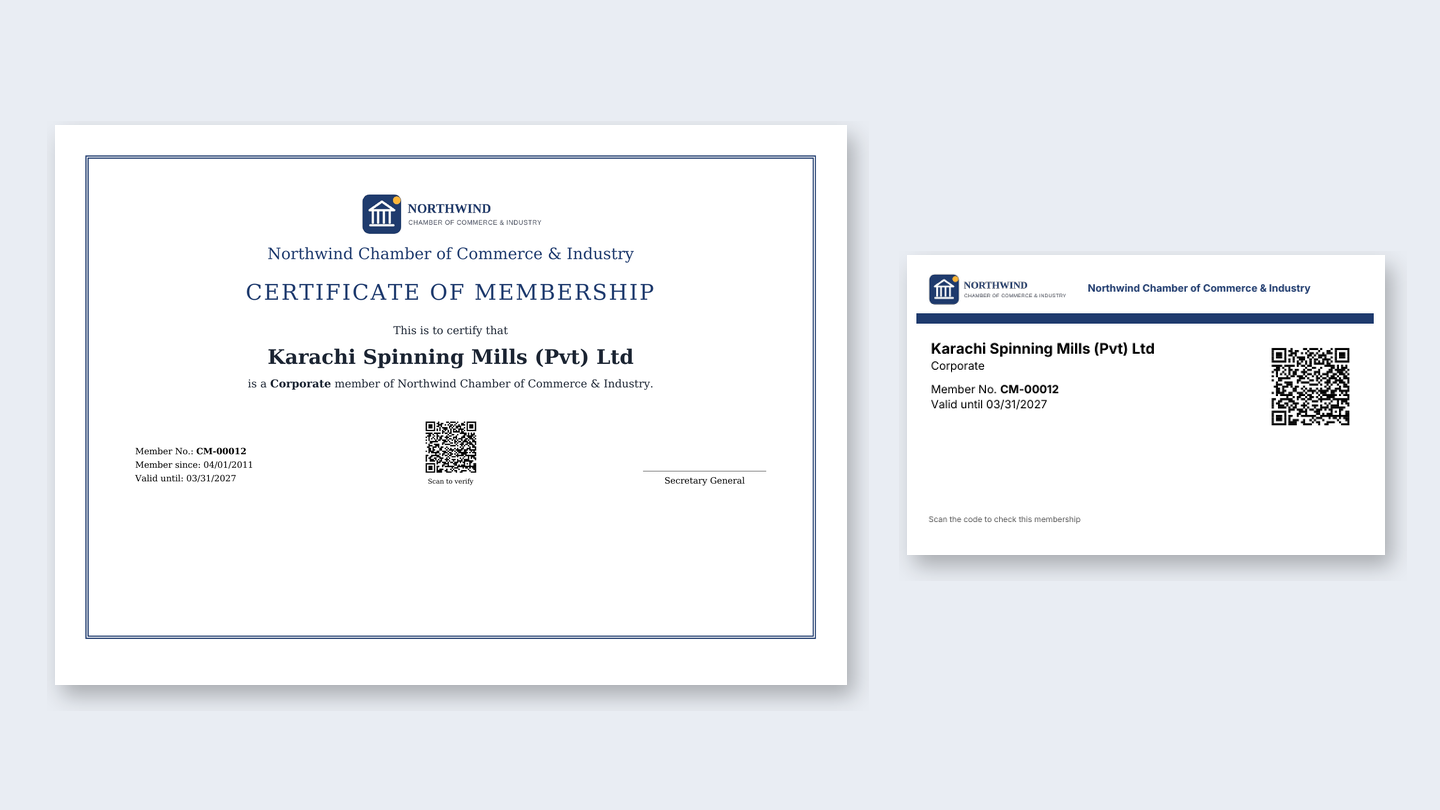
On a member, click Print ID Card (card size, CR80) or Print Certificate (A4 landscape). Both carry a QR code to a public page that shows whether the membership is valid today, with number, category, member since and valid until.
Member portal
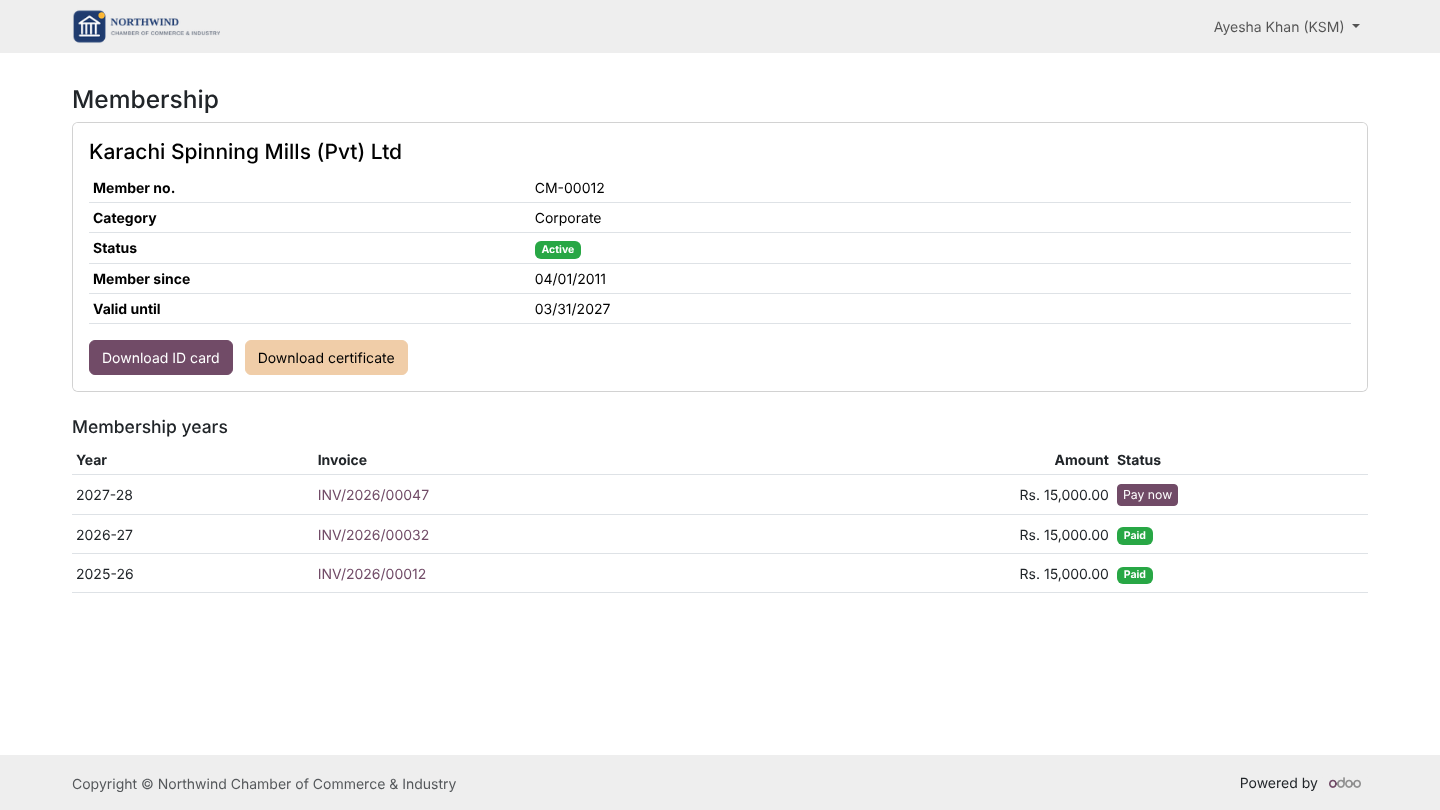
Click Portal Access on a member to invite the company's contacts. In the portal, Membership shows status, valid until, each year's invoice with Pay now, and the ID card and certificate downloads while the membership is valid.
Member directory
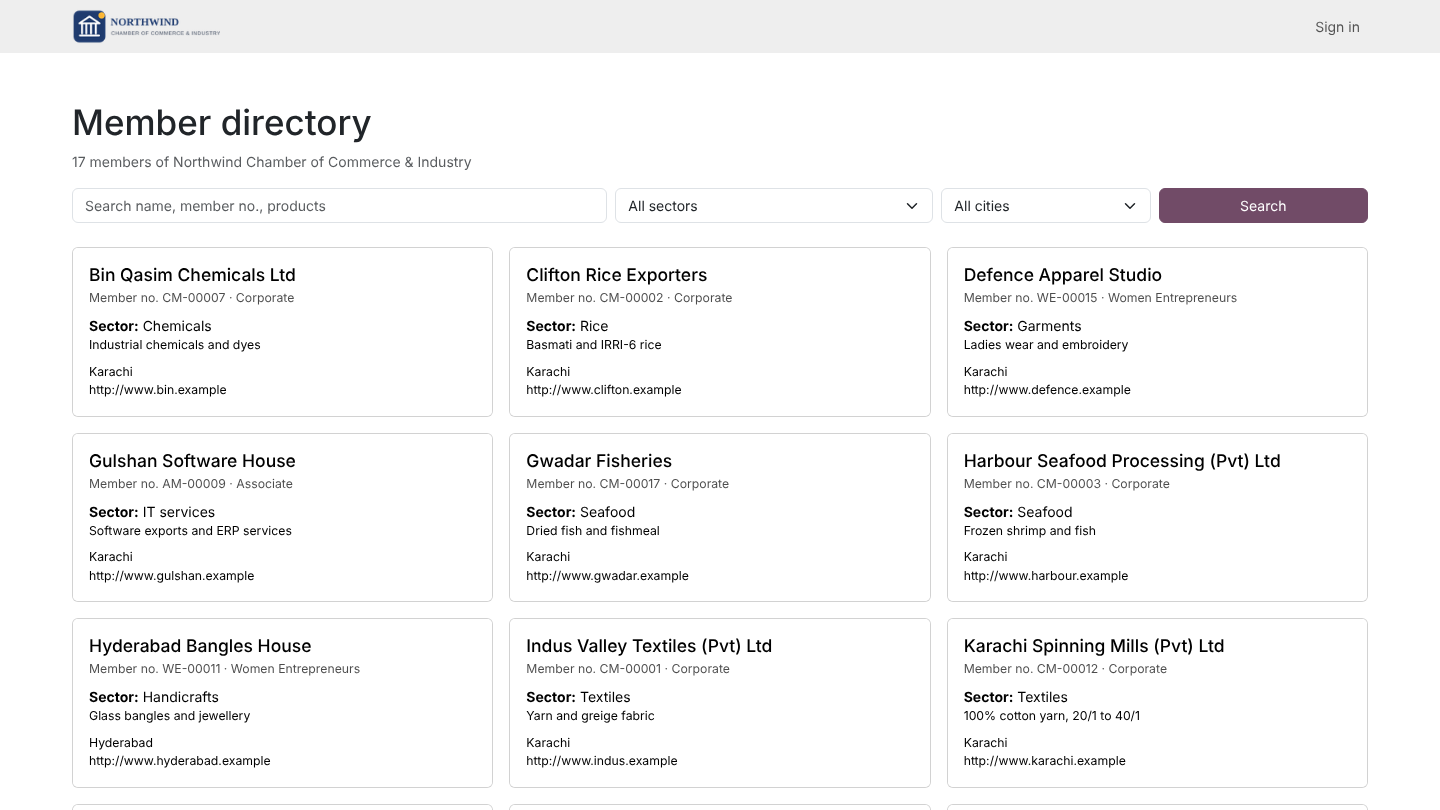
https://<your-odoo>/association/directory lists valid members who opted in, with sector, products, city and website. Visitors search by name, member number or products and filter by sector and city.
To hide a member, untick Show in directory in the member's Directory tab.
Was this page helpful?