Example designs
The app comes with eight designs. Change them as you like; updating the app does not overwrite your changes. Click Duplicate on a design to keep the original.
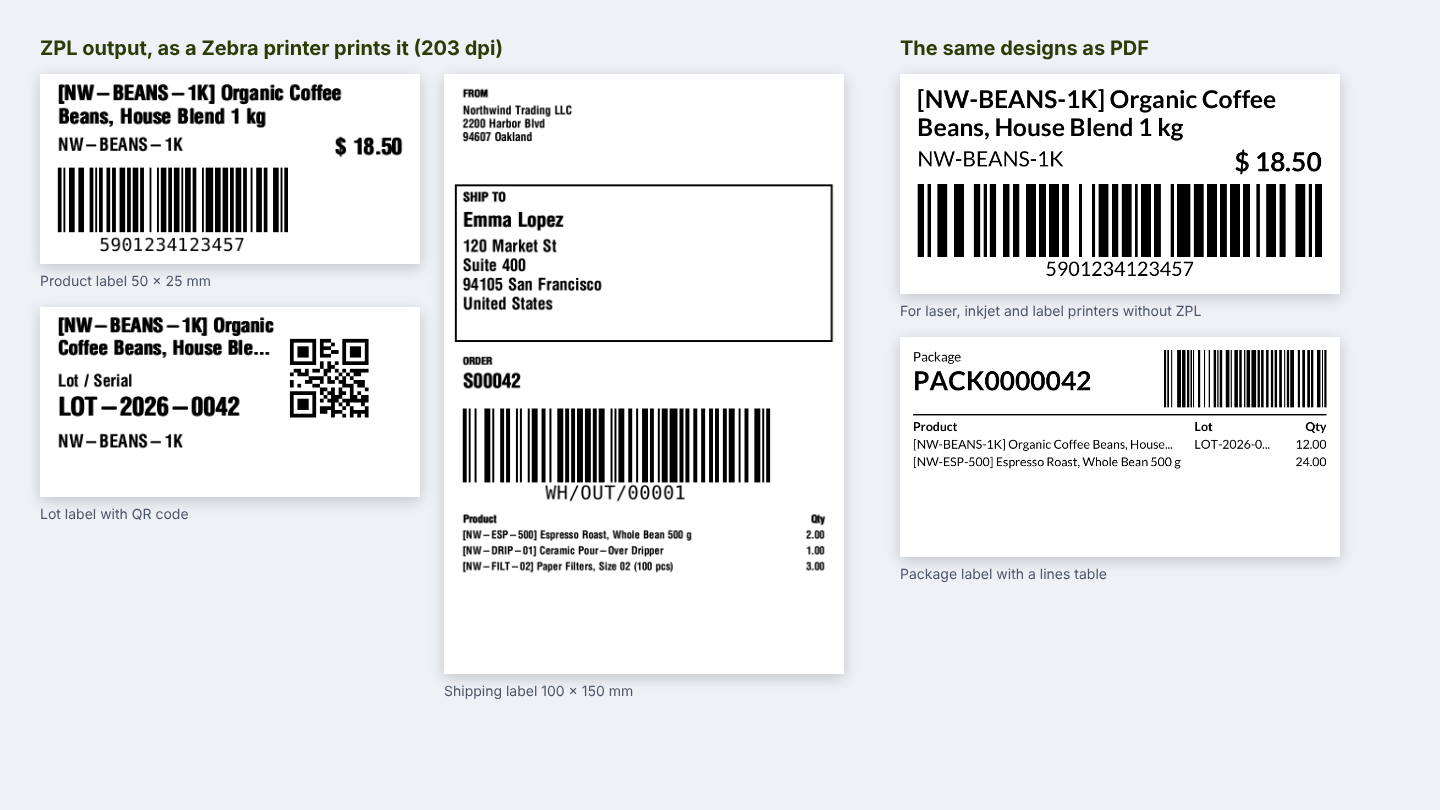
| Design | Print from | Size | What is on it |
|---|---|---|---|
| Product Label 50 x 25 mm | Product Variant | 50 x 25 mm | Name, internal reference, price, Code 128 barcode |
| Product Label 100 x 50 mm | Product Variant | 100 x 50 mm | Name, reference, category, large price, barcode |
| Lot / Serial Number Label 50 x 25 mm | Lot/Serial | 50 x 25 mm | Product, lot or serial number, reference, QR code |
| Package Label 100 x 50 mm | Packages | 100 x 50 mm | Package name and barcode, contents with product, lot and quantity |
| Location Label 50 x 25 mm | Inventory Locations | 50 x 25 mm | Full location name and barcode, for shelves and bins |
| Shipping Label 100 x 150 mm | Transfer | 100 x 150 mm | Sender, recipient address in a frame, order reference, transfer barcode, lines with quantities |
| Package Contents 100 x 100 mm | Packages | 100 x 100 mm | Package name and barcode, then a nested label for each product in it |
| Package Content Line 96 x 14 mm | Quants | 96 x 14 mm | Product reference, name, lot, quantity and product barcode; used inside Package Contents, not in the Print menu |
Ideas
- Price label without barcode: open the 50 x 25 mm product label, delete the barcode, make the price bigger.
- Shelf label: the location label at 100 x 50 mm with a larger barcode for scanning from a distance.
- Lot label with expiry date: add a text element with
Best before {expiration_date|date:%d.%m.%Y}(needs expiration dates turned on in Inventory settings). - Serial number label: the lot label works for serial numbers as it is; the number is printed as text and as a QR code.
- Employee badge: a new design for Employee with
{name},{job_title}, the image fieldimage_1920and a QR code with{barcode}.
Was this page helpful?