Elements
Text and fields
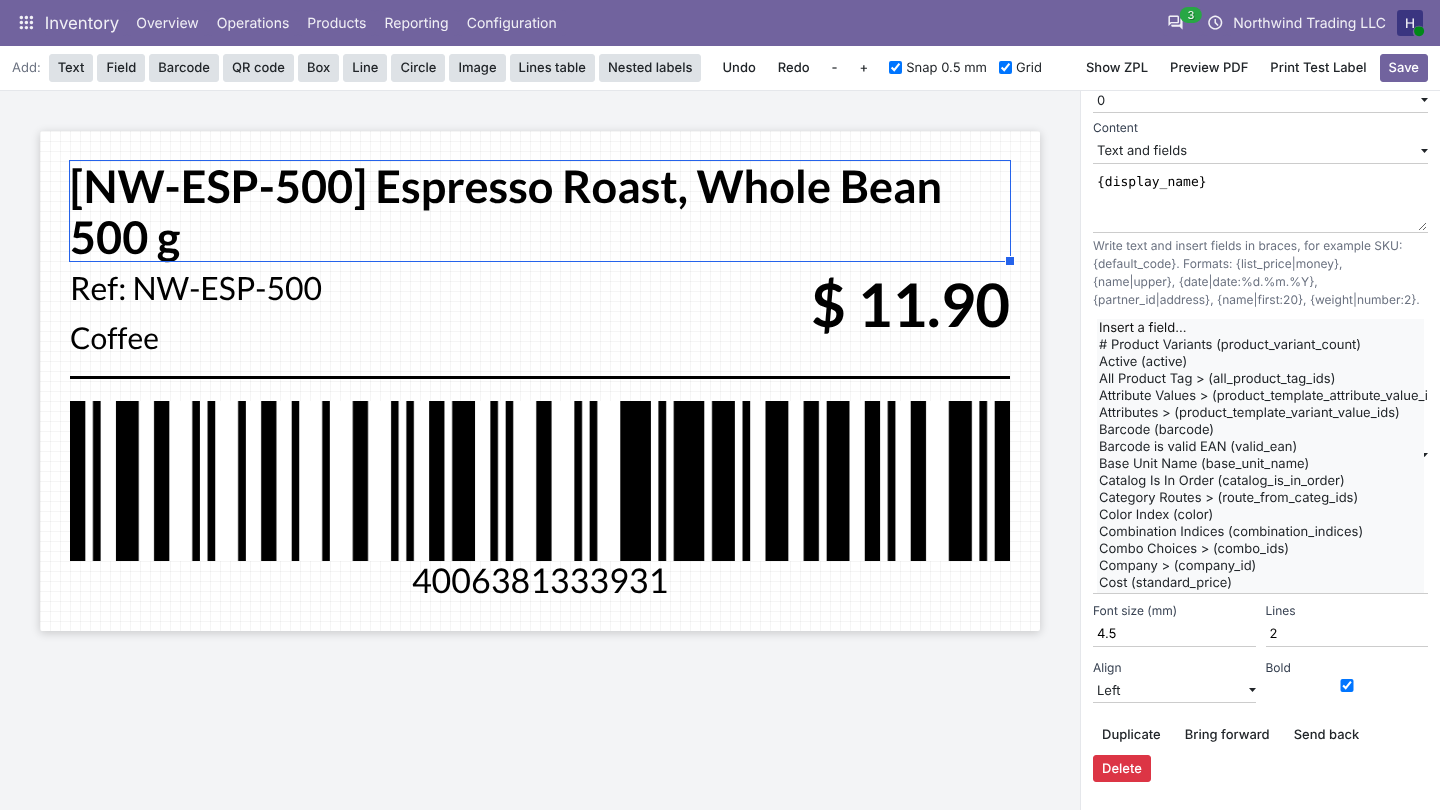
A text element prints one or more lines of text. Content decides where the text comes from:
- Text and fields: fixed text with fields in braces.
Ref: {default_code}prints Ref: NW-BEANS-1K. Fields can follow relations with a dot:{categ_id.name},{partner_id.city},{product_id.default_code}. Pick fields from Insert a field...: fields marked>are relations, choose one to see its own fields. Add a format after a|, see Formats. - Python formula: a Python expression, when a format is not enough. Formulas are off until an administrator switches them on, see Formulas.
| Setting | What it does |
|---|---|
| Font size (mm) | Height of the letters. 2.5 mm is small print, 4 to 6 mm a title. |
| Lines | How many lines the text may use. Longer text wraps at spaces; what does not fit ends with .... |
| Align | Left, center or right inside the element width. |
| Bold | Bold text (on ZPL printers the text is printed twice, one dot apart). |
How values are printed:
| Field type | Printed as |
|---|---|
| Many2one (a link) | The name of the linked record, for example the category name |
| One2many, Many2many | The names, separated by commas |
| Selection | The label of the choice, as shown in Odoo |
| Yes/No | Yes or No |
| Monetary | Amount with the currency of the record, for example $ 18.50 |
| Decimal number | With the decimals of the field (quantities, weights) |
| Date, date and time | In the language and timezone of the user who prints |
| Empty field | Nothing |
Formats
Write a format after the field name, separated by |. No formula needed.
| Format | Prints | Example |
|---|---|---|
money | Amount with the currency of the record | {lst_price|money} -> $ 18.50 |
number:N | Number with N decimals (default 2) | {weight|number:3} -> 1.250 |
int | Whole number, rounded half up | {product_uom_qty|int} -> 3 |
upper, lower, title | Text in capitals, small letters, or Title Case | {name|upper} |
first:N | The first N characters | {name|first:20} |
date:FORMAT | Date or date and time in your format (strftime codes) | {expiration_date|date:%d.%m.%Y} |
address | The partner's address on several lines, in the country's format, without the name | {partner_id|address} |
default:TEXT | TEXT when the field is empty | {lot_id.name|default:-} |
A field that does not exist prints nothing. With formulas switched on, a formula that fails prints #ERR, and the error is written to the Odoo log.
Barcodes
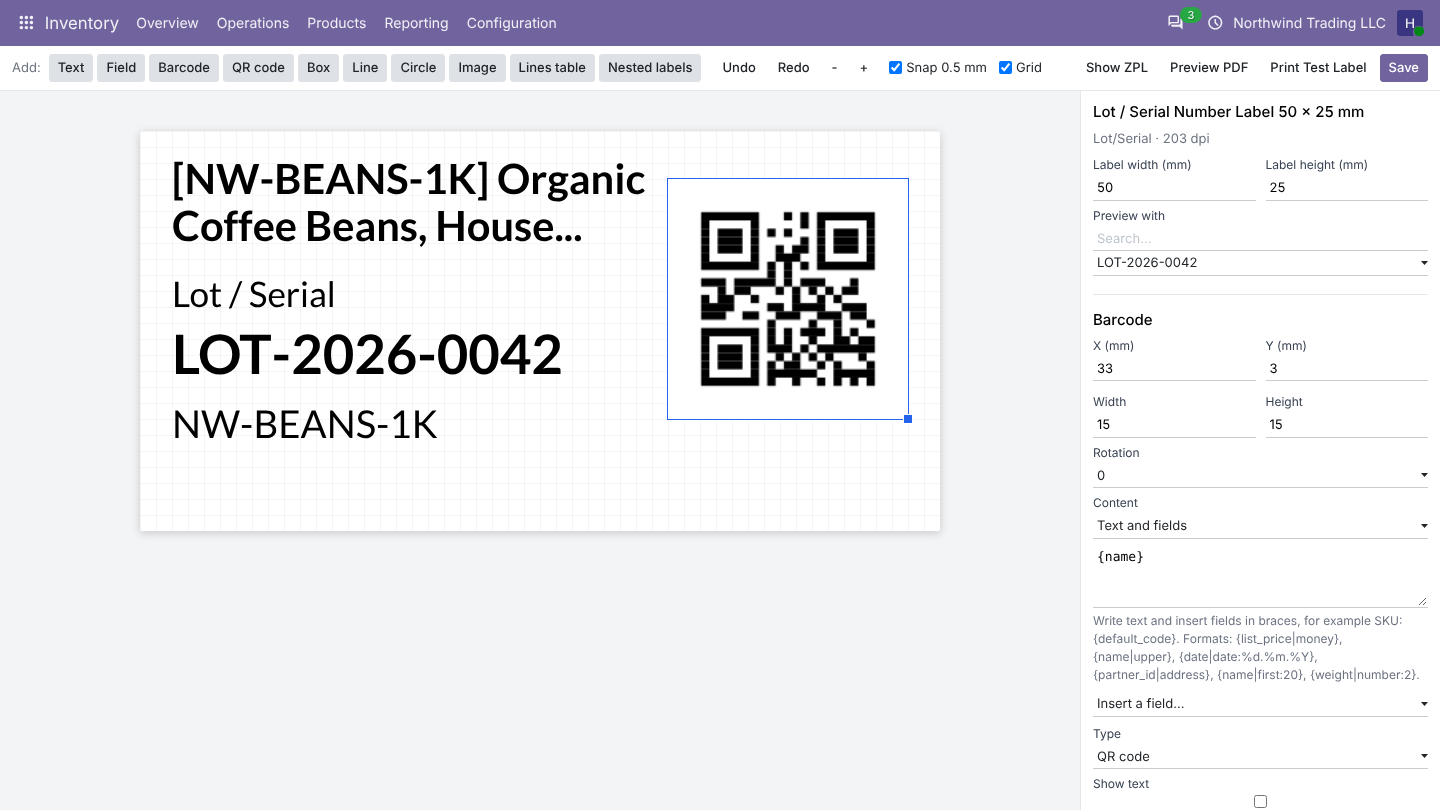
Type: Code 128, EAN-13, EAN-8, UPC-A, Code 39, QR code or Data Matrix. Content works as for text: {barcode}, {name}, {lot_id.name}, or a formula. Show text prints the value under linear barcodes.
| Type | Use it for | Value |
|---|---|---|
| Code 128 | Internal references, lots, serials, locations, packages, transfer names | Any text |
| EAN-13 | Retail products (Europe and most countries) | 12 or 13 digits |
| EAN-8 | Small retail products | 7 or 8 digits |
| UPC-A | Retail products (USA, Canada) | 11 or 12 digits |
| Code 39 | Older scanners and systems | Capital letters, digits, - . $ / + % and space |
| QR code | Lots, serials, links, long text | Any text |
| Data Matrix | Very small labels, GS1 and healthcare | Any text |
For EAN and UPC the check digit is calculated by the printer, so a 12-digit or 13-digit barcode field both work.
On ZPL labels the bars are a whole number of printer dots wide, so every bar prints sharp. The barcode is therefore sometimes narrower than its element; make the element wider if you need wider bars. On PDF labels the barcode fills the element width. Leave a little empty space (about 2.5 mm) left and right of linear barcodes so scanners find the start and end.
Boxes, lines and circles
| Element | Settings |
|---|---|
| Box | Line (mm) thickness, Filled (solid black), Rounding 0-8 for round corners |
| Line | Line (mm) thickness, Vertical for an upright line |
| Circle | Line (mm) thickness, Filled. An element that is not square draws an ellipse |
A filled box under white space works as a black bar, for example behind a heading. Elements print in the order of the list: use Bring forward and Send back.
Images
Image: upload a fixed picture (a logo, a symbol such as Fragile), or choose an image field of the record, such as the product image. The picture keeps its proportions inside the element.
Label printers print black dots only. Black below (0-255) decides which grey becomes black: lower values print less black, higher values more. Simple black-and-white logos print best; photos are rarely readable on thermal labels.
Lines tables
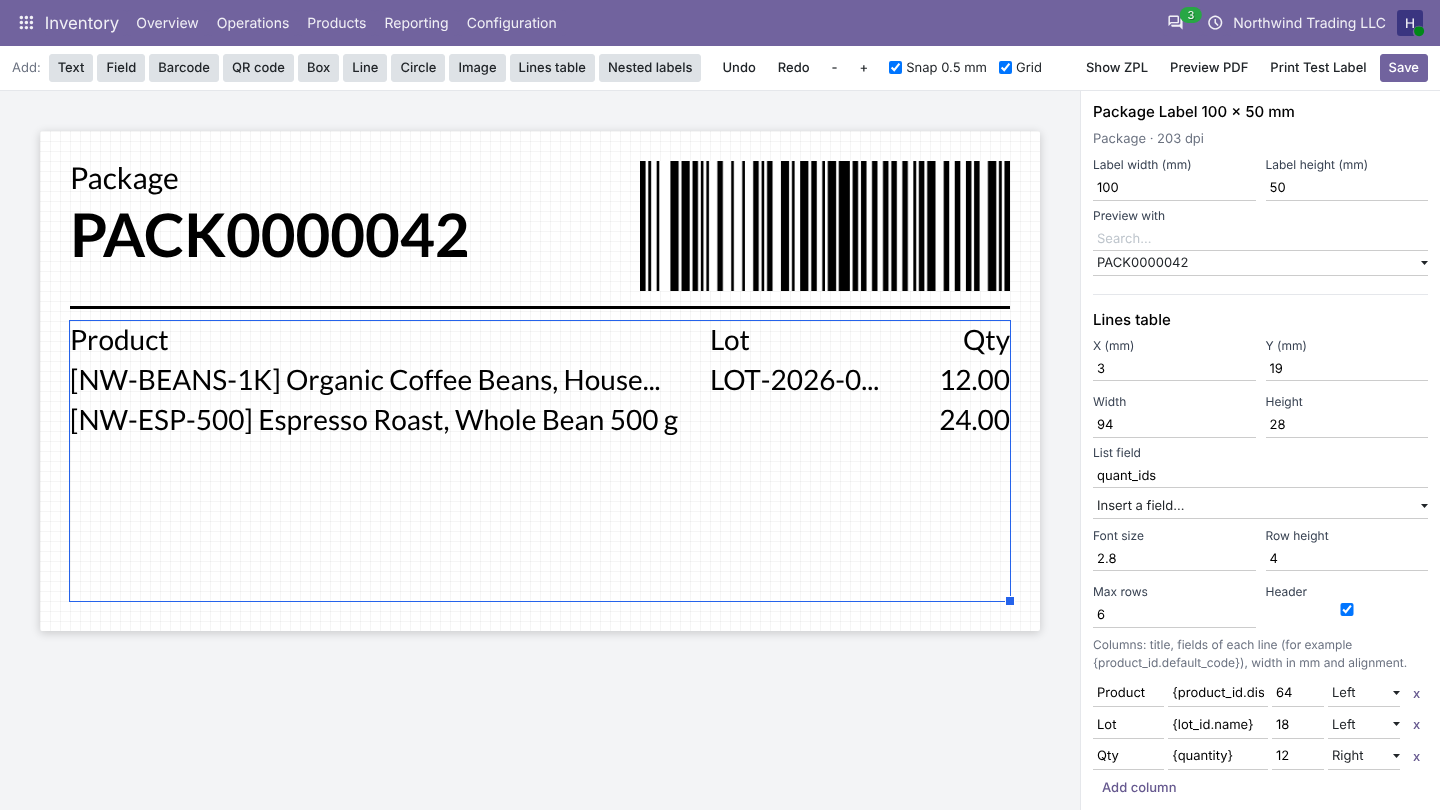
A lines table prints one row per line of a list field, like the contents of a package or the lines of a delivery.
| Setting | What it does |
|---|---|
| List field | The One2many or Many2many field to repeat over: quant_ids on packages, move_ids on transfers, order_line on sales orders, bom_line_ids on bills of materials. Pick it from the field list. |
| Font size, Row height | Size of the text and height of each row, in mm. |
| Max rows | The most rows printed. Extra lines are left out. |
| Header | Print the column titles in bold. |
| Columns | For each column: title, content (fields of the line in braces, like {product_id.default_code} or {quantity}), width in mm and alignment. Add and remove columns with the buttons. |
Values longer than their column are cut with ... so rows never overlap.
Nested labels
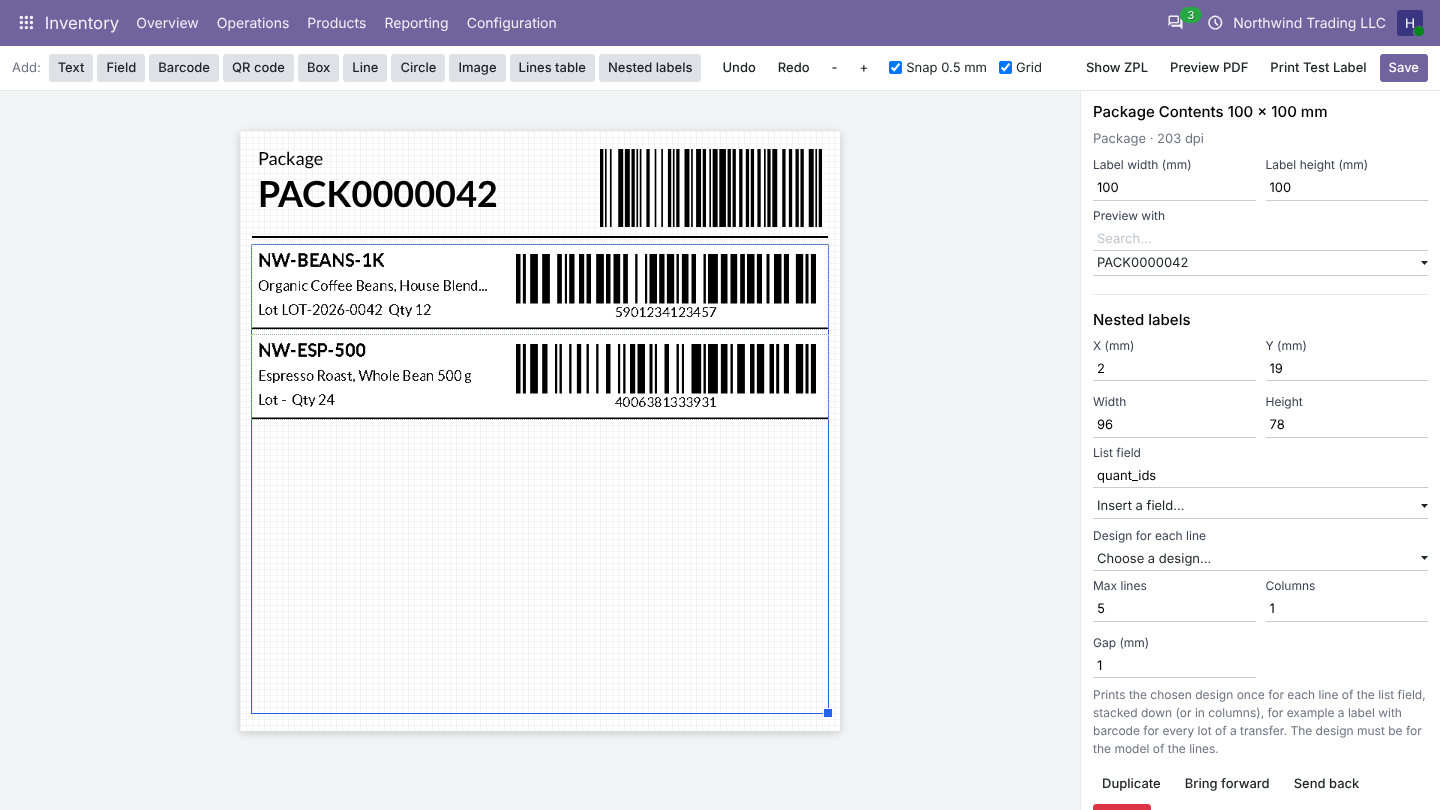
A Nested labels element prints another design once for each line of a list field, stacked down the label or in columns. Use it when every line needs more than a text row: a barcode per product of a package, a lot number and its QR code for every line of a delivery, the components of a kit with their references.
- Make the design for one line, for the model of the lines: for example Package Content Line 96 x 14 mm for Quants (
stock.quant). Turn Show in Print Menu off if it is only used inside other designs. - In the main design, add Nested labels and choose the List field (for example
quant_ids) and the Design for each line.
| Setting | What it does |
|---|---|
| List field | The One2many or Many2many field to repeat over. |
| Design for each line | A design for the model of the lines. |
| Max lines | The most lines printed. |
| Columns | 1 stacks the lines down; 2 or more fills rows from left to right. |
| Gap (mm) | Space between two nested labels. |
The canvas shows the real nested labels of the preview record. Nested designs can contain nested labels themselves, two levels deep. The example Package Contents 100 x 100 mm uses this.