Import orders
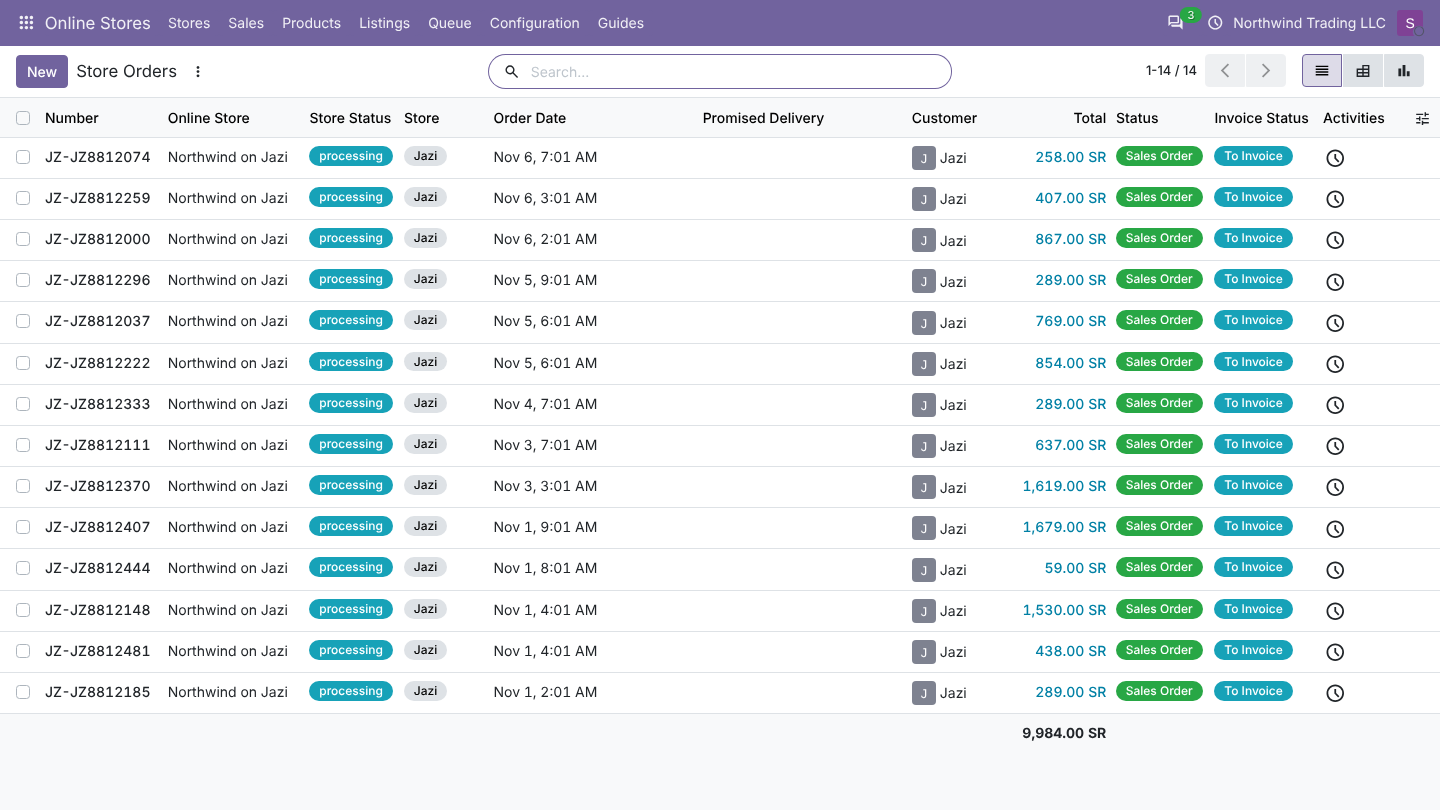
When orders arrive
- With order notifications, within seconds of Jazi creating or changing the order.
- On the store's schedule (every 15 minutes by default), Odoo also reads open Jazi orders. Check Orders Now does it at once.
- The first check starts from Import Orders From on the Orders tab.
What an order contains
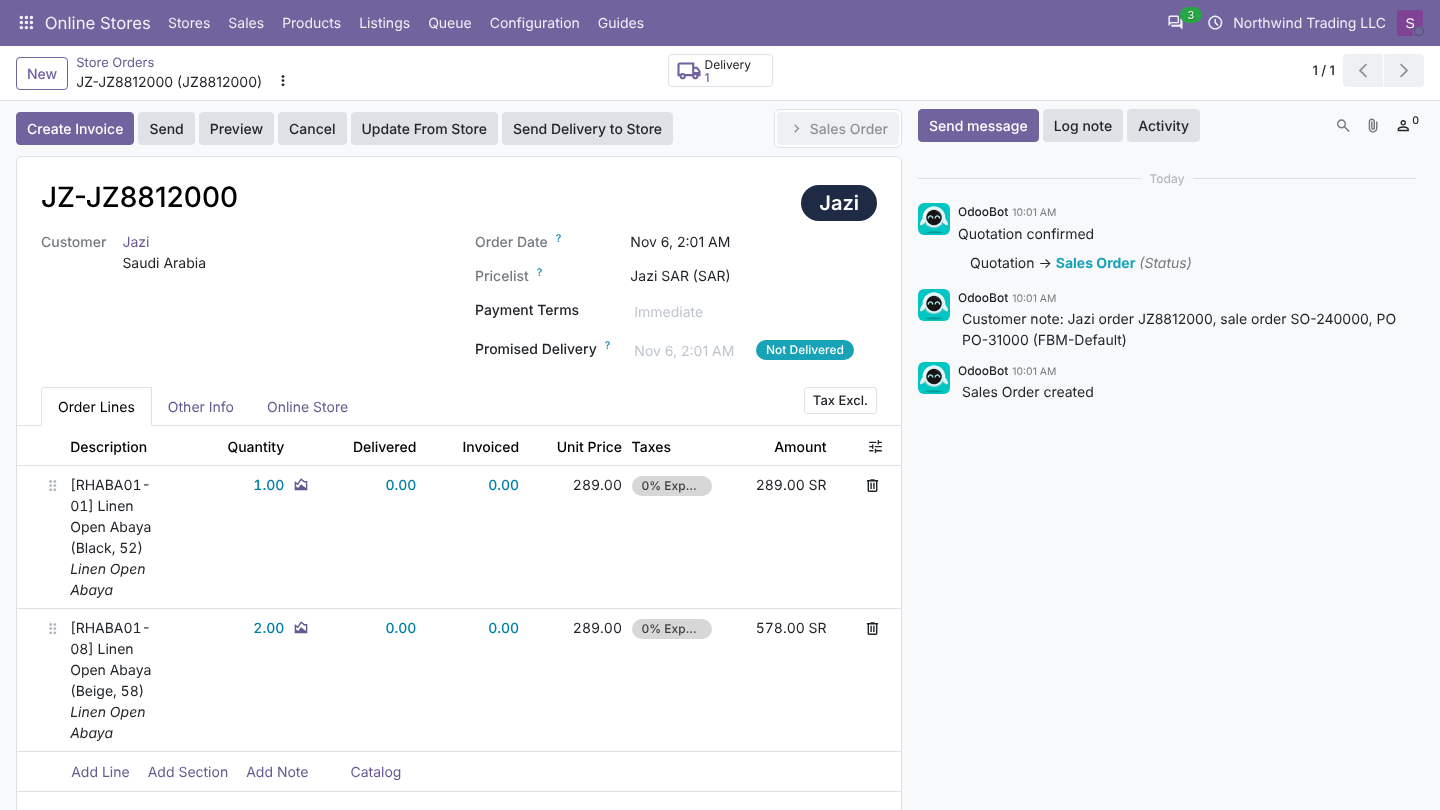
Jazi buys from you: an order is a purchase order to the seller, with no buyer details and no selling price.
| In Odoo | From |
|---|---|
| Order number | Order Prefix + Jazi order number, for example JZ-JZ8812000 |
| Customer | The store's Jazi Customer (a company Jazi by default) |
| Lines | One per Jazi item: product found by seller SKU, ordered quantity, name with colour and size |
| Unit price | The store pricelist price (the price Odoo sends to Jazi) |
| Note | Jazi order number, sale order number, PO number and PO type |
The Online Store tab of the order shows the store, the Jazi order ID and status.
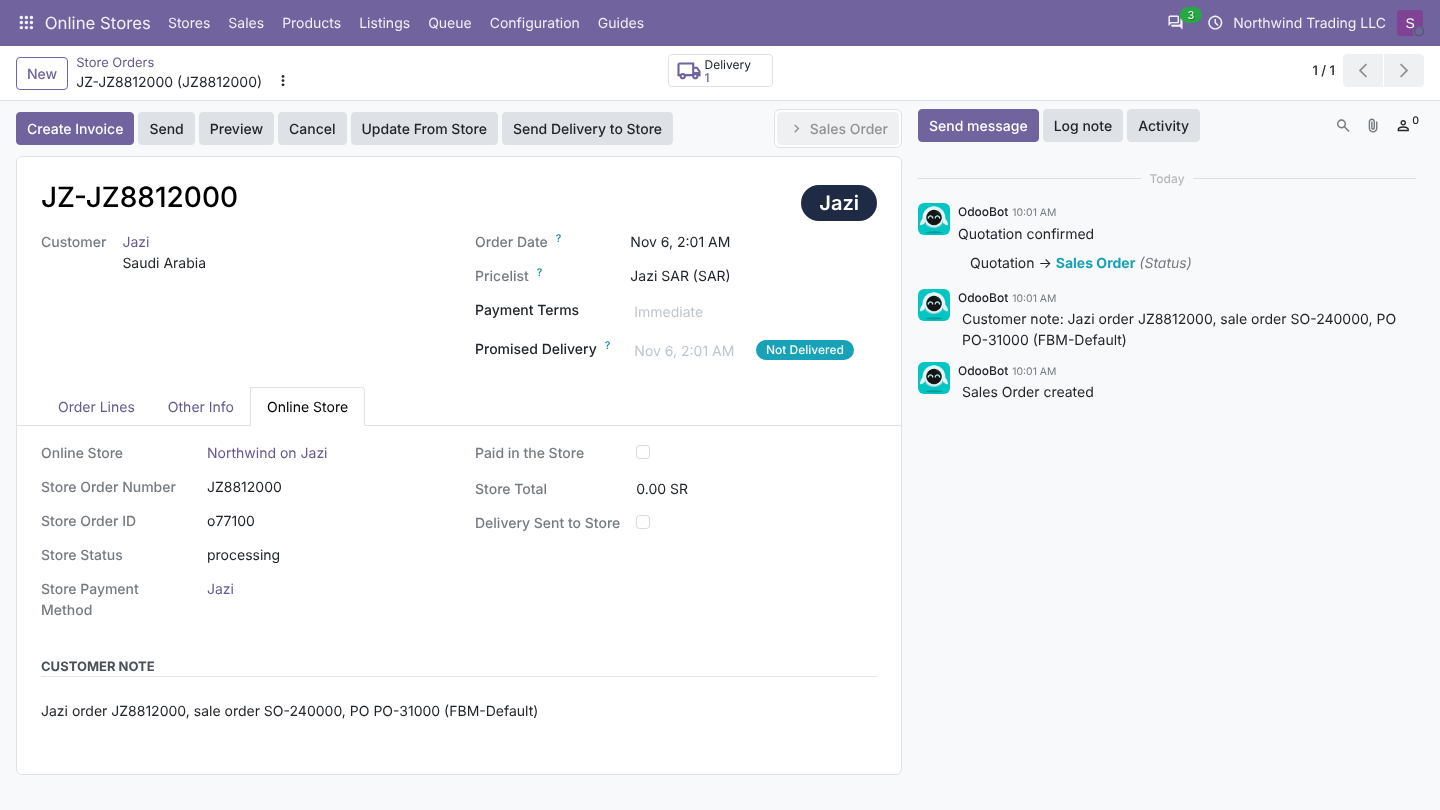
Jazi statuses
| Jazi status | In Odoo |
|---|---|
| PROCESSING, PARTIALLY_FULFILLED | Imported and confirmed by the workflow; delivery ready in the order warehouse |
| FULFILLED | Still open: packed, waiting for the courier |
| SHIPPED, DELIVERED | Completed |
| CANCELLED, OUT_OF_STOCK | Cancelled, following the store's cancellation settings on the Orders tab: an order already delivered or invoiced gets an activity to check instead |
An item whose seller SKU matches no Odoo product stops the import with a message in the job: link the product, then Retry.
Was this page helpful?