Connect your Jazi store
You need a Jazi seller account and about 10 minutes.
1. Create an API token in Jazi
- Sign in to the Jazi seller portal.
- Open Developers, then API Tokens, and click New Token.
- Copy the token. Jazi shows it only once: keep it somewhere safe until it is in Odoo.
For tests, a token from your Jazi sandbox account works the same way.
2. Create the store in Odoo
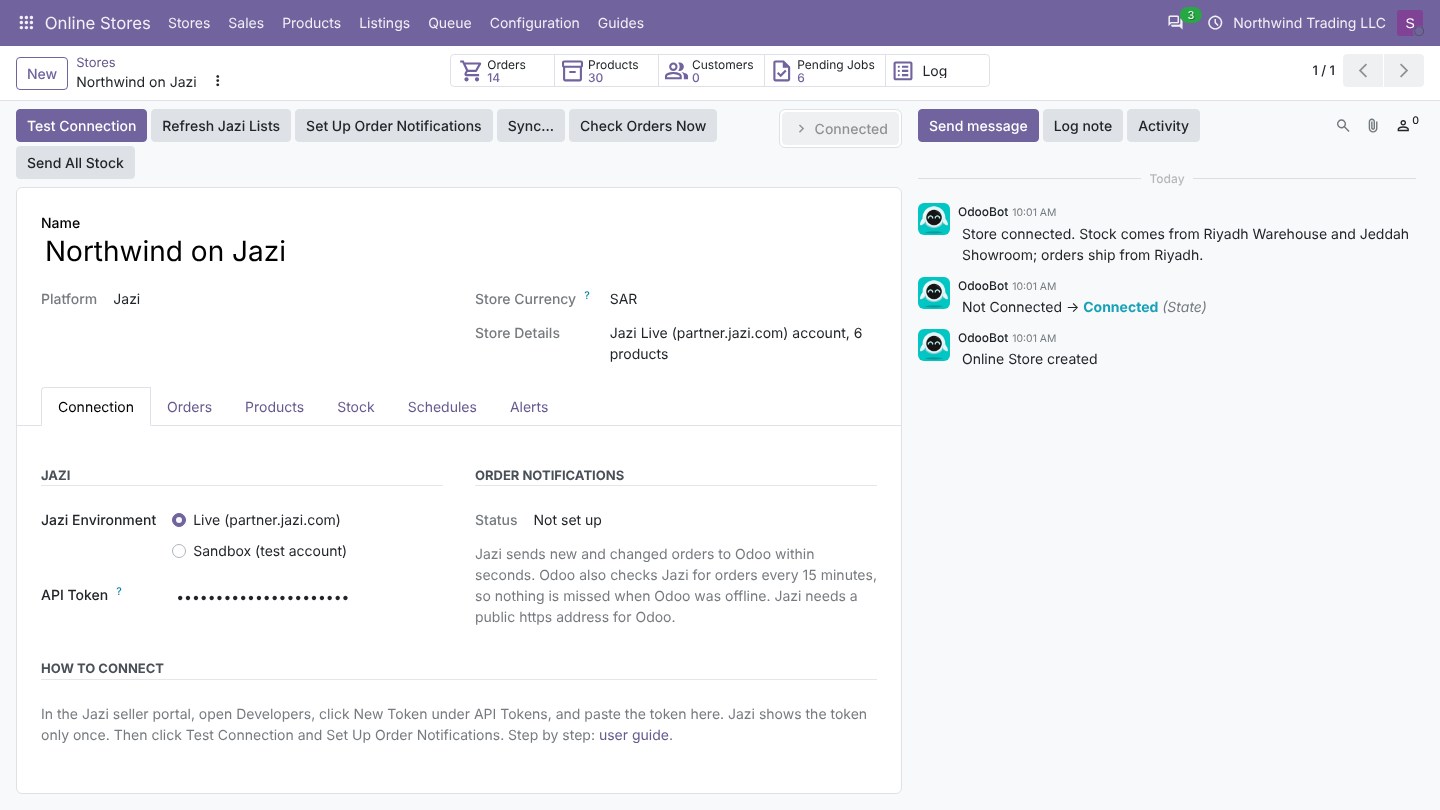
- Open Online Stores > Stores and click New.
- Give it a name, for example Jazi KSA, and choose Platform: Jazi.
- Under Jazi, choose the environment (Live or Sandbox) and paste the API Token.
- Choose the Pricelist (prices sent to Jazi and used for its orders, in SAR) and the Order Warehouse.
- Click Test Connection. The store shows Connected and the number of products on your Jazi account.
The same Jazi account cannot be connected twice in one database, so orders are never imported twice.
3. Refresh the Jazi lists
Click Refresh Jazi Lists. Odoo reads every Jazi category (in English and Arabic) and colour. Sizes and category details are read per category when you list products. Click it again when Jazi adds categories.
4. Link the products already on Jazi
Click Sync..., choose Import products from the store and Run in Background. Each Jazi variant is linked to the Odoo product with the same SKU or barcode (see Link products). Variants without an Odoo product are listed in the log; Odoo never creates products from Jazi.
5. Order notifications
Click Set Up Order Notifications so Jazi tells Odoo about new and changed orders within seconds. See Order notifications.
6. Before you go live
- Match your categories: Jazi categories.
- Check the store settings, above all Stock From Warehouses and Send Prices Automatically.
- Open Online Stores > Stores after the first orders: the card shows orders, queued and failed jobs.