Jazi categories
Every Jazi product sits in a Jazi category, which sets its sizes and required details. Match your Odoo categories to Jazi categories once, and listing becomes a few clicks per category.
The Jazi Categories screen
Online Stores > Listings > Jazi > Jazi Categories lists every Jazi category read by Refresh Jazi Lists.
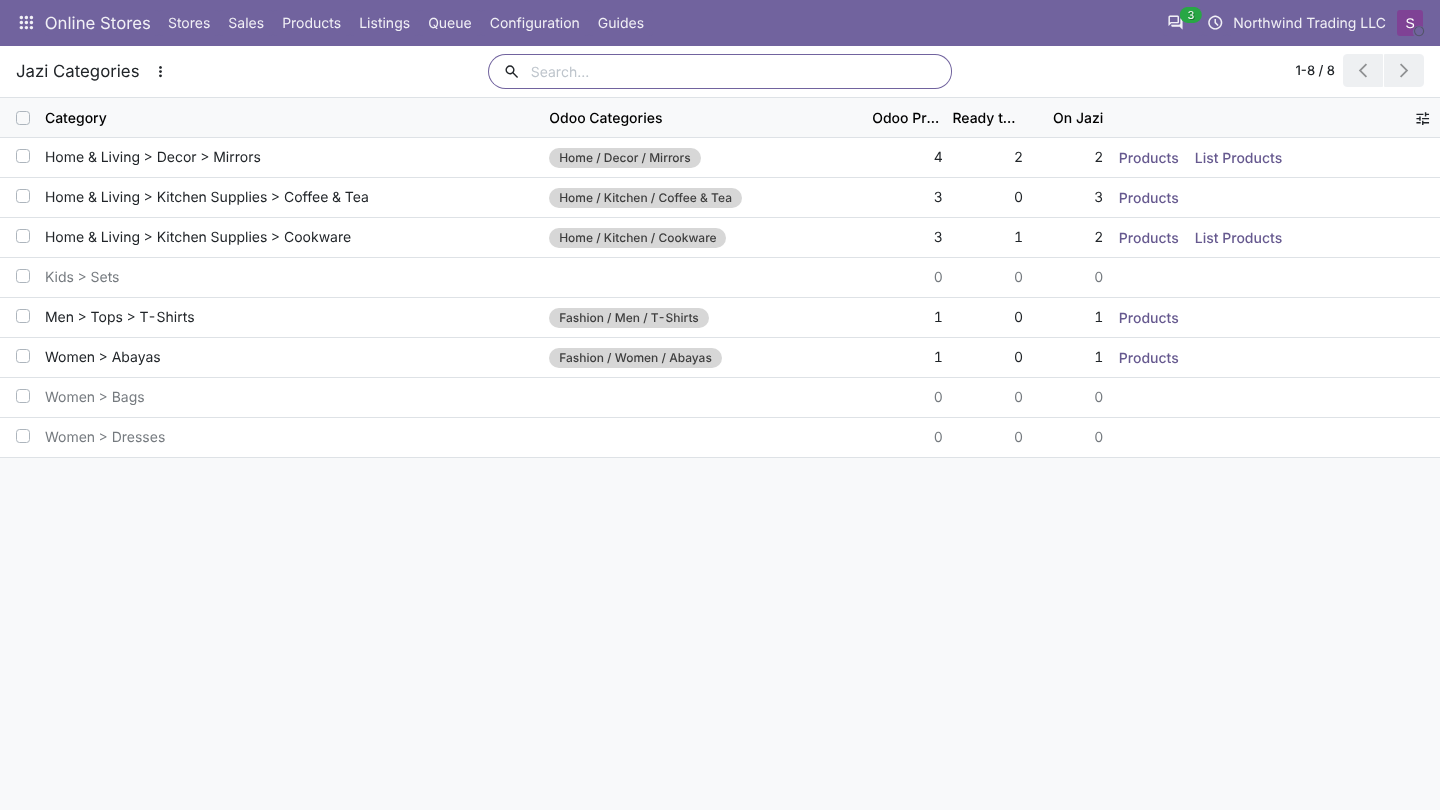
| Column | Meaning |
|---|---|
| Category | The Jazi category path in English. Search works in English and Arabic. |
| Odoo Categories | Your Odoo categories matched to it. Type to add one. |
| Odoo Products | Odoo products in those categories and their sub-categories. |
| Ready to List | Of those, products with a photo and a weight that are not on Jazi yet. |
| On Jazi | Products already listed. |
| Products | Opens the Odoo products of the category. |
| List Products | Opens List on Jazi with the ready products, the category and its details already loaded, up to 100 at a time. |
Use the Matched filter to see only categories you use.
Rules
- Several Odoo categories can go to one Jazi category; one Odoo category goes to one Jazi category only. Matching it elsewhere moves it.
- Sub-categories follow their parent unless they have their own match.
- A Jazi category you choose while listing a product is remembered for that product's Odoo category.
Jazi Category Matches
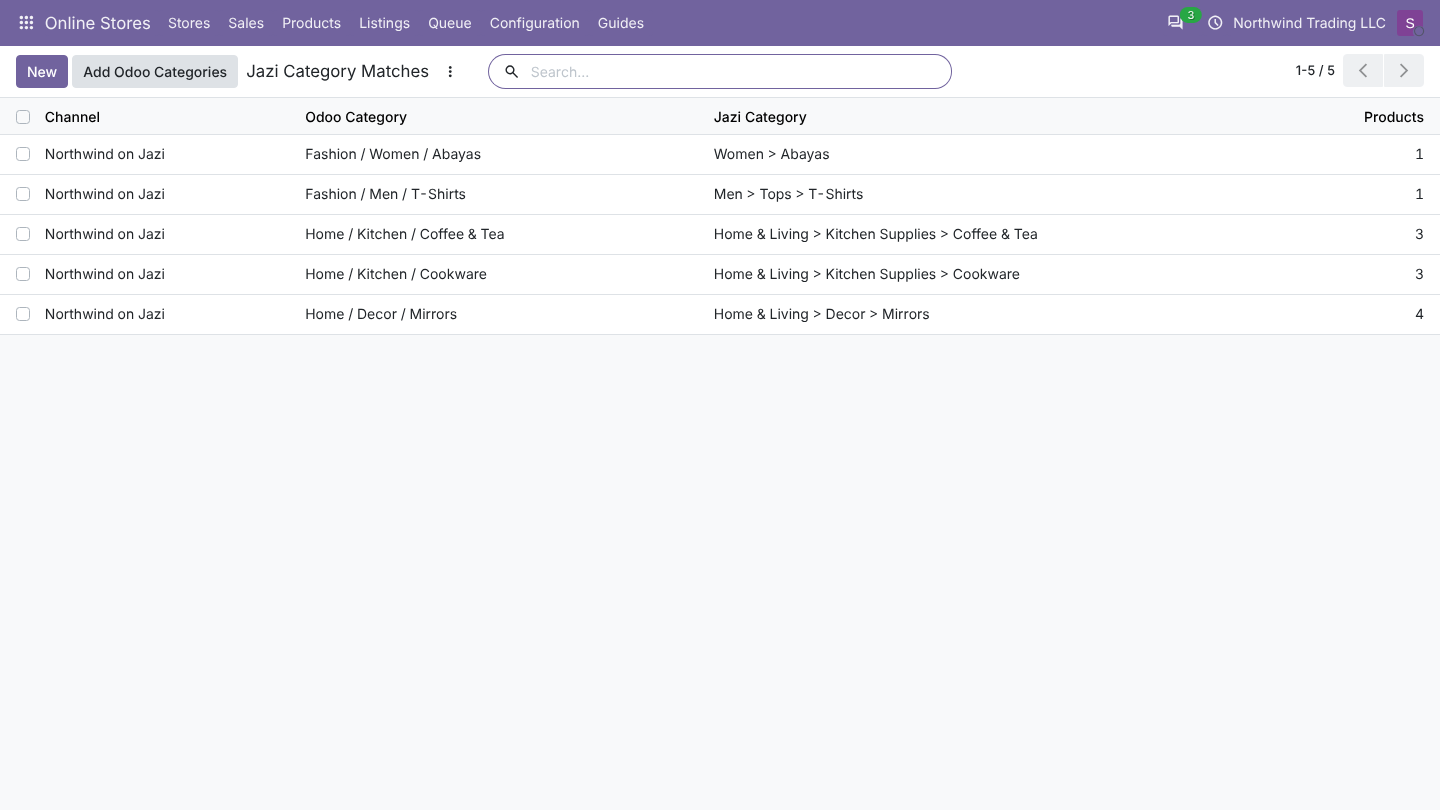
Online Stores > Configuration > Jazi Category Matches shows the same matches from the Odoo side, one line per Odoo category. Add Odoo Categories adds every Odoo category with products, and suggests the Jazi category when the last part of the name is the same.
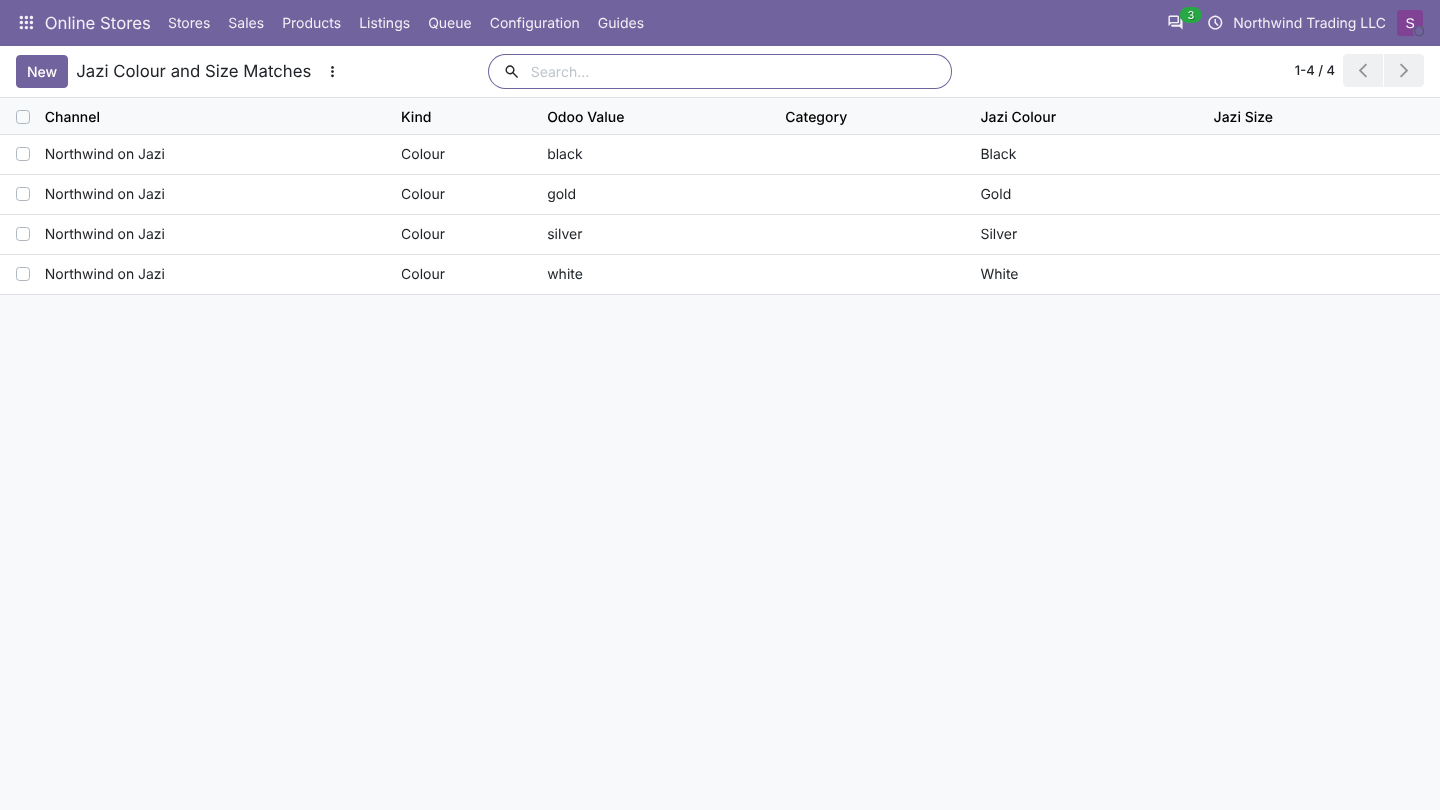
Colours and sizes
Online Stores > Configuration > Jazi Colour and Size Matches lists the Odoo colour and size values found while listing, and their Jazi colour or size. Values with the same name are matched by themselves; match the others once (for example Beige to Jazi's Brown), and every later listing uses it.