Jazi products
Online Stores > Listings > Jazi > Jazi Products shows one line per product on Jazi, with what Jazi shows for it. Change the content in Odoo, then send it with Update on Jazi.
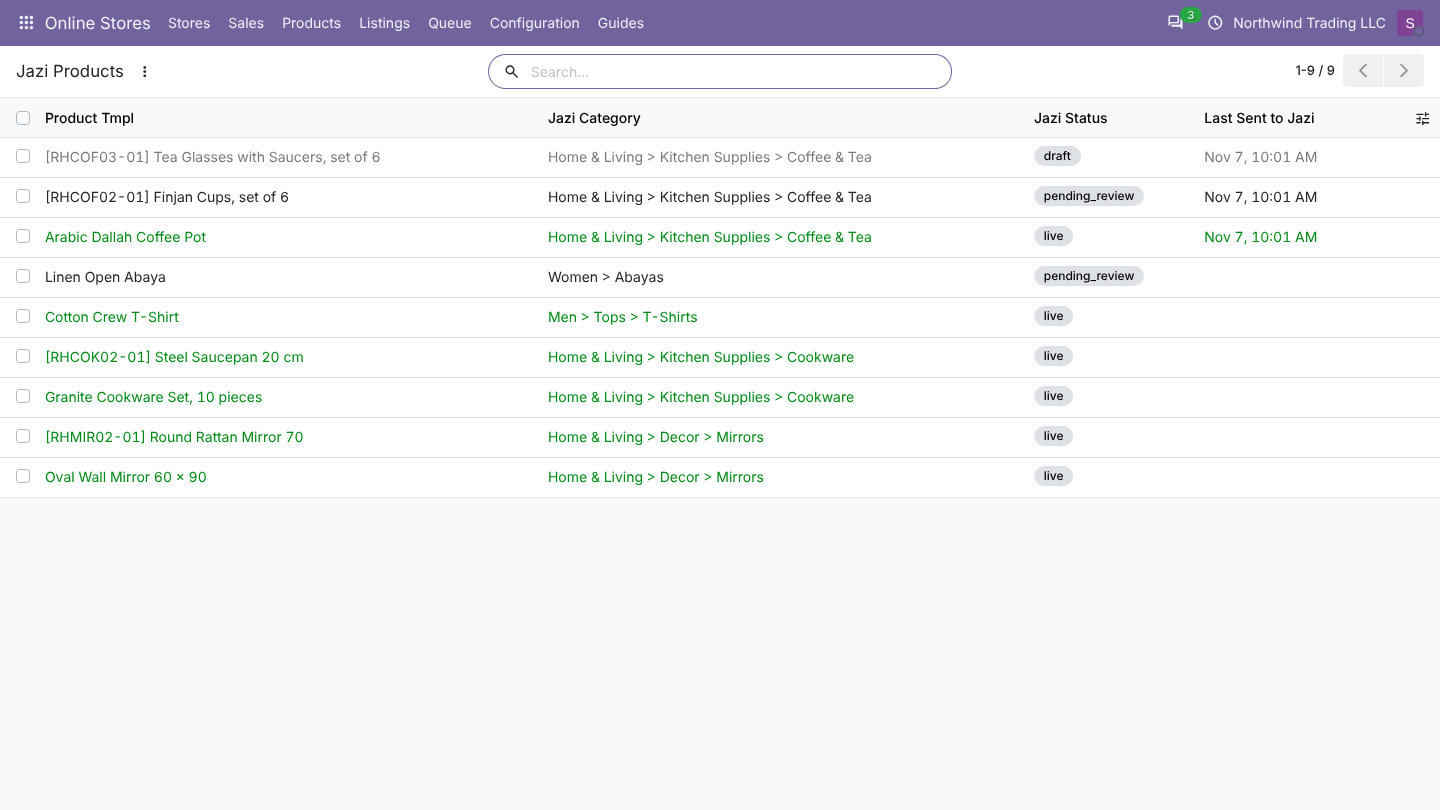
The list shows the Jazi category, the Jazi Status (Draft, In Review, Live, Rejected) and when the product was last sent. Filter on a status to see what still needs work.
The Jazi product
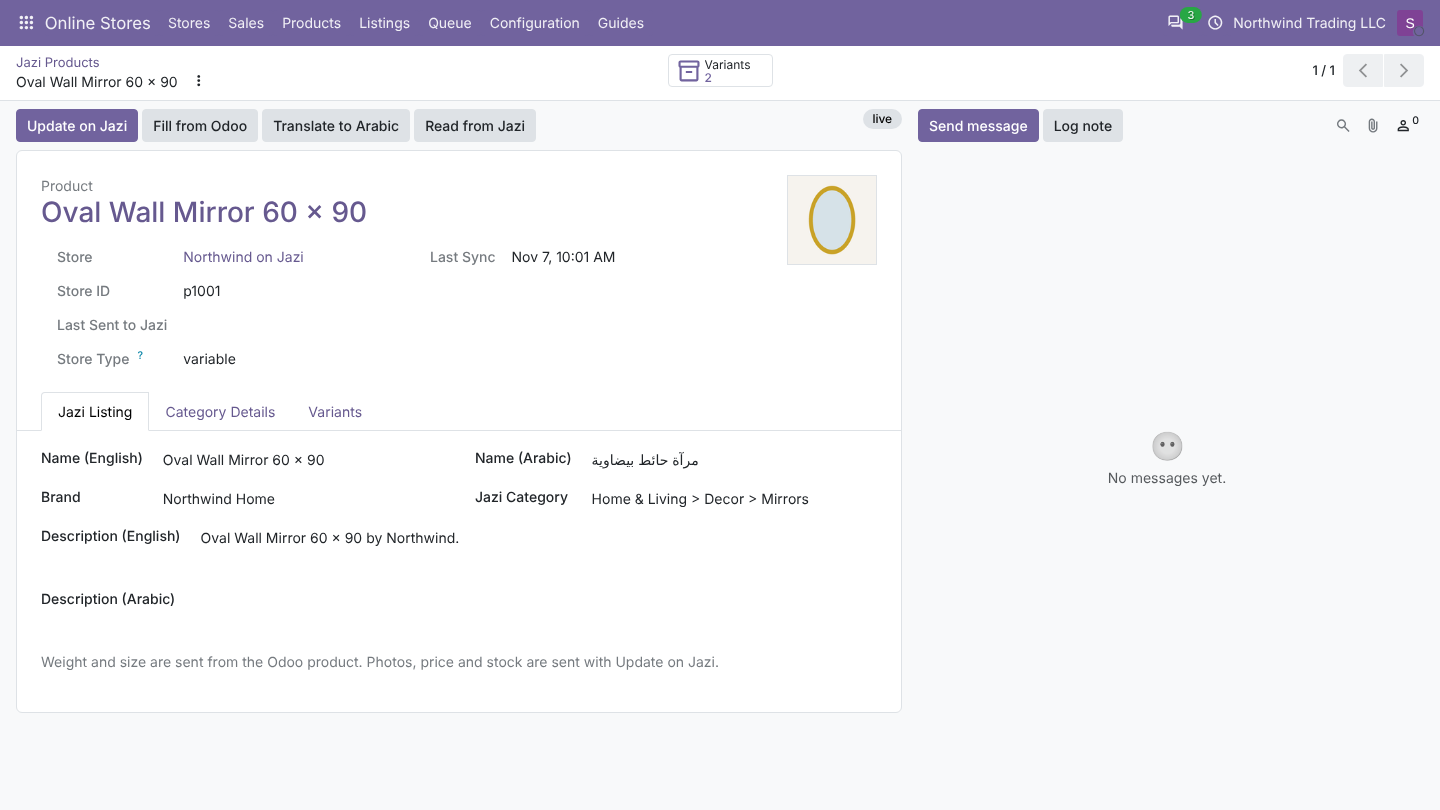
| Tab | Fields |
|---|---|
| Jazi Listing | Name (English), Name (Arabic), Brand, Jazi Category, Description (English), Description (Arabic). Weight and size are sent from the Odoo product. |
| Category Details | The details of the Jazi category, with their values. Load Category Details reads them again from Jazi. |
| Variants | The Jazi variants with their Odoo products, stock and price sent. |
Buttons
| Button | What it does |
|---|---|
| Update on Jazi | Opens the send screen below, for this product. From the list, select several products and use the same button. |
| Submit for Review | Sends the product to Jazi's review. A product already in review is left as it is. |
| Fill from Odoo | Fills the empty fields from the Odoo product: name, Sales Description (English and its Arabic translation), brand. Filled fields are kept. |
| Translate to Arabic | Fills the empty Arabic name and description from the English ones, see below. |
| Read from Jazi | Reads the product from Jazi into Odoo: names, descriptions, category and details. Use it for products listed in the seller portal. |
Update on Jazi
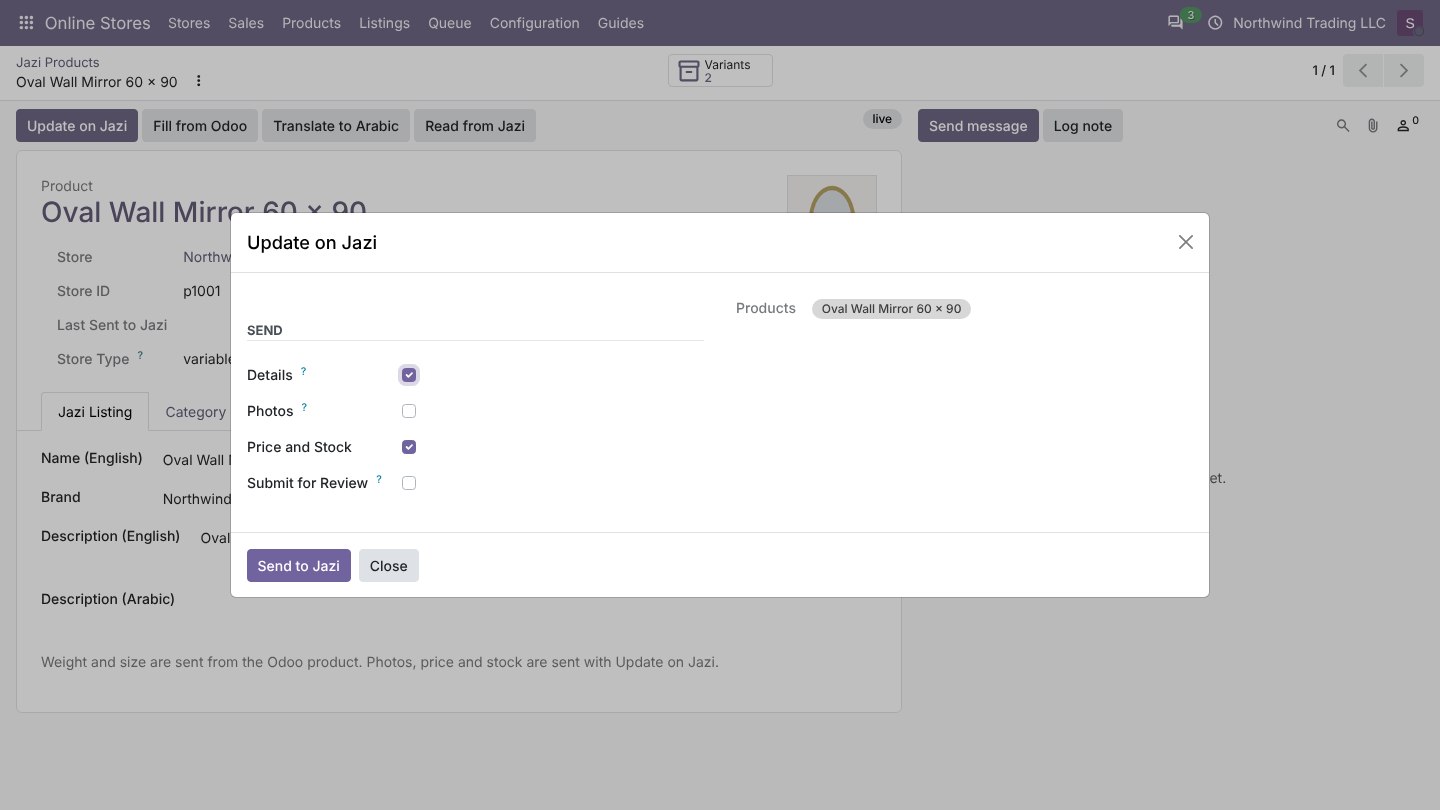
| Tick | Sends |
|---|---|
| Details | Names, descriptions, brand, category, category details, weight and size. A missing required detail stops the details of that product; nothing is sent for it. |
| Photos | The Odoo photos of at least 500 px, the main one as cover. Photos Jazi already has are not added twice. |
| Price and Stock | Current price and stock, through the stock and price batches. |
| Submit for Review | Drafts and rejected products go to Jazi's review after the update. |
The result shows how many products were updated and why any were not.
Translate to Arabic
Jazi scores products higher with an Arabic name and description. Translate to Arabic fills them with Google Translate:
- In Google Cloud console, enable the Cloud Translation API and create an API key (APIs & Services > Credentials). Google bills per character translated.
- Paste the key in Google Translate API Key on the store's Orders tab.
- On a Jazi product (or several, from the list), click Translate to Arabic.
Only empty Arabic fields are filled; text you or a colleague wrote is never replaced. The product's chatter notes that the text came from Google Translate. Read it before submitting: machine translation of product names is not always right.