Google Business Profile (Pro)
Reviews & Reputation Pro imports the reviews of every location of your Google Business Profile and posts your replies back to Google.
1. Google Cloud
- In the Google Cloud console, create a project (or use one).
- Request access to the Business Profile APIs with Google's Business Profile API access form. Google approves it for the account that manages your profile; it can take a few days.
- Enable My Business Account Management API, My Business Business Information API and Google My Business API.
- Under APIs & Services > OAuth consent screen, set up the consent screen.
- Under Credentials, create an OAuth client ID of type Web application. In Authorized redirect URIs, add the address shown in Odoo (next step), for example
https://erp.example.com/nvrep/google/callback.
2. Connect in Odoo
Open Reviews > Configuration > Google Business Profile and click New.
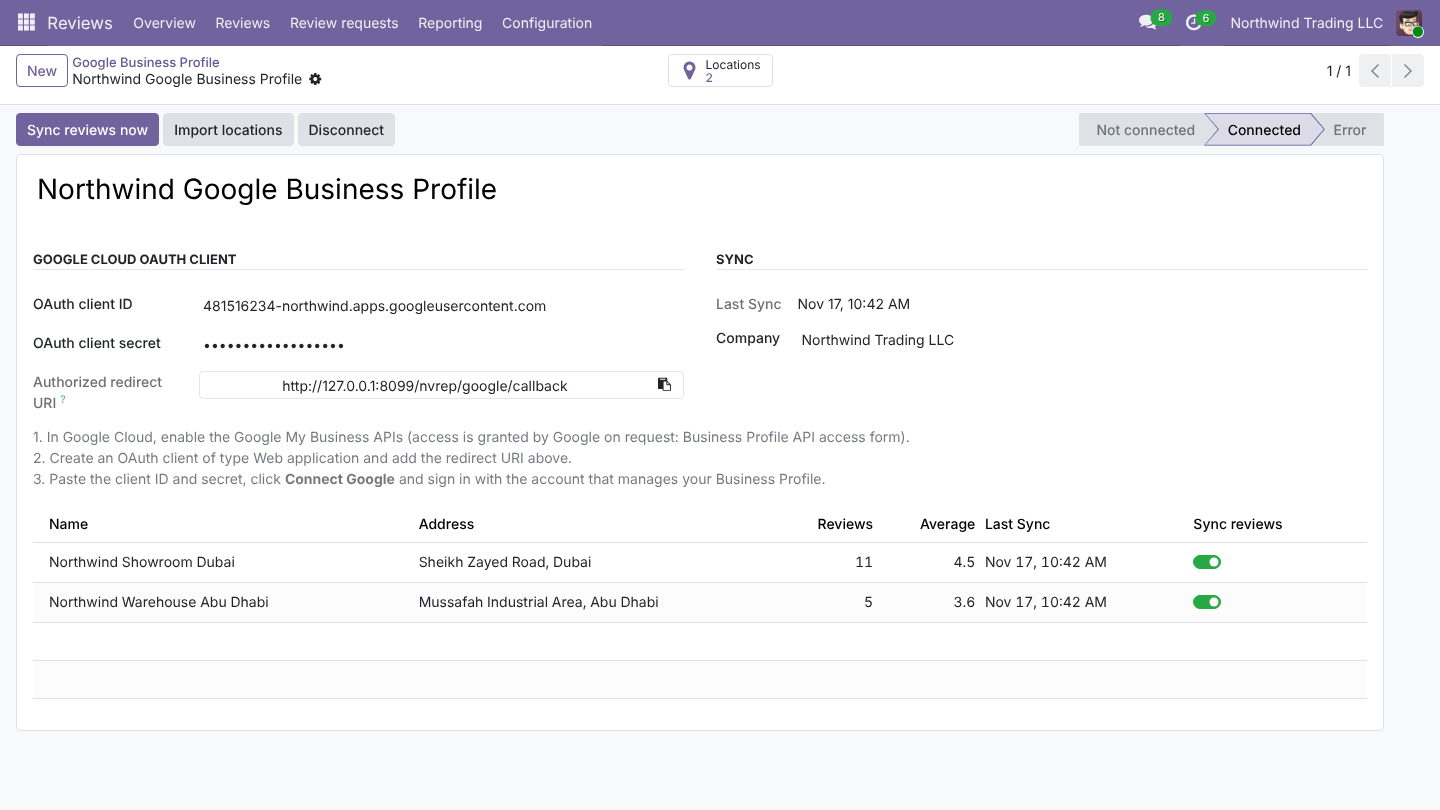
- Copy the Authorized redirect URI into the Google OAuth client.
- Paste the OAuth client ID and OAuth client secret.
- Click Connect Google and sign in with the Google account that manages the Business Profile.
Odoo imports the locations with their address and creates a review link for each. Switch Sync reviews off for locations you do not want.
The database needs a public https address so Google can send you back after sign-in.
Sync
Reviews and replies sync every hour (Reviews & Reputation: sync Google reviews), or click Sync reviews now. Google reviews are public, so they can be shown on your website without asking.
Reply
Open a Google review, write the reply (or click Draft reply with AI) and click Save reply: the reply is posted to Google. Delete reply removes it from Google too. Open on Google opens the location on Google Maps.
What is sent: your replies, to Google, with your OAuth client. Nothing passes through Novator.