Minimum margin rules
Sales → Configuration → Minimum Margin Rules (sales administrators).
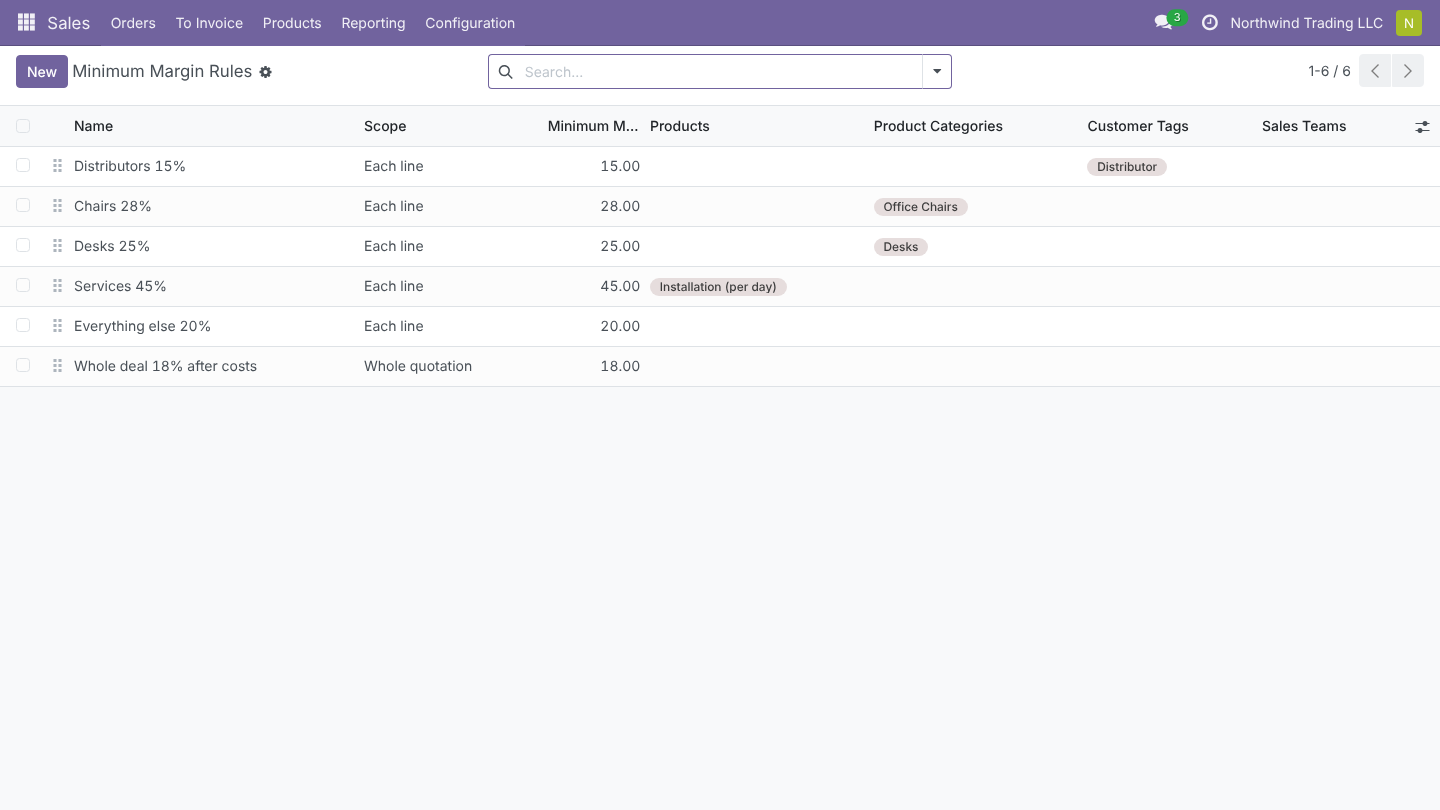
Fields
| Field | Meaning |
|---|---|
| Name | For example "Chairs 28%". |
| Minimum Margin (%) | Net margin below this needs approval. |
| Scope | Each line: every matching line must reach the minimum; the line shows its floor price. Whole quotation: the net margin of the quotation, after deal costs, must reach it. |
| Sequence | Order in which rules are tried (drag the handle in the list). |
| Products | Only these products (line rules). |
| Product Categories | Only these categories and their sub-categories (line rules). |
| Customer Tags | Only customers with one of these tags (on the customer or its company). |
| Sales Teams | Only quotations of these teams. |
| Company | Only this company; empty for all. |
| Note | A note for salespeople. |
Empty conditions match everything.
Which rule applies
- For each line, the first matching line rule by sequence sets its minimum and floor price. Put specific rules (a customer tag, a product) before general ones (a category, "everything else").
- The first matching whole-quotation rule checks the net margin of the quotation after deal costs.
- A quotation is below its minimum when any line is under its floor price or the whole quotation is under its rule.
An inactive example rule All products (15%) is installed; activate it or delete it.
Examples
| Rule | Scope | Minimum | Condition |
|---|---|---|---|
| Distributors 15% | Each line | 15 | Customer tag Distributor |
| Chairs 28% | Each line | 28 | Category Office Chairs |
| Services 45% | Each line | 45 | Product Installation |
| Everything else 20% | Each line | 20 | none |
| Whole deal 18% after costs | Whole quotation | 18 | none |
Was this page helpful?