Settings and reports
Settings
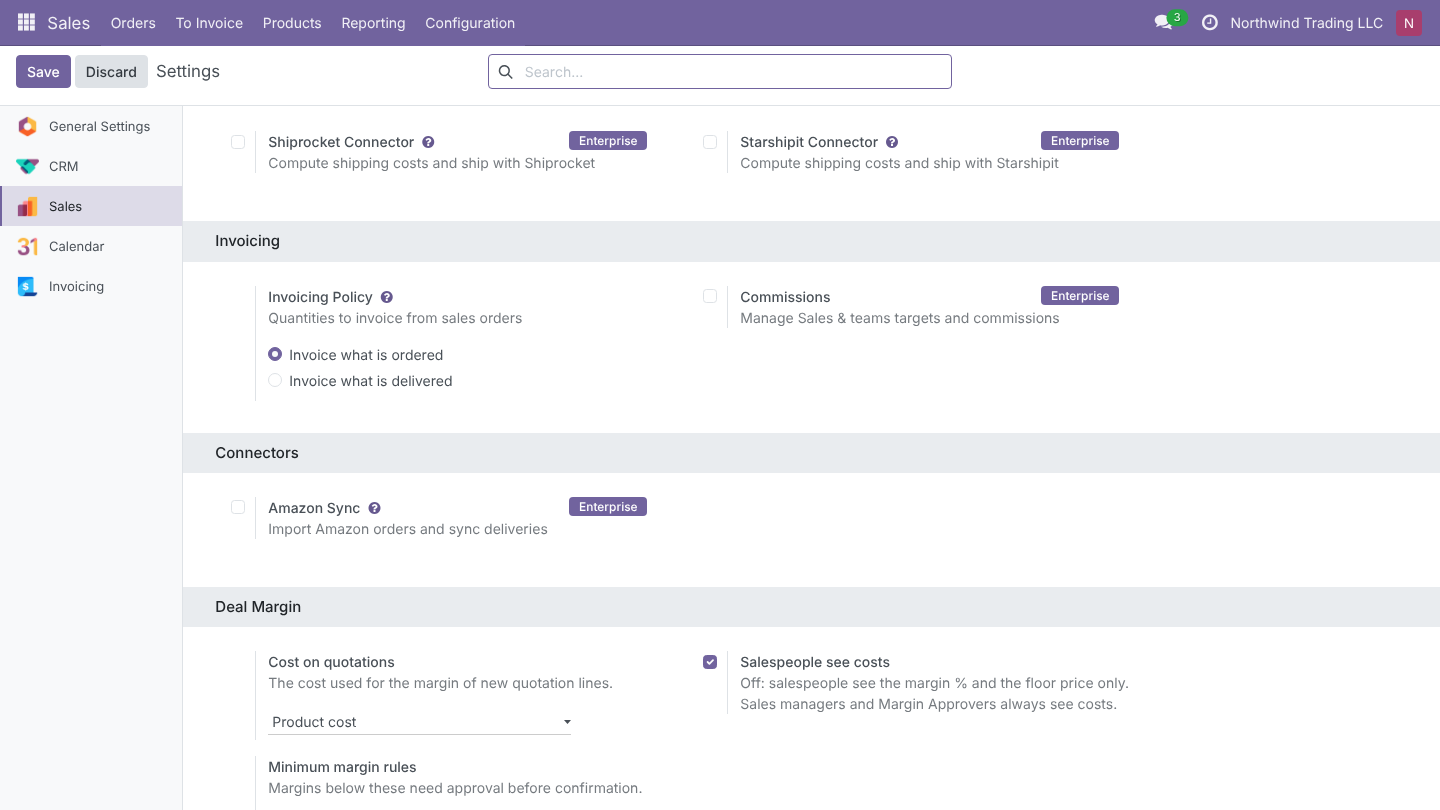
Settings → Sales → Deal Margin:
| Setting | Meaning |
|---|---|
| Cost on quotations | Product cost (Odoo's cost, the default), Last purchase price (from the last confirmed purchase order, needs Purchase; falls back to the vendor price), or Main vendor price (the vendor price list of the product). Used for new lines. |
| Salespeople see costs | On by default. Off: salespeople see only the margin %, the floor price and the net margin %. Sales administrators and Margin Approvers always see costs, margin amounts and deal costs. |
| Minimum margin rules | Opens the rules. |
Reports
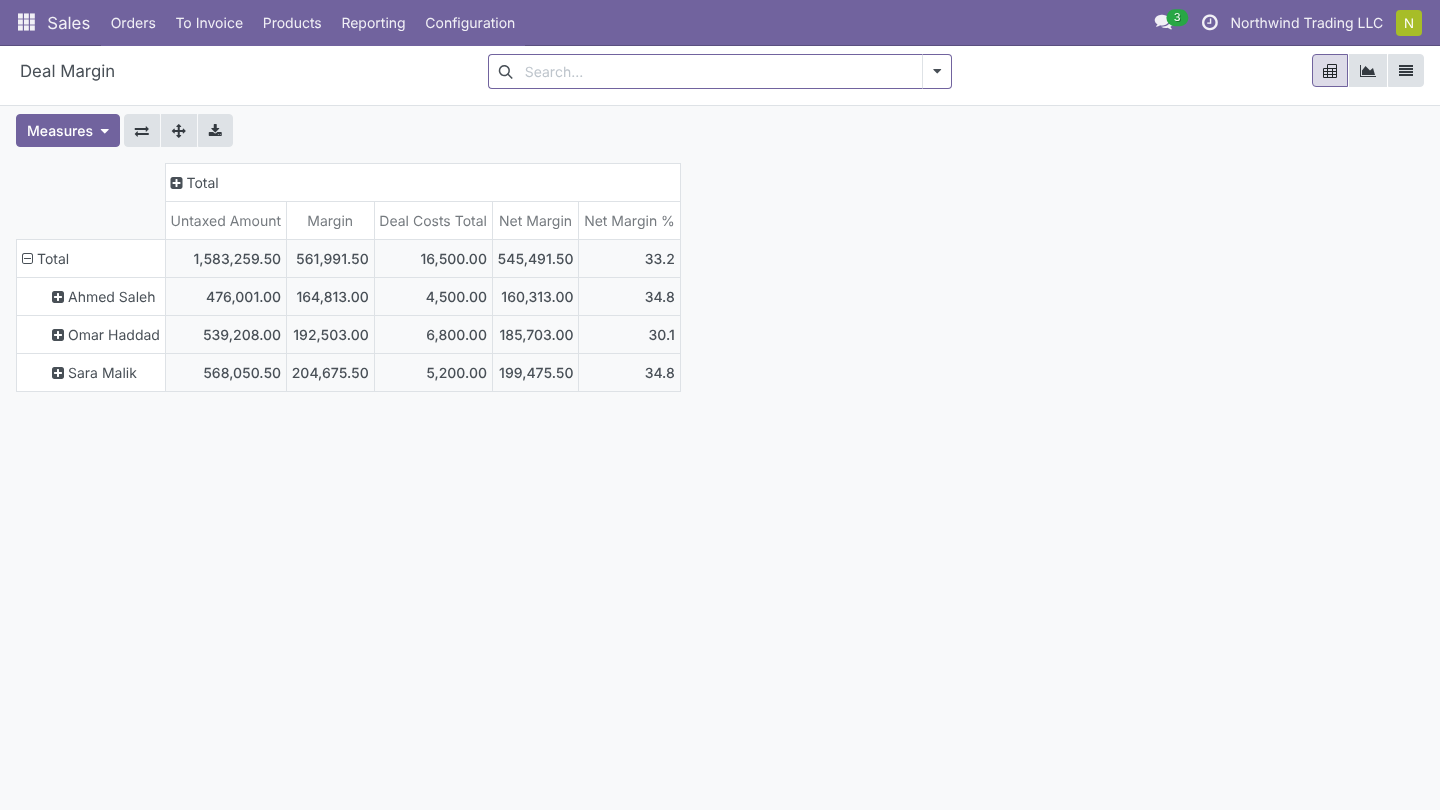
- Sales → Reporting → Deal Margin (sales administrators): confirmed orders with untaxed amount, margin, deal costs, net margin and net margin %, by salesperson; regroup by team, customer, product category or month, or switch to the graph.
- Sales → Reporting → Deals Below Minimum: quotations and orders below their minimum margin.
Margins, floor prices and deal costs never print on quotations, orders or invoices.
Was this page helpful?