Pro: alerts, live view and cashiers
POS Health Monitor Pro ($99, one-time) needs the free app; the Apps Store adds it to the cart.
Live view of today
Point of Sale > Reporting > POS Health > Today (live) shows the same cards as the overview for today so far, marked Day in progress. The live check runs every 15 minutes. Refresh Live View Now checks at once.
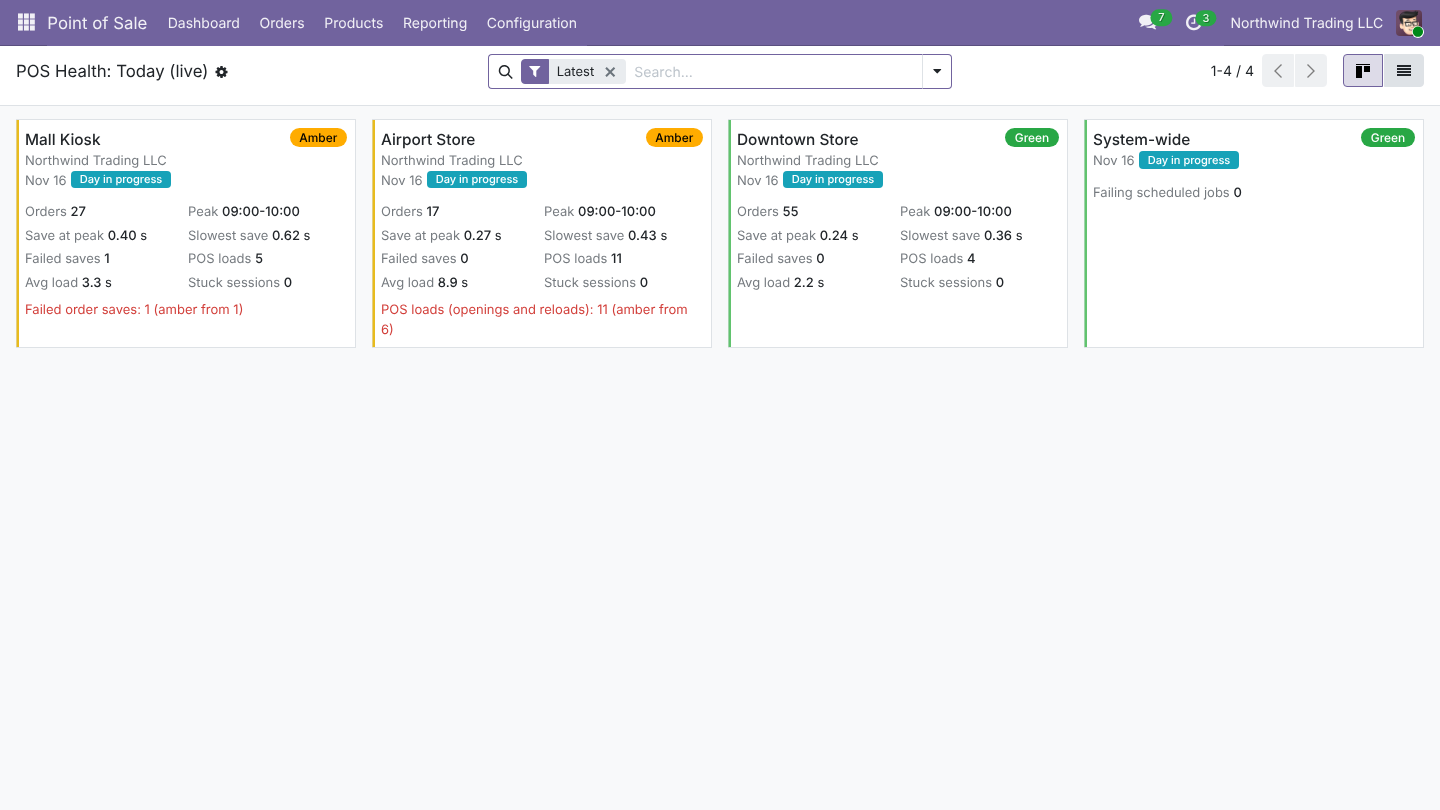
After the day is over, the nightly rating turns the live rows into the final day.
Alerts
Open Settings > POS Health, section Alerts.
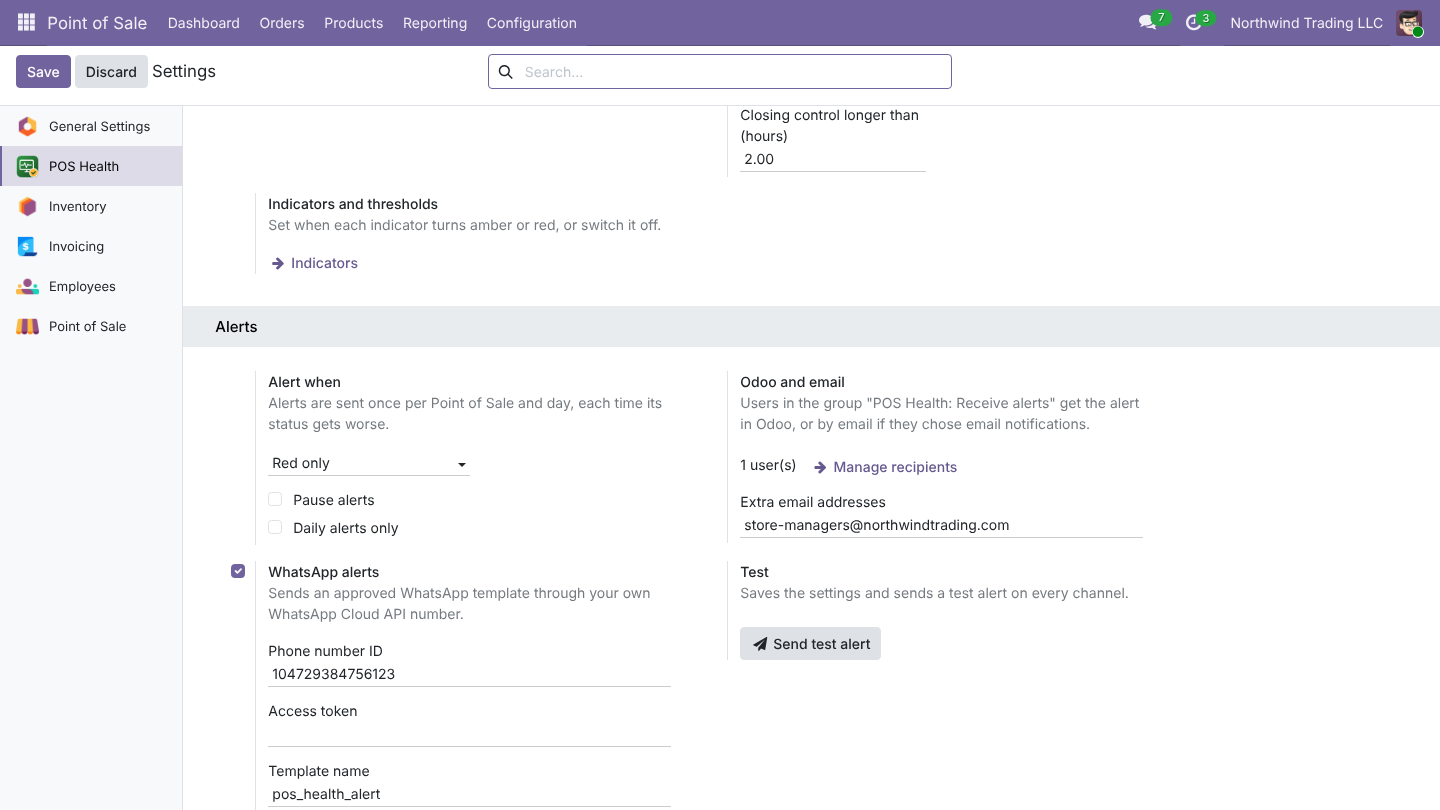
- Click Manage recipients and add the managers to the group POS Health: Receive alerts.
- Choose Alert when: Red only or Amber and red.
- Optional: add Extra email addresses, separated by commas.
- Click Send test alert. Each channel reports its result.
Users in the group get the alert in their Odoo inbox, or by email if their notification preference is email. One alert lists every Point of Sale that needs attention, with the reasons:
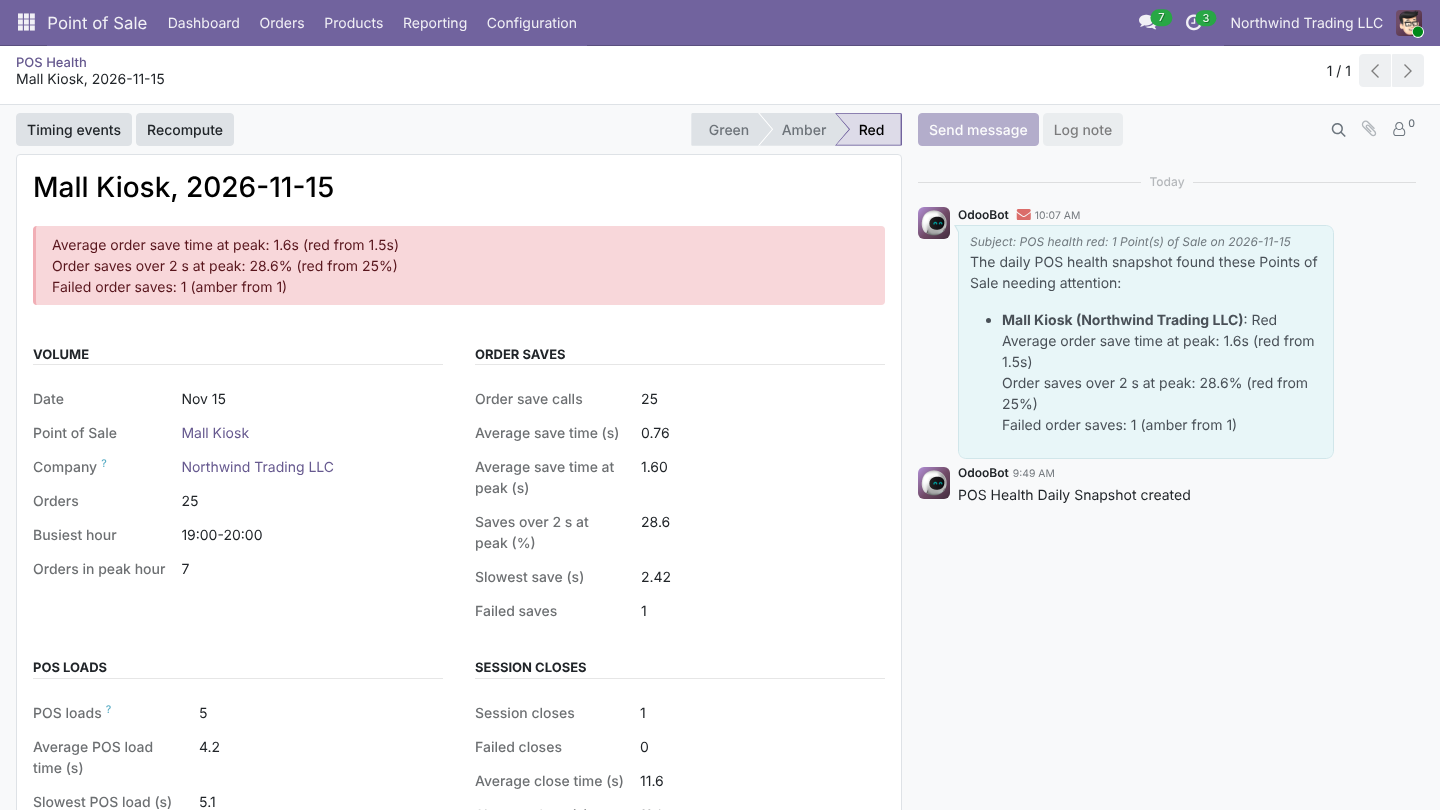
A Point of Sale is alerted once per day for each level: you are alerted again only if it goes from amber to red. Pause alerts stops all alerts; Daily alerts only skips the live check and alerts only after the nightly rating.
WhatsApp alerts
WhatsApp alerts use your own number on the WhatsApp Cloud API (Meta) and an approved message template.
- In Meta's WhatsApp Manager, create a template named
pos_health_alert, category Utility, language English, with this body (two variables):POS health alert for {{1}}: {{2}} - Wait until Meta approves it.
- In Odoo, tick WhatsApp alerts and fill in:
- Phone number ID: from WhatsApp Manager > API setup.
- Access token: a permanent system user token with the
whatsapp_business_messagingpermission. - Template name and Template language:
pos_health_alertanden(or yours). - WhatsApp numbers: international format, separated by commas, for example
+923001234567.
- Click Send test alert. Last result shows what Meta answered.
What is sent: the date and one line per Point of Sale with its status and first reasons, from your Odoo server to graph.facebook.com, only when WhatsApp alerts are on.
Cashier statistics
Point of Sale > Reporting > POS Health > Cashier Statistics lists, per cashier, Point of Sale and day: orders, sales, average order, refunds and refunded amount. With POS employee login, cashiers are the employees.
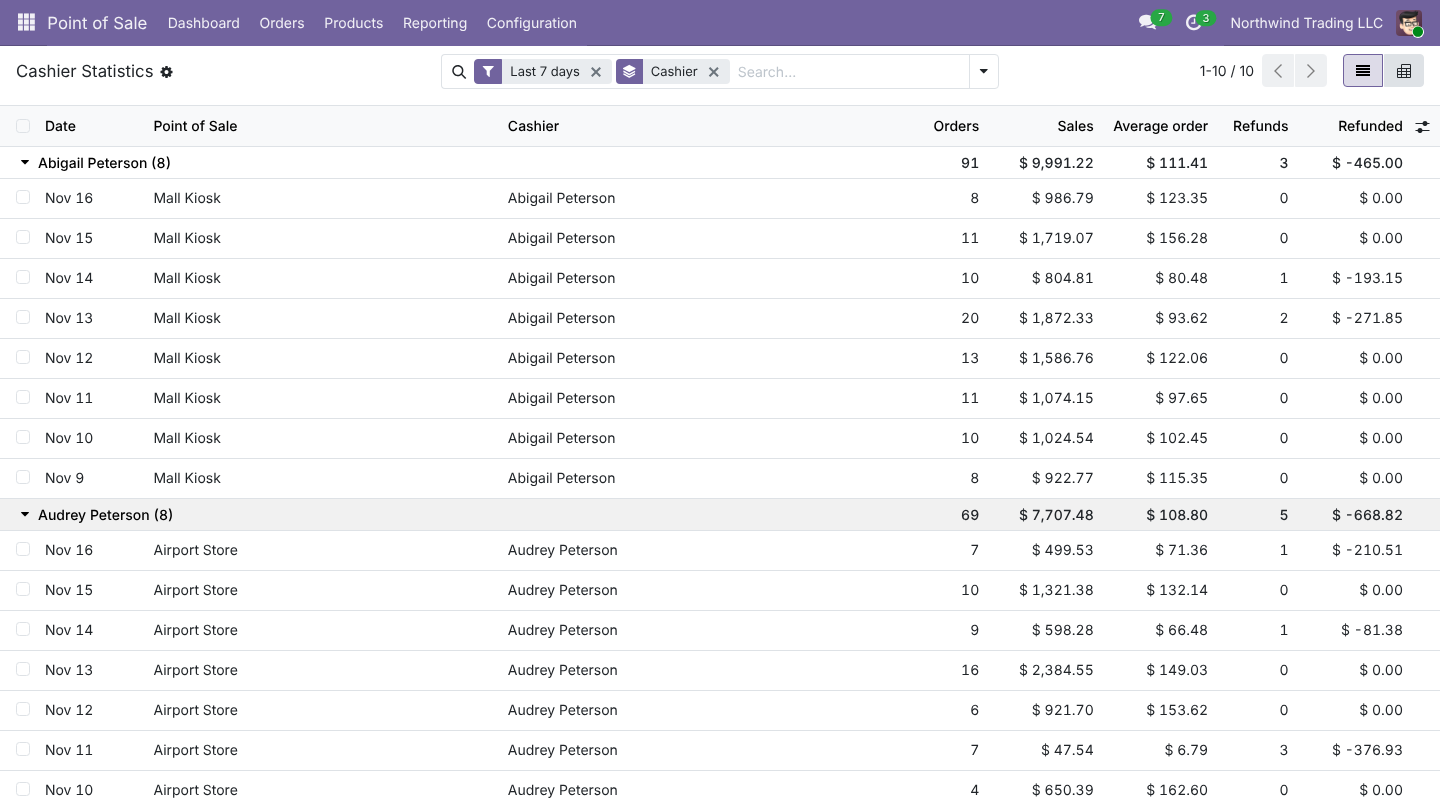
Each day in the history also has a Cashiers tab.
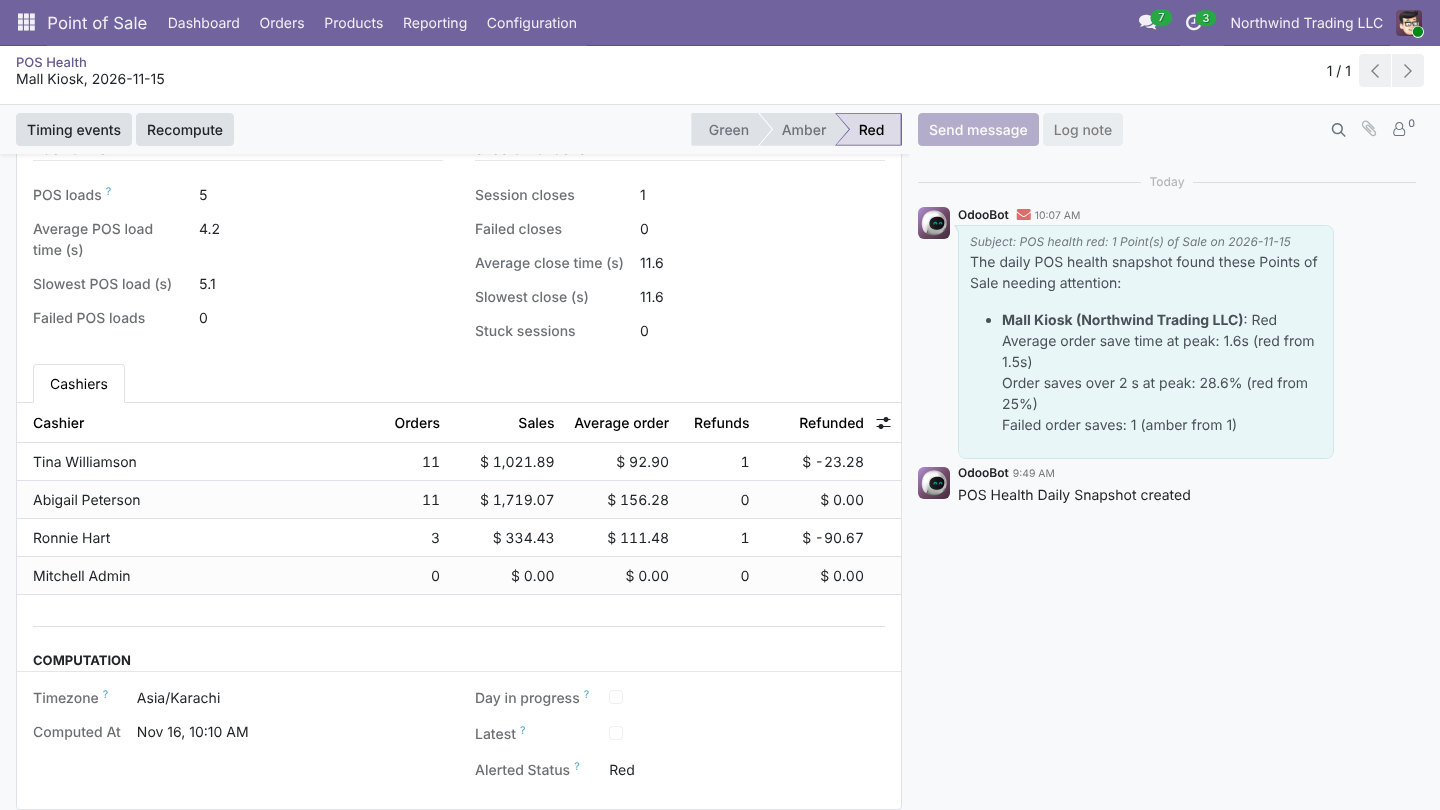
Order save times are measured per signed-in Odoo user. With POS employee login, several cashiers share one user, so the save time columns are hidden by default (show them with the column toggle).
Time zone per company
In Settings > POS Health, Time zone of this company sets the day for the Points of Sale of the current company (switch company to set the others). Branches in other countries then get their own day and their own nightly rating.
Troubleshooting
- Test alert: no users in the alert group: add users with Manage recipients.
- WhatsApp: Invalid OAuth access token: the token expired; create a permanent system user token.
- WhatsApp: template does not exist: check the template name and language, and that Meta approved it.
- Emails do not arrive: check the outgoing mail server in Settings > Technical > Outgoing Mail Servers.