Set up POS Health Monitor
There is nothing to set up to start: timing begins as soon as the app is installed, and the first daily rating appears the night after. The settings below let you fit the app to your shops.
Who can do what
| Who | What they can do |
|---|---|
| Point of Sale / Administrator | Open the overview, history, timing events; change thresholds |
| Settings (Odoo administrators) | Change the settings, recompute a day, run Compute Yesterday Now |
Users only see the Points of Sale of the companies they are allowed to.
Settings
Open Settings > POS Health, or Point of Sale > Configuration > POS Health > Settings.
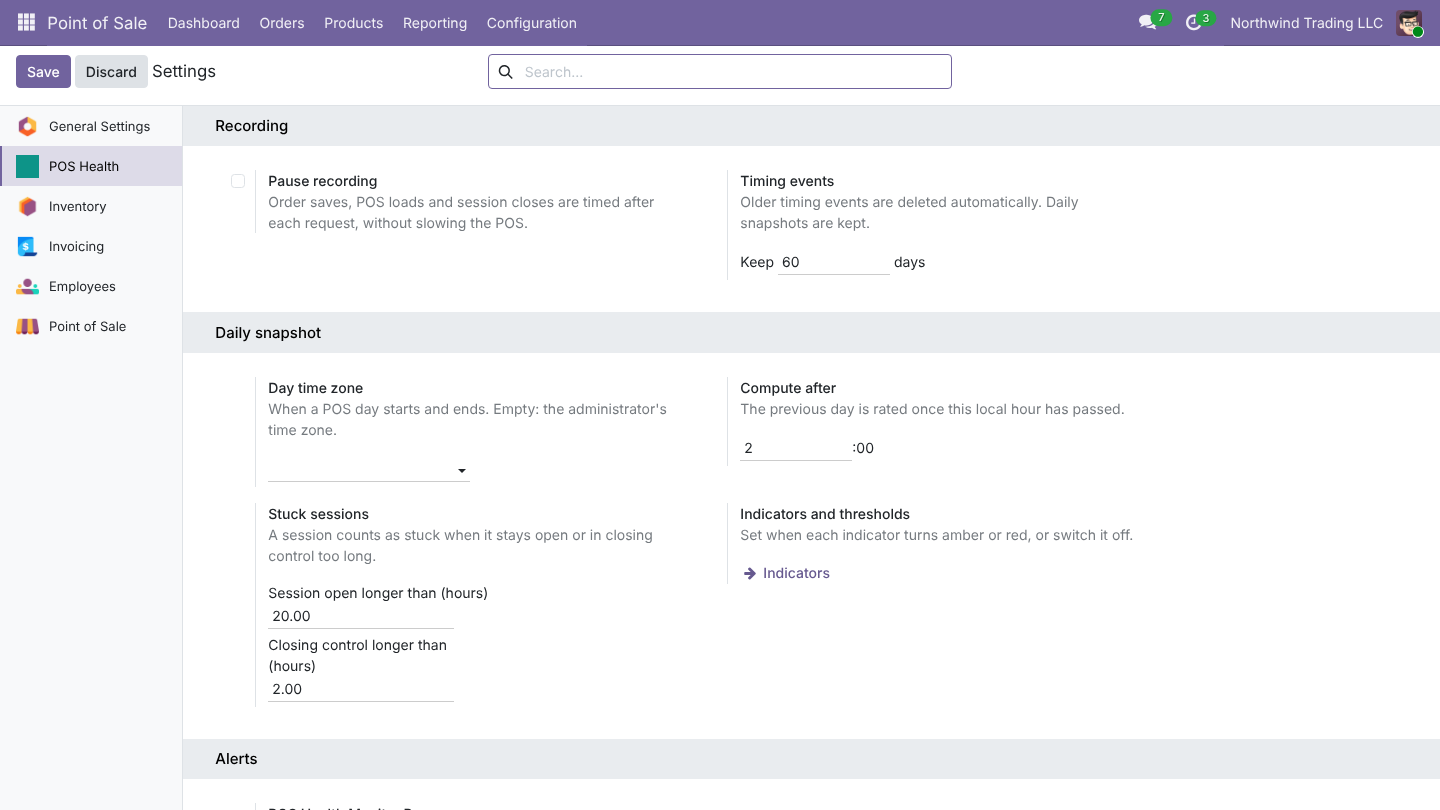
| Setting | What it does |
|---|---|
| Pause recording | Stops timing at once. Existing data is kept. |
| Keep ... days | Timing events older than this are deleted every night (default 60). Daily snapshots are kept. |
| Day time zone | When a POS day starts and ends. Empty: the time zone of the administrator user. |
| Compute after | The previous day is rated once this local hour has passed (default 2, so 02:00). Use 1 to 23. |
| Session open longer than (hours) | A session open longer than this counts as stuck (default 20). |
| Closing control longer than (hours) | A session left in closing control longer than this counts as stuck (default 2). |
If your shops close after midnight, set Compute after to an hour after the last closing, so late sales are in the right day.
Thresholds
Open Point of Sale > Configuration > POS Health > Indicators, or the Indicators link in Settings.
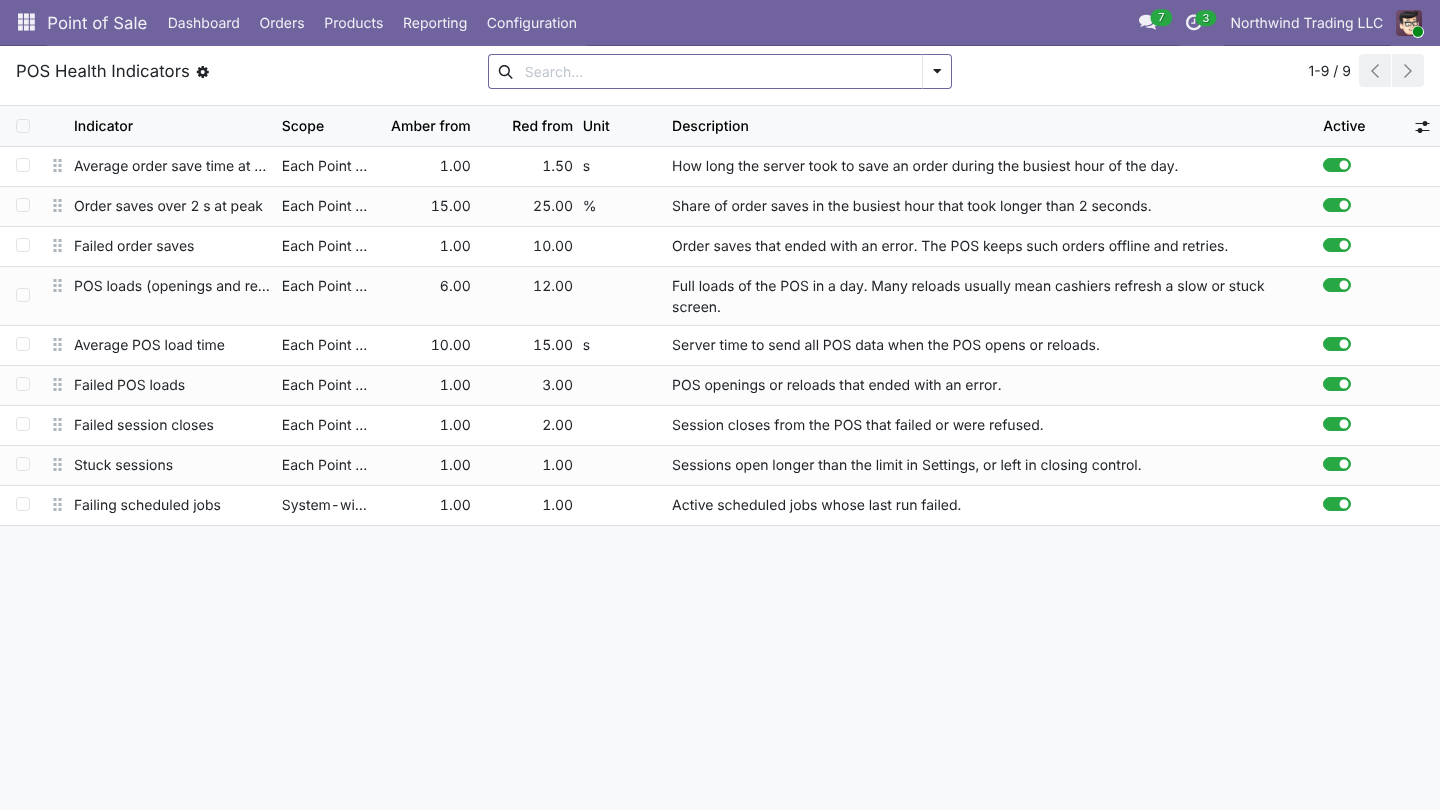
- Click a value in Amber from or Red from and type the new limit. Higher is worse for every indicator.
- Switch Active off to keep measuring an indicator without letting it change the status.
- Drag the handle to change the order the reasons appear in.
The new limits apply from the next rating. To apply them to a past day, open that day and click Recompute (administrators).
Rate yesterday now
Administrators can rate the previous day at any time with Point of Sale > Reporting > POS Health > Compute Yesterday Now. Running it again is safe: the same rows are updated, and their chatter is kept.
What is sent
Nothing leaves your database. The free app stores the timings and the daily ratings in Odoo only.