How each kind of discount works
The examples use a shop selling with GST 18% included in the price: a Lawn Kurta at Rs. 4,720 is Rs. 4,000 plus Rs. 720 GST, and a Chiffon Shirt at Rs. 5,900 is Rs. 5,000 plus Rs. 900 GST. Percentage Discounts On is Price before tax and Tax Is Always Paid is on, as installed.
Percentage on the order (promotions and codes)
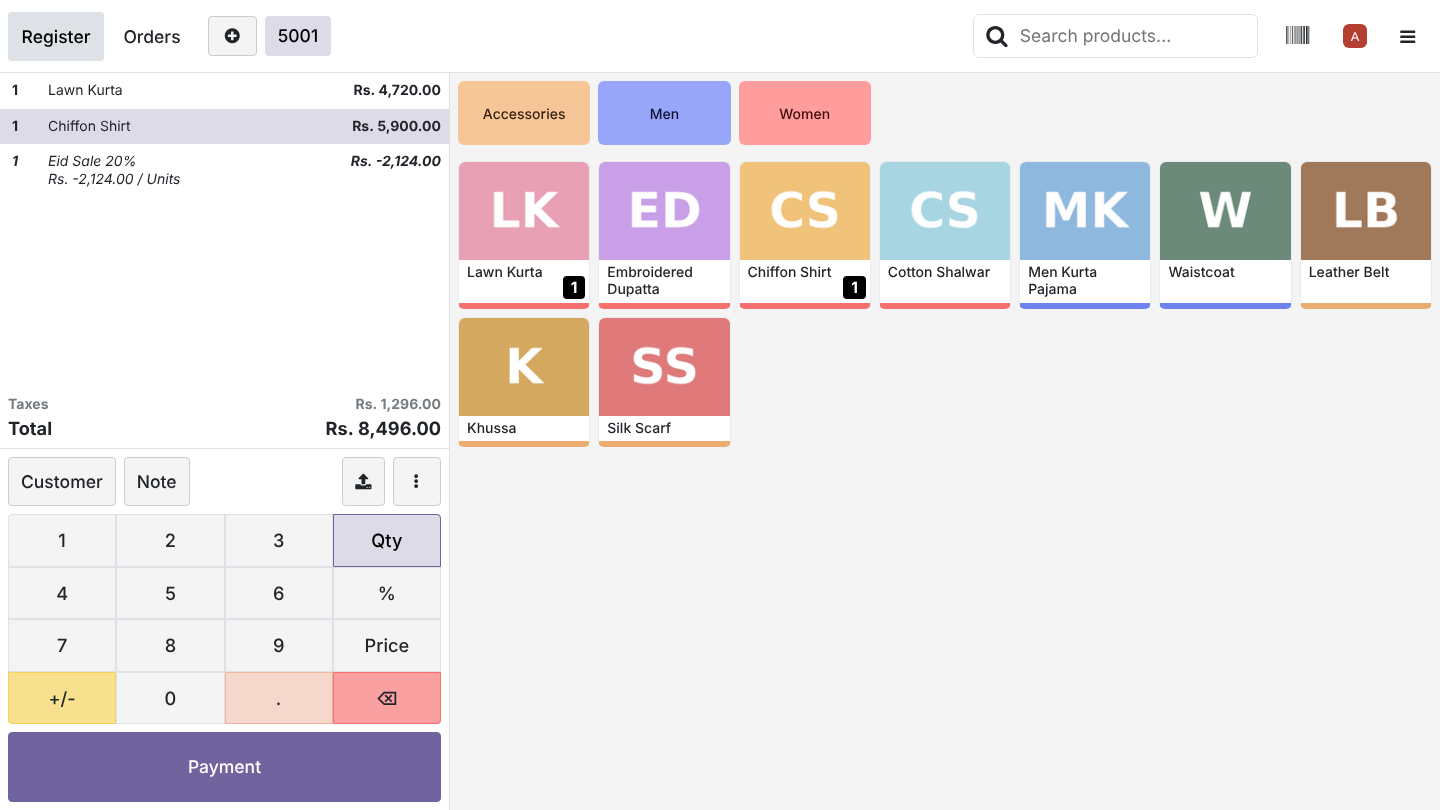
The customer buys both items (Rs. 10,620, of which Rs. 1,620 GST) and the cashier enters the code of an Eid Sale 20% promotion.
| Standard Odoo | With the app | |
|---|---|---|
| Discount line | Rs. 2,124, split into one line per tax | Rs. 1,800, one line Eid Sale 20% |
| GST | Rs. 1,296 | Rs. 1,620 |
| Customer pays | Rs. 8,496 | Rs. 8,820 |
The app takes 20% of the Rs. 9,000 price before tax. With Price after tax it takes 20% of Rs. 10,620, Rs. 2,124, and the GST still stays Rs. 1,620.
Percentage on chosen products or the cheapest product
Only the products the reward applies to count. A 20% reward on the Lawn Kurta in an order with a Lawn Kurta and a Chiffon Shirt takes 20% of Rs. 4,000, Rs. 800. The Chiffon Shirt is not discounted, and the GST of both stays the same.
Maximum amount
A reward with a Max Discount never goes above it. 50% on the Lawn Kurta would be Rs. 2,000; with a maximum of Rs. 1,500 the discount is Rs. 1,500.
Fixed amount and vouchers
A Rs. 5,000 voucher on a Lawn Kurta is capped at the Rs. 4,000 price before tax: the customer pays the Rs. 720 GST. Switch Tax Is Always Paid off to let vouchers cover the tax.
Loyalty points
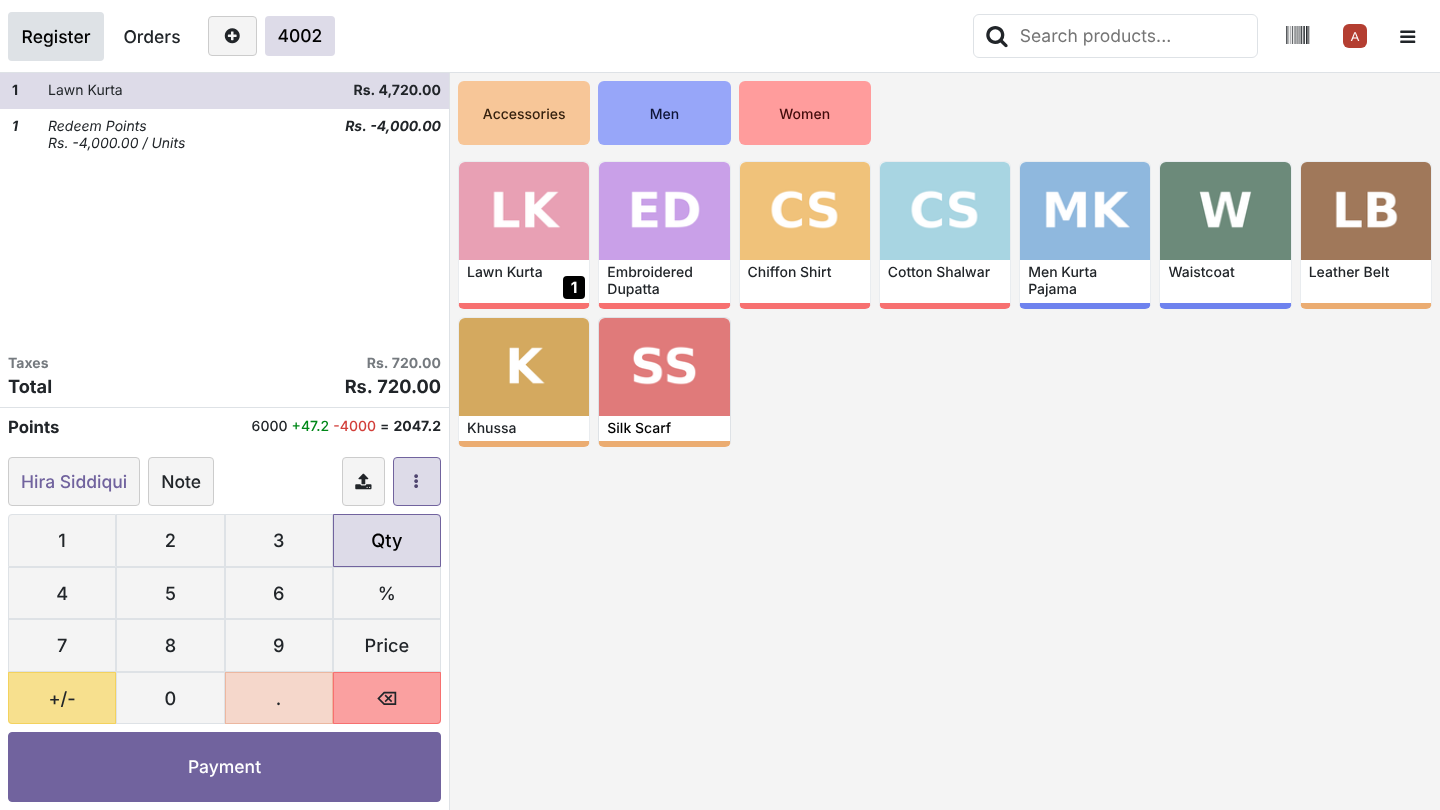
Hira has 6,000 points worth Rs. 1 each and redeems them on a Lawn Kurta. The points cover the Rs. 4,000 price before tax, she pays the Rs. 720 GST, and only 4,000 points are used: the other 2,000 stay on her card.
Several offers on one order
Each reward is worked out in turn and gets its own line. With Tax Is Always Paid on, all discounts together never go below the tax of the order.
Prices without tax included and several tax rates
The same rules apply when the tax is added on top of the price, and in orders mixing tax rates or products without tax: the percentage is taken from the price before tax of each product, and each product keeps its own tax.
Receipt and accounting
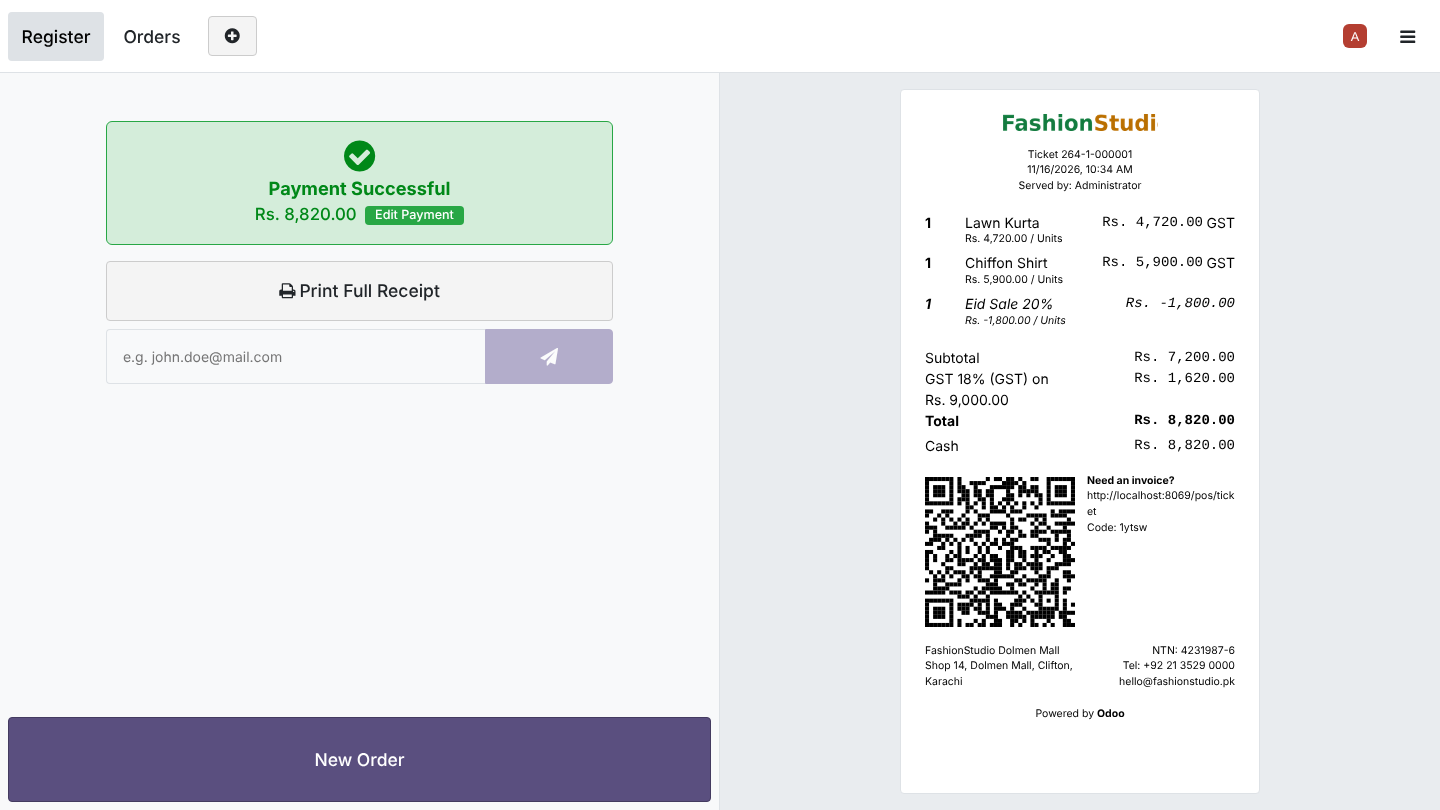
The discount prints once under its own name, and the tax summary shows the GST on the full price before discount.
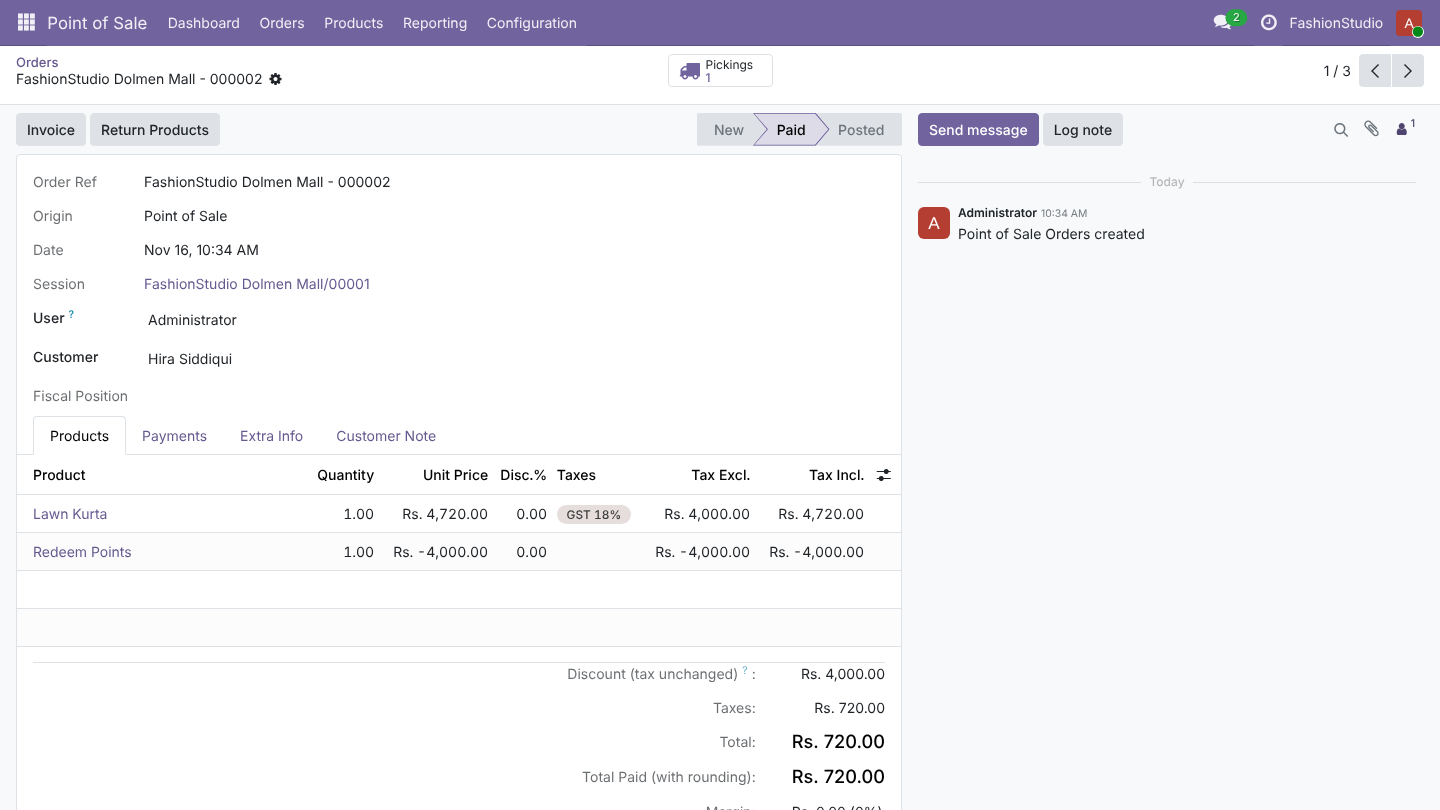
In the back office the order shows Discount (tax unchanged) next to the taxes. The discount line has no tax, so the session's journal entry posts the full GST and the discount separately.
What stays as in Odoo
- Gift cards and eWallets: they are payments, not discounts.
- Free product rewards (buy 2, get 1 free).
- Line discounts typed by the cashier and the Global Discount button.