Run an audit
Open the audit
There are two ways:
- From a product: open the product and click Stock Audit in the buttons at the top. When there are many buttons it is under More. It runs the audit for the current month straight away.
- From the menu: Inventory → Reporting → Product Stock Audit. The Reporting menu is shown to Inventory administrators.
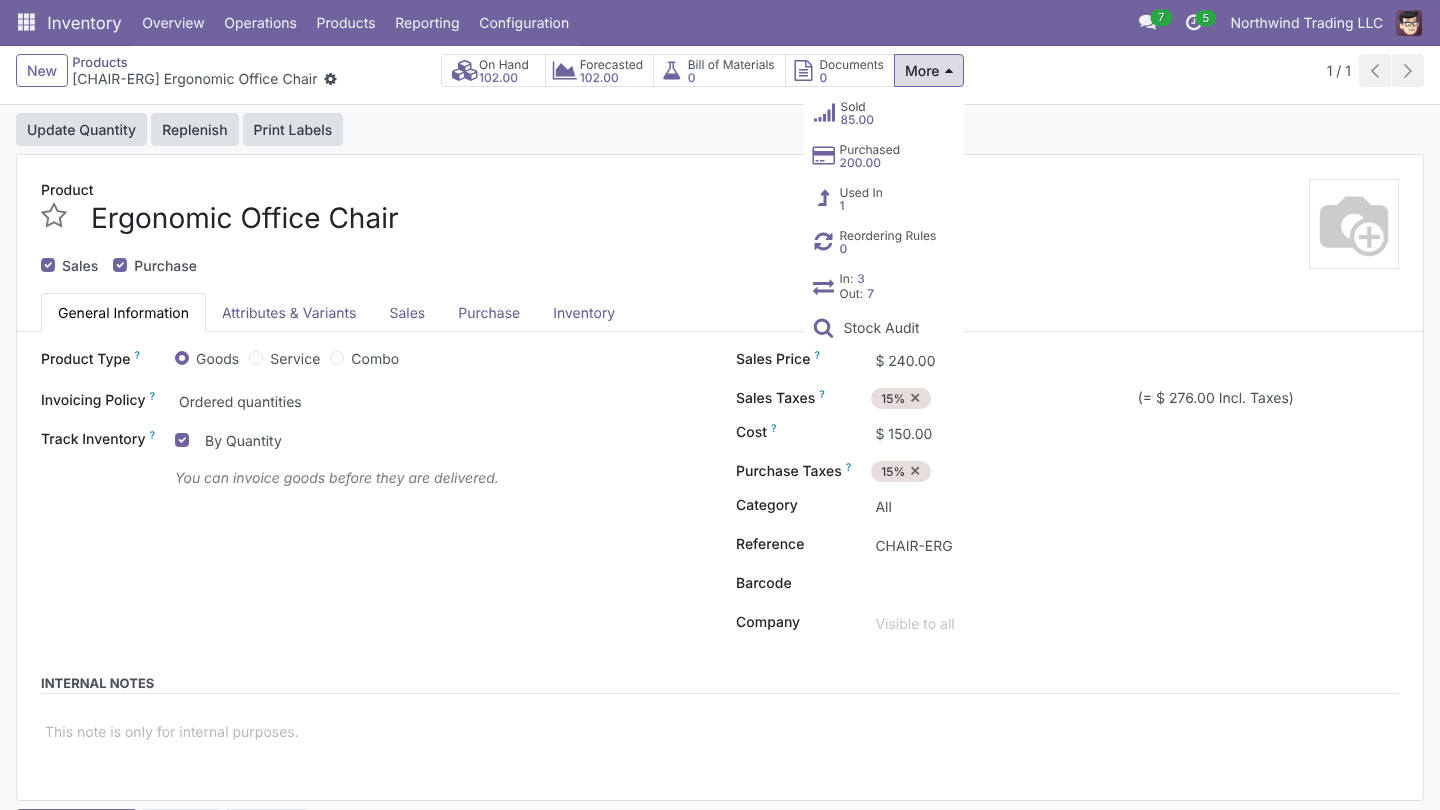
Any user with access to Inventory can run an audit.
Choose what to audit
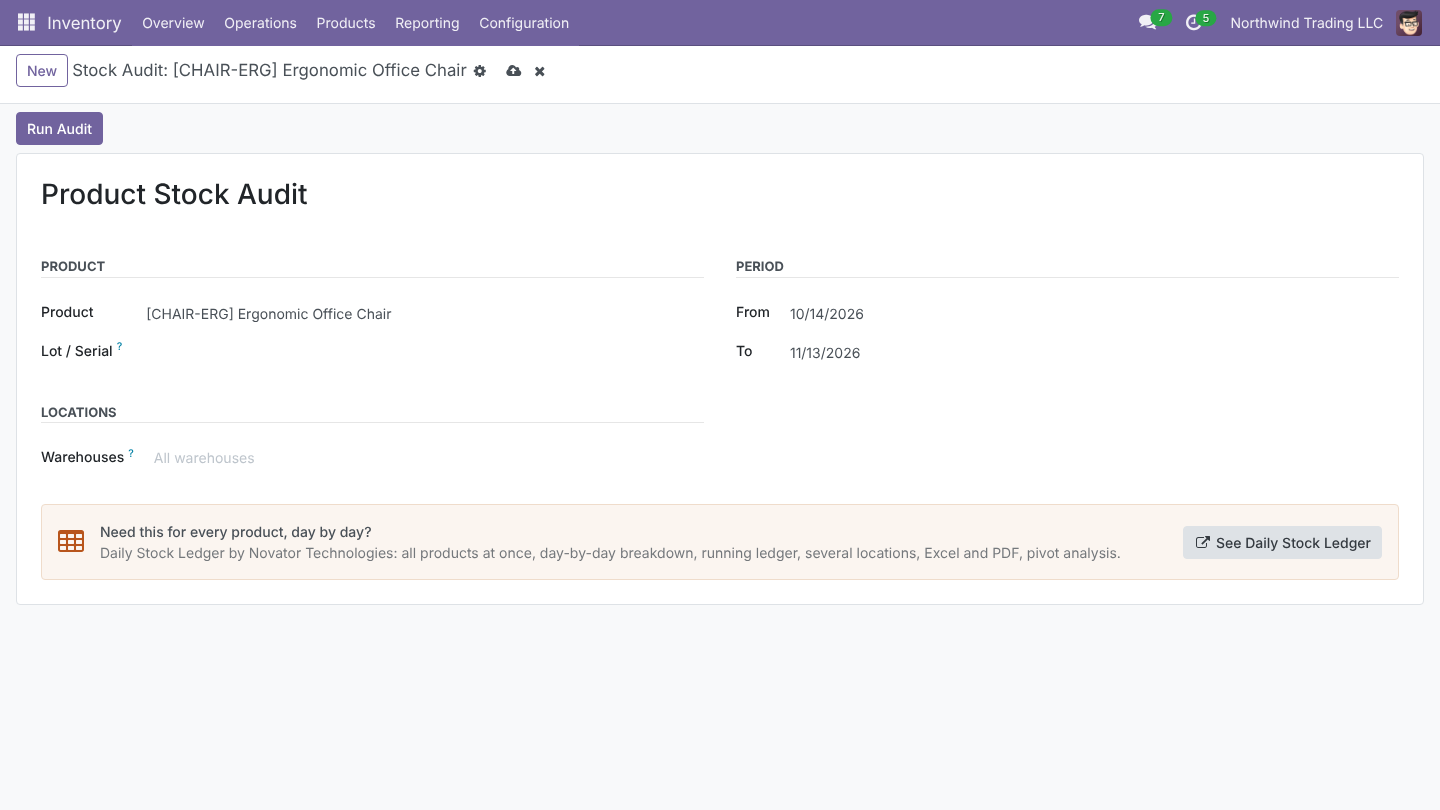
| Field | What it does |
|---|---|
| Product | The product (variant) to audit. Only products that track inventory are listed. |
| Lot / Serial | Optional. Audit one lot or serial number only. Shown when lots and serial numbers are turned on in the Inventory settings. |
| From / To | The period. Both days are included. Days start and end at midnight in your own time zone. The default is the first day of the current month to today. |
| Warehouses | Optional. Audit only the stock locations of these warehouses. Empty means every warehouse of the company. |
| Locations | Optional. Audit only these locations and their sub-locations. Shown when Storage Locations is turned on in the Inventory settings. When set, it takes priority over Warehouses. |
Click Run Audit. Change any field and click Run Audit again to refresh the result.
What is counted
Only done stock moves of the product are counted, in the product's unit of measure (a purchase in dozens counts as 12 units). Moves that are waiting, ready or cancelled are not stock movements yet.
Which locations you audit decides what counts as a transfer. Auditing the whole company, a move between two of your warehouses is an internal move with no effect on the total. Auditing one warehouse, the same move is a transfer out of that warehouse.
Open the moves behind a line
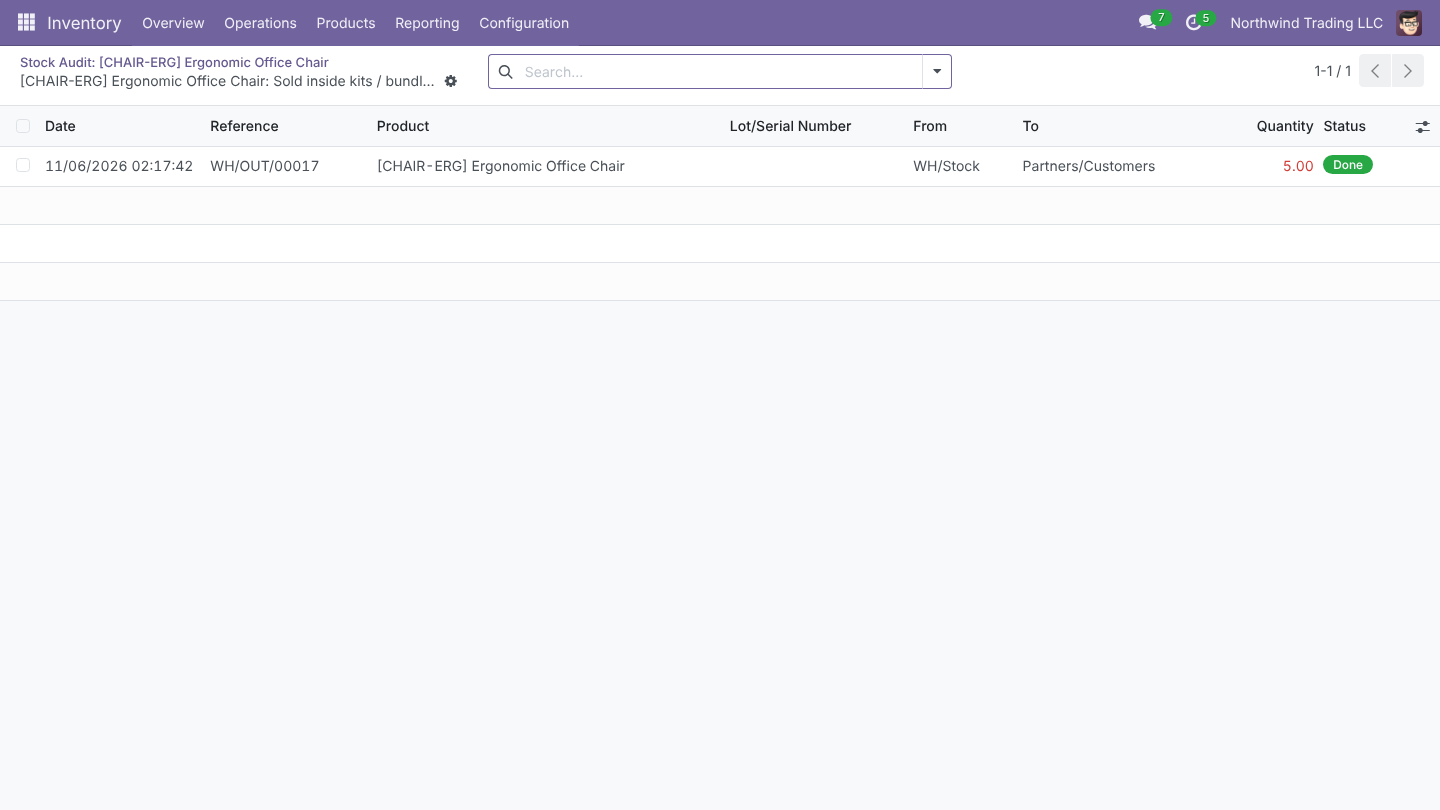
Each line under Details by movement type has a list button that opens its stock moves: date, reference, from, to, lot and quantity. All Movements at the top opens every move of the period.
Print the audit
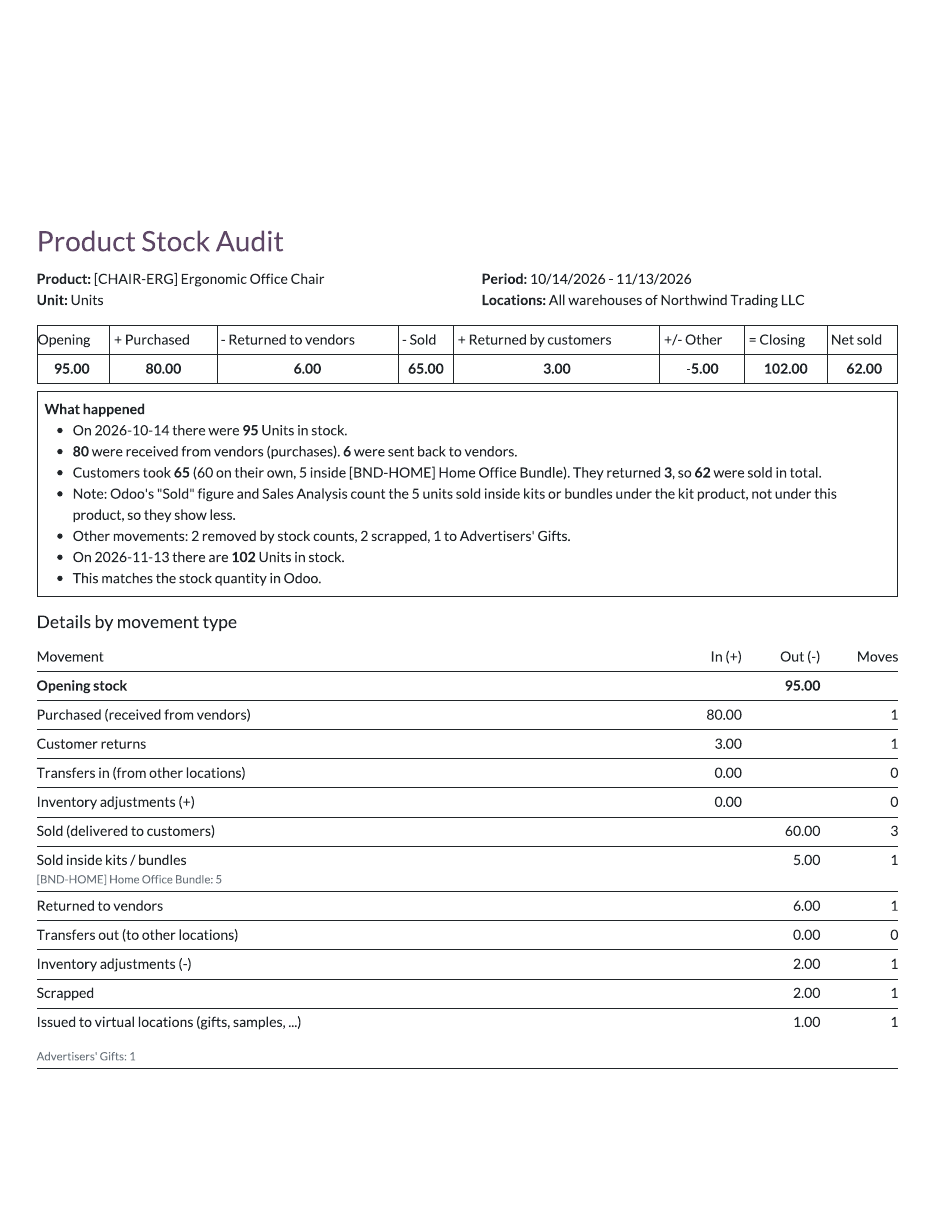
Print PDF gives a document with the summary, the What happened text, the details by movement type, and every movement of the period with a running balance.
Good to know
- An audit is a working screen, not a saved document. Odoo clears old audits automatically, so print the PDF if you need to keep one.
- Nothing is changed in your stock. The audit only reads stock moves and quantities.