Listings and offers
Import the listings
Click Import Listings on the store. A small window opens:
- Update prices in the Amazon pricelists: copies each listing's Amazon price into the pricelist of its marketplace (see Prices). Ticked by default when the store's Price Source is Amazon.
- Import Unknown Products With Orders: SKUs without a matching product create one (with the listing title and price). Leave it off for the first import: unmatched SKUs are then only listed in the Log, so you can link them by hand.
Click Import. Odoo asks Amazon for the report of all your listings and, a few minutes later, reads it. Nothing is sent to Amazon:
- each seller SKU is linked to an Odoo product: by an existing link, then as set in Match Products By on the store's Products tab (see How SKUs are matched), then by ASIN;
- each SKU records its ASIN, FBM or FBA and its status; the ASIN is also written on the product.
One Odoo product can have several SKUs (for example a new and a used offer, or an FBM and an FBA SKU). Run Import Listings again after you add listings in Seller Central.
How SKUs are matched
Match Products By decides which Odoo code a seller SKU is compared with:
| Option | Compared with the Odoo product |
|---|---|
| Internal Reference = SKU | the seller SKU with the Internal Reference |
| Internal Reference, then Barcode = SKU | the Internal Reference, then the Barcode with the seller SKU and with the listing's EAN/UPC |
| Barcode = SKU | the Barcode with the seller SKU and with the listing's EAN/UPC; the Internal Reference is never used |
| Barcode, then Internal Reference = SKU | the Barcode first, then the Internal Reference |
Odoo does not allow two products with the same barcode, but Internal References can repeat. Barcode options are therefore the safest: give each Amazon listing the Odoo barcode as its seller SKU, or list it with its real EAN/UPC.
A SKU is not linked when its code fits several products (for example an Internal Reference used twice), when its EAN/UPC is the barcode of another product than its SKU, or when it is an archived product. The Log says why. An unlinked SKU gets no stock updates: make the code unique, or link it by hand in Product Links, then run Import Listings again.
ASIN on the product
The product form shows the ASIN under the barcode (per variant for products with variants). It is filled by the listings import and by List on Amazon, and you can type it yourself: products are searchable by ASIN, and the import uses it to link a listing whose SKU and barcode do not match. When Amazon reports another ASIN for a product that has one, the product keeps its ASIN and the Log shows the difference.
Offers
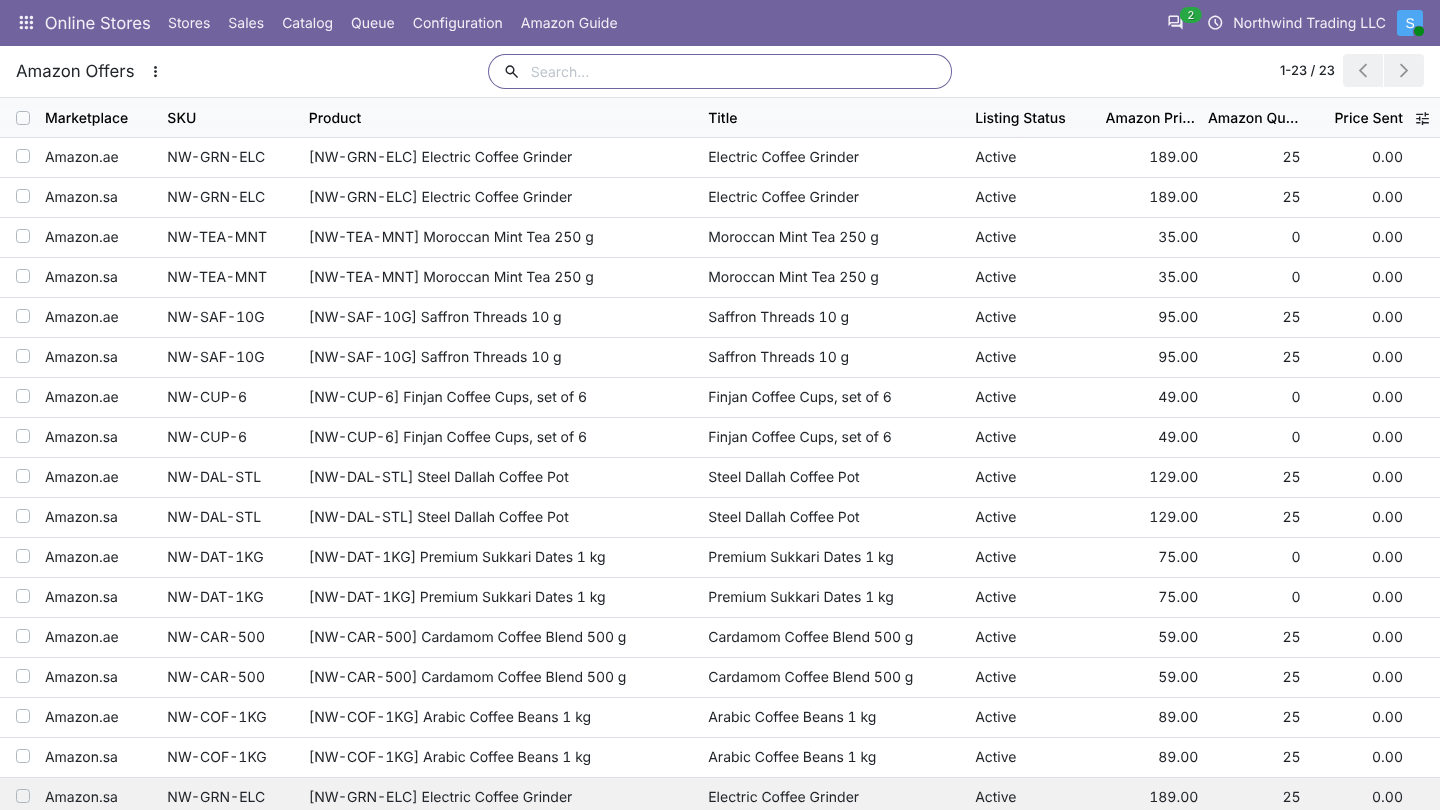
Online Stores > Amazon Offers shows one line per SKU and marketplace, with its title, listing status, Amazon price and quantity, and the price Odoo sent last.
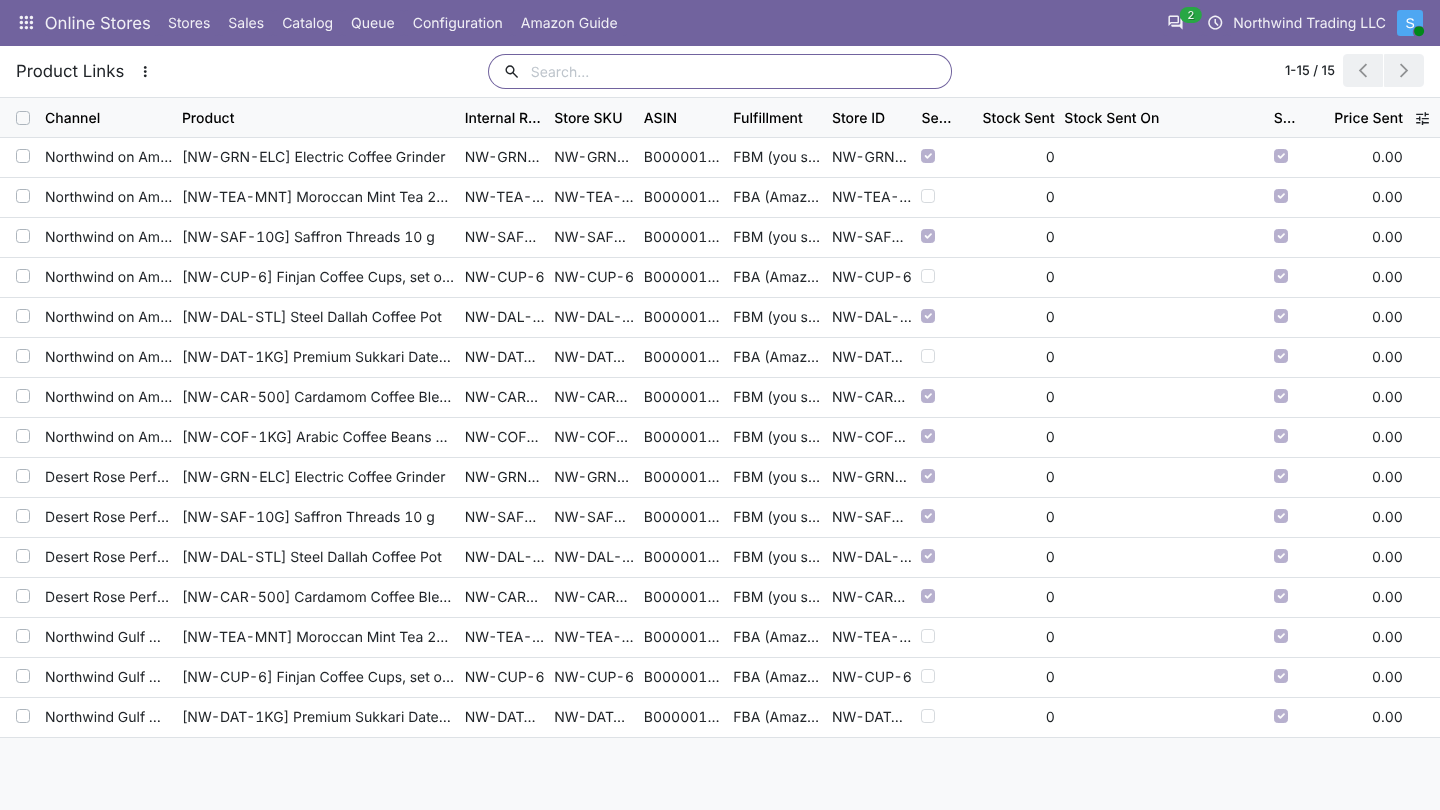
Odoo keeps a link between each Amazon product and an Odoo product: Online Stores > Catalog > Store Products for products, Product Links for each variant. Links are how orders, stock and prices find the right product.
How an order line finds its product
- Link. Odoo looks for a product link with the variant ID of the line, then with the product ID.
- SKU. Odoo looks for a product whose Internal Reference equals the SKU of the line. With Match Products By set to Internal Reference, then Barcode = SKU, it also tries the Barcode. Only products of the store's company or of no company count; archived products count too.
- Import. With Import Unknown Products With Orders on, Odoo imports the product from Amazon (step by step as below), then tries the link again.
- Not found. The whole order waits in the queue with Products not found in Odoo: ... Link or import them, then retry. Nothing is created for that order until every line has a product.
A line found by SKU does not create a link. Run Sync... > Import products from the store once so every product is linked; stock and prices are only sent for linked products.
How a product import finds or creates the Odoo product
- Link. A Amazon product that is already linked keeps its Odoo product.
- SKU. Odoo looks for an Odoo product with the SKU of the product, or of any of its variants (same rules as above), and links its product template.
- Create. When nothing matches, Odoo creates the product.
When Odoo links an existing product, it does not change it: name, description, prices and taxes stay as they are in Odoo. Only a missing image is added (with Import Images on).
What a new product looks like
| Odoo field | Value |
|---|---|
| Name | The Amazon product name |
| Product type | Storable (tracked in inventory) |
| Sales Price | The store price (for variants: the lowest variant price) |
| Internal Reference, Barcode | The SKU and barcode. A barcode already used by another product is left empty. |
| Weight | The store weight |
| Sales description | The short description from the store, when there is one |
| Product Category | The Odoo category mapped to its store category (Catalog > Store Categories), else Category for New Products |
| Company | None (the product is shared by all companies) |
| Image | The main store image, with Import Images on |
Variants
- Each option of the store product (for example Size, Color) becomes an Odoo attribute with the same name, set to create variants. An existing attribute of that name is reused only if it also creates variants instantly; Odoo never touches an attribute set to Dynamically or Never.
- Each Amazon variant is linked to the Odoo variant with the same SKU, else with the same option values.
- New variants get the SKU, barcode, weight and image of the store variant.
- Prices: the lowest variant price becomes the product's Sales Price. When variants have different prices and the store has a Pricelist, Odoo adds a fixed price per variant to that pricelist. Without a store pricelist, only the lowest price is kept.
- Store variants that match no Odoo variant are listed in the log as a warning. Their orders then need the product linked by hand or a matching SKU.
Examples
| Situation | Result |
|---|---|
| The Odoo product has the same SKU | Linked. Nothing in the Odoo product changes. |
| No SKU in the store, product not in Odoo | Created with the store name and price. |
| Two store products use the same SKU | The second import stops with Odoo product X is already linked to another store product (SKU clash with store product Y). Give each store product its own SKU. |
| Store product type not supported by the connector (for example a bundle or external product) | Skipped with a warning in the log. |
| A product is renamed in Amazon after linking | The Odoo name stays. Odoo is the master of product data once linked. |
FAQ
I imported products by mistake. How do I undo it? Archive or delete the created Odoo products, then delete their lines in Store Products. Nothing changes in Amazon.
Can one Odoo product be linked to two stores? Yes, one link per store. Within one store, a product can only be linked to one store product.
Can I link a product by hand? Give the Odoo product the store SKU as Internal Reference, then run Sync... > Import products from the store again.