Catalog sync
What is sent
One file per store, <prefix>_<VendorID>.csv in the catalog folder, for example catalog_nw-dha01.csv. One line per product variant:
| Column | Value |
|---|---|
barcode | Empty: Foodpanda matches products by the SKU column. |
sku | Barcode or internal reference, see SKU Sent below. |
price | Sales Price, or the store's pricelist price, rounded to the currency. |
active | 1 when the quantity sent is above 0, else 0. |
quantity | Free stock minus the sales buffer, never below 0. |
Only these five columns, only for products added to the store, only to the SFTP server set on the store.
Catalog Rules tab
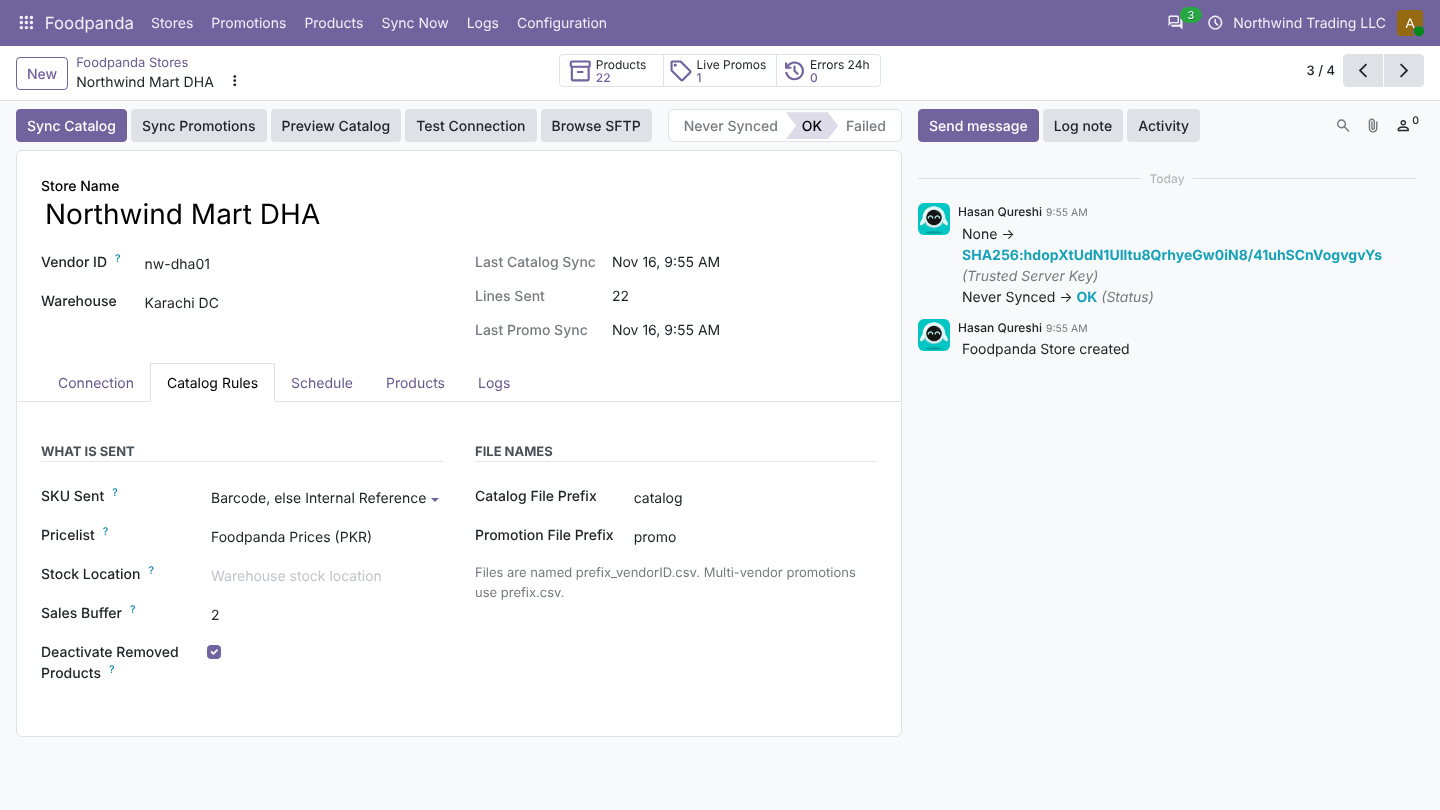
| Field | Meaning |
|---|---|
| SKU Sent | Which product field is the SKU: barcode first (default), internal reference first, barcode only or internal reference only. Use the one Foodpanda has in its catalog. |
| Pricelist | Leave empty to send the Sales Price. Set a pricelist to send Foodpanda prices (for example +5%). |
| Stock Location | Leave empty to use the warehouse stock location. |
| Sales Buffer | Subtracted from free stock. Stock 10 with buffer 2 sends 8; stock 2 sends 0 and the product goes inactive. |
| Deactivate Removed Products | A product removed from the store is sent once more with active 0 and quantity 0, so it stops selling. |
| Catalog File Prefix / Promotion File Prefix | Start of the file names. No underscores, slashes or spaces. |
Free stock is on hand minus reserved quantities in that location. Products made from a kit (bill of materials of type Kit) count how many kits the components make.
Catalog preview
Preview Catalog on the store (or Preview on its card) shows every line before it is sent:
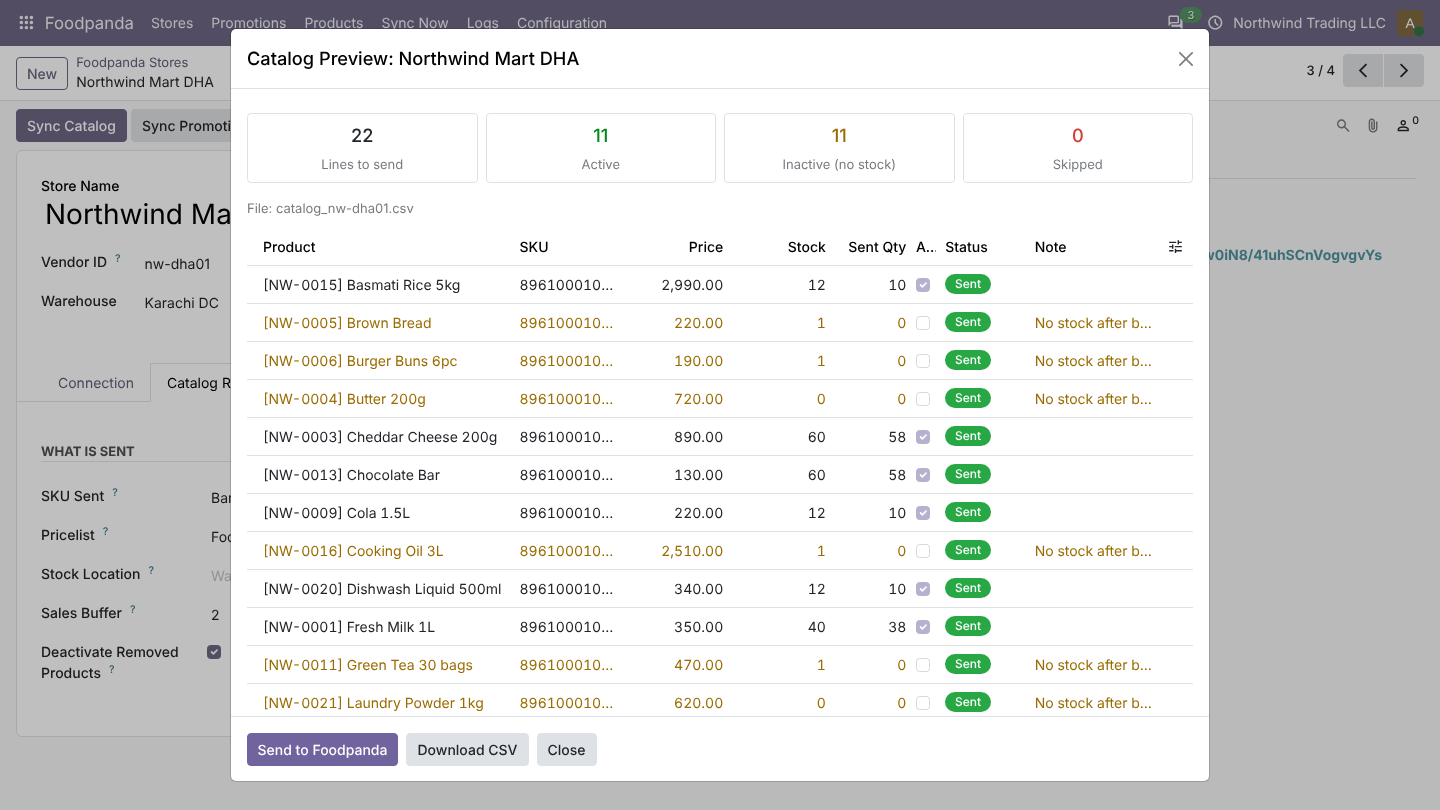
- Lines to send, Active, Inactive (no stock) and Skipped at the top.
- Each line: product, SKU, price, stock, quantity sent, status and a note.
- Skipped lines say why: No barcode or internal reference, Same SKU as ... (two variants with one SKU), Archived or not sellable.
Send to Foodpanda uploads the file. Download CSV gives you the exact file without sending it.
Schedule
Schedule tab of the store:
| Field | Meaning |
|---|---|
| Auto-sync Catalog / Catalog Every | Send the catalog every 10, 15 or 30 minutes, every hour, 3 hours, 12 hours or once a day. |
| Auto-sync Promotions / Promotions Every | Same for promotions. |
The scheduled action Foodpanda: sync stores that are due runs every 10 minutes and sends each store whose interval has passed. Foodpanda accepts a catalog file at most every 10 minutes.
Sync by hand
- Sync Catalog / Sync Promotions on a store or its card.
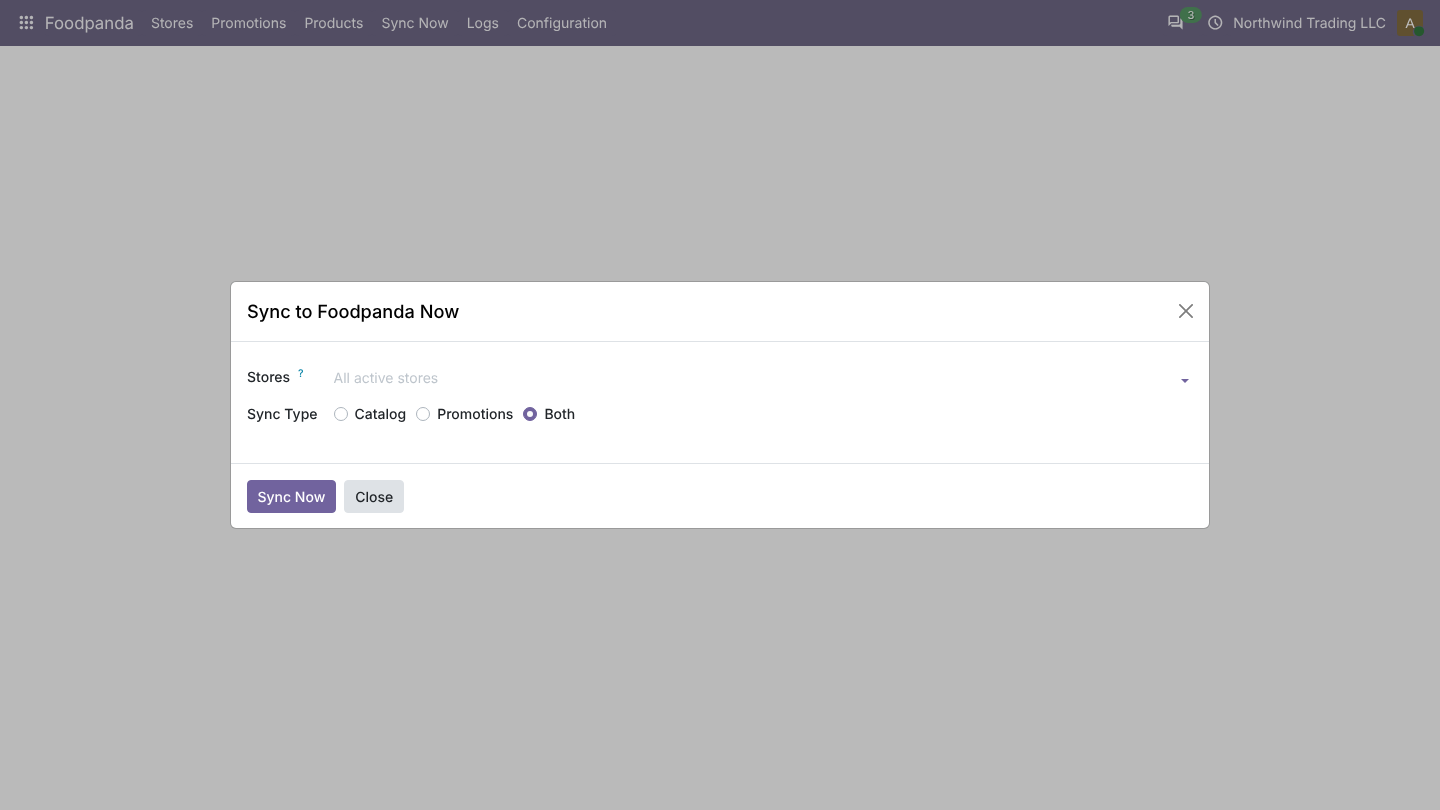
- Foodpanda > Sync Now: pick stores (empty means all active stores) and Catalog, Promotions or Both. The result shows one line per store.
Limits
Foodpanda accepts at most 100,000 catalog lines and 20,000 promotion lines per file. Odoo checks this before uploading and logs an error instead of sending a file Foodpanda would reject.