Logs, FAQ and troubleshooting
Sync logs
Foodpanda > Logs lists every catalog and promotion upload, connection test and file download with the store, file, number of lines, duration and details. Filter on Errors, Last 24 Hours or a store; switch to the graph to see results per day.
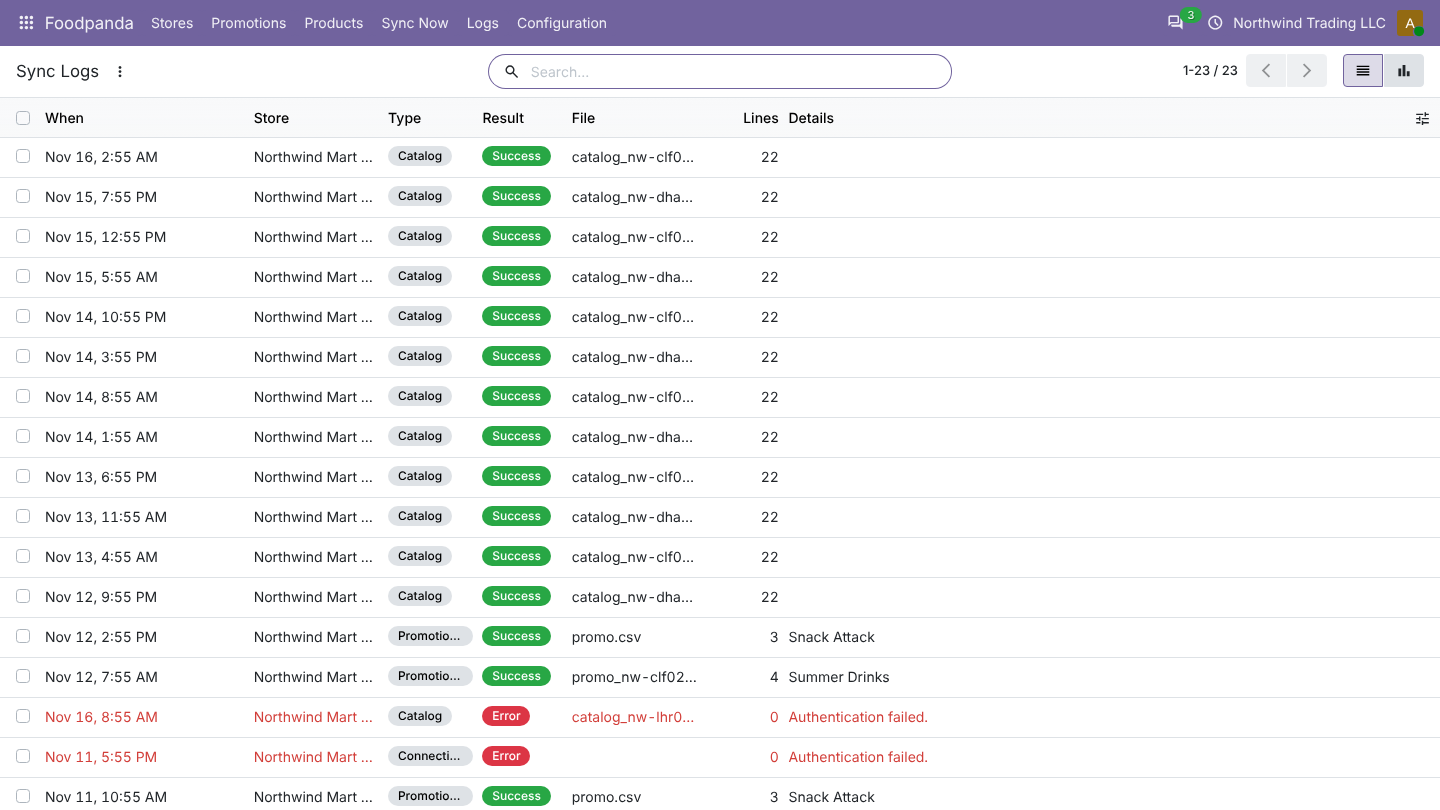
Each store also has a Logs tab and an Errors 24h button. Logs older than the number of days in Settings are deleted every night.
A store is Failed
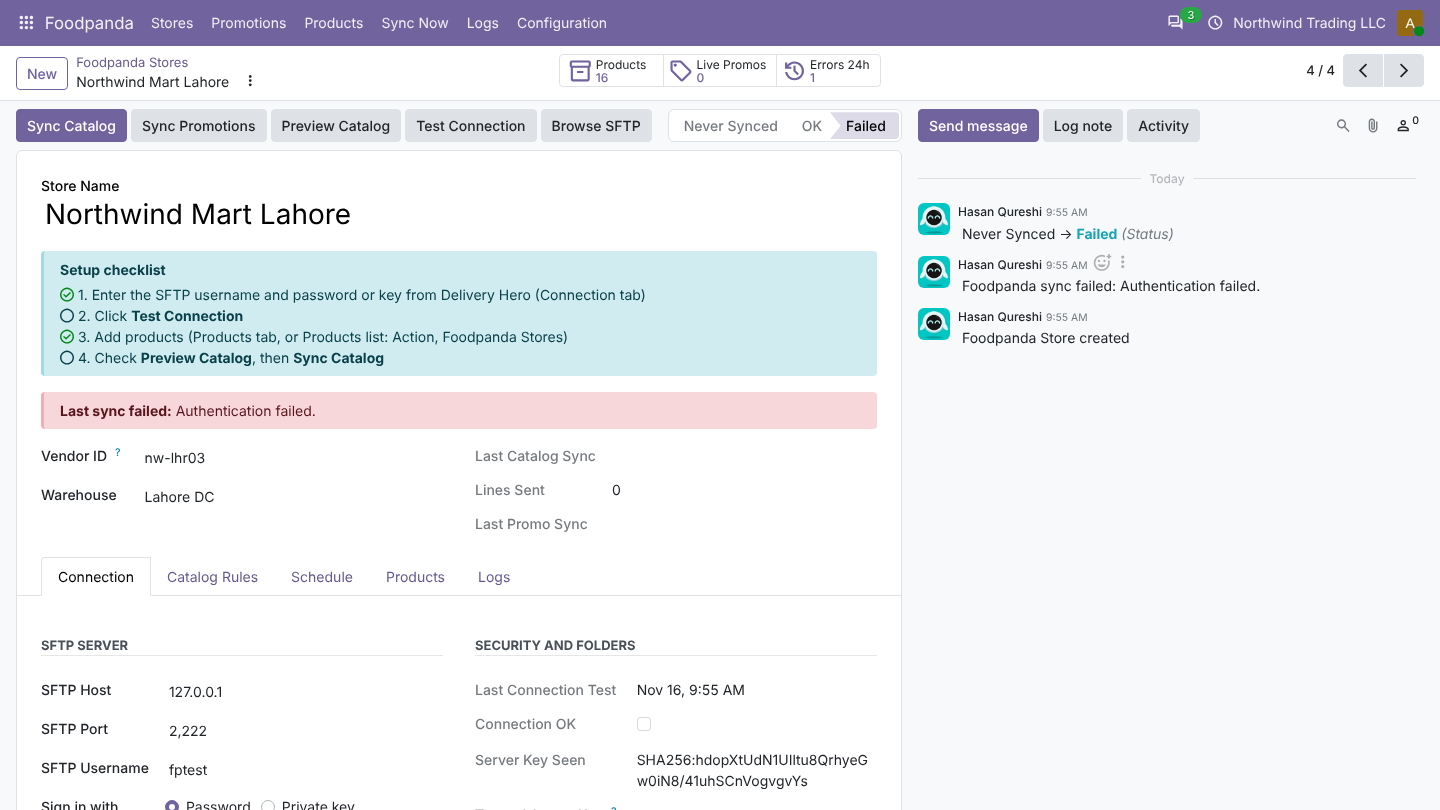
The store card turns red, shows Failed and the last error; the store form repeats it at the top. The store chatter gets one message when the store starts failing (not one every 10 minutes).
| Error | What to do |
|---|---|
| Authentication failed | Wrong username, password or key. Check them with Foodpanda, enter them again, click Test Connection. |
| The SFTP server key changed | A different server answered. If Foodpanda confirms it moved, clear Trusted Server Key, test and trust again. Otherwise contact Foodpanda before sending anything. |
| The private key could not be read | Paste the whole key including the BEGIN and END lines; check the passphrase. |
| Folders not found on the server (connection test) | Your SFTP account has no catalog or promotions folder yet. Ask Foodpanda, or correct the folder names on the Connection tab. |
| Timed out / No route to host | Your server cannot reach Foodpanda's SFTP on port 22. Check the firewall or ask your hosting to allow outgoing port 22. |
| Catalog has N lines; Foodpanda accepts at most 100000 | Split the products over several stores or remove products. |
| paramiko is missing | Install the Python library paramiko on the server and restart Odoo. |
The next successful sync sets the store back to OK.
Browse the SFTP folders
Browse SFTP on the store lists the files in the catalog, promotions and assortment folders with size and date. Select files and Download Selected: they are attached to the store chatter. Useful to check what Foodpanda received or to read a file Foodpanda left for you.
FAQ
Does it import Foodpanda orders?
No. The Delivery Hero vendor SFTP covers catalog and promotions only.
A product is not on Foodpanda
Open Preview Catalog. If the product is Skipped, the note says why. If it is sent but inactive, its free stock is at or below the sales buffer. If it is sent and active, check that Foodpanda has a product with the same SKU in your catalog: Foodpanda matches on SKU and does not create new products from this file.
Which price is sent?
The product Sales Price, or the store's pricelist price for one unit, per variant, rounded to the currency.
Several stores share one warehouse
That is fine: each store sends the same stock, with its own buffer and pricelist.
Who can see the SFTP password?
Only users with Foodpanda / Administrator. Users with Foodpanda / User see the stores and can sync, but not the credentials.
Does it work on Odoo Online?
No. Odoo Online does not allow third-party apps. Use Odoo.sh or your own server.
We used the older foodpanda_integration module
novator_foodpanda is a new app with its own data. Install it, create your stores again (same SFTP login and Vendor ID), add products, then uninstall the old module so the two do not both send files.
Support
Write to [email protected] with the store name and the error from the log.