Pro features
Helpdesk Pro ($149, one-time, no per-agent fees) installs on top of the free Helpdesk. Everything below appears in the same inbox; no new screens to learn.
SLA policies
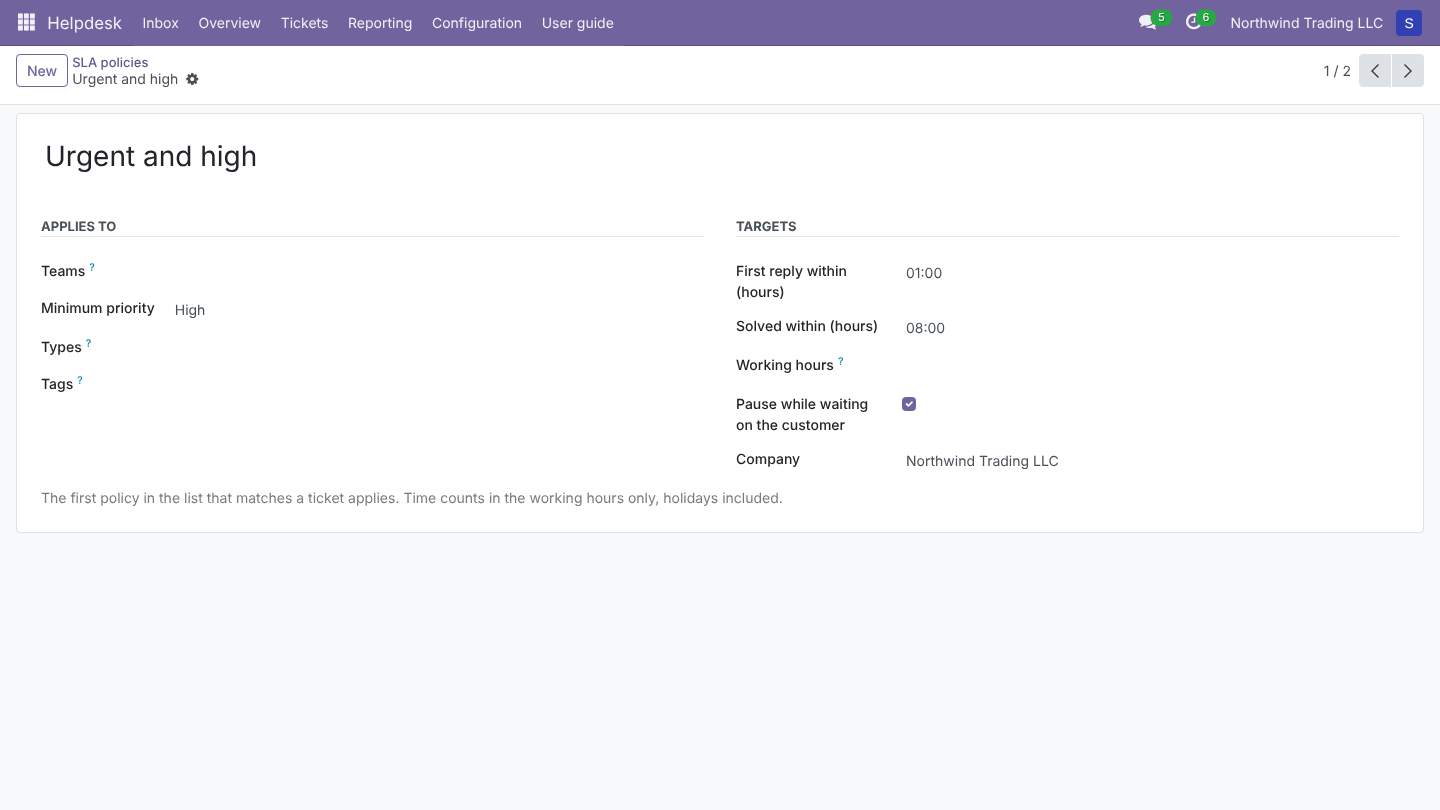
Helpdesk → Configuration → SLA policies → New.
| Field | What it does |
|---|---|
| Teams, Minimum priority, Types, Tags | Which tickets the policy covers. Empty teams or types means all. With tags, it applies when the ticket has one of them. |
| First reply within (hours) | Target for the first agent answer. |
| Solved within (hours) | Target for solving the ticket. |
| Working hours | The calendar the timers count in. Nights, weekends and the calendar's public holidays don't count. |
| Pause while waiting on the customer | The solution timer stops while the ticket is in a Waiting on customer stage. |
The first matching policy by sequence applies. It is chosen when the ticket is created and again if the team, priority, type or tags change before the first reply. Existing open tickets get a policy when Pro is installed.
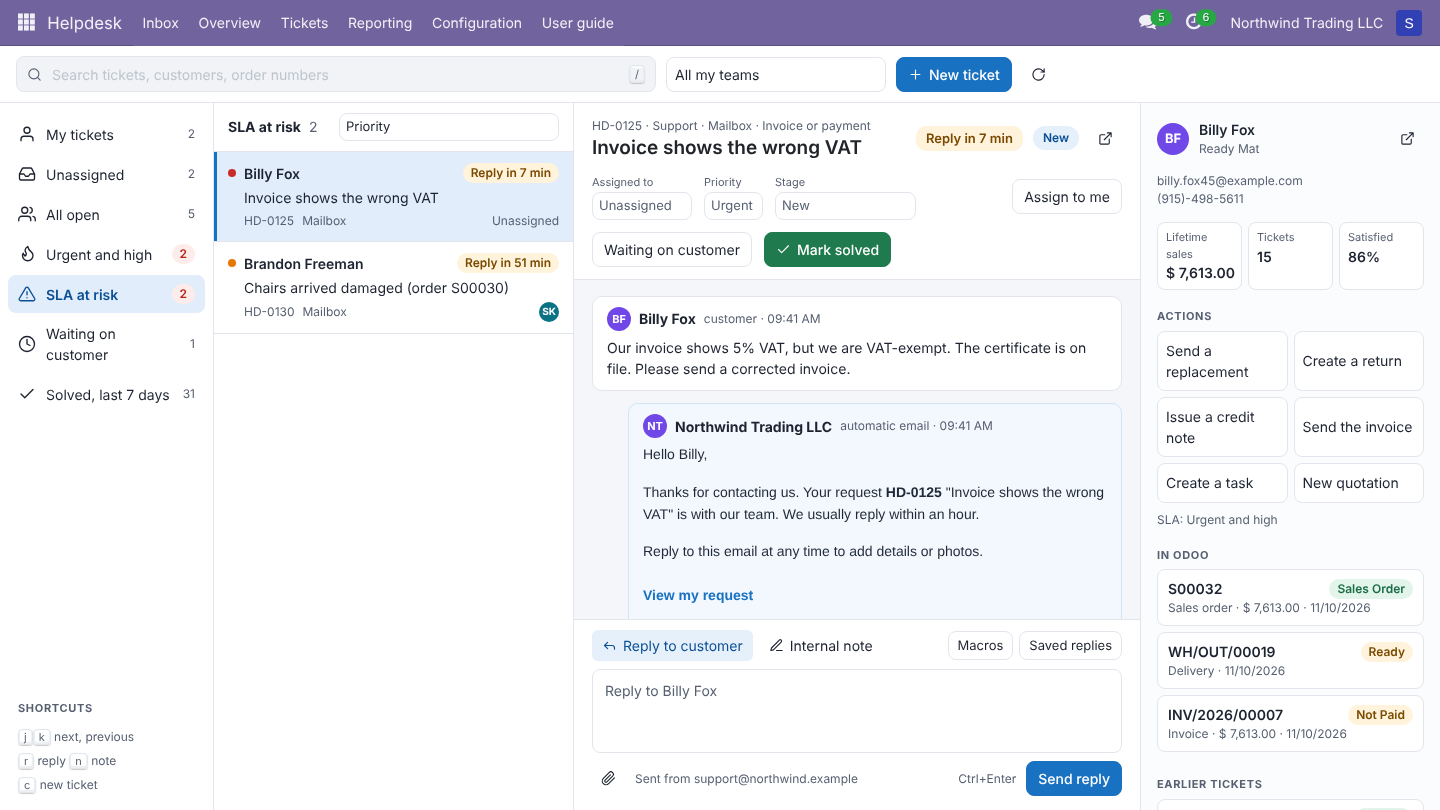
In the inbox: each ticket shows a badge with the time left, amber when it gets close, red when breached. The SLA at risk queue lists the tickets closest to their deadline. One hour before a deadline the assigned agent gets a warning; on a breach the ticket gets a note and the agent an activity.
One-click actions
Open a ticket and use Actions at the top of the customer panel. Each action is filled in from the customer's order, delivery or invoice; you check the lines and confirm.
| Action | What it creates |
|---|---|
| Send a replacement | A delivery for the chosen products and quantities, from the original order. |
| Create a return | A return of the chosen products from the customer's delivery. |
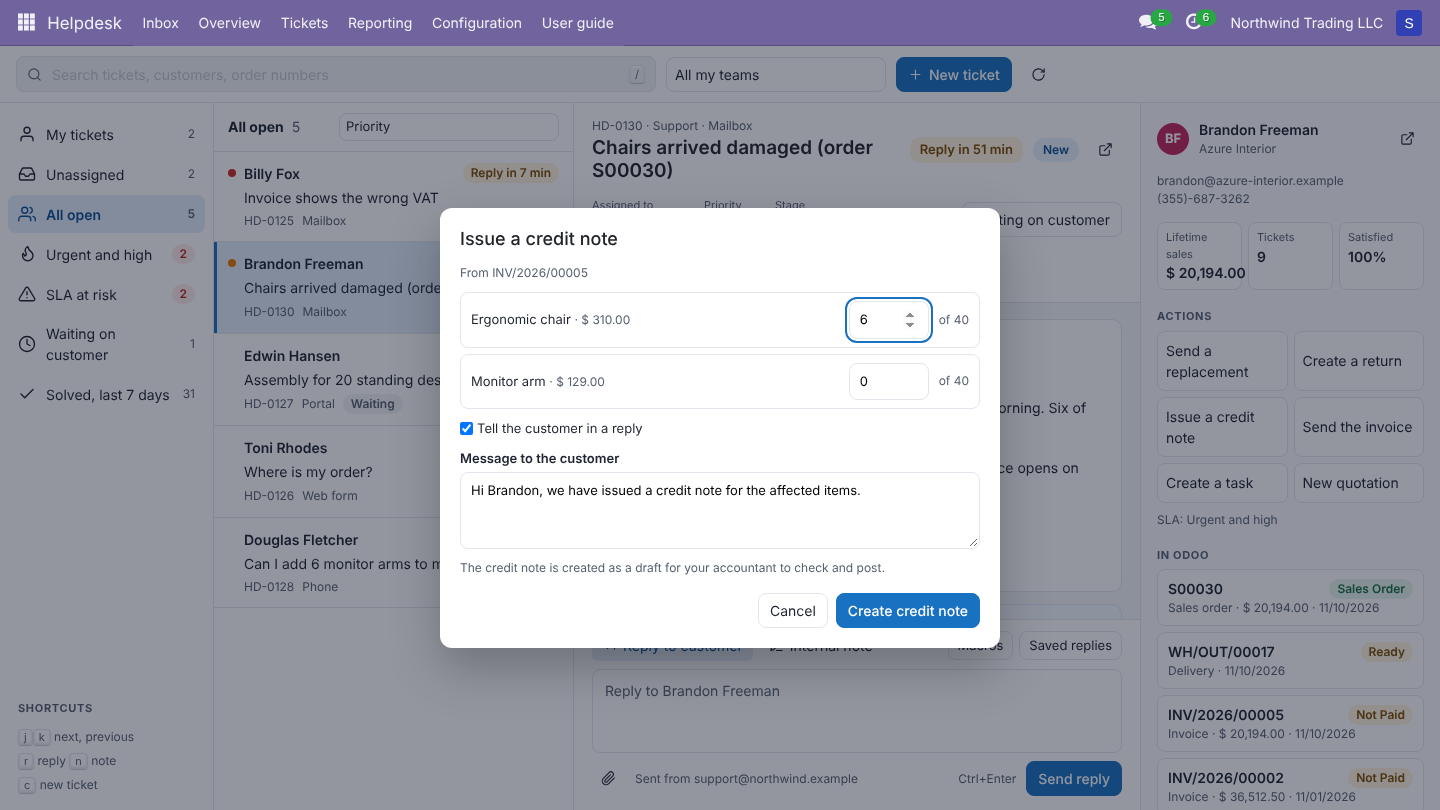
| Issue a credit note | A draft credit note for the chosen invoice lines and quantities. |
| Send the invoice | The invoice PDF attached to a reply. |
| Create a task | A project task linked to the ticket. You can tell the customer now, and again when the task is done. |
| New quotation | A quotation for the customer, for example for spare parts. |
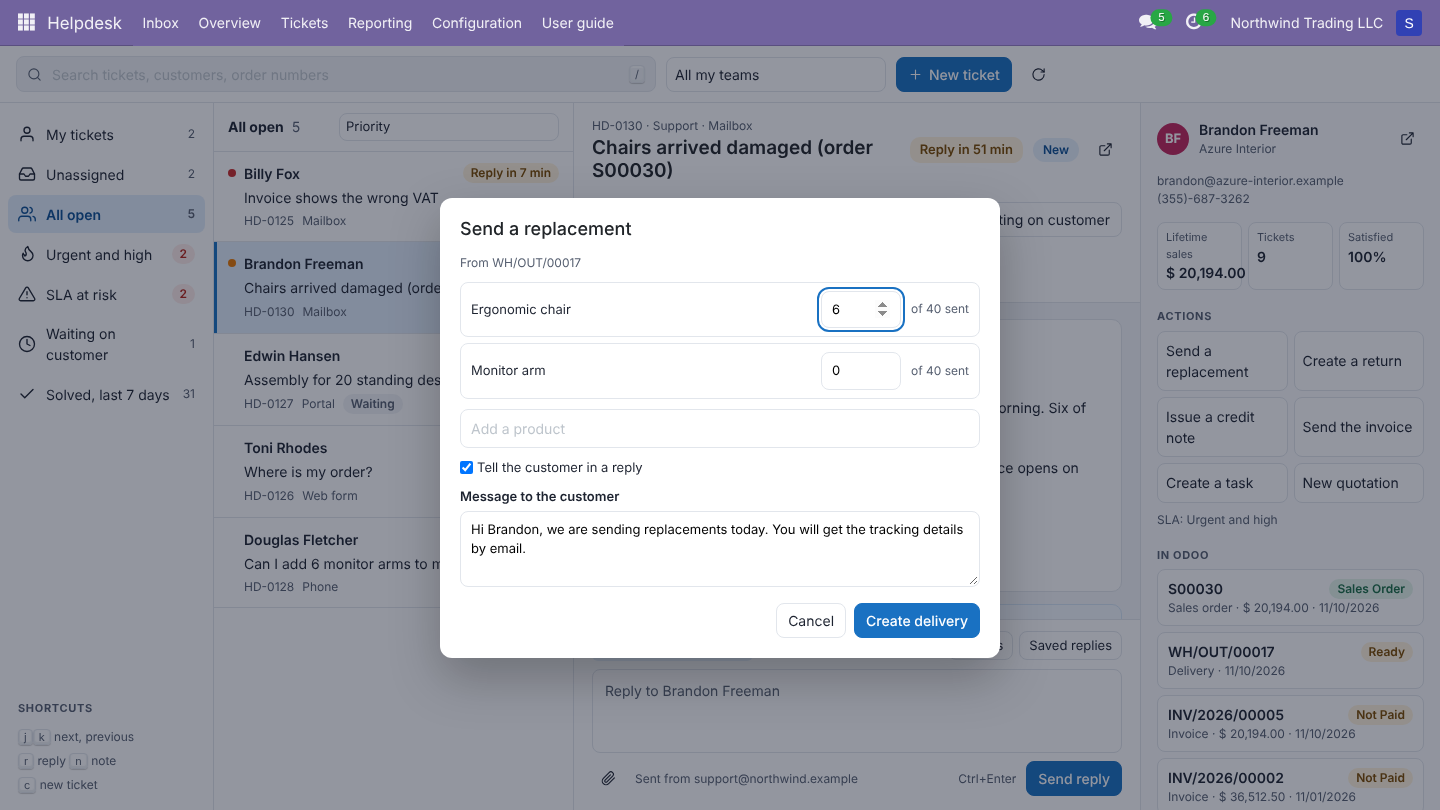
Tick Tell the customer in a reply to write the reply at the same time. Documents are created with the agent's own access rights, and every action is logged on the ticket.
Macros
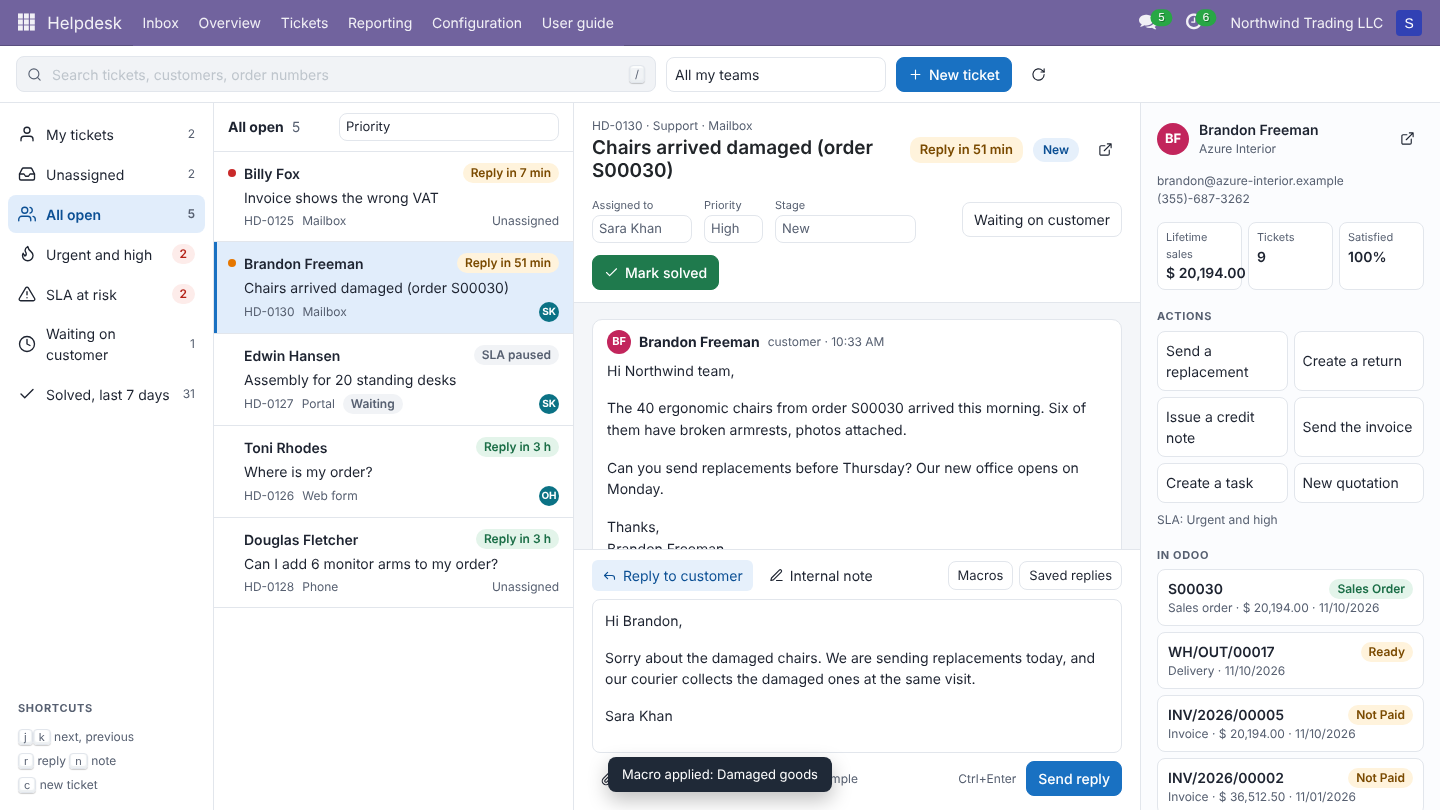
Helpdesk → Configuration → Macros. A macro does the routine of a common case in one click from Macros in the composer:
- inserts a saved Reply,
- sets the stage (In progress, Waiting on customer or Solved), Set priority and Add tags,
- Assign to the agent who runs it,
- Then open the action, for example the replacement dialog for a "Damaged goods" macro.
KPI cockpit
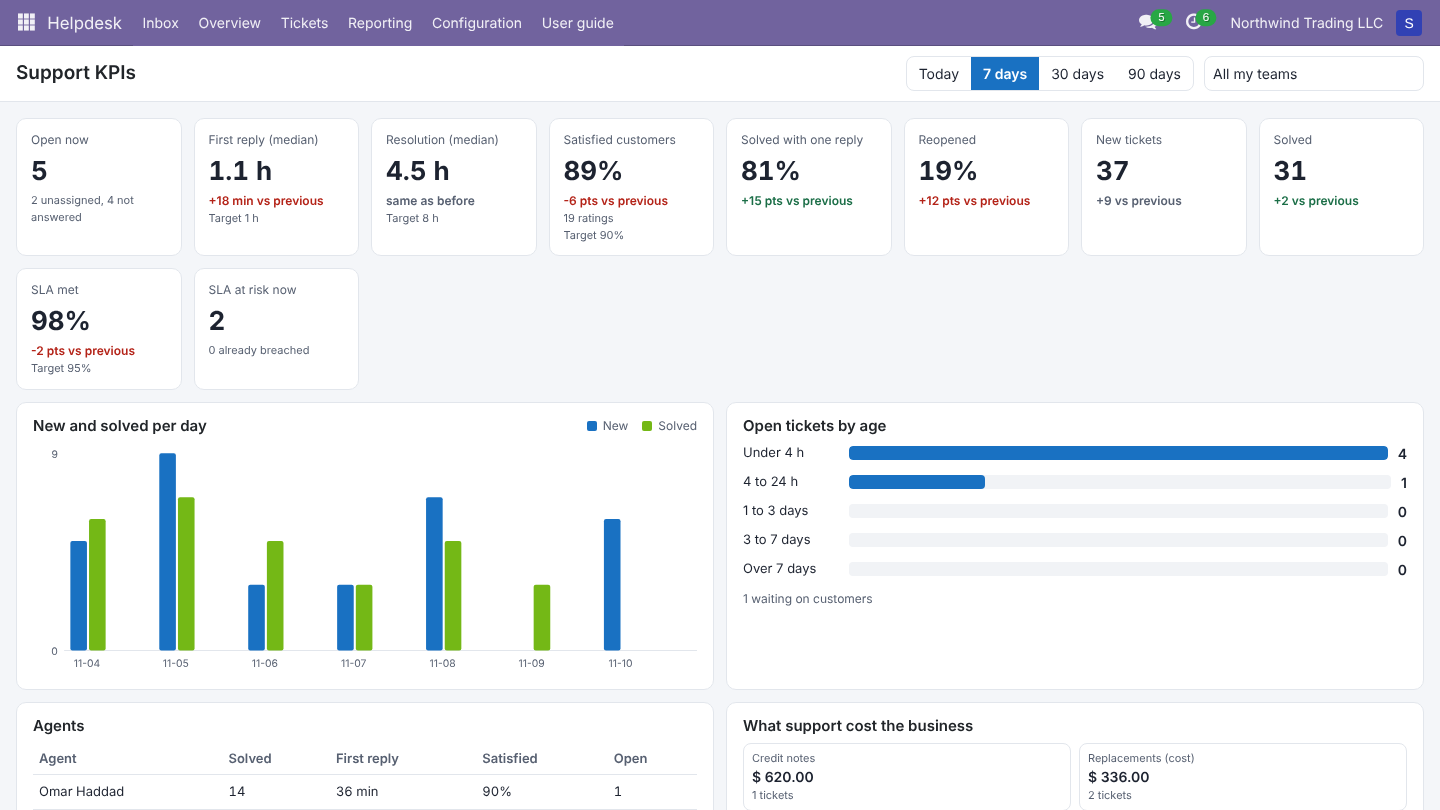
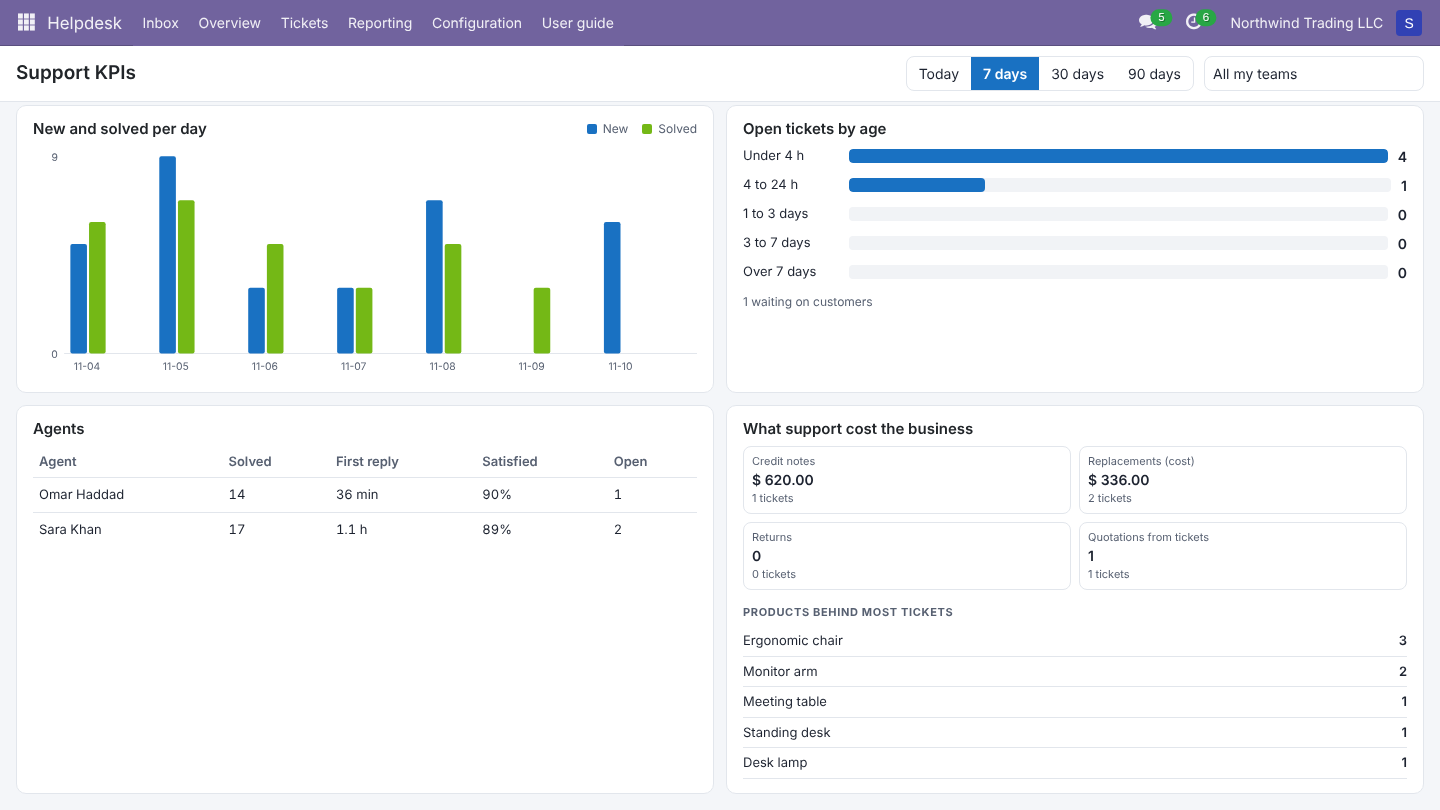
Pro adds to Reporting → KPIs:
- SLA met: share of tickets that met their first reply and solution targets, and the tickets at risk now.
- What support cost the business: credit notes, the cost of replacements, returns, and quotations from tickets in the period.
- Products behind most tickets: the products on the orders your tickets are about.