Knowledge Pro
Pro installs on top of the free app and the Odoo Website app (Community is enough). Your articles carry over.
Help center
Open a top article, then Help center... in the article menu (Knowledge Administrators only):
- Publish this article and its pages: they appear at
/helpon your website. - Keep this page internal on any page hides it, and the pages inside it, from the help center.
- Summary: one line shown under the title and in search results.
- Open the public page and the count of readers who found it helpful.
A Help entry is added to the website menu. Published articles show a green Published badge in Knowledge.
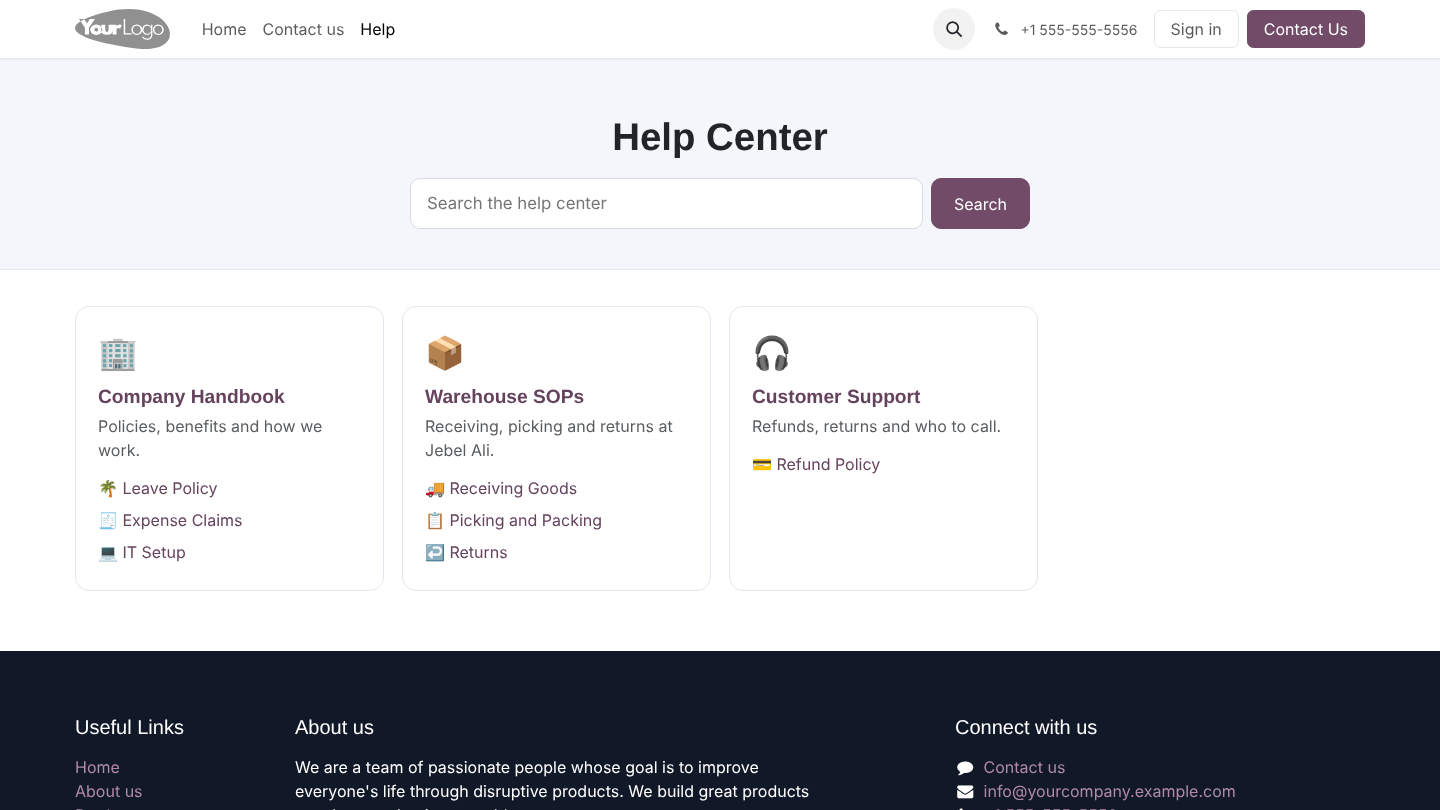
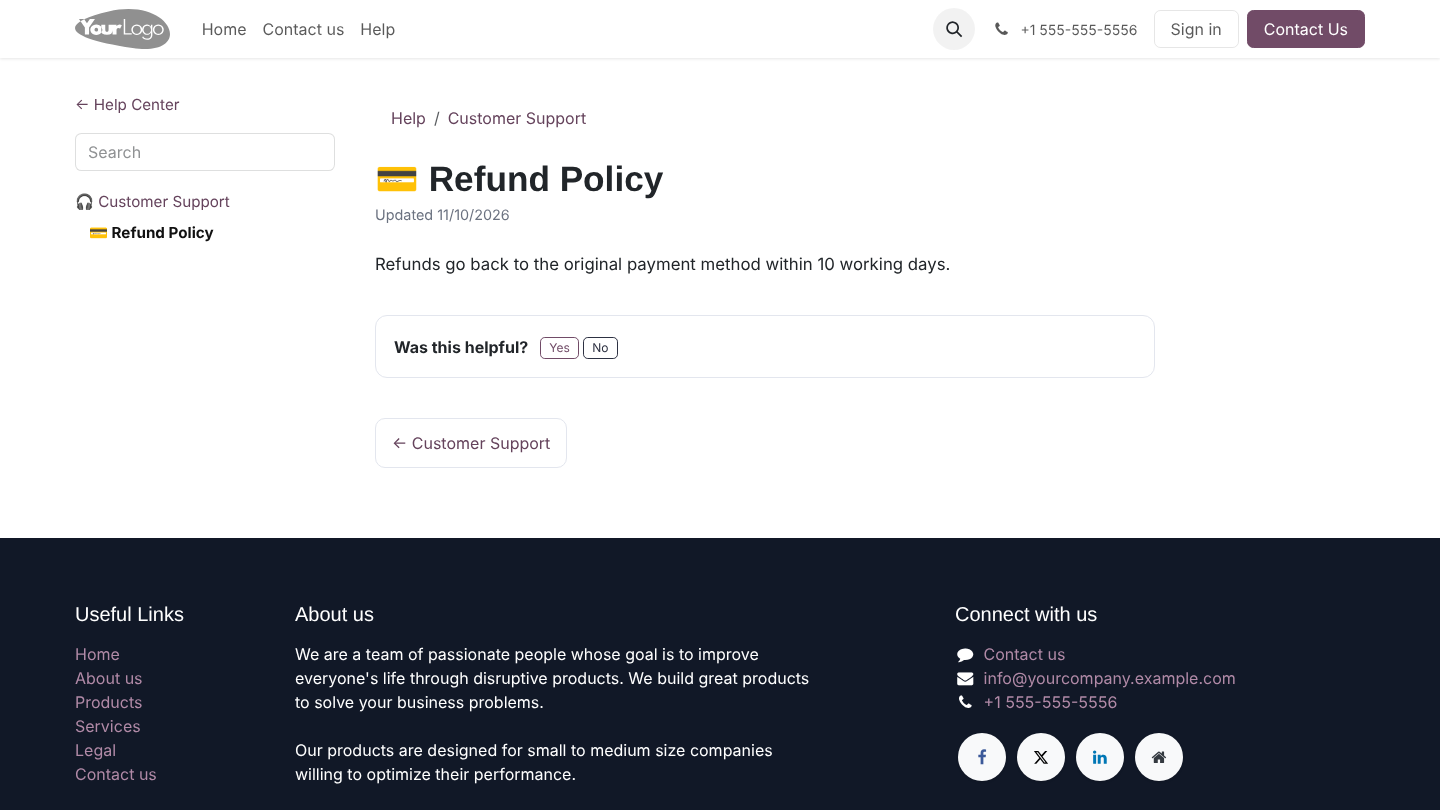
On the website, each published top article is a category with its pages. Article pages have a navigation tree, breadcrumbs, previous and next links, search, and Was this helpful? buttons. Images in published pages are made public with them; links between articles point to the public pages, or become plain text when the target is not published.
Settings → Knowledge: the help center Title, and Help Center for signed-in users only to show it only to portal users and employees.
Required reading
Required reading... in the article menu:
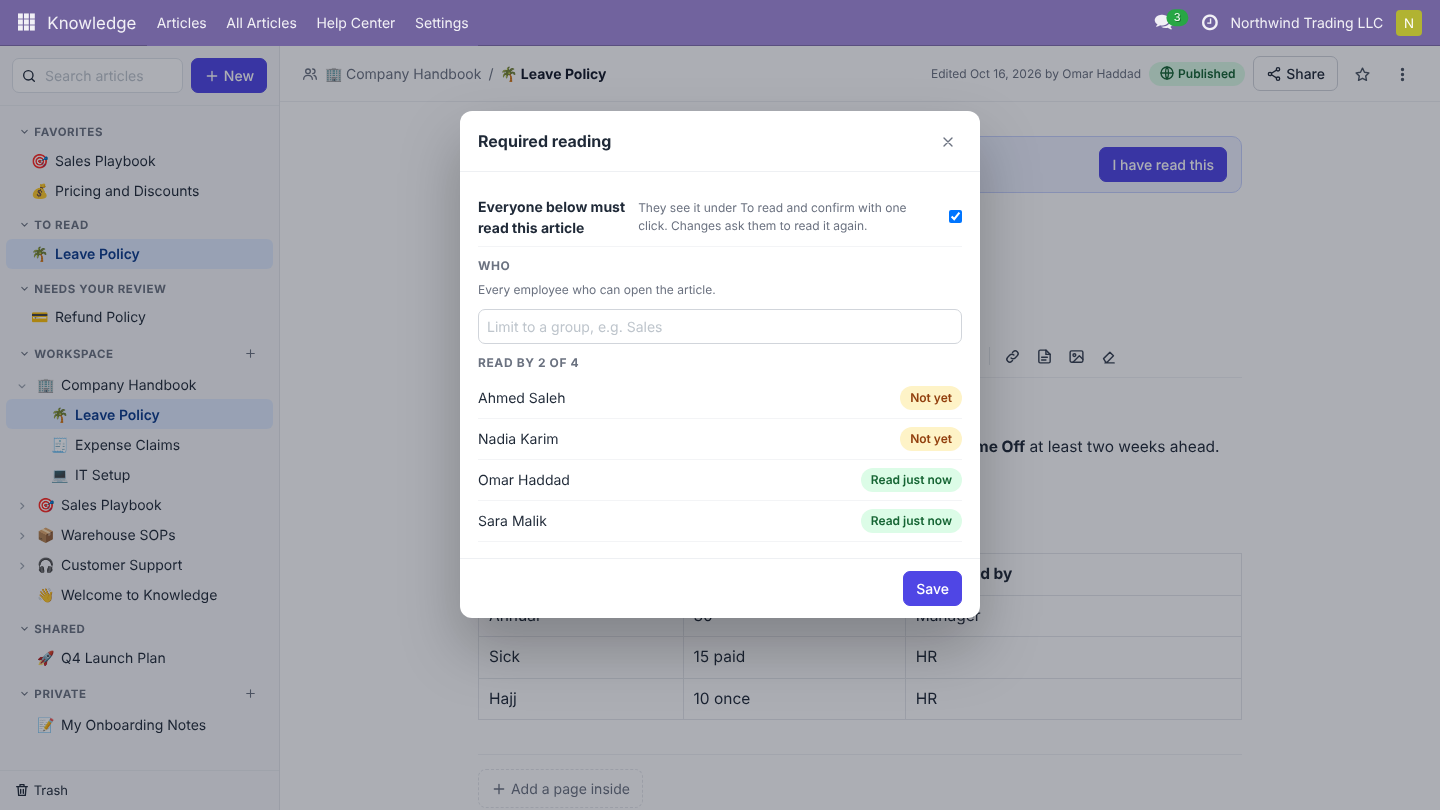
- Tick Everyone below must read this article.
- Leave Who empty for every employee who can open the article, or limit it to groups (for example Sales / User: All Documents).
- Save.
People in the audience see the article under To read in the sidebar and a banner with I have read this. When the article changes, they are asked again. The dialog lists everyone with the date they confirmed, or Not yet.
Reviews
Review schedule...: choose Review every 30 days, 90 days, 6 months or 1 year, and Verify now when the article is right.
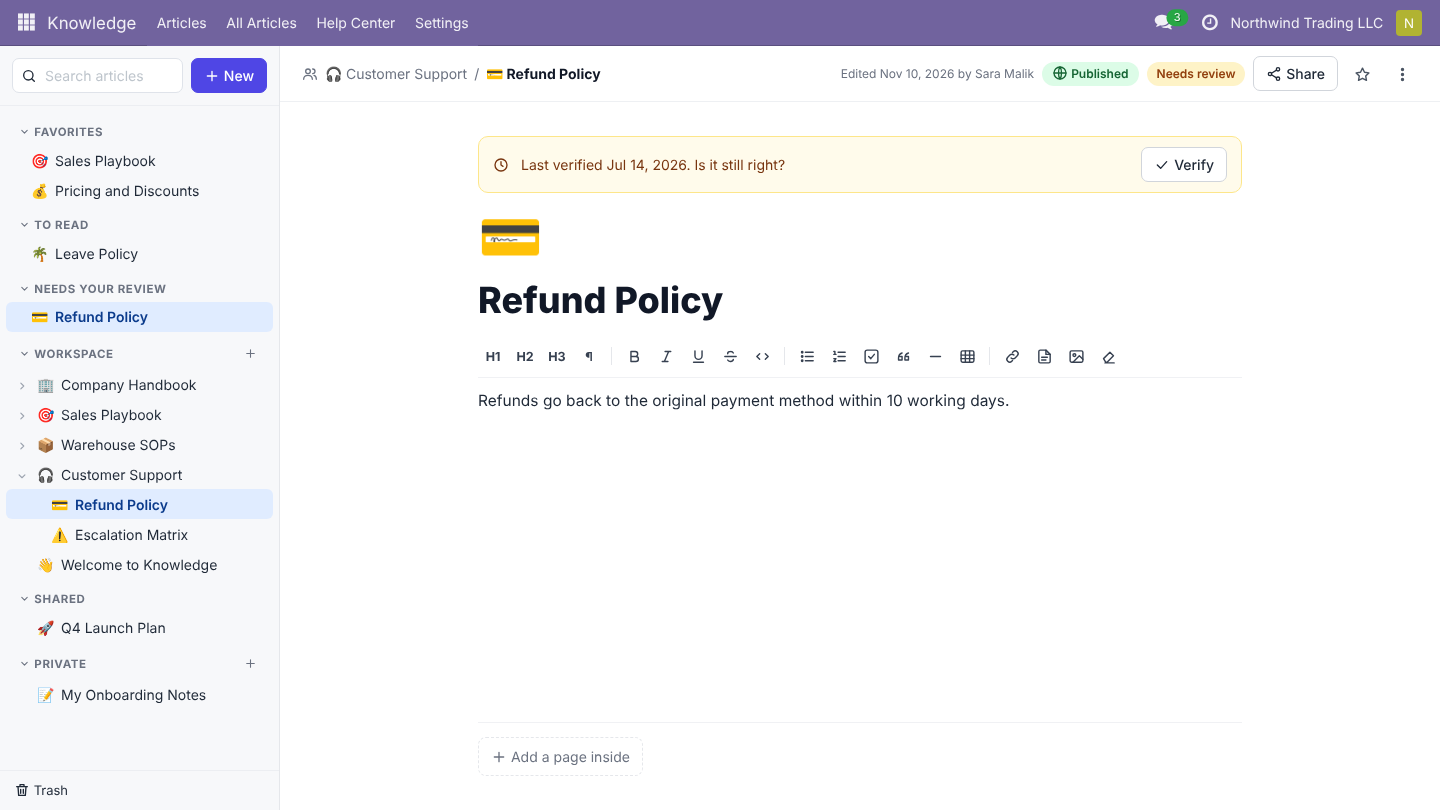
When a review is due, the article shows Needs review, appears under Needs your review for its owner, and the owner gets an Odoo activity (once, not every day). Verify on the banner clears it.
More
- Unlimited history: every version of every article is kept.
- Only administrators add to the Workspace (Settings → Knowledge): employees still write in the articles they may edit, and create Private and Shared articles.