Price Change Log
Go to Point of Sale → Configuration → Price Change Log (Point of Sale / Administrator), or click Price Change Log in the settings.
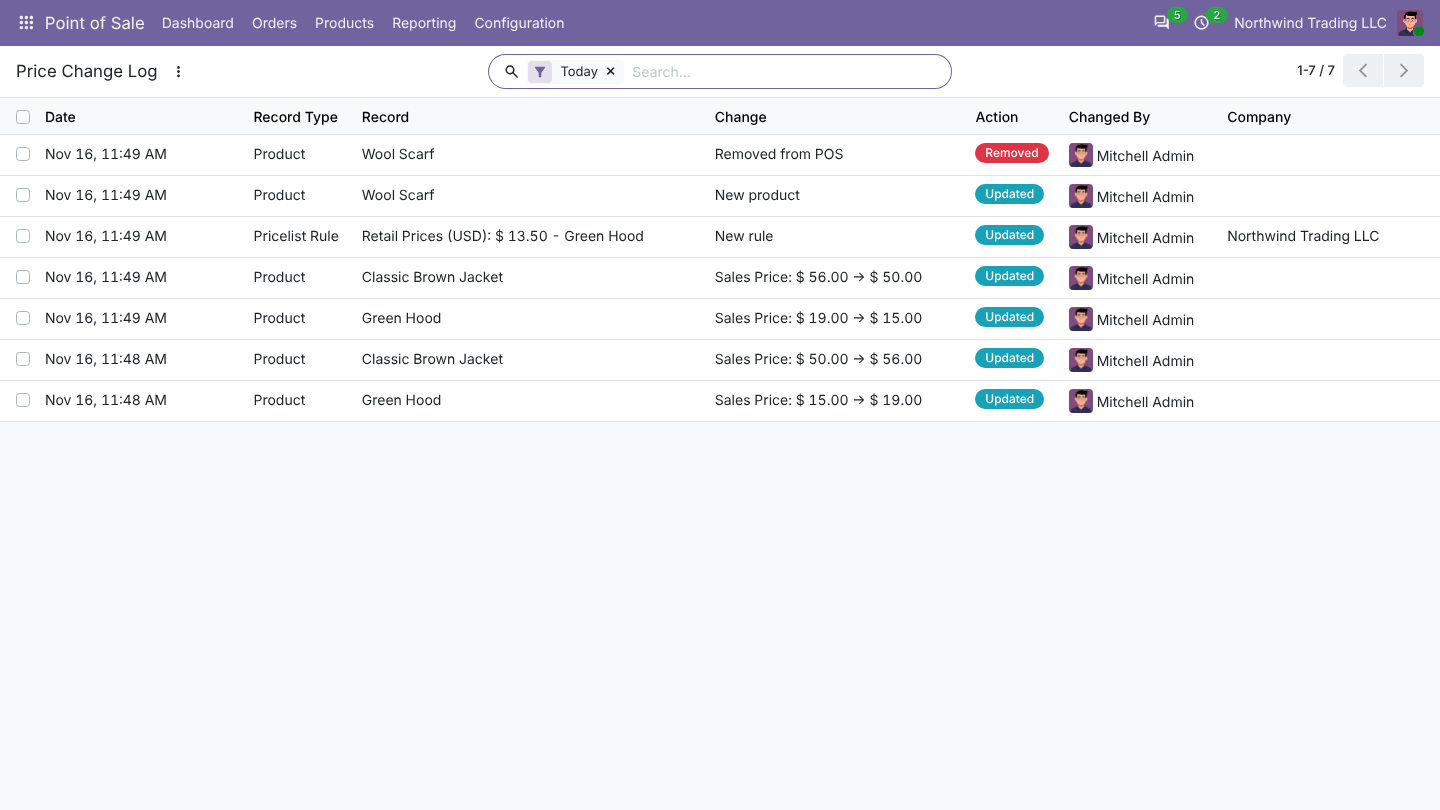
Each line is one change sent to the open POS sessions:
| Column | Meaning |
|---|---|
| Date | When the change was saved. |
| Record Type | Product, Pricelist Rule, Pricelist or Tax. |
| Record | The product, rule, pricelist or tax. |
| Change | What changed, for example Sales Price: $ 15.00 → $ 19.00, New product, Removed from POS or New rule. |
| Action | Updated, or Removed when the record left the POS. |
| Changed By | The user who made the change. |
| Company | The company of the record. Empty for products shared by all companies. |
The list opens on today's changes. Use the filters Products, Pricelist Rules and Taxes, or group by Record Type, Changed By or Day.
Lines older than 30 days are deleted every night. The log is read-only: it records what happened, it does not change prices.
Was this page helpful?