Branches
Branches come with the free Odoo POS Branch Branding app (also installed with Receipt Designer). You need the Point of Sale / Administrator right.
Create a branch
- Go to Point of Sale → Configuration → Branches.
- Click New.
- Fill in the fields below. The Live receipt preview on the right updates as you type.
- Click Save.
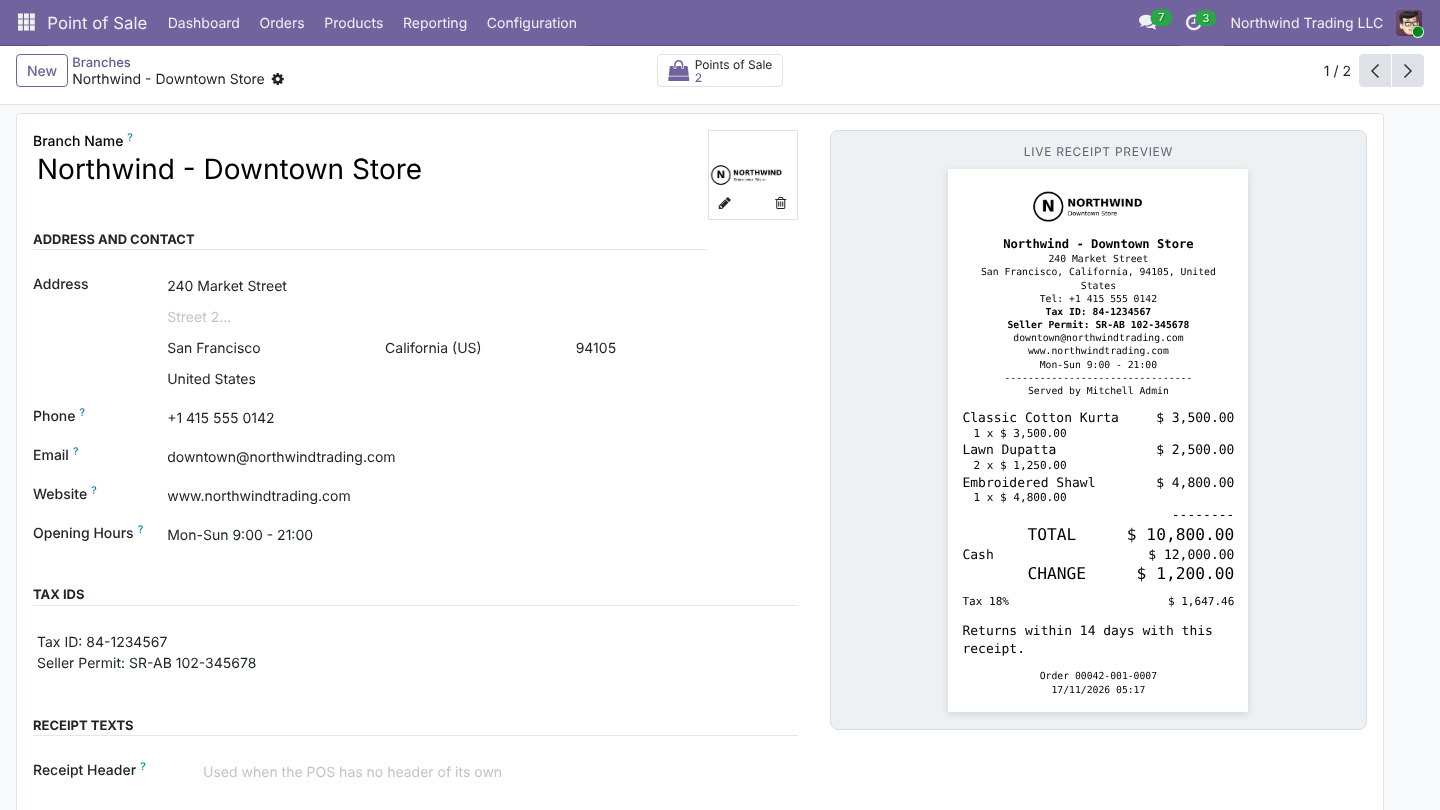
| Field | What it does |
|---|---|
| Branch Name | Printed under the logo, for example "Northwind - Downtown Store". |
| Receipt Logo | The logo of this branch. Empty: Odoo prints the company logo. Black and white logos print best on thermal printers. The receipt uses a small copy (up to 480 x 240 pixels). |
| Address | Street, city, state, ZIP and country of the branch. Empty: the company address. |
| Phone, Email, Website | Printed on the receipt. Each empty field uses the company value. The website prints without "https://". |
| Opening Hours | Free text, for example "Mon-Sun 10:00 - 23:00". |
| Tax IDs | One per line, printed exactly as written, for example NTN: 1234567-8 and STRN: 32-77-8761-234-56. When set, they replace the company tax ID on the receipt. |
| Receipt Header, Receipt Footer | Printed when the Point of Sale has no header or footer of its own (Odoo's Custom Header & Footer setting). |
| Hide "Powered by Odoo" | Removes the "Powered by Odoo" line from receipts of this branch. On by default. |
| Company | In a multi-company database, the company of the branch. Users only see branches of their companies. |
The Points of Sale button at the top shows which Points of Sale use the branch.
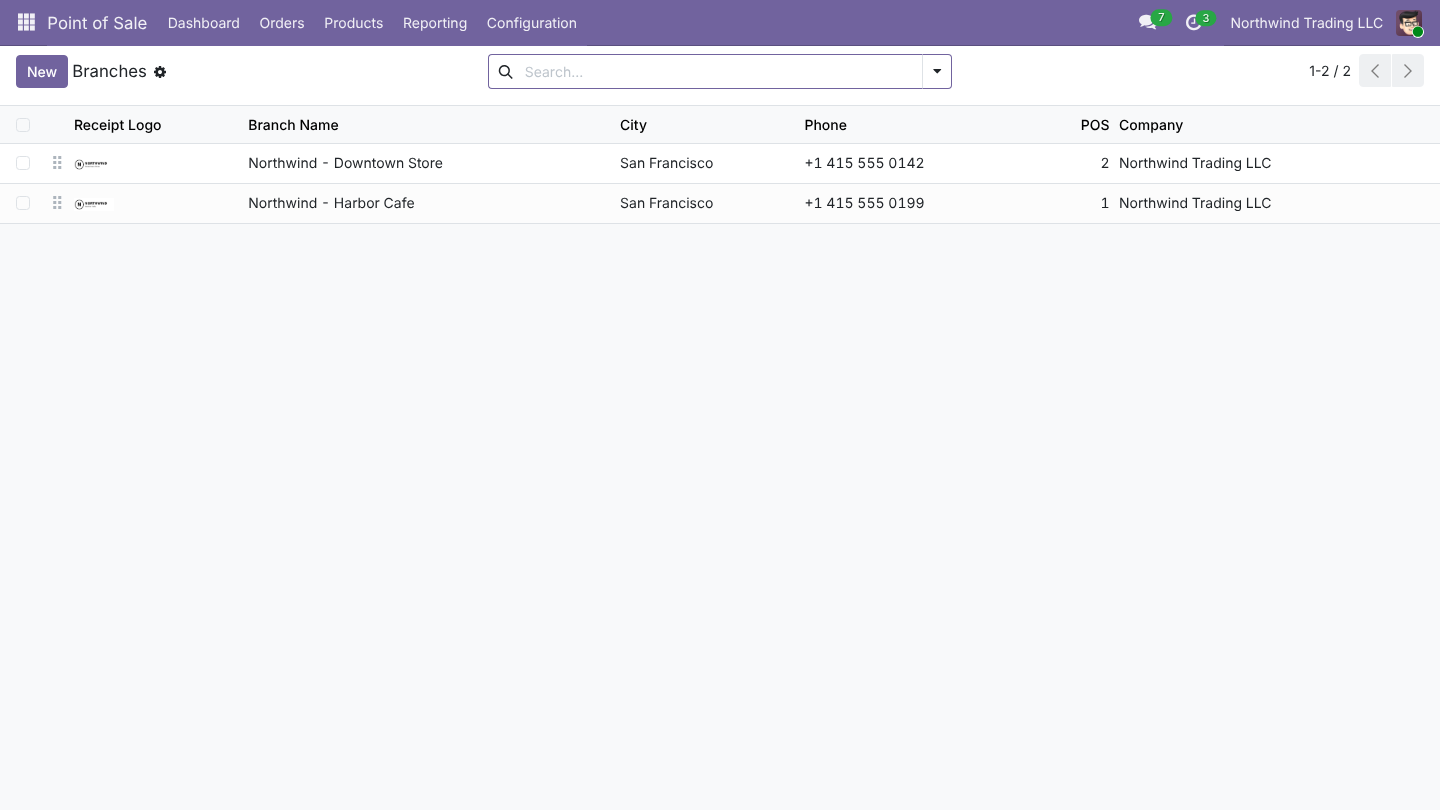
The list of branches
Point of Sale → Configuration → Branches lists all branches with their logo, city, phone and number of Points of Sale. Drag the handle to reorder them. Archive a branch you no longer use (Action → Archive).
Choose the branch for a Point of Sale
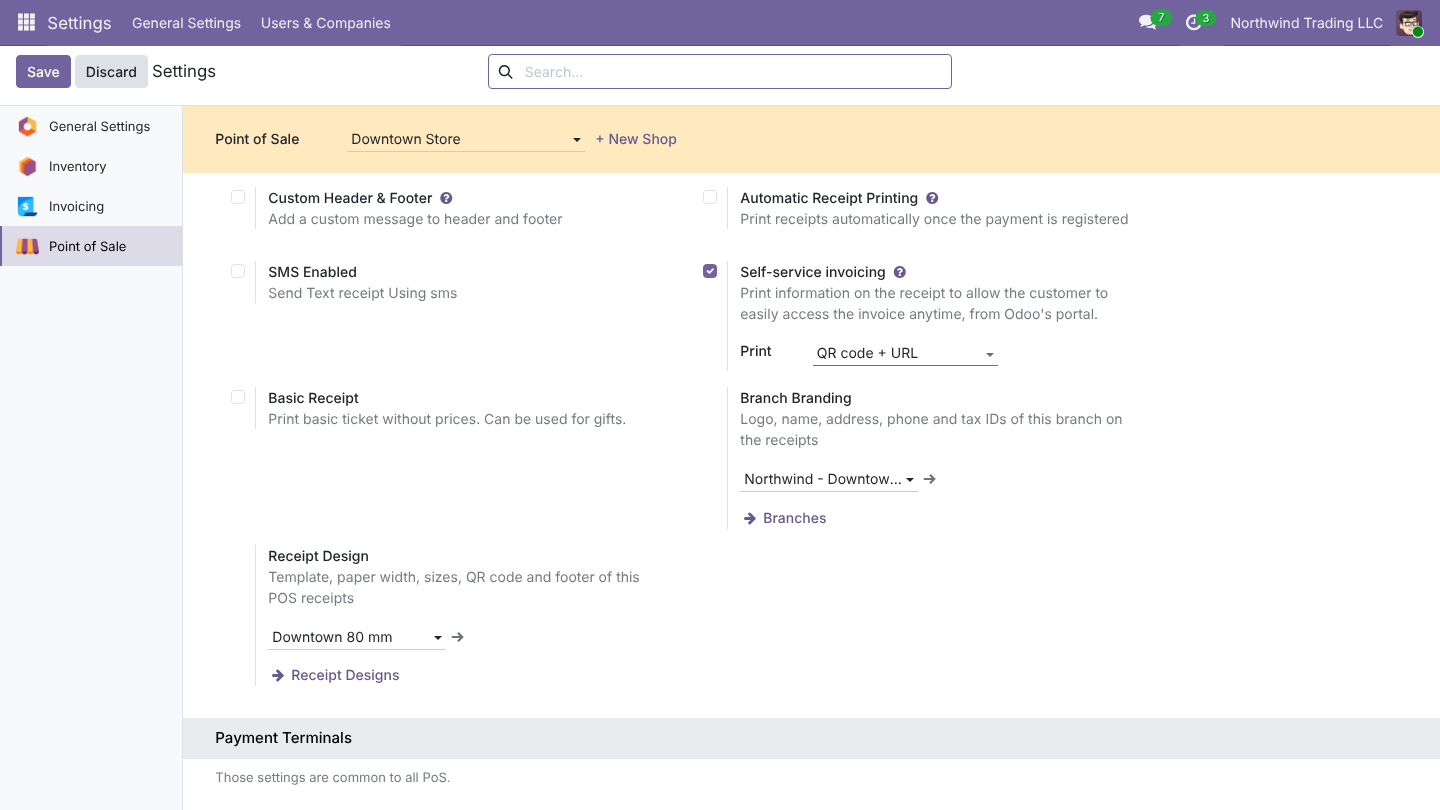
- Go to Point of Sale → Configuration → Settings.
- At the top, choose the Point of Sale.
- In Bills & Receipts, set Branch Branding to the branch.
- Click Save, then close and reopen the POS session.
Several Points of Sale can share one branch. A Point of Sale without a branch prints Odoo's normal receipt.
Was this page helpful?