In the Point of Sale
Nothing changes for cashiers. After a payment, the receipt screen shows the branch details and the design. Printing and emailing the receipt use the same layout.
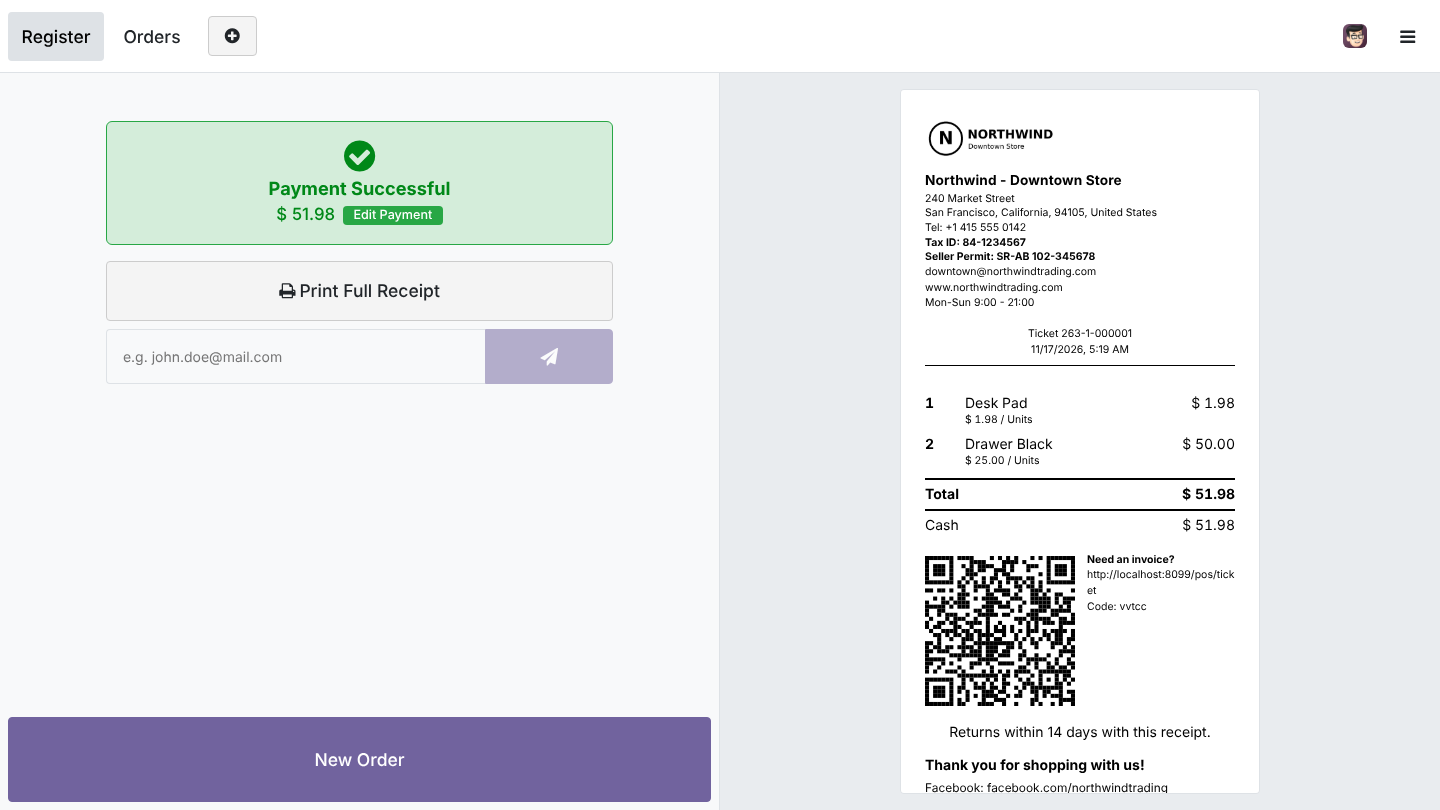
What the customer gets
- Printed receipt: Odoo turns the receipt into an image for the printer (IoT Box, ePos printer) or opens the browser print. The design sets the image width for 58 or 80 mm paper.
- Emailed receipt: Odoo emails an image of the receipt, with the same design.
- Reprints from the Orders screen carry the reprint banner when Mark Reprints is on.
After a change
The till loads branches and designs when the session opens. After changing a branch or a design, close the POS session and open it again (or reload the POS page).
Other receipt apps
Branch Branding and Receipt Designer add to Odoo's receipt instead of replacing it. Blocks added by other apps, such as loyalty points, restaurant table and guests, or tax authority invoice numbers and QR codes (our FBR, PRA, SRB and KPRA apps), keep printing in their usual place and take the design's font and size.
Troubleshooting
- The receipt did not change: close and reopen the POS session, and check Branch Branding and Receipt Design in the settings of that Point of Sale.
- The logo is missing: check Receipt Logo on the branch, and that Logo Size in the design is not Hidden.
- The logo prints grey or blurred: use a black and white logo with a white background.
- Text is cut on 58 mm paper: set Paper to 58 mm in the design, and Font Size to Small if item names are long.
- The QR code does not open: check the QR Link; it must be a full link such as
https://....
Was this page helpful?