Documents and the queue
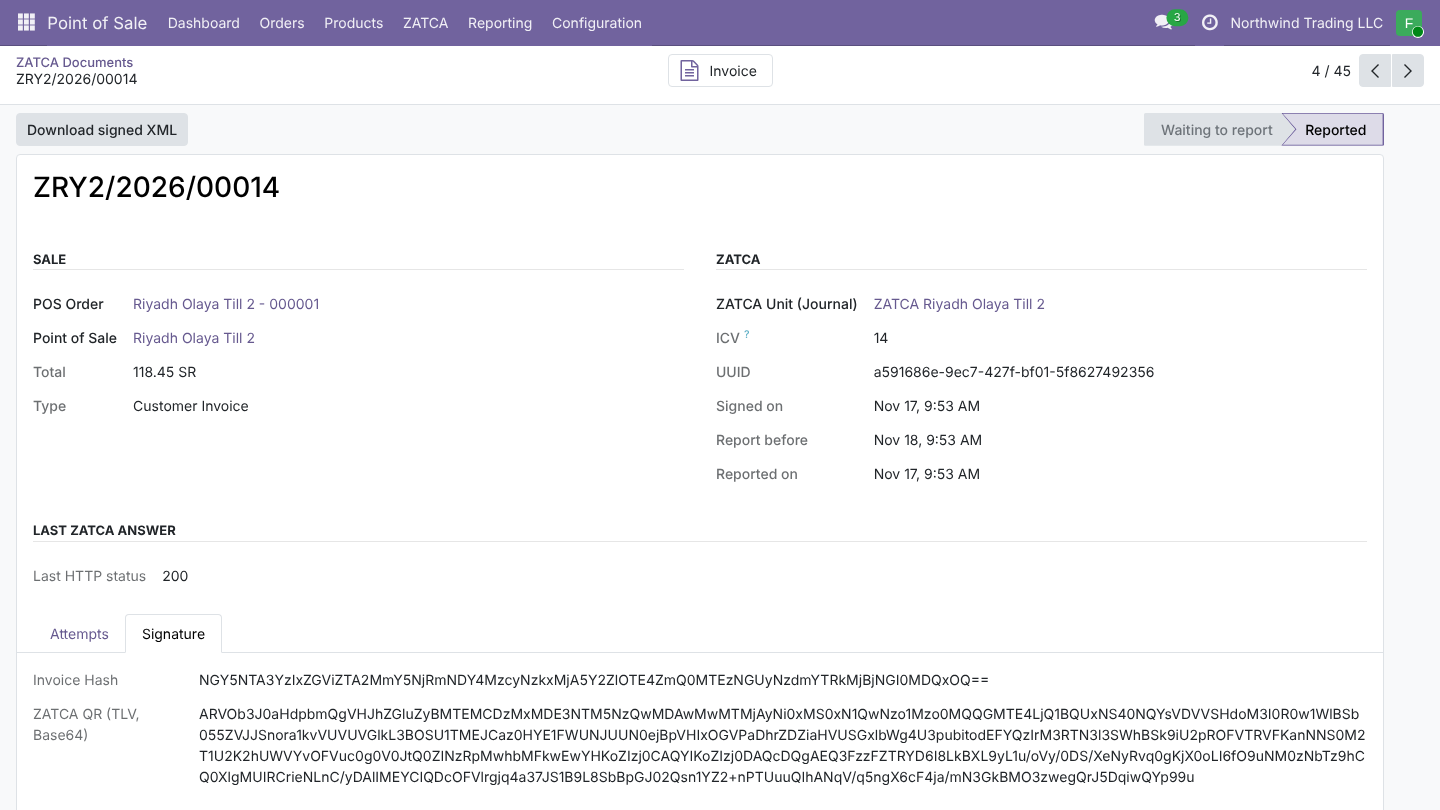
Every simplified invoice signed at a till gets a ZATCA document: the signed XML, its ICV, UUID and hash, its deadline and every attempt to report it.
The overview
Point of Sale → ZATCA → Overview shows one card per Saudi point of sale.
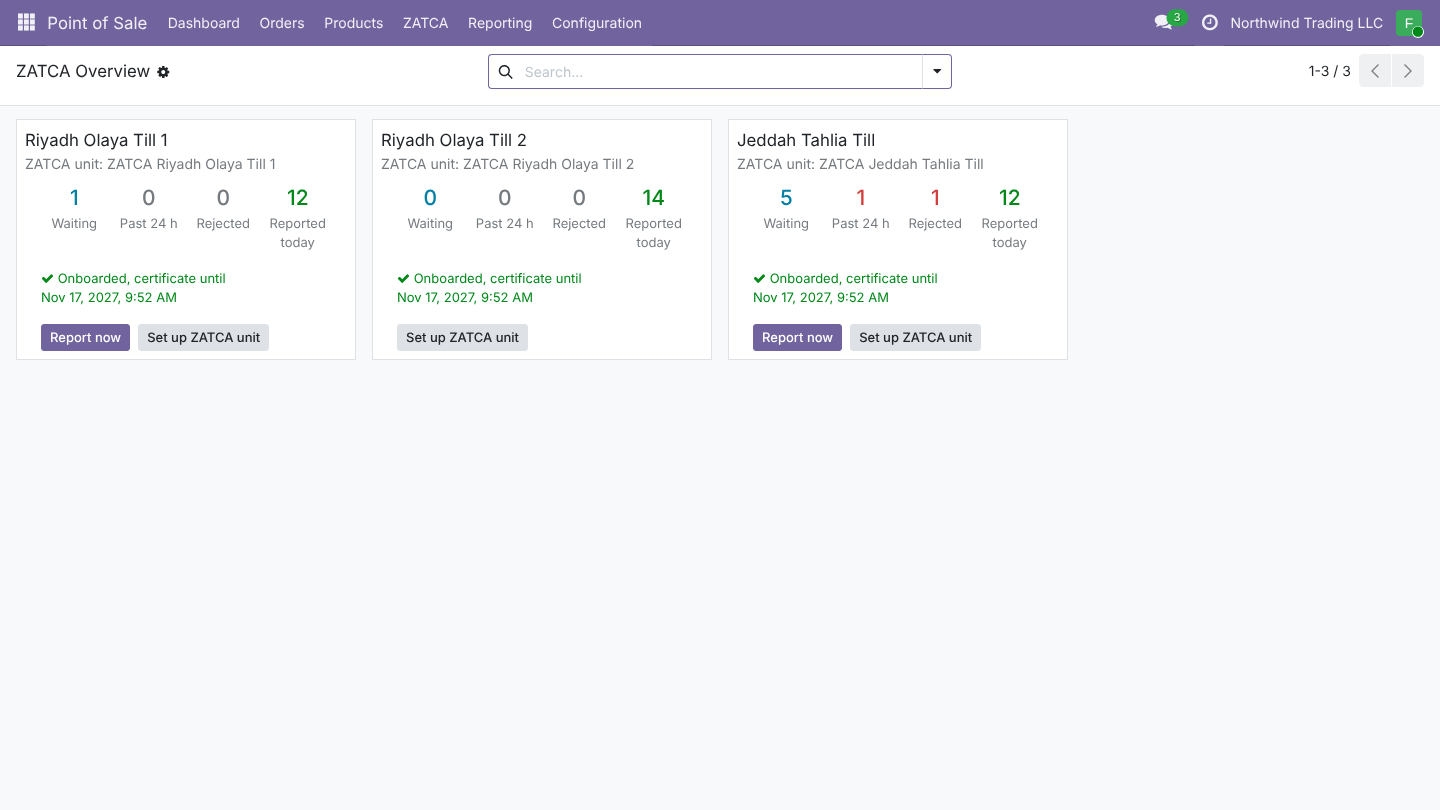
| On the card | Meaning |
|---|---|
| Waiting | Signed, not reported yet. |
| Past 24 h | Waiting longer than ZATCA's 24 hours. Act on these first. |
| Rejected | ZATCA refused the invoice. See Rejected invoices. |
| Reported today | Accepted by ZATCA today. |
| Onboarded, certificate until | The unit is ready, with the end date of its production certificate. Unit not onboarded means the till cannot sign. |
| Unit shared with another point of sale | Two tills use the same journal. Give each its own unit with Set up ZATCA unit. |
Click a number to open the documents behind it. Report now sends the till's waiting invoices at once.
Documents
Point of Sale → ZATCA → Documents lists every document. Filters: Waiting to report, Past deadline, Rejected, Warnings, Reported, Today. Group by status, point of sale, ZATCA unit or day; switch to the pivot or graph view for reports.
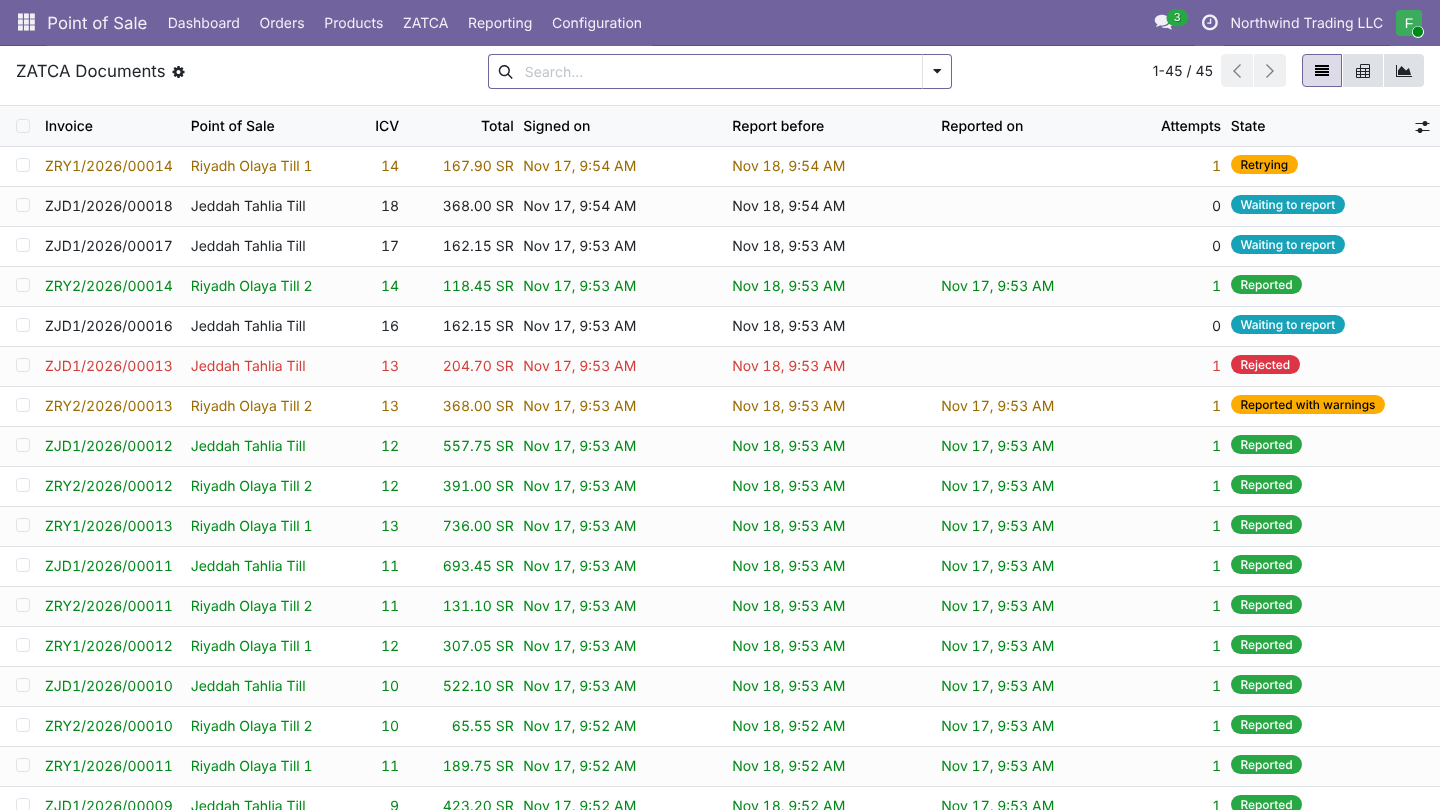
Statuses
| Status | Meaning |
|---|---|
| Waiting to report | Signed at checkout, in the queue. |
| Retrying | ZATCA did not answer (no connection, timeout, server error). Next attempt shows when it is sent again. |
| Reported | Accepted by ZATCA. |
| Reported with warnings | Accepted, with warnings in ZATCA message. Nothing to resend; fix the cause for the next invoices. |
| Already reported | ZATCA already had this invoice (same UUID). It counts as reported. |
| Rejected | Refused by ZATCA. See below. |
| Replaced | Rejected, then signed again: the new document took its place. |
How the queue works
- Each ZATCA unit reports its invoices in ICV order, oldest first. A unit stops at the first invoice that cannot be sent, so ZATCA receives the chain in order. Other units carry on.
- When ZATCA does not answer, the document waits 1, 2, 4, 8 ... minutes, up to 60, between attempts.
- The exact signed XML is resent, with the same UUID and hash. ZATCA recognises an invoice it already has.
- Report now (on a document, the list or a card) sends right away, without waiting for the next attempt.
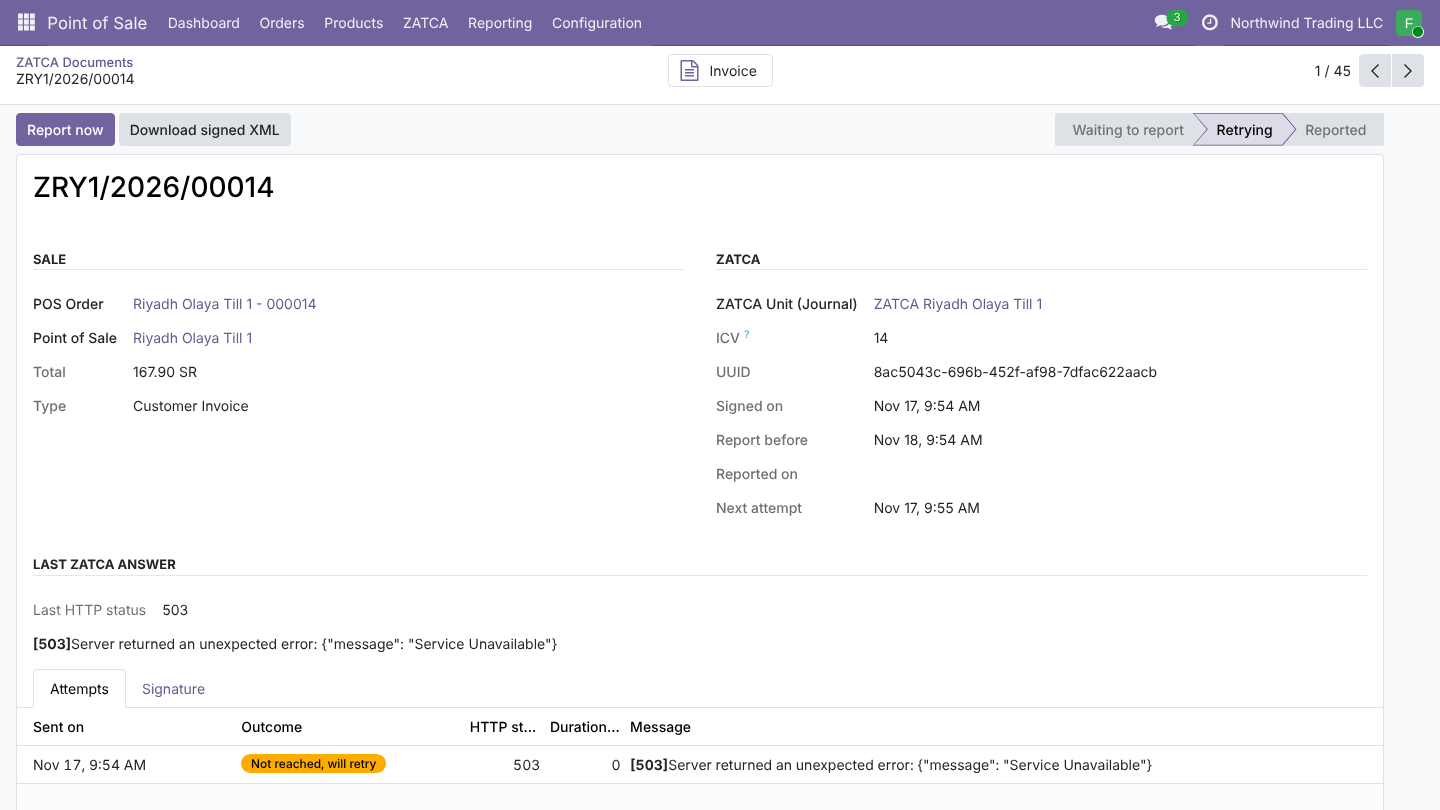
The Attempts tab lists every attempt with its time, result, HTTP status, duration and ZATCA's message. Point of Sale → ZATCA → Attempts lists them all.
Rejected invoices
A rejected invoice shows ZATCA's rule code and message under Last ZATCA answer, for example a missing seller address field.
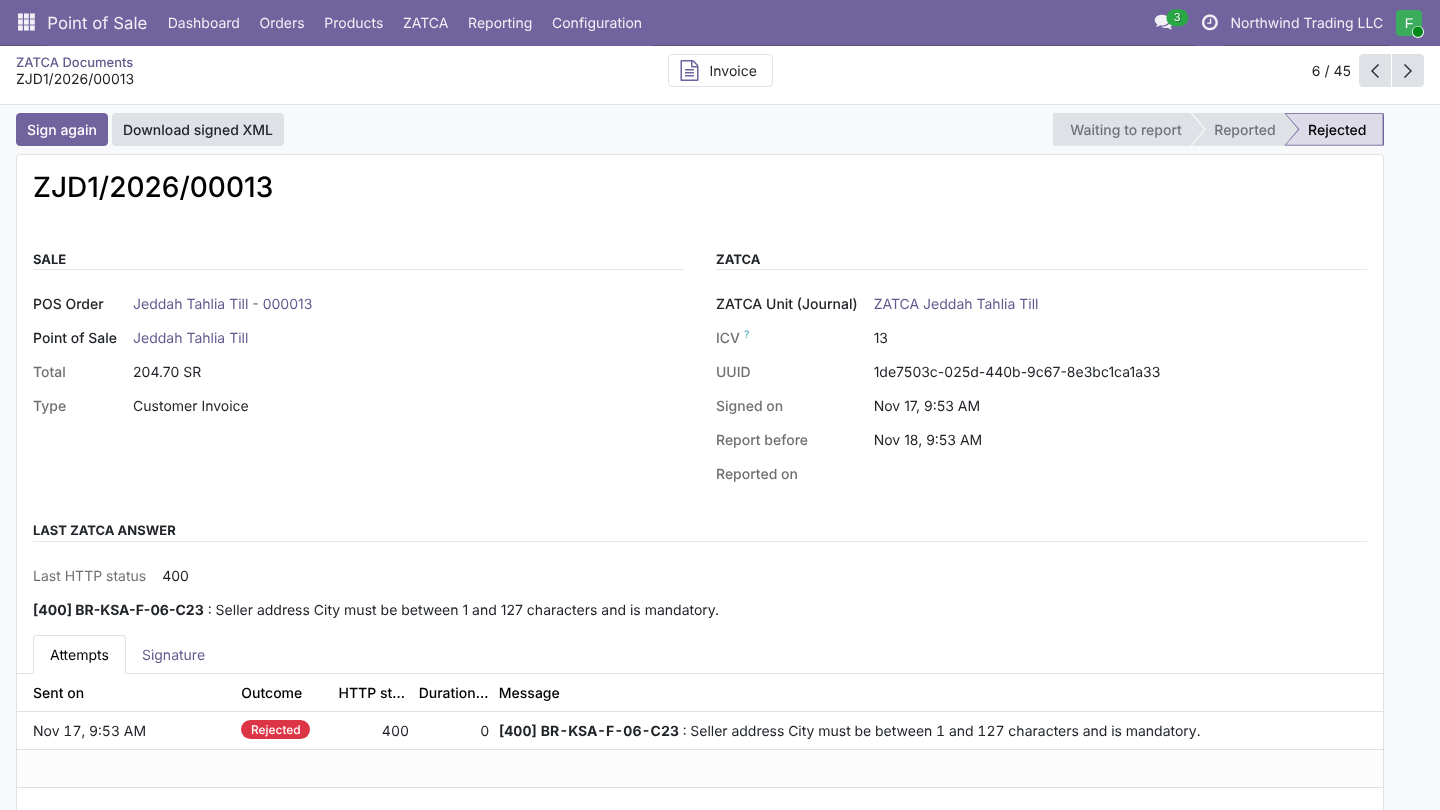
- Fix the data named in the message (company, customer, product or tax).
- Click Sign again and confirm.
The invoice is signed again with a new ICV and goes back in the queue. The rejected document stays as Replaced, with its XML. Give the customer a new receipt: the old QR code belongs to the rejected document.
A rejected invoice keeps its place in the unit's chain on ZATCA's side, so it never blocks the invoices after it.
The 24 hour deadline
Each document shows Report before: 24 hours after signing. The hourly alert job emails the POS managers when invoices are still waiting after Alert after (hours), and when invoices are rejected; each document is alerted once. See Set up.
The invoice in Odoo
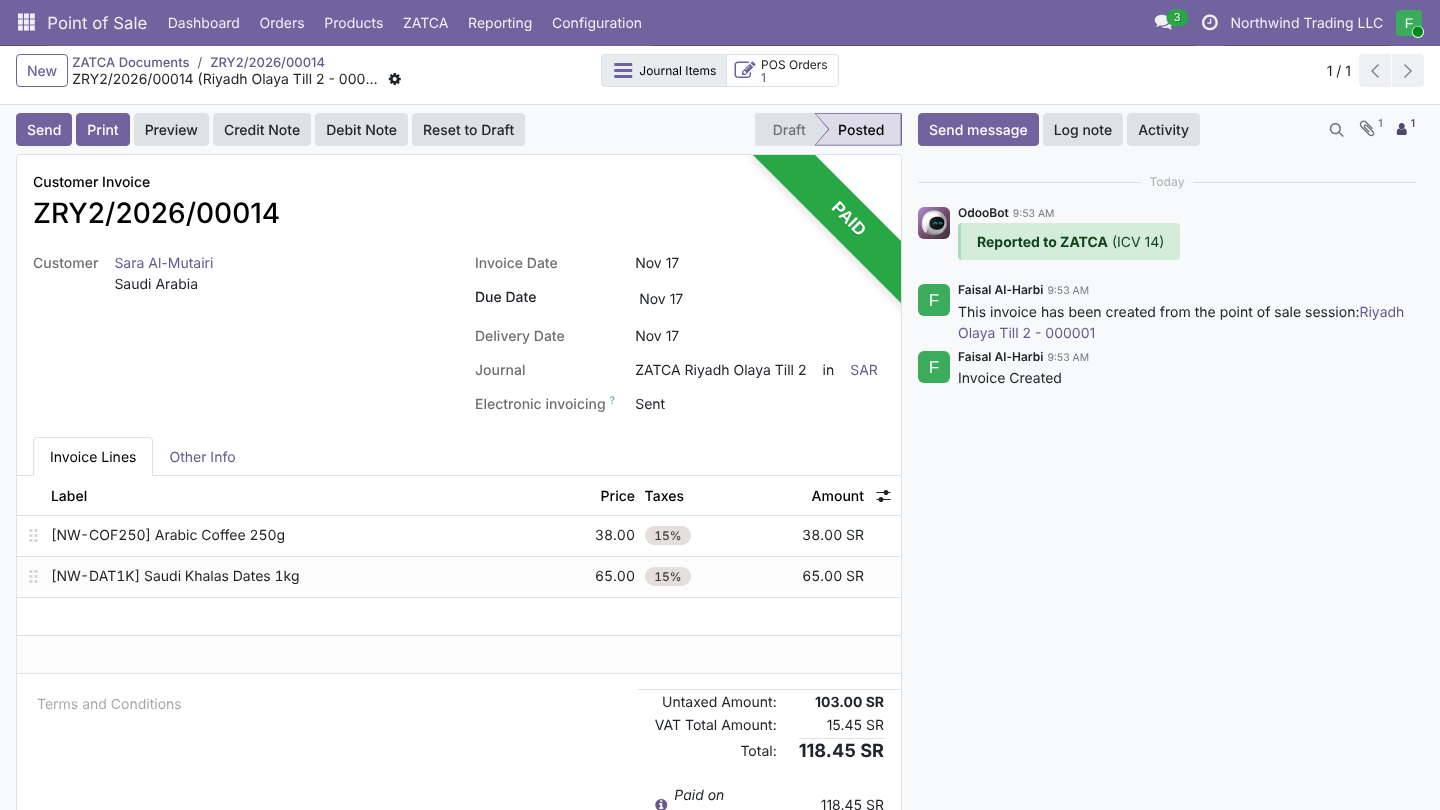
The ZATCA document belongs to Odoo's own invoice. On the invoice, Odoo's Electronic invoicing status shows Sent once reported, the signed XML is attached, and the chatter logs every result with the ICV.
Download signed XML on the document downloads the XML that was (or will be) sent. The Signature tab shows the invoice hash and the QR code content.
On 15.0 to 19.0 Odoo's own electronic invoicing job leaves these invoices to the queue, and Send now on the invoice reports the unit's waiting invoices in order. On 20.0, Odoo's send actions wake the queue.