At the till
Nothing changes in the way the cashier sells. In Saudi Arabia, Odoo invoices every POS order; this app makes the invoice ready for ZATCA while the order is saved.
The receipt
After payment the receipt shows:
- the ZATCA QR code with tags 1 to 9 (seller, VAT number, time, total, VAT, invoice hash, signature, public key and certificate signature),
- Invoice No. / رقم الفاتورة: the invoice number,
- ICV / عداد الفاتورة: the invoice counter of the till's ZATCA unit,
- Simplified Tax Invoice / فاتورة ضريبية مبسطة, or Tax Invoice / فاتورة ضريبية for a B2B customer.
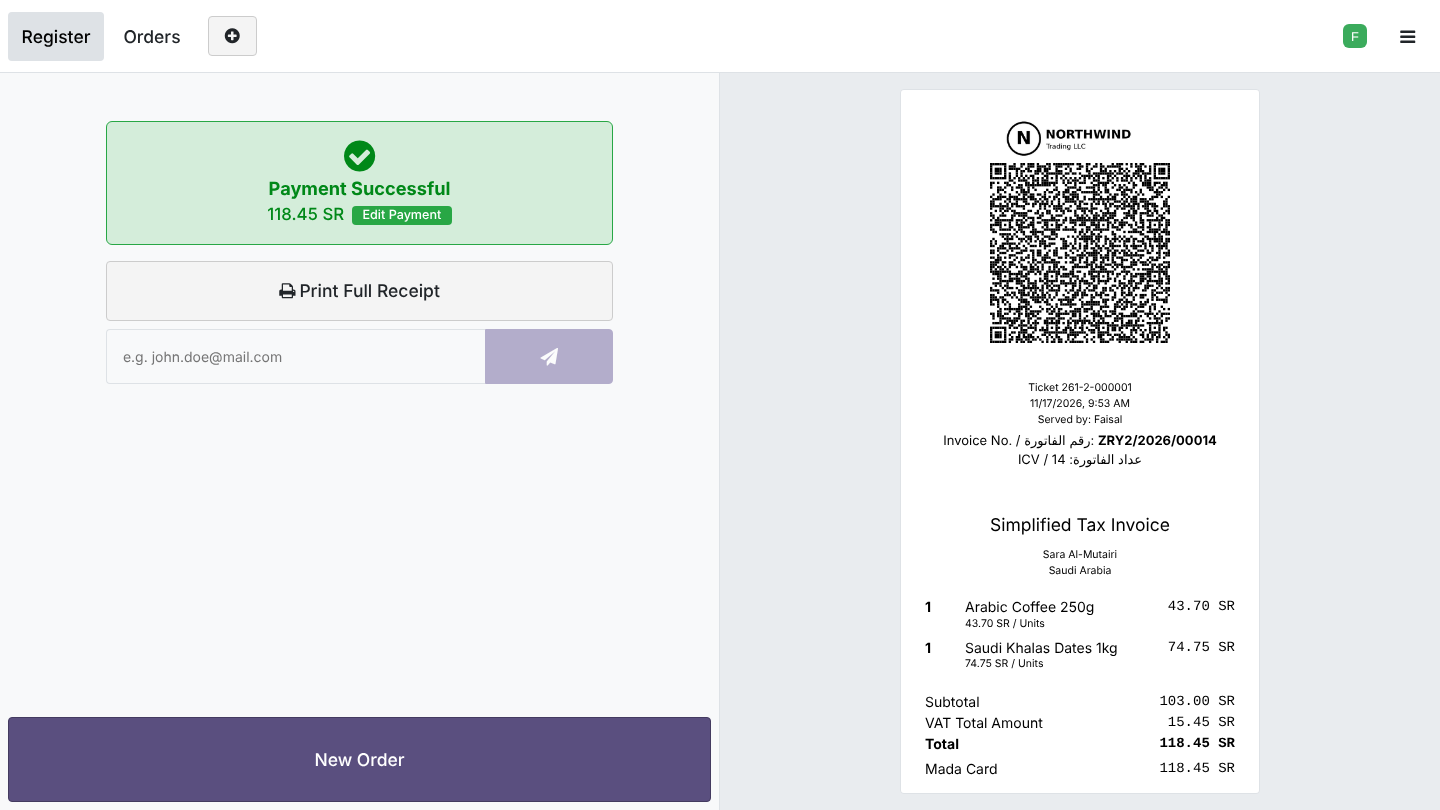
The QR code is the one signed at checkout and it does not change: a reprint of the receipt, or the invoice PDF, shows the same code. (Odoo rebuilds it on every read otherwise, which can give another hash after later sales.)
On Odoo 15.0, 16.0 and 17.0 the POS receipt normally carries a Phase 1 QR code only. With this app it carries the Phase 2 code. These versions also download the invoice PDF after every sale in Saudi Arabia: the app turns that off, the receipt is the simplified tax invoice.
When ZATCA is down
The receipt does not depend on ZATCA. The sale goes through, the receipt is printed with its signed QR code, and the invoice waits in the queue until ZATCA answers. See Documents and the queue.
When the till is offline
Signing happens on the Odoo server. If the till cannot reach the Odoo server, Odoo's POS keeps the order and sends it when the connection is back; the invoice is signed then. A receipt printed before that has no ZATCA QR code (on 17.0 it says ZATCA QR pending: reprint after sync): reprint it from Orders once the till is back online.
B2B customers
When the customer is a company, Odoo issues a standard tax invoice, which ZATCA must clear before it is handed over. With Check B2B buyer data on, the till checks the buyer data first and lists what is missing:
- a VAT number (15 digits, starting and ending with 3, for a Saudi buyer), or another buyer ID such as the CR number,
- for a Saudi buyer: Street, Building number (4 digits), District (street 2), City and Postal code (5 digits).
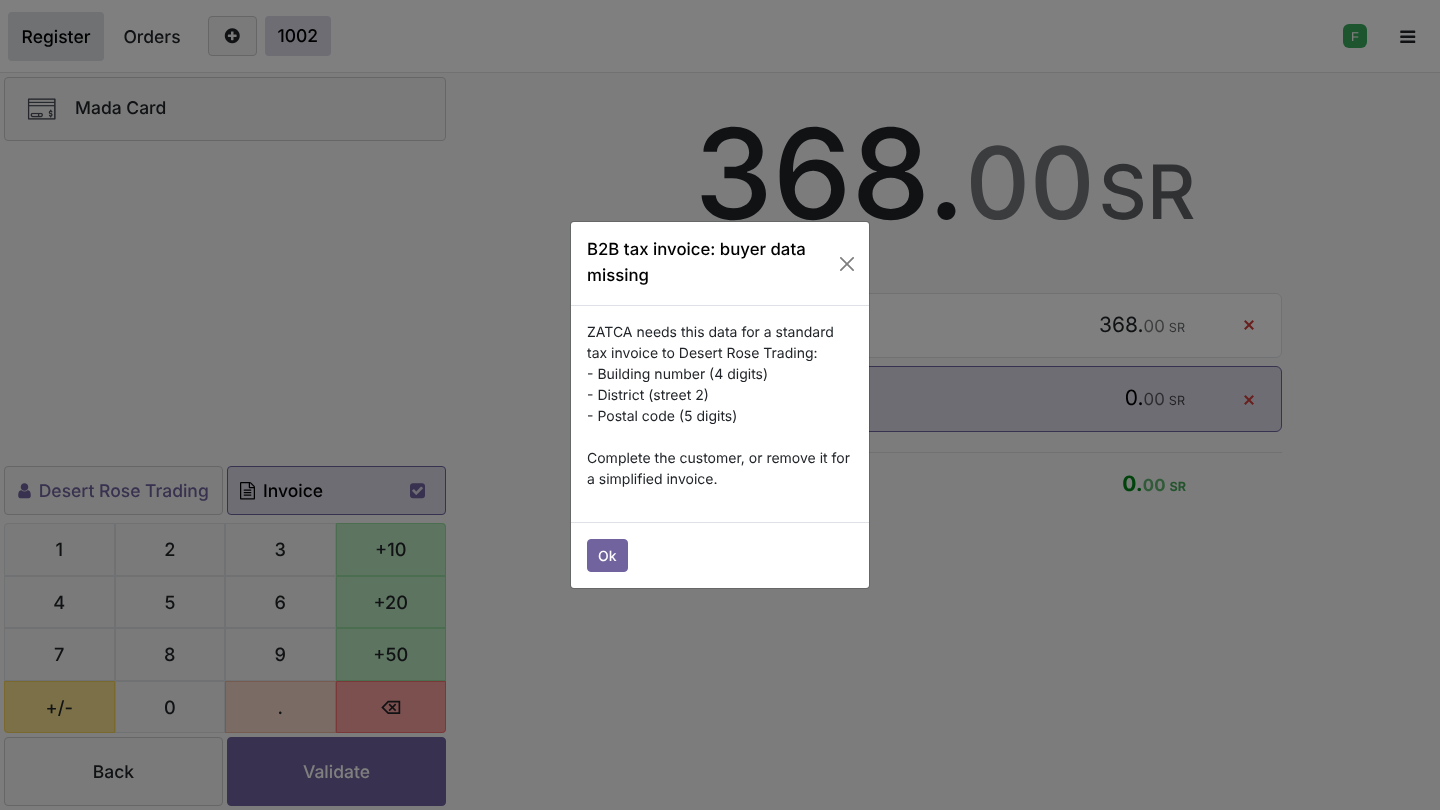
Complete the customer (from the customer list in the POS, or in the back office), or remove the customer to issue a simplified invoice.
When the order is validated, the standard invoice is cleared with ZATCA at once. Any simplified invoices of the same unit that are still waiting are reported first, so the unit's chain stays in order. If ZATCA cannot be reached, the B2B invoice is sent as soon as the waiting ones are reported.