Packs and perks
Credits come from products. Open a product (or Session Credits > Configuration > Packs & Perks) and use the Session Credits tab. Each line is a rule; one product can have several.
| Column | What it means |
|---|---|
| Type | Sessions (N sessions) or % Discount |
| Sessions | Number of sessions per unit sold |
| % / Discount Uses | For discounts: the percentage, and how many times it can be used (0 = no limit) |
| Valid For | The services (products) the credit pays for |
| Days | Validity in days (0 = no expiry) |
| Starts | From the sale or From the first use |
| Value | Paid by the sale price (a pack) or Free perk (part of a membership) |
A session pack
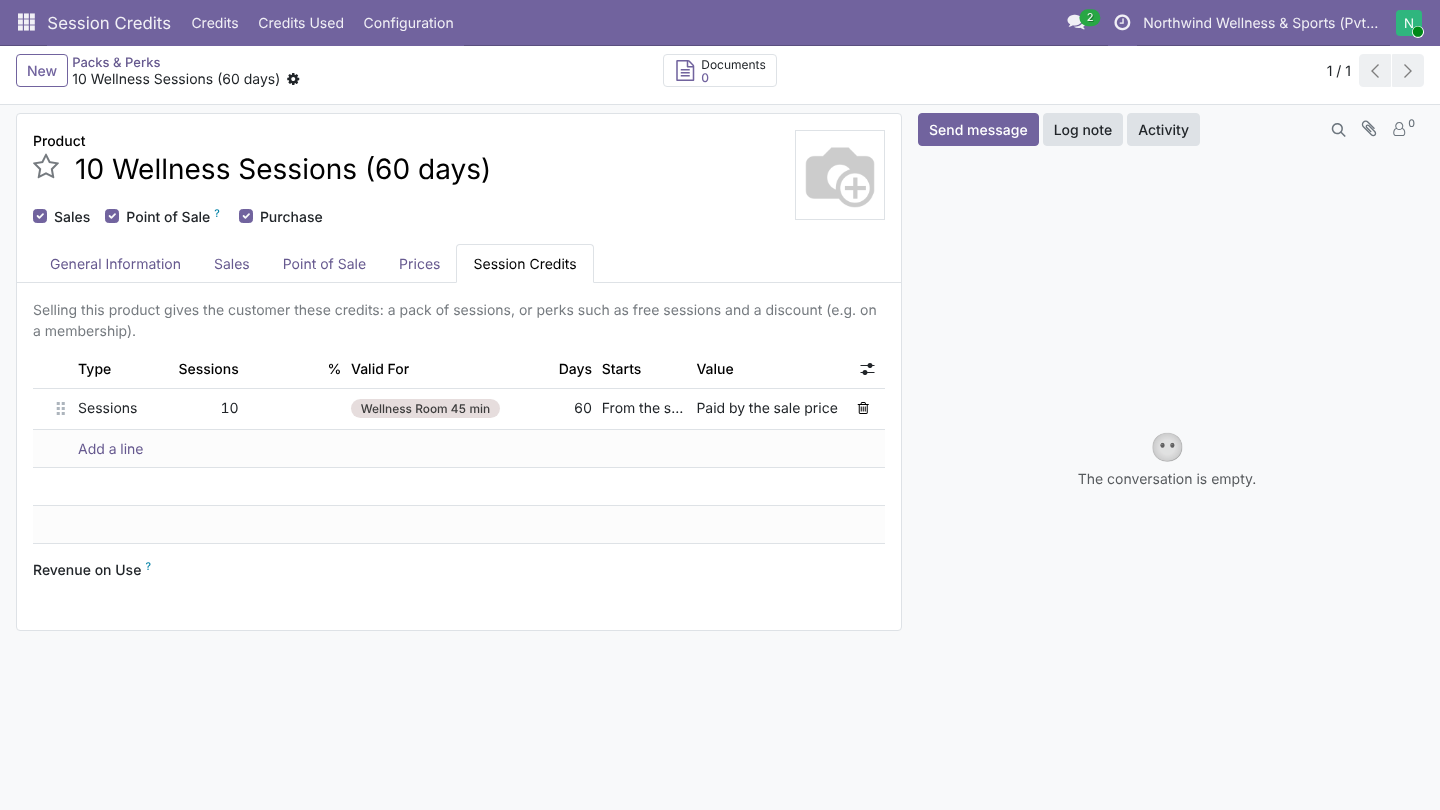
10 Wellness Sessions (60 days): one rule, Type Sessions, 10 sessions, valid for the wellness room service, 60 days from the sale, paid by the sale price.
A membership with perks
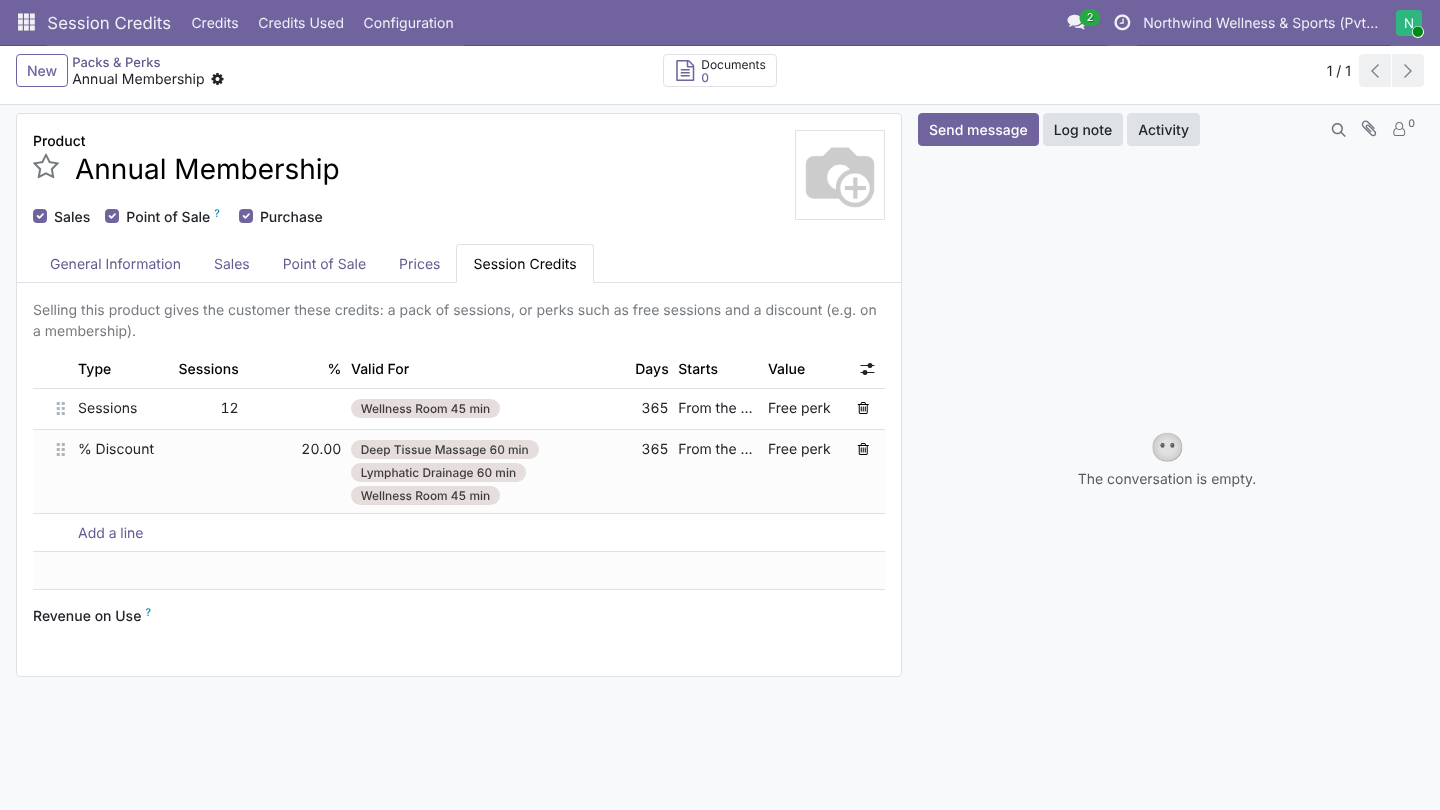
Annual Membership: two rules, both free perks valid 365 days:
- Sessions: 12 free wellness room sessions,
- % Discount: 20% off massages and the wellness room.
Off-peak, student or family plans get their own rules, or none.
Order of use
When a customer has several credits for the same service, free perks are used before paid packs, then the credit that expires first.
Roles
Session Credits / User (given to invoicing users) sees credits and uses them. Session Credits / Manager extends and cancels credits and configures packs and accounting.